
1. Wprowadzenie
This manual provides detailed instructions for the setup, operation, and maintenance of your Bmax B1 Mini PC. Please read this manual thoroughly before using the device to ensure proper functionality and longevity.
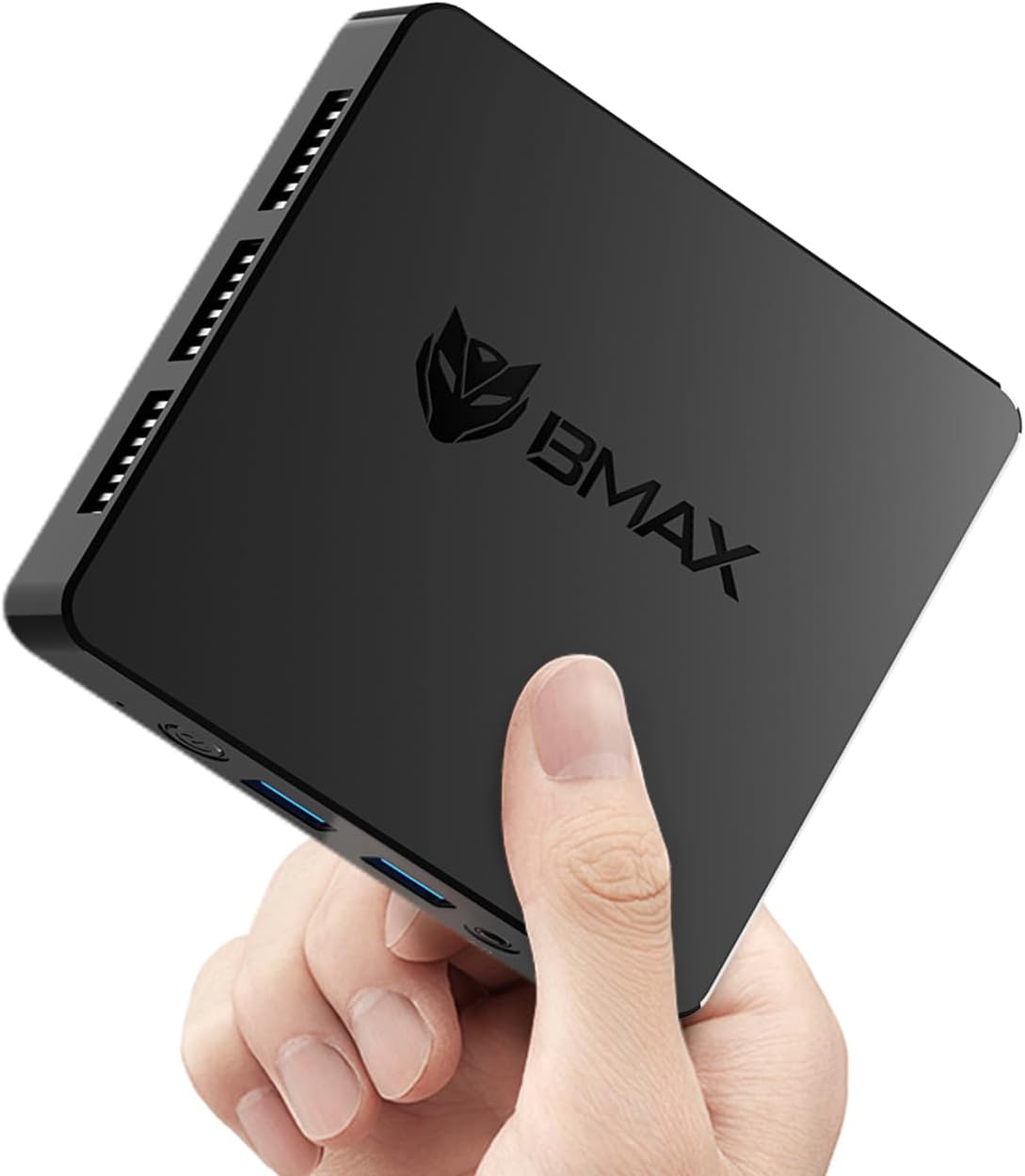
Image 1.1: The Bmax B1 Mini PC, demonstrating its compact and portable design.
Zawartość opakowania
Sprawdź, czy w opakowaniu znajdują się wszystkie elementy:
- Bmax B1 Mini PC
- Zasilacz
- Kabel HDMI
- Instrukcja obsługi (ten dokument)
2. Koniec produktuview
The Bmax B1 Mini PC is a compact desktop computer designed for various applications, from office work to home entertainment. It features an Intel Gemini Lake N4000 processor, 8GB LPDDR4 RAM, and 128GB eMMC storage.

Image 2.1: Key features and specifications of the Bmax B1 Mini PC.
Układ portu
Familiarize yourself with the available ports on your Bmax B1 Mini PC:

Image 2.2: Port configuration on the Bmax B1 Mini PC.
- Wejście zasilania prądem stałym: Łączy się z zasilaczem.
- Porty USB 3.0 (x2): Do szybkiego przesyłu danych przy użyciu kompatybilnych urządzeń.
- Porty USB 2.0 (x2): For connecting peripherals like keyboards, mice, or printers.
- Porty HDMI (x2): Supports dual 4K display output.
- Port Ethernet RJ45: For wired network connection (1000Mbps LAN).
- Gniazdo słuchawkowe 3.5 mm: Do odtwarzania dźwięku na słuchawkach lub głośnikach.
- Przycisk zasilania: Aby włączyć/wyłączyć urządzenie.
- Wskaźnik zasilania: Dioda LED wskazująca stan zasilania.
Wymiary i waga

Image 2.3: Physical dimensions and weight of the Bmax B1 Mini PC.
The Bmax B1 Mini PC measures approximately 4.25 (L) x 4.17 (W) x 0.87 (H) inches (10.8 x 10.6 x 2.2 cm) and weighs around 1.37 pounds (0.62 kg), making it highly portable and space-efficient.
3. Przewodnik konfiguracji
3.1 Połączenie początkowe
- Połącz z wyświetlaczem: Use an HDMI cable to connect the Mini PC to your monitor or TV. The device supports up to two displays simultaneously.
- Podłącz urządzenia peryferyjne: Podłącz klawiaturę i mysz USB do dostępnych portów USB.
- Połącz się z siecią (opcjonalnie): For a wired connection, connect an Ethernet cable to the RJ45 port. For wireless, Wi-Fi 5 (802.11a/b/g/n/ac) is built-in.
- Podłącz zasilanie: Plug the power adapter into the DC Power In port on the Mini PC, then connect the adapter to a power outlet.
3.2 Pierwsze uruchomienie
- Press the Power Button on the Mini PC. The power indicator light will illuminate.
- The device comes with Windows 11 Pro pre-installed. Follow the on-screen instructions to complete the initial Windows setup, including language, region, and user account creation.
- The Mini PC also supports Linux/Ubuntu operating systems, allowing for flexible OS installation if desired.
3.3 Opcje rozmieszczenia
The compact design of the Bmax B1 Mini PC allows for versatile placement options:

Image 3.1: Various placement options for the Bmax B1 Mini PC.
- Umiejscowienie biurka: Simply place the Mini PC on your desk.
- All-in-One Setup: Mount the Mini PC behind a compatible monitor using a VESA mount (not included) for a clean, integrated workspace.
- Montaż na ścianie: Secure the Mini PC to a wall using appropriate mounting hardware (not included) to save desk space.
4. Instrukcja obsługi
4.1 Konfiguracja wielu wyświetlaczy
The Bmax B1 Mini PC supports connecting up to two monitors simultaneously via its two HDMI ports, enabling extended desktop or mirrored display configurations. Ensure your monitors are connected before powering on the device for optimal detection.
4.2 Rozszerzenie pamięci masowej
The internal storage can be expanded by adding an M.2 2280 SATA SSD (up to 2TB, not included). This allows for increased storage capacity for applications and data.

Image 4.1: The M.2 SATA 2280 slot for additional storage.

Image 4.2: Steps for installing an M.2 SATA SSD for storage expansion.
To install an M.2 SATA SSD:
- Wyłącz Mini PC i odłącz wszystkie kable.
- Locate the screws on the bottom cover of the device.
- Carefully remove the screws and open the bottom cover.
- Insert the M.2 2280 SATA SSD into the designated slot.
- Secure the SSD with the provided screw (if applicable).
- Załóż dolną pokrywę i przykręć ją śrubami.
4.3 Funkcje zarządzania energią
The Mini PC includes several power management features:
- Auto-boot: Configurable to automatically power on when connected to power.
- Wake-on-LAN (WoL): Allows the device to be powered on remotely via a network signal.
- Rozruch PXE: Enables booting from a network server.
- Wake-on-RTC: Allows scheduling the device to power on at a specific time.
These settings can typically be configured within the BIOS/UEFI settings of the Mini PC.
5. Konserwacja
5.1 Układ chłodzenia
The Bmax B1 Mini PC features a built-in smart cooling system (fan + heat sink + hard drive cooler) to maintain optimal operating temperatures. Ensure that the ventilation openings are not obstructed to allow for proper airflow.
5.2 Aktualizacje oprogramowania
Regularly update your operating system and drivers to ensure system stability, security, and performance. For system updates, it is recommended to use a stable wired internet connection to avoid potential wireless issues during the update process. If you encounter difficulties, contact Bmax support for assistance.
6. Rozwiązywanie Problemów
6.1 Typowe problemy
- Brak wyświetlacza:
- Upewnij się, że kabel HDMI jest prawidłowo podłączony zarówno do komputera Mini PC, jak i do monitora.
- Verify the monitor input source is set correctly (e.g., HDMI 1, HDMI 2).
- Check if the power adapter is properly connected and the power indicator light is on.
- Brak zasilania:
- Confirm the power adapter is fully plugged into both the Mini PC and the wall outlet.
- Sprawdź gniazdko elektryczne, podłączając do niego inne urządzenie, aby upewnić się, że działa prawidłowo.
- Niska wydajność:
- Zamknij niepotrzebne aplikacje działające w tle.
- Upewnij się, że Mini PC ma odpowiednią wentylację i się nie przegrzewa.
- Sprawdź dostępność aktualizacji systemu operacyjnego.
6.2 One-Click Recovery
The Bmax B1 Mini PC features a one-click smart recovery function. This allows you to restore the device to its factory settings quickly. Refer to the specific instructions provided by Bmax for accessing and utilizing this feature, as it may vary based on the pre-installed operating system configuration.
7. Specyfikacje
| Funkcja | Szczegół |
|---|---|
| Edytor | Intel Celeron N4000 (Dual Core, 1.1 GHz base, up to 2.6 GHz burst) |
| Grafika | Karta graficzna Intel UHD 600 |
| BARAN | 8 GB LPDDR4 (2133 MHz) |
| Pamięć wewnętrzna | Dysk SSD eMMC o pojemności 128 GB |
| Możliwość rozbudowy pamięci masowej | 1x M.2 2280 SATA SSD slot (up to 2TB, not included) |
| System operacyjny | Windows 11 Pro (pre-installed), supports Linux/Ubuntu |
| Łączność bezprzewodowa | Wi-Fi 5 (802.11a/b/g/n/ac Dual-Band), Bluetooth 5.0 |
| Łączność przewodowa | 1x RJ45 Gigabit Ethernet (1000Mbps) |
| Porty USB | 2x USB 3.0, 2x USB 2.0 |
| Wyjście wideo | 2x HDMI (supports dual 4K display) |
| Wyjście audio | 1x gniazdo słuchawkowe 3.5 mm |
| Wymiary (dł. x szer. x wys.) | 4.25 x 4.17 x 0.87 cala (10.8 x 10.6 x 2.2 cm) |
| Waga | Około 1.37 funta (0.62 kg) |
| Źródło zasilania | Zasilacz prądu stałego |
8. Gwarancja i wsparcie
The Bmax B1 Mini PC comes with a 12-month warranty. For technical assistance, troubleshooting, or warranty claims, please contact Bmax customer support. They offer 24/7 one-on-one support.
For the latest support information and contact details, please refer to the official Bmax webstronie internetowej lub danych kontaktowych podanych przy zakupie.