
Wstęp
The Stealth Cam Deceptor Max 2.0 is an advanced cellular trail camera designed for monitoring wildlife and property. It features dual-core processing for simultaneous image capture and upload, ensuring efficient operation. With a 40MP photo resolution and 1440P video recording, it delivers high-quality imagery. The camera includes a fast 0.3-second trigger speed, 100ft detection range, and no-glow LEDs for discreet night-time imaging. Integrated GPS and compatibility with the Command PRO App provide remote control, live streaming, and precise location tracking.
Informacje dotyczące bezpieczeństwa
- Do not submerge the camera in water.
- Use only recommended battery types (AA batteries or 12V DC external power).
- Trzymaj aparat z dala od ekstremalnych temperatur i bezpośredniego światła słonecznego przez dłuższy czas.
- Ensure the battery compartment is securely latched to maintain weather resistance.
- Handle the lens and sensors with care to avoid scratches or damage.
Zawartość opakowania
Sprawdź, czy w przesyłce znajdują się następujące elementy:
- Stealth Cam Deceptor Max 2.0 Cellular Camera
- Instrukcja obsługi
- Pasek montażowy
Koniec kameryview
Zapoznaj się z fizycznymi elementami aparatu:

Przód view of the Stealth Cam Deceptor Max 2.0 Cellular Camera, showing the lens, PIR sensor, and antenna.
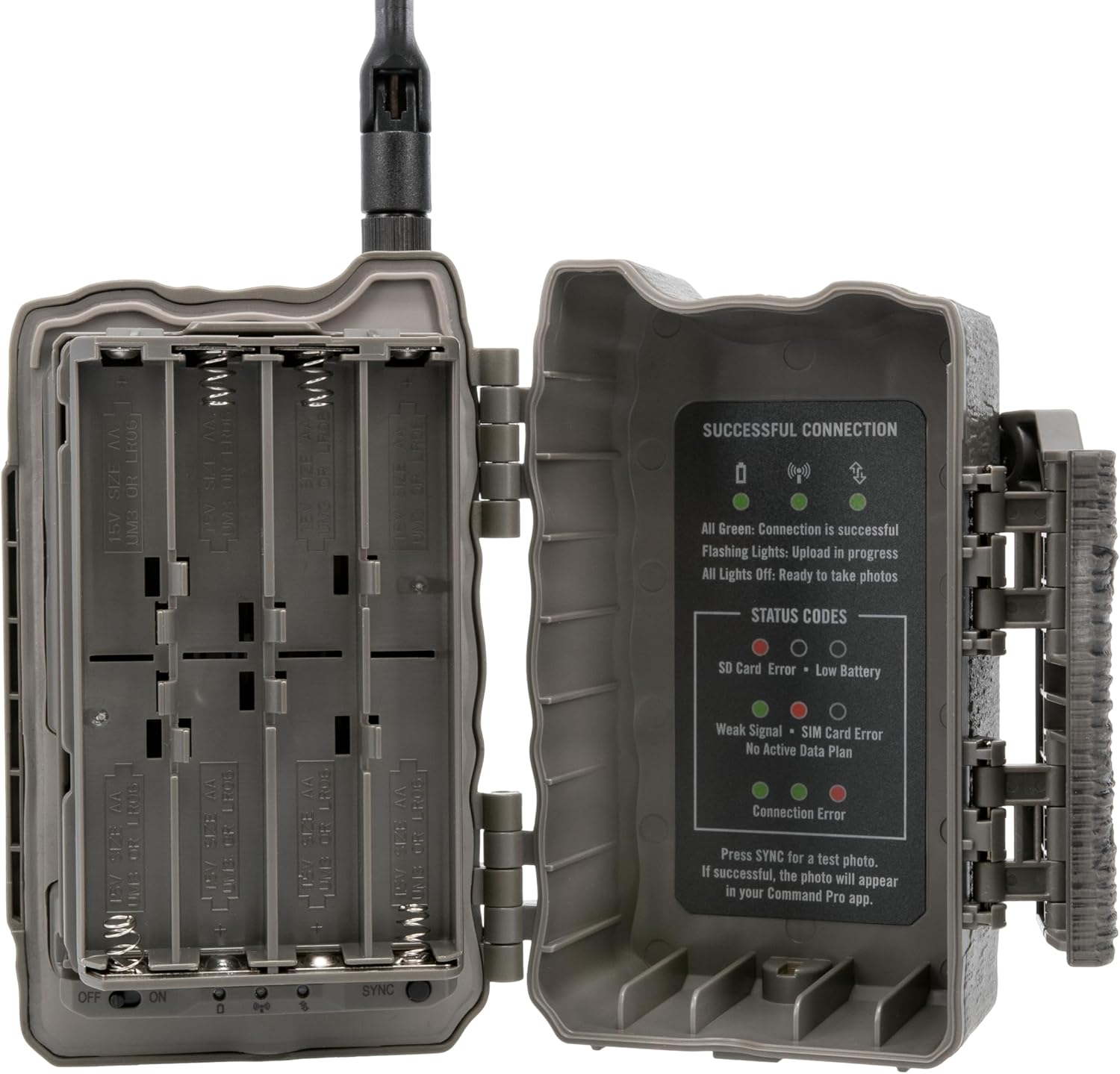
Strona view of the camera with the battery compartment open, revealing the battery trays and status indicators.
Organizować coś
1. Instalacja baterii
The Deceptor Max 2.0 requires 16 AA batteries (not included). It also supports external 12V DC power via an auxiliary jack.
- Open the camera's side latch to access the battery compartment.
- Włóż 16 baterie AA, zwracając uwagę na prawidłową polaryzację (+/-).
- Close the battery compartment securely until the latch clicks.
2. Instalacja karty SD (opcjonalnie)
The camera includes 16GB of internal memory. For additional storage, an SD card can be used.
- Locate the SD card slot inside the camera.
- Insert a compatible SD card (up to 32GB, Class 10 or higher recommended) into the slot until it clicks.
- To remove, press the card gently to eject it.
3. Montaż kamery
The camera features an integrated multi-position mount and a 1/4-20 threaded insert for flexible mounting options.
- Mocowanie paska: Use the provided strap to secure the camera to a tree or post. Ensure the camera is stable and pointed towards the desired area.
- Threaded Insert Mounting: Attach the camera to a compatible tripod or ground mount using the 1/4-20 threaded insert at the bottom.
- Python Cable Provision: For added security, a python cable can be threaded through the designated slot.

The camera securely mounted to a tree using a strap, demonstrating a common deployment method.
4. Instalacja i aktywacja aplikacji
The Stealth Cam Deceptor Max 2.0 operates with the Command PRO App, available for smartphones.
- Download the Command PRO App from your device's app store.
- Utwórz konto lub zaloguj się.
- Follow the in-app instructions to add your camera. The camera's AIO Carrier Determination feature will automatically connect to the strongest AT&T or Verizon signal.
- Ensure the camera is powered on and in an area with cellular coverage for successful activation.
Instrukcja obsługi
1. Włączanie/wyłączanie zasilania
Locate the ON/OFF switch inside the camera's battery compartment. Switch to ON to power the camera. The camera will perform a self-check and attempt to connect to the cellular network.
2. Adjusting Settings via Command PRO App
All camera settings are managed remotely through the Command PRO App.
- Rozdzielczość zdjęcia: Select between 4MP, 8MP, 16MP, and 40MP.
- Rozdzielczość wideo: Choose 1440P QHD video with audio.
- Prędkość wyzwalania: Set the ultra-fast 0.3-second trigger speed.
- Tryb seryjny: Configure the camera to take 1-9 photos per trigger.
- Time-Out Delays: Customize delays from 2-59 seconds or 1-59 minutes between captures.
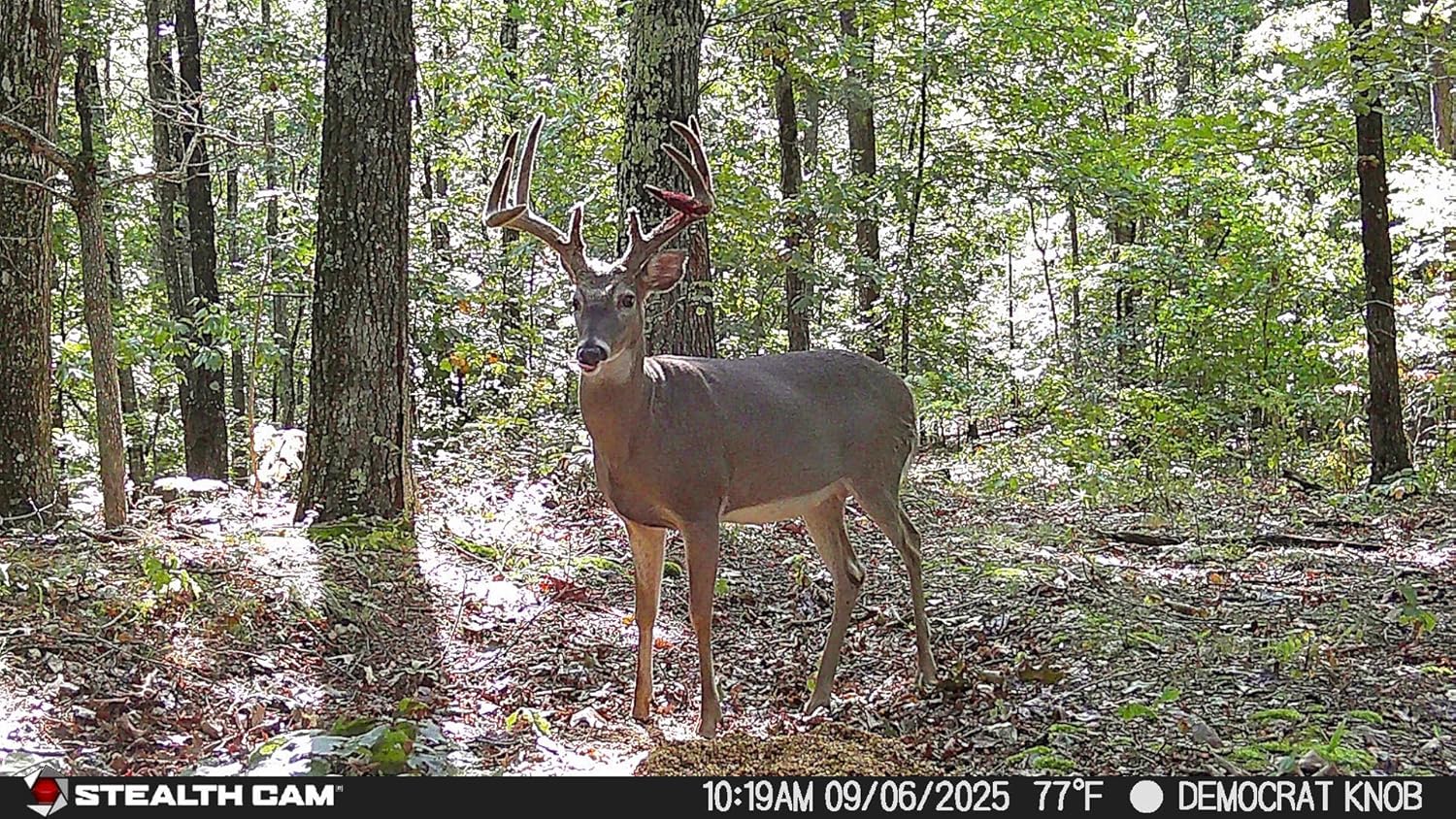
Key performance specifications of the Deceptor Max 2.0, including photo and video resolution, and detection range.
3. Na żywo View and On-Demand Features
The Command PRO App allows for real-time monitoring and instant captures.
- Na żywo View: Initiate a live video stream on demand to see real-time activity.
- On-Demand Photos/Videos: Request instant photo or video captures directly from the app.
4. Image and Video Retrieval
Access captured media through the Command PRO App.
- Photos and videos are automatically uploaded to your app gallery.
- Utilize the app's filters to sort media by animal type (AI identification).
- Download HD photos and 4K videos directly to your device for detailed viewing.
5. Śledzenie GPS
The built-in GPS provides live location tracking of your camera within the Command PRO App, helping you manage multiple camera deployments.

Advanced features of the Deceptor Max 2.0, including AI image optimization, built-in GPS, and fast trigger speed.
Konserwacja
- Czyszczenie: Regularnie czyść obiektyw kamery i okienko czujnika PIR miękką, niepozostawiającą włókien ściereczką, aby zapewnić wyraźne obrazy i prawidłowe wykrywanie.
- Sprawdzenie baterii: Monitor battery levels via the Command PRO App. Replace AA batteries as needed or recharge external power packs.
- Aktualizacje oprogramowania układowego: The Command PRO App will notify you of any available firmware updates. Follow the in-app instructions to keep your camera's software current for optimal performance.
Rozwiązywanie problemów
- Brak zasilania: Check battery installation and ensure batteries are fresh. Verify external power connection if used.
- Brak połączenia komórkowego: Ensure the camera is in an area with adequate cellular signal. Check your data plan status via the Command PRO App.
- Słaba jakość obrazu/wideo: Clean the camera lens and PIR sensor. Adjust resolution settings in the app. Ensure the camera is mounted stably.
- Aparat nie wyzwala: Verify the PIR sensor is clear of obstructions. Adjust sensitivity settings in the app.
- Problemy z łącznością aplikacji: Ensure your smartphone has a stable internet connection. Restart the app or your phone if necessary.
Specyfikacje

Detailed specifications for the Stealth Cam Deceptor Max 2.0 Cellular Trail Camera.
| Funkcja | Szczegół |
|---|---|
| Nazwa modelu | Deceptor Max 2.0 |
| Numer modelu | STC-DCPTRX2 |
| Rozdzielczość zdjęcia | 40MP (selectable: 4MP, 8MP, 16MP, 40MP) |
| Rozdzielczość wideo | 1440p QHD with Audio |
| Szybkość wyzwalania | 0.3 sekund |
| Zasięg wykrywania i błysku | 100 stóp |
| Diody LED | 36pcs 940nm No-Glow LEDs |
| Pamięć wewnętrzna | 16 GB |
| Łączność | Cellular (AT&T & Verizon Auto Connect), Wireless (App Controlled) |
| Źródło zasilania | 16 AA Batteries (not included), 12V DC Auxiliary Jack |
| Cechy specjalne | Dual Core Processor, Integrated AI, Built-in GPS, Live View, On-Demand Photos/Videos, Weather Proof |
| Typ mocowania | Integrated Multi-position Mount, 1/4-20 Threaded Insert |
| Wymiary | 7.48 x 5.51 x 3.15 cala |
Gwarancja
The Stealth Cam Deceptor Max 2.0 Cellular Camera is covered by a 2-letnia gwarancja. This warranty covers defects in materials and workmanship under normal use. For detailed warranty terms and conditions, please refer to the official Stealth Cam webodwiedź witrynę lub skontaktuj się z działem obsługi klienta.

Information regarding the 2-year warranty for Stealth Cam products.
Wsparcie
For further assistance, technical support, or to access additional resources, please visit the official Stealth Cam website or contact their customer service department. You can also find FAQs and troubleshooting guides within the Command PRO App.
Urzędnik Webstrona: www.stealthcam.com
Wideo produktu
Official product video for the Stealth Cam Deceptor 2.0, showcasinjego funkcji i możliwości.