
Wstęp
The ZTE U50 Pro is a high-performance 5G portable WiFi router designed for reliable and fast internet access on the go. Featuring a powerful Qualcomm Snapdragon X62 processor, it supports dual-mode 5G and global roaming, ensuring connectivity in over 100 countries and regions. This device incorporates 5G NR carrier aggregation and low-frequency ENDC technologies for enhanced speeds and network capacity. With Wi-Fi 6 (802.11ax) technology, it delivers a peak rate of 3600 Mbps and can support up to 64 connected devices simultaneously, making it ideal for various personal and professional uses.
This manual provides essential information for setting up, operating, maintaining, and troubleshooting your ZTE U50 Pro router. Please read it thoroughly before use.
Zawartość opakowania
Sprawdź, czy w przesyłce znajdują się wszystkie elementy:
- ZTE U50 Pro 5G Portable WiFi 6 Router
- Kabel do transmisji danych USB typu C
- Quick Guide (English)
- Built-in Lithium-ion Battery (10,000 mAh)
Urządzenie ponadview
Familiarize yourself with the components of your ZTE U50 Pro router.

Obraz: Przód view of the ZTE U50 Pro 5G Portable WiFi Router, showing its 2.4-inch touch screen interface with network status, data usage, and Wi-Fi indicators.

Obraz: Przód i tył view of the ZTE U50 Pro 5G Portable WiFi Router, illustrating its compact design and the ZTE branding on the rear panel.
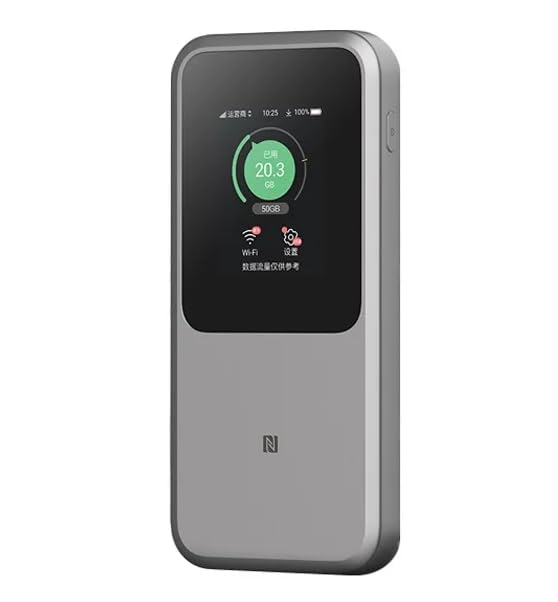
Obraz: The ZTE U50 Pro 5G Portable WiFi Router highlighting its main features: high-performance Snapdragon X62 chip, high-rate Wi-Fi 6 (3600Mbps), 10000mAh ultra-large capacity battery with 27W fast charge, and a 2.4-inch touch screen for easy device management.
Organizować coś
1. Instalacja karty SIM
- Znajdź gniazdo karty SIM w urządzeniu.
- Ostrożnie otwórz pokrywę gniazda karty SIM.
- Insert a standard Nano-SIM card into the slot with the gold contacts facing down and the notched corner aligned correctly.
- Delikatnie wciśnij kartę SIM, aż wskoczy na miejsce.
- Zamknij dokładnie pokrywę gniazda karty SIM.
- Notatka: The device is unlocked and compatible with any standard Nano-SIM card.
2. Włączanie/wyłączanie zasilania
- Włączanie: Naciśnij i przytrzymaj przycisk zasilania przez kilka sekund, aż ekran się podświetli.
- Aby wyłączyć: Press and hold the Power button until a power-off option appears on the screen. Select "Power Off" or continue holding the button until the device shuts down.
3. Wstępna konfiguracja
- Upon first power-on, the device may guide you through an initial setup wizard on its 2.4-inch touch screen.
- Follow the on-screen prompts to set basic preferences such as language, time zone, and initial Wi-Fi settings (SSID and password).
- Alternatively, you can connect to the device's default Wi-Fi network (SSID and password usually found on a sticker inside the SIM card slot or on the device packaging) and access the web management interface via a browser (e.g., 192.168.0.1 or 192.168.1.1).
Instrukcja obsługi
1. Łączenie urządzeń przez Wi-Fi
- Ensure your ZTE U50 Pro is powered on.
- On your device (smartphone, laptop, tablet, etc.), open the Wi-Fi settings.
- Przeskanuj dostępne sieci Wi-Fi.
- Select the network name (SSID) broadcast by your ZTE U50 Pro. The default SSID is usually printed on the device or its packaging.
- Enter the Wi-Fi password (key) when prompted. The default password is also typically printed on the device.
- Once connected, your device will have internet access through the ZTE U50 Pro.
- The router supports up to 64 simultaneous device connections.
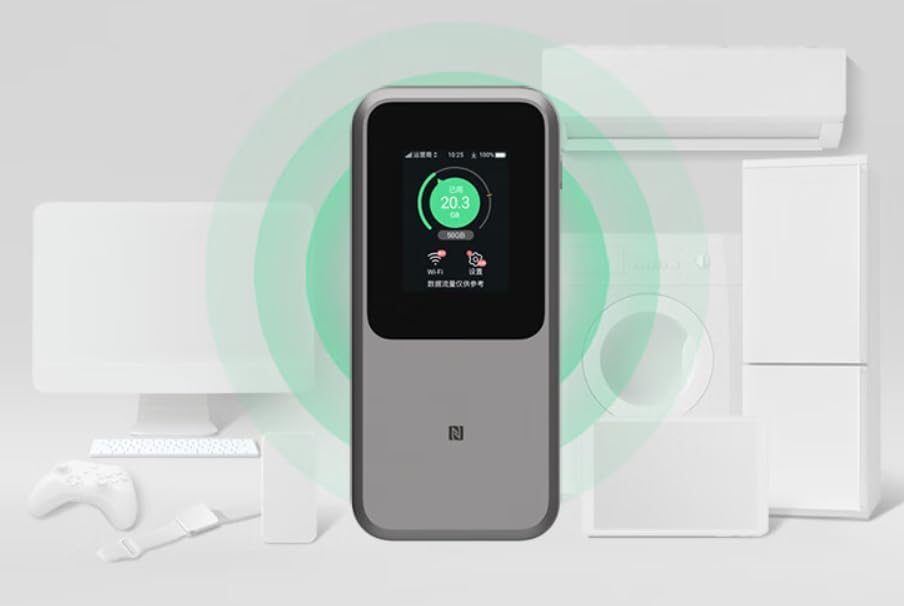
Obraz: The ZTE U50 Pro 5G Portable WiFi Router actively broadcasting a Wi-Fi signal, demonstrating its ability to connect to various devices such as computers, mobile phones, and gaming consoles simultaneously.
2. Zarządzanie ustawieniami
- Za pomocą ekranu dotykowego: Use the 2.4-inch touch screen to view network status, data usage, connected devices, and access quick settings.
- Przez Web Interfejs zarządzania: For advanced settings, connect a device to the router's Wi-Fi network and open a web browser. Enter the router's IP address (e.g., 192.168.0.1) in the address bar. Log in using the administrator username and password (default credentials are usually on the device or in the quick guide). Here you can configure Wi-Fi names, passwords, security settings, network modes, and more.
3. Ładowanie urządzenia
- Connect the provided USB Type-C data cable to the charging port on the ZTE U50 Pro.
- Podłącz drugi koniec kabla do kompatybilnego zasilacza USB (nie ma go w zestawie) lub do portu USB komputera.
- The device supports 27W fast charging. Use a compatible fast charger for optimal charging speed.
- Wskaźnik baterii na ekranie pokaże stan ładowania.
Konserwacja
- Pielęgnacja baterii: To prolong battery life, avoid exposing the device to extreme temperatures. For long-term storage, charge the battery to approximately 50% and store in a cool, dry place.
- Czyszczenie: Do czyszczenia urządzenia należy używać miękkiej, suchej ściereczki. Nie należy używać płynów czyszczących ani aerozoli.
- Aktualizacje oprogramowania: Okresowo sprawdzaj dostępność aktualizacji oprogramowania sprzętowego za pomocą web interfejs zarządzania zapewniający optymalną wydajność i bezpieczeństwo.
Rozwiązywanie problemów
| Problem | Możliwa przyczyna | Rozwiązanie |
|---|---|---|
| Brak połączenia internetowego | SIM card not inserted correctly, no network signal, data plan expired, incorrect APN settings. |
|
| Nie można połączyć się z siecią Wi-Fi | Incorrect Wi-Fi password, Wi-Fi disabled, too many connected devices. |
|
| Niska prędkość Internetu | Weak signal, network congestion, distance from router, too many connected devices. |
|
| Urządzenie nie włącza się | Słaba bateria, uszkodzona ładowarka/kabel. |
|
Przywracanie ustawień fabrycznych
If the device experiences persistent issues, a factory reset may resolve them. This will erase all custom settings and restore the device to its original factory defaults. Refer to the Quick Guide or the web management interface for instructions on how to perform a factory reset.
Specyfikacje
| Marka | ZTE |
| Nazwa modelu | U50 Pro |
| System operacyjny | ZyNOS |
| Technologia łączności | 5G, LTE |
| standard bezprzewodowy | 802.11ax (WiFi 6) |
| Klasa pasma częstotliwości | Dwuzakresowy (2.4 GHz i 5 GHz) |
| Max Wi-Fi Rate | 3600 Mb/s |
| Maksymalna liczba podłączonych urządzeń | 64 |
| Pojemność baterii | 10,000 mAh (litowo-jonowy) |
| Ładowanie | Szybkie ładowanie 27 W (USB typu C) |
| Wyświetlacz | 2.4-calowy ekran dotykowy |
| Typ anteny | Wewnętrzny |
| Zalecane zastosowanie | Na zewnątrz/Podróże |
| Zawarte komponenty | USB Type-C Data Cable, Quick Guide |
| Kraj pochodzenia | Chiny |
Informacje dotyczące bezpieczeństwa
- Nie wystawiaj urządzenia na działanie ekstremalnych temperatur, bezpośredniego światła słonecznego i wysokiej wilgotności.
- Unikaj upuszczania urządzenia i narażania go na silne uderzenia.
- Use only approved accessories, such as the provided USB Type-C cable.
- Nie należy podejmować prób demontażu ani modyfikacji urządzenia. Spowoduje to unieważnienie gwarancji.
- Trzymaj urządzenie z dala od wody i innych płynów.
- Baterię i urządzenie należy utylizować zgodnie z lokalnymi przepisami.
Gwarancja i wsparcie
Information regarding specific warranty terms and conditions for the ZTE U50 Pro is typically provided with the product packaging or can be found on the manufacturer's official website. Please refer to the included Quick Guide for details on how to contact customer support for technical assistance or warranty claims.
For further assistance, please visit the official ZTE support webstronie internetowej lub skontaktuj się ze sprzedawcą.