
1. Wprowadzenie
The XIAOMI Pad 7 Ai WiFi Version (Model 2410CRP4CG) is a high-performance tablet designed for productivity and entertainment. It features an 11.2-inch 3.2K 144Hz crystal-clear display, offering detailed visuals and an immersive viewing experience. The device supports Dolby Vision® with 800 nits peak brightness for stunning HDR content. Eye comfort is prioritized with multi-dimensional eye-care functions, including 4096 levels of brightness adjustment and TÜV Rheinland eye comfort certifications. Audio is enhanced by quad speakers with Dolby Atmos® support and 200% volume boost. Powered by the Snapdragon 7+ Gen 3 Mobile Platform and HyperOS 2, it offers seamless multitasking and AI capabilities for various office tasks, text/image generation, and meetings. The tablet boasts a sleek unibody design crafted from high-strength aluminum alloy, combining sophistication with portability.
2. Co znajduje się w pudełku
Upon unboxing your XIAOMI Pad 7 Ai, please ensure all the following items are present:
- Kabel USB typu C.
- Podręcznik
- Szybka ładowarka samochodowa
Note: A 45W power adapter is not included in the box and is sold separately. Using a Xiaomi 45W power adapter is recommended for turbo charging.
3. Urządzenie ponadview
The XIAOMI Pad 7 Ai features a sleek and durable unibody design. Familiarize yourself with the device's layout:
- Wyświetlacz: 11.2-inch 3.2K 144Hz crystal-clear screen.
- Kamery: Tylny aparat 13MP i przedni aparat 8MP.
- Prelegenci: Four speakers for immersive audio experience.
- Porty: Port USB typu C do ładowania i przesyłania danych.
- Czujniki: Accelerometer, Gyroscope, Ambient light (front/rear), Flicker sensor, Hall sensor, Magnetic sensor, Proximity sensor, RGB LED, IR remote control.

Rysunek 3.1: Przód i tył view of the XIAOMI Pad 7 Ai.
4. Konfiguracja
Follow these steps to set up your XIAOMI Pad 7 Ai for the first time:
- Włączanie: Press and hold the Power button until the XIAOMI logo appears.
- Konfiguracja wstępna: Postępuj zgodnie z instrukcjami wyświetlanymi na ekranie, aby wybrać język i region, a następnie nawiązać połączenie z siecią Wi-Fi.
- Konto Google: Zaloguj się za pomocą konta Google lub utwórz nowe.
- Bezpieczeństwo: Set up a screen lock (PIN, pattern, or password). Face unlock is also available.
- Aktualizacje oprogramowania: The tablet may prompt you to download and install available software updates. It is recommended to keep your device's software up-to-date for optimal performance and security.
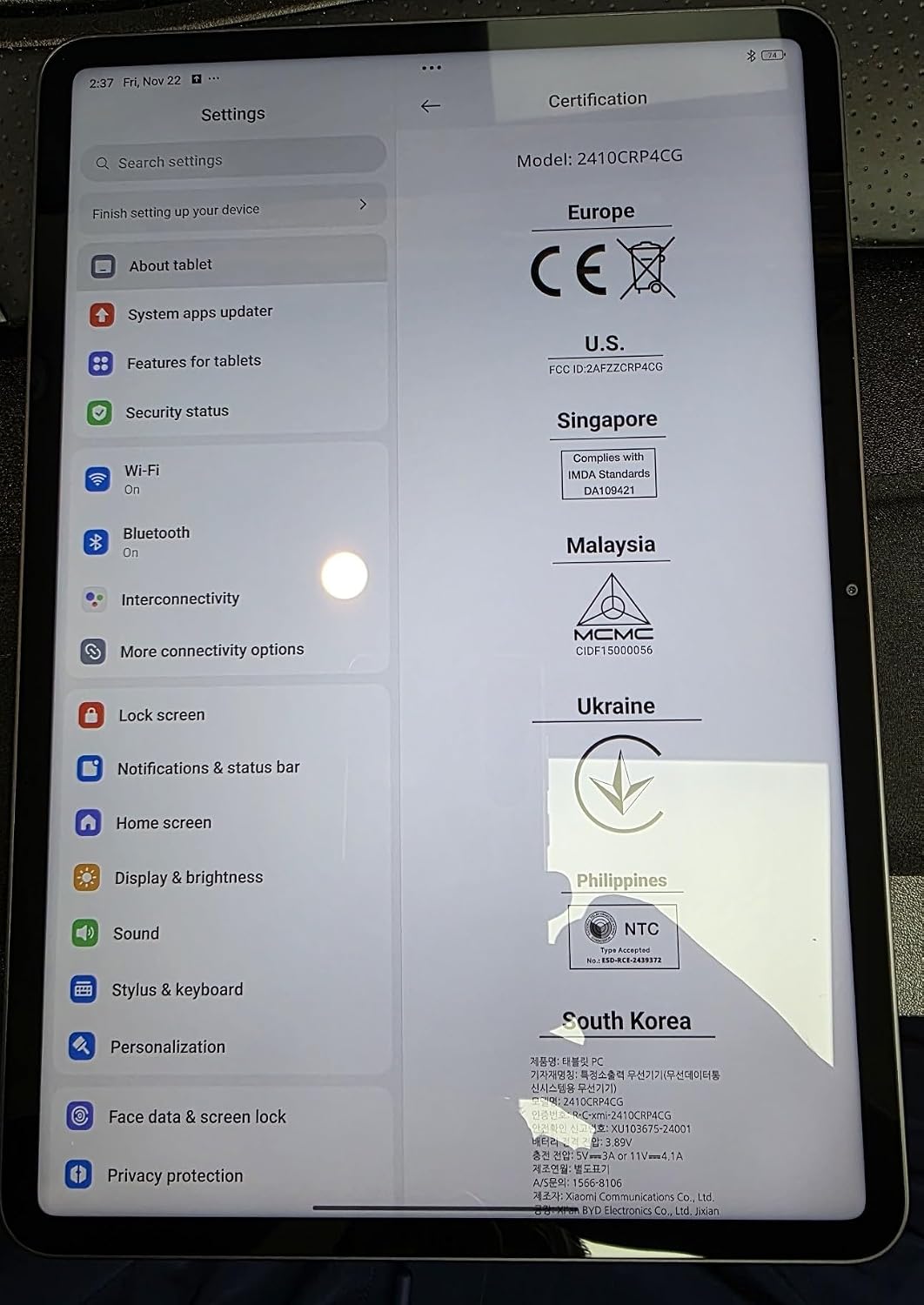
Figure 4.1: Device settings screen displaying certification information.
5. Instrukcja obsługi
The XIAOMI Pad 7 Ai runs on HyperOS 2, offering a user-friendly interface and advanced features:
- Nawigacja: Use gestures for navigation (swipe up for home, swipe from edge to go back) or switch to 3-button navigation in Settings.
- Notifications & Control Panel: Swipe down from the top-left for notifications and from the top-right for the control panel (quick settings).
- Wielozadaniowość: HyperOS 2 supports split-screen and floating windows, allowing you to run multiple applications simultaneously for enhanced productivity.
- Szuflada aplikacji: You can choose between a classic home screen layout or one with an app drawer for organizing your applications.
- Ustawienia wyświetlania: Adjust brightness, enable Sunlight mode for outdoor visibility, and customize color schemes.
6. Korzystanie z aparatu
Uchwyć chwile dzięki zintegrowanym kamerom:
- Kamera tylna: 13MP with f/2.2 aperture and PDAF. Supports 4K video recording at 30fps, and 1080P/720P video at 30fps/60fps.
- Przednia kamera: 8MP with f/2.28 aperture. Supports 1080P/720P video recording at 30fps.
- Tryby aparatu: Photo, Video, Portrait, Document, Dual video, Director mode, Teleprompter, Dynamic shot, HDR.
7. Wydajność i bateria
The XIAOMI Pad 7 Ai is built for robust performance and extended usage:
- Edytor: Snapdragon 7+ Gen 3 Mobile Platform (4nm manufacturing process, Octa-core up to 2.8GHz, Adreno GPU, Qualcomm AI engine).
- BARAN: 8 GB.
- Pamięć wewnętrzna: 128 GB.
- Bateria: 8850mAh (typical) with 45W turbo charging support (charger sold separately).
- Łączność: Wi-Fi 6E (2x2 MIMO, 8x8 Sounding for MU-MIMO, Wi-Fi Direct, Miracast), Bluetooth 5.4 (AAC / LDAC / LHDC 5.0, IPv6).
8. Specyfikacje
| Rozmiar ekranu stojącego | 11.2 cali |
| Rozdzielczość ekranu | 3200 x 2136 pikseli |
| Maksymalna rozdzielczość ekranu | 3200 x 2136, 345 ppi Pixels |
| Edytor | 2800MHz |
| Opis karty | Zintegrowany |
| Typ bezprzewodowy | 802.11a, 802.11ac, 802.11b, 802.11g, 802.11n |
| Marka | XIAOMI |
| Szereg | Xiaomi Pad 7 |
| Numer modelu przedmiotu | a2d4d7f2-14eb-447b-bfaa-03a30748b3a3 |
| System operacyjny | Android 14 HyperOS |
| Waga przedmiotu | 1 funta |
| Wymiary produktu | 9.89 x 0.24 x 6.83 cala |
| Wymiary przedmiotu Dł. x szer. x wys. | 9.89 x 0.24 x 6.83 cala |
| Kolor | Niebieski |
| Tył WebRozdzielczość kamery | 13 MP |
| Marka procesora | Wyżlin |
| Rozmiar pamięci Flash | 128 GB |
| Baterie | Wymagana jest 1 bateria litowo-polimerowa. (w zestawie) |
9. Konserwacja
To ensure the longevity and optimal performance of your XIAOMI Pad 7 Ai, follow these maintenance guidelines:
- Czyszczenie: Do czyszczenia ekranu i obudowy używaj miękkiej, niepozostawiającej włókien ściereczki. Unikaj stosowania silnych środków chemicznych i materiałów ściernych.
- Aktualizacje oprogramowania: Regularnie sprawdzaj dostępność aktualizacji systemu i instaluj je, aby korzystać z najnowszych funkcji, poprawek zabezpieczeń i ulepszeń wydajności.
- Warunki środowiskowe: Unikaj wystawiania tabletu na działanie ekstremalnych temperatur, długotrwałego bezpośredniego światła słonecznego i wysokiej wilgotności.
- Pielęgnacja baterii: For optimal battery health, avoid fully discharging the battery frequently. Charge your device using the recommended charger.
10. Rozwiązywanie Problemów
If you encounter any issues with your XIAOMI Pad 7 Ai, try the following solutions:
- Urządzenie nie odpowiada: Naciśnij i przytrzymaj przycisk zasilania przez około 10 sekund, aby wymusić ponowne uruchomienie.
- Problemy z łącznością Wi-Fi: Upewnij się, że Wi-Fi jest włączone i że znajdujesz się w zasięgu znanej sieci. Spróbuj ponownie uruchomić router.
- Awaria aplikacji: Clear the cache and data of the problematic app in Settings > Apps. If the issue persists, try reinstalling the app.
- Niska wydajność: Close unused apps, clear storage space, and restart the device.
- Przywrócenie ustawień fabrycznych: As a last resort, you can perform a factory reset via Settings > System > Reset options. Back up all important data before proceeding, as this will erase all data on the device.
11. Gwarancja i wsparcie
Your XIAOMI Pad 7 Ai is covered by a manufacturer's warranty. Please refer to the warranty card included in your product packaging for detailed terms and conditions. For technical support, service, or inquiries about protection plans, please visit the official XIAOMI support webwitryny lub skontaktuj się z obsługą klienta.