
Wstęp
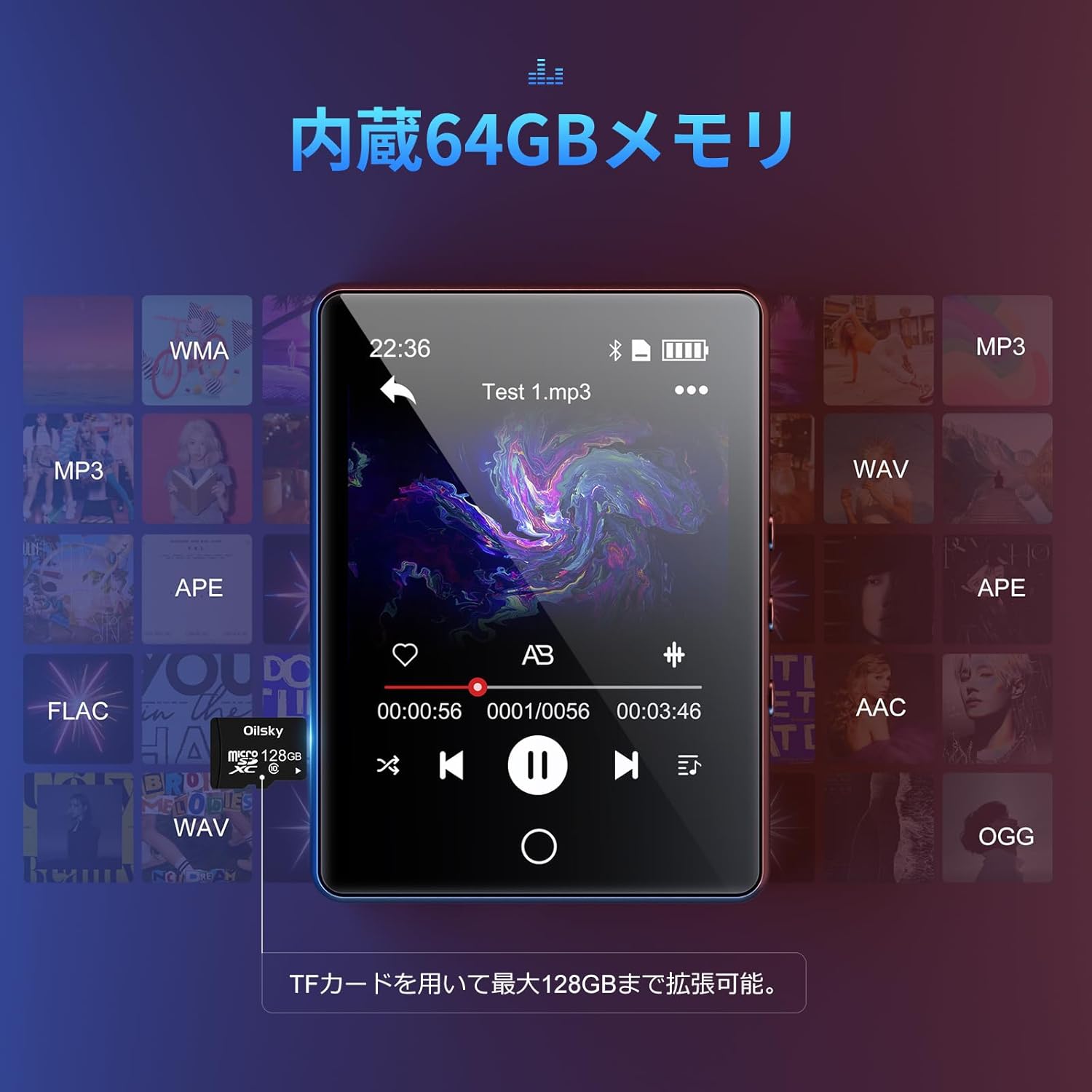
Dziękujemy za zakupasing the Oilsky D26 MP3 Player. This device combines a 2.8-inch full touchscreen with Bluetooth 5.0 connectivity, a built-in speaker, and a robust alloy design. It offers 64GB of internal storage, expandable up to 128GB with a microSD card, and supports various audio formats. This manual provides essential information for setup, operation, and maintenance to ensure optimal performance.
Zawartość opakowania
Proszę sprawdzić, czy w paczce znajdują się następujące elementy:
- Oilsky D26 MP3 Player Unit
- Słuchawki
- Kabel USB typu C
- Instrukcja obsługi
- Etui ochronne

Jeśli brakuje jakichkolwiek elementów lub są one uszkodzone, prosimy o kontakt z obsługą klienta.
Produkt ponadview
The Oilsky D26 MP3 Player features a sleek alloy design with a 2.8-inch full touchscreen for intuitive navigation. It includes a home button for easy return to the main menu.

Organizować coś
1. Ładowanie urządzenia
Before first use, fully charge the MP3 player. Connect the provided Type-C USB cable to the player's charging port and the other end to a USB power adapter (not included) or a computer's USB port. The battery indicator on the screen will show charging status.
2. Wkładanie karty microSD (opcjonalnie)
The device has 64GB of internal storage. To expand storage up to 128GB, insert a microSD card into the designated slot. Ensure the card is inserted correctly until it clicks into place.

3. Przenoszenie Files
Connect the MP3 player to your computer using the Type-C USB cable. The device will appear as a removable disk. You can then drag and drop audio files (MP3, WMA, APE, FLAC, AAC, WAV, OGG) into the player's internal storage or the inserted microSD card.
Instrukcja obsługi
1. Podstawowa nawigacja
The D26 features a 2.8-inch full touchscreen. Tap icons to select functions and swipe to navigate menus. The physical home button at the bottom allows you to return to the main menu from any application.

2. Odtwarzanie muzyki
Tap the 'Music' icon on the main screen to access your audio library. The player supports various formats including MP3, WMA, APE, FLAC, AAC, WAV, and OGG, ensuring high-quality audio playback with minimal loss.
3. Łączność Bluetooth
The D26 features Bluetooth 5.0 for stable wireless connections. To pair with Bluetooth headphones or speakers:
- Przejdź do „Ustawień” i wybierz „Bluetooth”.
- Włącz Bluetooth i zeskanuj dostępne urządzenia.
- Wybierz słuchawki lub głośnik Bluetooth z listy, aby je sparować.
Notatka: This device can only pair with Bluetooth headsets or speakers. It cannot pair with mobile phones, cars, or computers. Ensure you are in an area free from strong electromagnetic interference to maintain a stable Bluetooth connection.

4.Radio FM
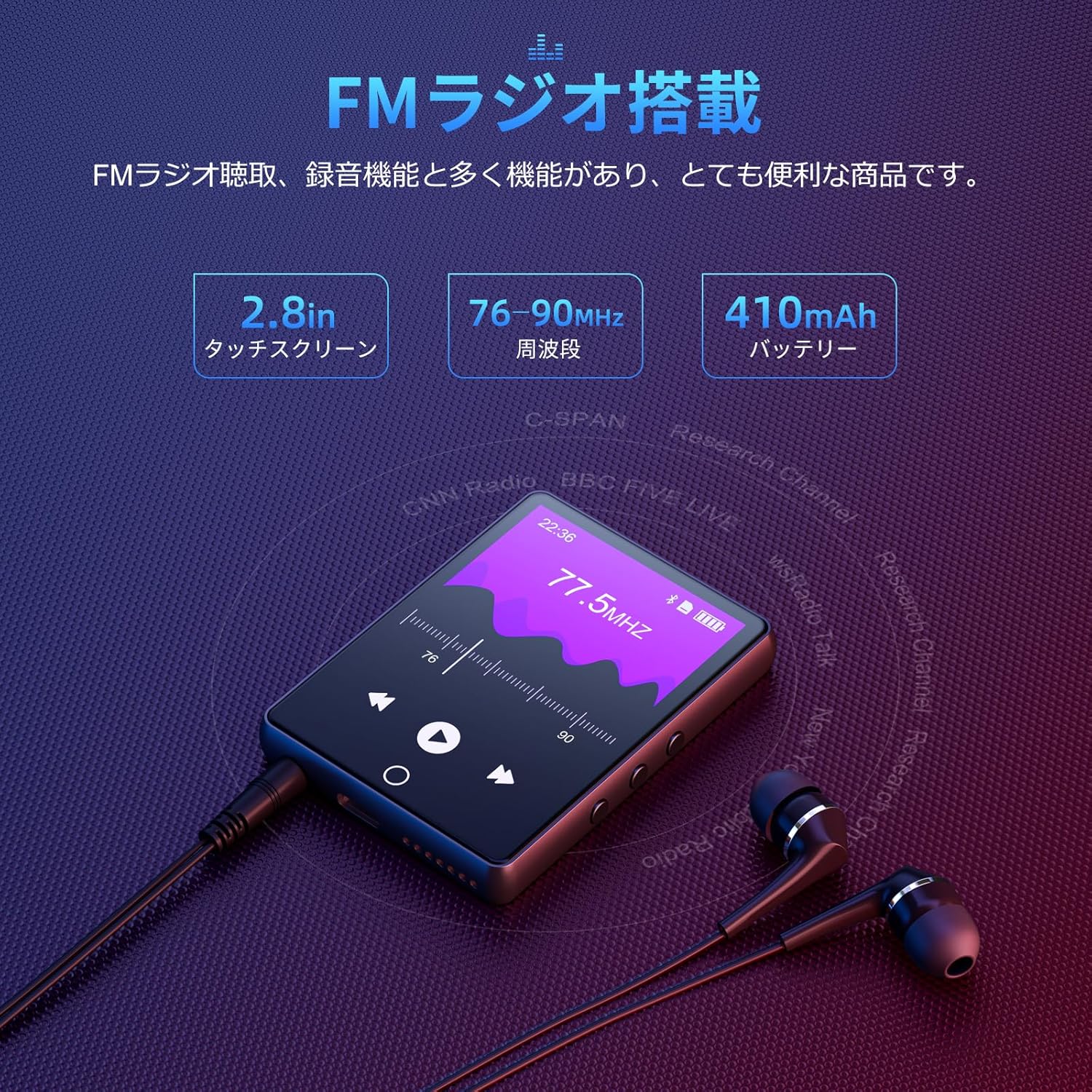
To use the FM radio function, connect the wired earphones (included) as they act as the antenna. Tap the 'FM Radio' icon on the main screen. You can then scan for stations and listen to broadcasts.
5. Funkcja nagrywania
The D26 includes a recording function, useful for lectures, meetings, or personal notes. Tap the 'Record' icon to start and stop recordings. Recorded files are saved on the device.

6. Inne funkcje
The device also includes additional utilities such as a timer, calendar, and calculator. Access these features from the main menu.

Konserwacja
- Przechowuj urządzenie w suchym miejscu. Unikaj narażenia na działanie wilgoci i płynów.
- Czyść ekran i obudowę miękką, suchą ściereczką. Nie używaj środków czyszczących o właściwościach ściernych.
- Unikaj ekstremalnych temperatur.
- Nie próbuj samodzielnie demontować ani naprawiać urządzenia.
Rozwiązywanie problemów
Urządzenie nie włącza się:
- Upewnij się, że urządzenie jest w pełni naładowane.
- Naciśnij i przytrzymaj przycisk zasilania przez kilka sekund.
Nie można połączyć się przez Bluetooth:
- Ensure Bluetooth is enabled on both the player and the receiving device (headphones/speaker).
- Upewnij się, że urządzenie odbiorcze jest w trybie parowania.
- Confirm that you are attempting to pair with a compatible device (Bluetooth headphones or speakers only).
- Odsuń się od potencjalnych źródeł zakłóceń elektromagnetycznych.
Brak dźwięku:
- Sprawdź poziom głośności.
- Ensure earphones are properly connected or Bluetooth device is paired and connected.
- Test with different earphones or Bluetooth device.
Filenie gra:
- Sprawdź, czy plik audio file format is supported (MP3, WMA, APE, FLAC, AAC, WAV, OGG).
- Zapewnij filenie są uszkodzone.
Specyfikacje
| Funkcja | Specyfikacja |
|---|---|
| Numer modelu | D26 |
| Marka | Olejskiego |
| Rozmiar ekranu | 2.8 cali |
| Technologia wyświetlania | LCD |
| Pamięć wewnętrzna | 64 GB |
| Możliwość rozbudowy pamięci masowej | Do 128 GB za pomocą karty microSD |
| Łączność | Bluetooth 5.0 |
| Obsługiwane formaty audio | MP3, WMA, APE, FLAC, AAC, WAV, OGG |
| Inne funkcje | FM Radio, Built-in Speaker, Recording, Calculator, Timer, Calendar |
| Wymiary | Wymiary 14.7 x 14.6 x 1.9 cm |
| Waga | 200 gramów |
Gwarancja i wsparcie
This product comes with a standard manufacturer's warranty. For specific warranty details, please refer to the warranty card included in your package or contact the seller directly. If you encounter any issues or have questions regarding your Oilsky D26 MP3 Player, please reach out to our customer support team for assistance.
Informacje kontaktowe: Please refer to the contact details provided on the product packaging or the seller's information page.


