
Wstęp
The B22 Micro-Cut Document Shredder is designed for secure and efficient shredding in office environments. Featuring P-5 security level micro-cut technology, it ensures sensitive documents and credit cards are destroyed to high standards. This shredder is suitable for 1-5 users, offering continuous operation, anti-jamming technology, and quiet performance. Its compact design integrates well into any office space, providing a reliable tool for protecting sensitive information.
Ważne instrukcje bezpieczeństwa
Please read these instructions carefully before using the shredder. Failure to follow these instructions may result in injury or damage to the shredder.
- Trzymaj ręce, włosy i luźne części odzieży z dala od otworu wlotowego papieru.
- Trzymaj dzieci i zwierzęta z dala od rozdrabniacza.
- Do not insert more sheets than specified (9 sheets maximum).
- Nie niszcz metalowych przedmiotów, dużych spinaczy ani etykiet samoprzylepnych.
- Unplug the shredder when not in use or before moving/cleaning.
- Nie należy używać niszczarki, jeżeli przewód zasilający jest uszkodzony.
- Regularnie opróżniaj kosz na śmieci, aby zapobiec powstawaniu zatorów.
Co jest w pudełku
Po otwarciu opakowania należy sprawdzić, czy znajdują się w nim wszystkie elementy:
- HSM Securio B22 Micro-Cut Document Shredder Unit
- Integrated Waste Bin with a 8.7-gallon capacity
- Przewód zasilający
- Instrukcja obsługi (ten dokument)
Organizować coś
Rozpakowywanie i umieszczanie
Carefully remove the shredder from its packaging. Place the shredder on a flat, stable surface near a power outlet. Ensure there is adequate space around the unit for ventilation and easy access to the waste bin.
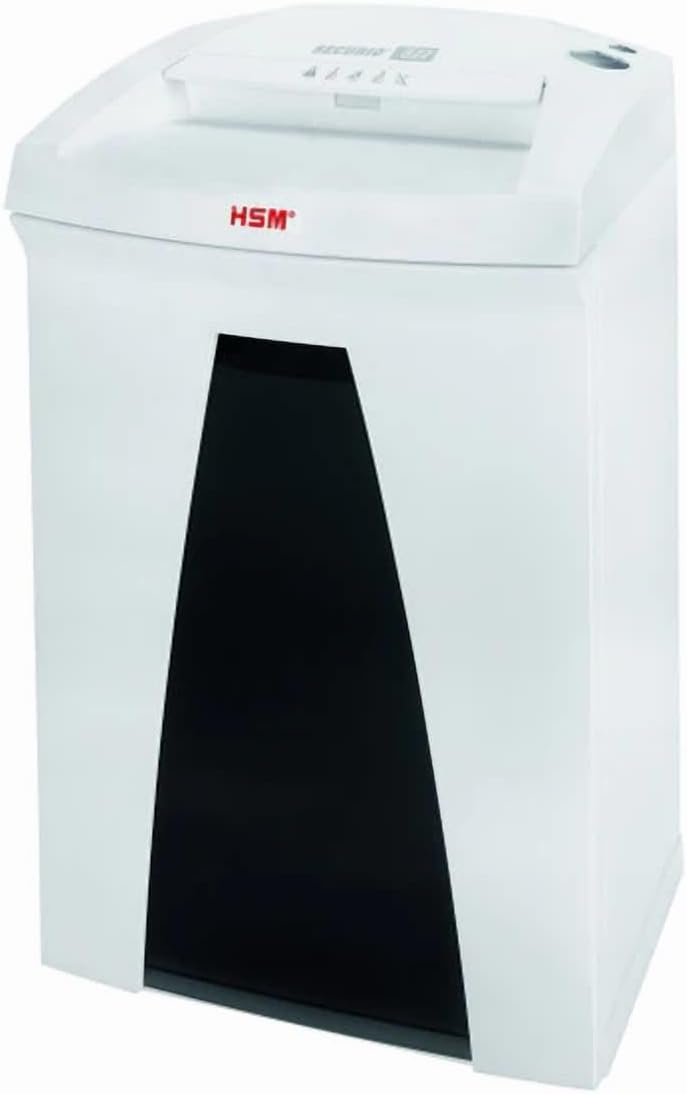
Image: The HSM Securio B22 Micro-Cut Document Shredder, showing its compact design and waste bin access.
Installing the Waste Bin
Ensure the integrated 8.7-gallon waste bin is correctly seated within the shredder unit. The shredder will not operate if the bin is not properly inserted.
Podłączenie zasilania
Plug the power cord into the shredder's power inlet, then plug the other end into a standard electrical outlet (120 V / 60 Hz). The shredder is now ready for operation.
Instrukcja obsługi
Włączanie/wyłączanie
Locate the power switch, typically on the top or back of the shredder. Set it to the "ON" position to activate the shredder. To turn off, set the switch to "OFF". For extended periods of non-use, unplug the shredder from the wall outlet.
Niszczenie dokumentów
Insert paper, staples, or paper clips into the paper entry slot. The shredder will automatically start shredding. Do not exceed the maximum sheet capacity of 9 sheets per pass to prevent jams. For credit cards, insert them one at a time into the designated slot (if separate) or the main paper entry slot.
Ciągła praca
This shredder is designed for continuous operation, allowing for extended shredding sessions without overheating. However, it is always good practice to monitor the shredder's performance and empty the bin when full.
Anti-Jamming Technology
The shredder is equipped with anti-jamming technology. If a paper jam occurs, the shredder may automatically reverse to clear the jam. If it does not clear automatically, switch the shredder to reverse mode (if available) or turn it off, unplug it, and carefully remove the jammed paper.
Cicha praca
The B22 Micro-Cut Shredder operates quietly, minimizing disruption in office environments. This feature allows for comfortable use even during busy work hours.
Konserwacja
Opróżnianie kosza na śmieci
Regularly check and empty the 8.7-gallon waste bin to prevent overfilling and potential paper jams. The shredder may stop operating when the bin is full.
Czyszczenie
Unplug the shredder before cleaning. Use a soft, dry cloth to wipe down the exterior. Do not use abrasive cleaners or solvents. Periodically clean the paper entry area to remove any paper dust or debris.
Oiling the Shredder Blades (Recommended)
To maintain optimal performance and extend the life of your shredder, it is recommended to oil the cutting blades regularly, especially after emptying the waste bin or after heavy use. Use a shredder-specific oil. Apply a thin line of oil across the paper entry slot, then run a few sheets of paper through the shredder to distribute the oil.
Rozwiązywanie problemów
| Problem | Możliwa przyczyna | Rozwiązanie |
|---|---|---|
| Niszczarka nie włącza się. | Not plugged in; power switch off; waste bin not properly inserted; overheating. | Ensure power cord is securely plugged in. Turn power switch to "ON". Re-insert waste bin correctly. Allow shredder to cool down for 30 minutes if it has been used continuously. |
| Zacięcie papieru. | Too many sheets inserted; paper not inserted straight; bin is full. | Reduce the number of sheets. Insert paper straight. Empty the waste bin. Use the reverse function to clear the jam. If necessary, unplug and carefully remove paper. |
| Niszczarka jest głośna. | Blades need oiling; foreign object in blades. | Oil the shredder blades as per maintenance instructions. Unplug the shredder and carefully inspect the blades for any foreign objects. |
| Niszczarka zatrzymuje się w trakcie pracy. | Waste bin full; overheating; safety sensor triggered. | Empty the waste bin. Allow the shredder to cool down. Check if the bin is properly seated and if any safety sensors are obstructed. |
Specyfikacje
| Funkcja | Szczegół |
|---|---|
| Wymiary produktu | 12.2 x 14.76 x 23.62 cala |
| Waga przedmiotu | 35 funta |
| ASIN | B0DT4MSDMF |
| Numer modelu przedmiotu | Securio B22 Micro-Cut |
| Data pierwszej dostępności | 15 stycznia 2025 r. |
| Producent | HSM |
| Kraj pochodzenia | Niemcy |
| Rodzaj cięcia | Mikro cięcie |
| Marka | Ogólny |
| Pojemność | 8.7 Gallons (Bin) |
| Funkcja specjalna | Cicha praca |
| Standardowa pojemność arkuszy | 9 arkuszy |
| Poziom bezpieczeństwa | P-5 (DIN 66399: E-4 | F-2 | P-5 | T-5) |
| Rozdrabniany rozmiar | 1/16 x 5/8 cala |
| Shreddable Materials | Paper, staples, paper clips, credit cards |
| Czas trwania | Ciągły |
| Prędkość | 17.7 XNUMX stóp/min |
| Szerokość gardła | 9.45 cali |
| Pobór mocy | 440 watów |
| Tomtage/Częstotliwość | 120 V / 60 Hz |
Informacje o gwarancji
This 1832 Model B22 Micro-Cut Document Shredder comes with a standard manufacturer's warranty against defects in materials and workmanship. Please refer to the warranty card included with your product for specific terms, conditions, and duration. Keep your purchase receipt as proof of purchase for warranty claims.
Obsługa klienta
For technical assistance, troubleshooting, or warranty inquiries, please contact the manufacturer's customer support. Refer to the contact information provided on the product packaging or the manufacturer's official website. When contacting support, please have your model number (Securio B22 Micro-Cut) and ASIN (B0DT4MSDMF) ready.
Aby uzyskać więcej informacji, odwiedź stronę strona produktu na Amazon.