
1. Wprowadzenie
Dziękujemy za zakupasing the AGPTEK A02XT MP3 Player. This device is designed to provide a high-quality audio experience with its HIFI lossless sound and Bluetooth 5.3 connectivity. It features a compact design, button operation, and various functions including FM radio, voice recording, and a pedometer. This manual will guide you through the setup, operation, and maintenance of your new MP3 player.

Figure 1.1: AGPTEK A02XT MP3 Player with accessories.
2. Koniec produktuview
2.1 Zawartość opakowania
- AGPTEK A02XT MP3 Player (1)
- Kabel do ładowania USB-C (1)
- Instrukcja obsługi (1)
- Earphones (1 pair) - May vary by region/package

Figure 2.1: Contents of the AGPTEK A02XT package.
2.2 Układ urządzenia i sterowanie
Familiarize yourself with the buttons and ports on your A02XT MP3 player.

Rycina 2.2: Przód view of the A02XT MP3 Player.
- Ekran: Displays menus, music information, and settings.
- Przycisk M: Menu/Back button. Long press to lock/unlock the screen.
- Przycisk Odtwórz/Pauza: Rozpoczyna lub wstrzymuje odtwarzanie.
- Przyciski Poprzedni/Następny: Navigates through tracks or menu options.
- Przycisk VOL: Regulacja głośności.
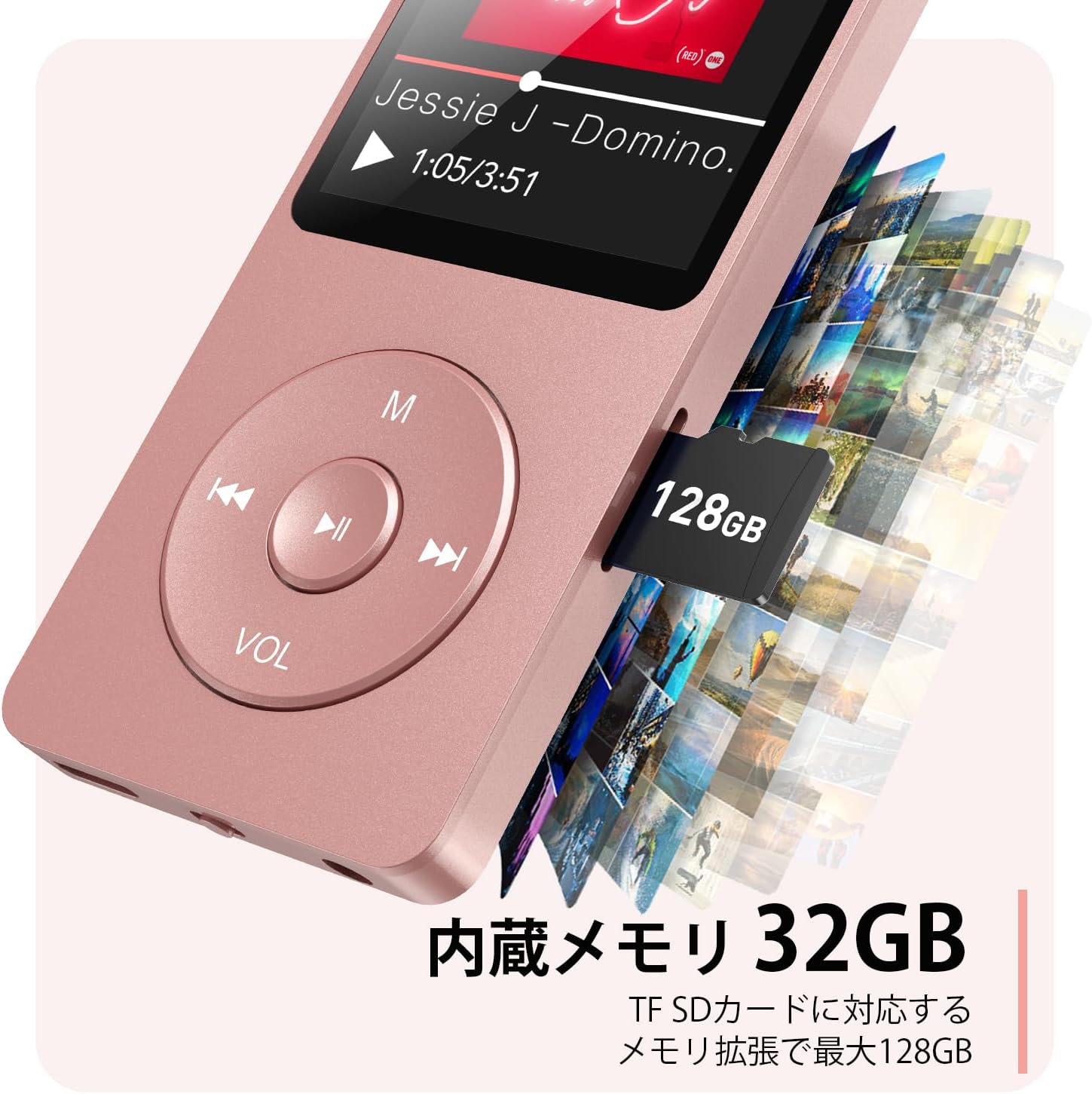
Rysunek 2.3: Strona view with microSD card slot.
- Port USB-C: Do ładowania i przesyłania danych.
- Gniazdo słuchawkowe 3.5 mm: Do przewodowego wyjścia audio.
- Gniazdo kart microSD: Możliwość rozszerzenia pamięci do 64 GB.
3. Konfiguracja
3.1 Ładowanie urządzenia
Before first use, fully charge the MP3 player. Connect the provided USB-C cable to the player's USB-C port and the other end to a USB power adapter (not included) or a computer's USB port. The screen will indicate charging status. A full charge takes approximately 2 hours and provides up to 40 hours of music playback.

Figure 3.1: MP3 Player charging indication.
3.2 Wkładanie karty MicroSD
The player has 32GB of internal storage. To expand storage, insert a microSD card (up to 64GB, not included) into the microSD card slot until it clicks into place. Ensure the card is inserted correctly to avoid damage.
3.3 Przesyłanie muzyki Files
- Podłącz odtwarzacz MP3 do komputera za pomocą kabla USB-C.
- Odtwarzacz pojawi się na Twoim komputerze jako dysk wymienny.
- Przeciągnij i upuść swoją muzykę files (MP3, WMA, OGG, WAV, APE, FLAC, AAC, ACELP) into the 'Music' folder on the player or microSD card.
- Przed odłączeniem kabla należy bezpiecznie odłączyć urządzenie od komputera.
4. Instrukcja obsługi
4.1 Włączanie/wyłączanie zasilania
- Włączanie: Long press the Power button (usually on the side or top edge) until the screen lights up.
- Wyłączone: Long press the Power button until the 'Power Off' option appears, then select it.
4.2 Podstawowa nawigacja
Use the navigation buttons (Previous, Next, Play/Pause, M) to move through menus and select options. The Play/Pause button often acts as a 'Confirm' button in menus.

Figure 4.1: Main menu interface with various functions.
4.3 Odtwarzanie muzyki
- Z menu głównego wybierz „Muzyka”.
- Browse by Artist, Album, Songs, Playlists, etc.
- Wybierz utwór, aby rozpocząć odtwarzanie.
- Use the Previous/Next buttons to skip tracks, and Play/Pause to control playback.
- Dostosuj głośność za pomocą przycisku VOL.
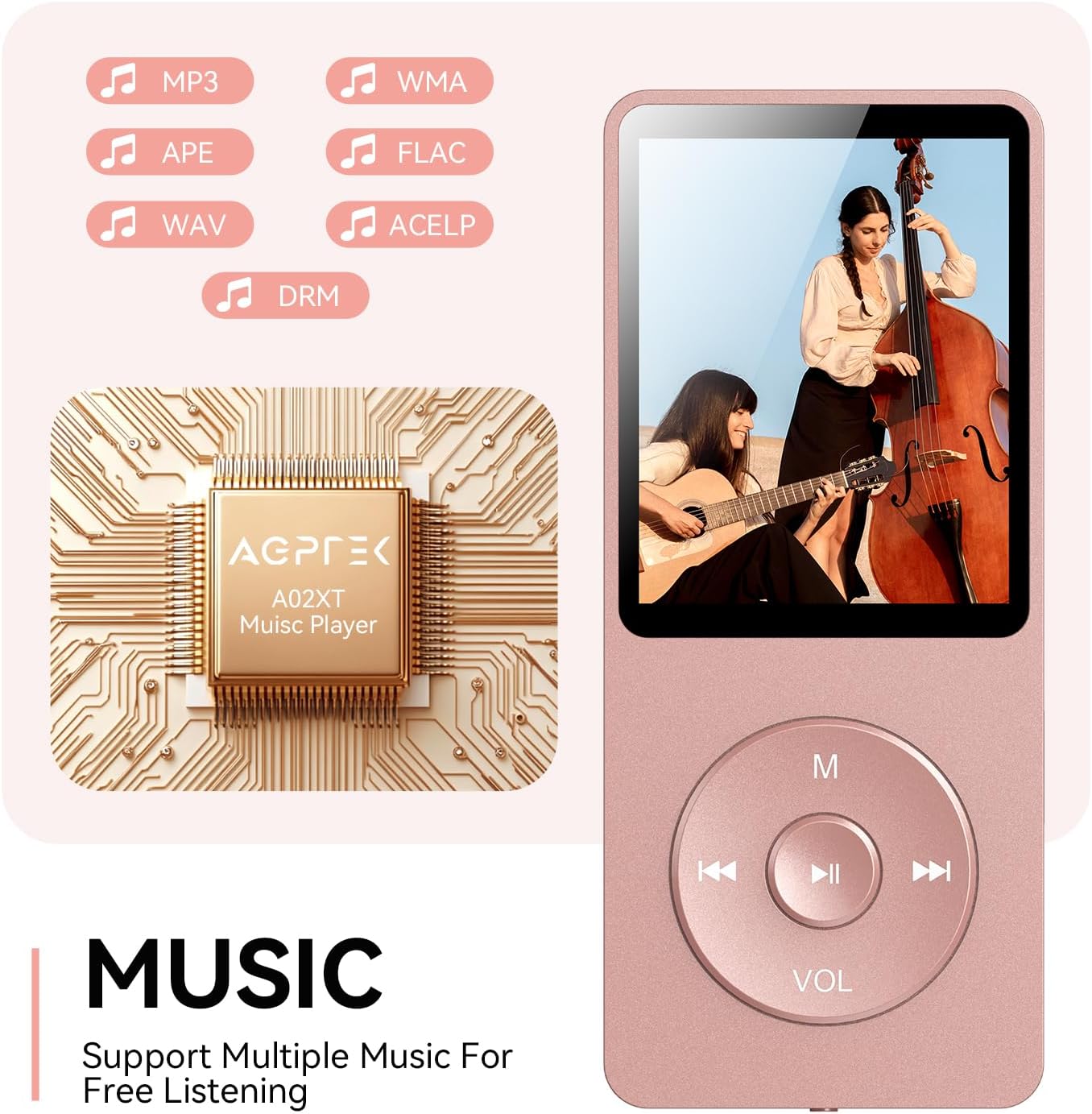
Figure 4.2: Music playback screen and supported formats.
4.4 Połączenie Bluetooth
The A02XT supports Bluetooth 5.3 for wireless audio output to headphones or speakers.
- Z menu głównego wybierz „Bluetooth”.
- Turn on Bluetooth on the player.
- Upewnij się, że słuchawki/głośnik Bluetooth są w trybie parowania.
- The player will search for nearby devices. Select your device from the list to pair.
4.5 Radio FM
- Connect wired earphones to the 3.5mm jack; they act as the antenna.
- Z menu głównego wybierz „Radio FM”.
- Użyj przycisków nawigacyjnych, aby wyszukać stacje lub dostroić je ręcznie.
4.6 Nagrywanie głosu
- From the main menu, select 'Record'.
- Aby rozpocząć, wybierz „Rozpocznij nagrywanie głosu”.
- Naciśnij przycisk Odtwórz/Pauza, aby zatrzymać i zapisać nagranie.
4.7 Blokada ekranu
To prevent accidental button presses, long press the 'M' button to lock the screen. Repeat the action to unlock.
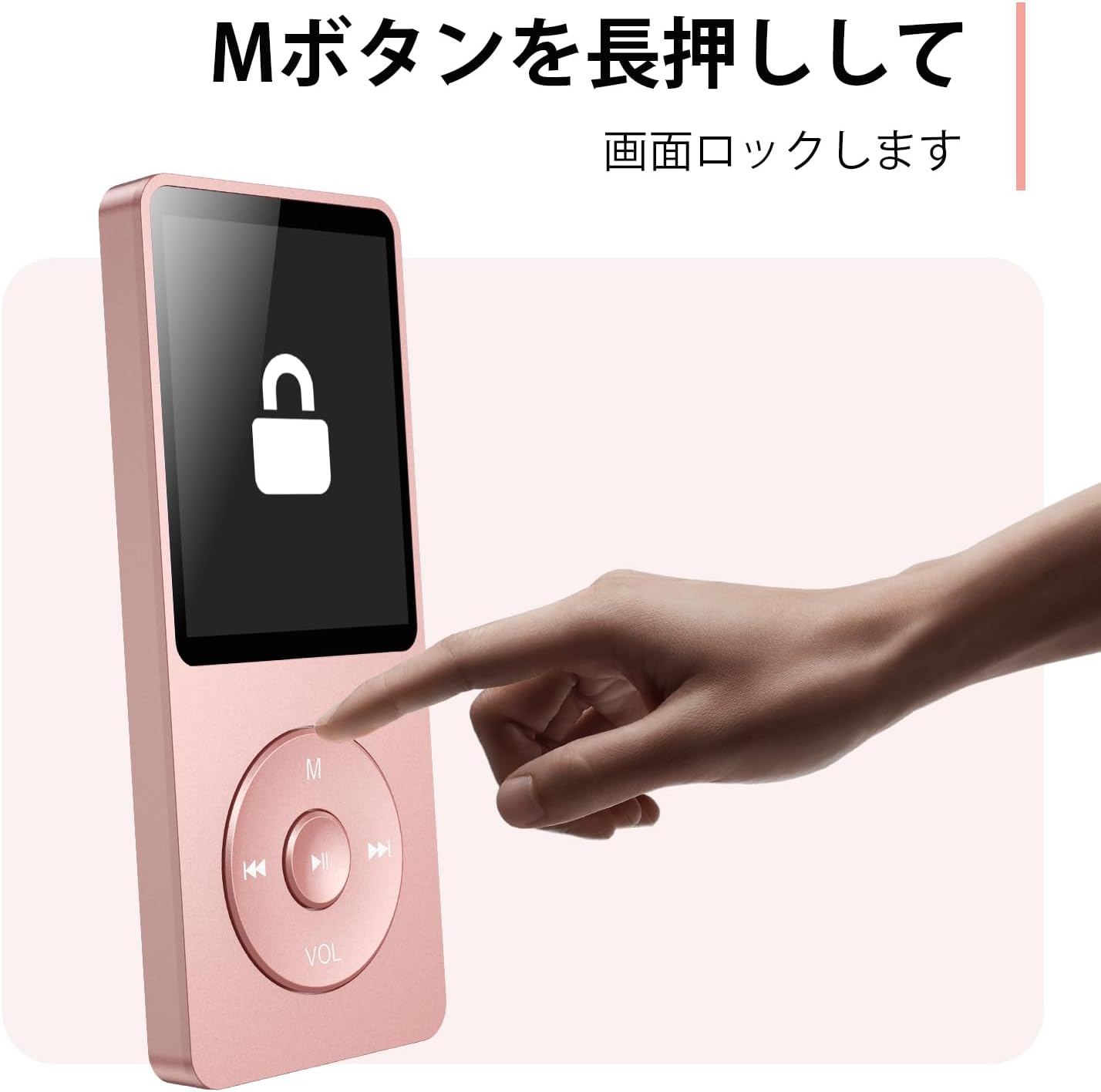
Figure 4.3: Screen lock function using the M button.
5. Konserwacja
5.1 Czyszczenie
- Przetrzyj urządzenie miękką, suchą ściereczką.
- Nie należy używać płynnych środków czyszczących ani rozpuszczalników.
5.2 Przechowywanie
- Przechowuj odtwarzacz w chłodnym, suchym miejscu, z dala od bezpośredniego światła słonecznego i ekstremalnych temperatur.
- Unikaj upuszczania i narażania urządzenia na silne uderzenia.
5.3 Pielęgnacja baterii
- Aby zachować sprawność akumulatora, należy go regularnie ładować, nawet jeśli nie jest używany.
- Unikaj częstego całkowitego rozładowywania baterii.
6. Rozwiązywanie Problemów
6.1 Urządzenie się nie włącza
- Upewnij się, że bateria jest naładowana. Podłącz ją do źródła zasilania i spróbuj ponownie.
- Wykonaj twardy reset, naciskając i przytrzymując przycisk zasilania przez 10–15 sekund.
6.2 Nie można przenieść Files
- Check the USB-C cable connection. Try a different cable or USB port.
- Ensure the device is properly recognized by your computer.
- Sprawdź, czy file format obsługiwany przez odtwarzacz.
6.3 Problemy z parowaniem Bluetooth
- Ensure both the player and the Bluetooth device are in pairing mode and within range.
- Wyłącz i włącz ponownie Bluetooth na obu urządzeniach.
- Usuń poprzednie sparowania i spróbuj sparować ponownie.
6.4 Brak dźwięku
- Sprawdź poziom głośności.
- Ensure headphones are properly connected or Bluetooth device is paired.
- Przetestuj z innymi słuchawkami lub urządzeniem Bluetooth.
7. Specyfikacje
| Marka | Talkie |
| Nazwa modelu | A02XT |
| Pojemność pamięci masowej | 32 GB (expandable up to 64 GB via microSD card) |
| Kolor | Różowy |
| Rozmiar ekranu | 8.9 centymetra (ok. 3.5 cala) |
| Typ nośnika | Karta micro sd |
| Technologia wyświetlania | LCD |
| Obsługiwane formaty audio | MP3, WMA, OGG, WAV, APE, FLAC, AAC, ACELP |
| Żywotność baterii | Do 40 godzin |
| Waga przedmiotu | 130 gram |
8. Gwarancja i wsparcie
8.1 Informacje o gwarancji
This AGPTEK A02XT MP3 Player comes with a 1-letnia gwarancja od daty zakupu. Niniejsza gwarancja obejmuje wady produkcyjne i usterki powstałe w wyniku normalnego użytkowania. Nie obejmuje uszkodzeń spowodowanych niewłaściwym użytkowaniem, wypadkami, nieautoryzowanymi modyfikacjami ani normalnym zużyciem.
8.2 Obsługa klienta
If you encounter any issues or have questions regarding your AGPTEK A02XT MP3 Player, please refer to the troubleshooting section of this manual first. If the problem persists, contact AGPTEK customer support through the official website or your retailer's support channels. Please have your purchase receipt and product model number (A02XT) ready when contacting support.