
1. Koniec produktuview
The Jawploy ZY-006 is a portable MP3 player designed for high-fidelity audio playback and various multimedia functions. It features a compact design, touch controls, and a built-in speaker, making it suitable for music on the go.
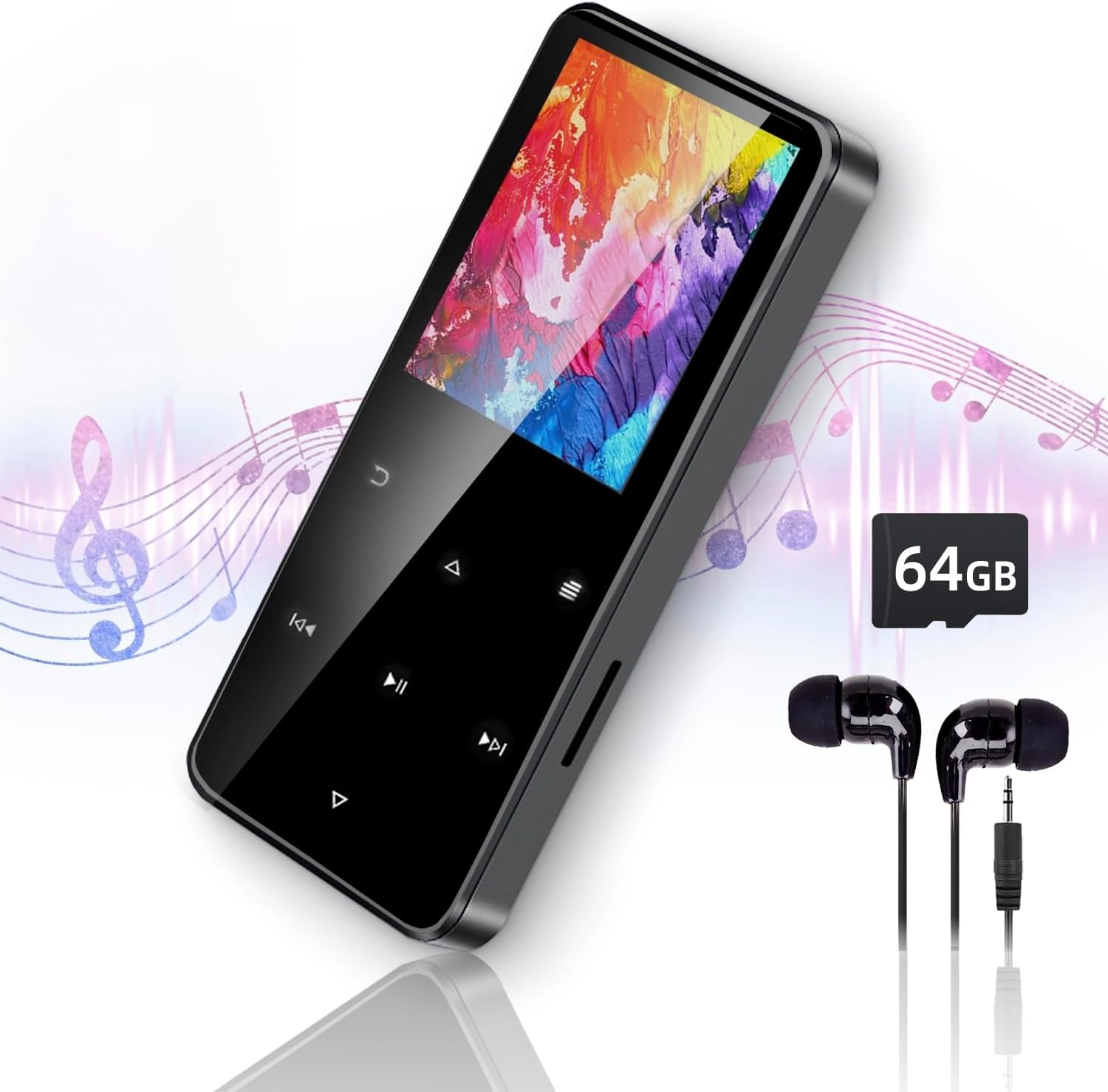
Image 1.1: The Jawploy ZY-006 MP3 Player, showcasing its sleek design, included earphones, and a 64GB TF card.
Zawartość opakowania:
- 1x Jawploy ZY-006 MP3 Player (with 16GB built-in memory)
- 1x karta TF 64 GB
- 1x Słuchawki
- 1x kabel USB
- 1x Instrukcja obsługi (ten dokument)
2. Układ urządzenia i elementy sterujące
Familiarize yourself with the physical components and touch controls of your MP3 player.

Image 2.1: Diagram illustrating the key components of the Jawploy ZY-006 MP3 Player, including the sturdy alloy casing, touch buttons for navigation, built-in HD speaker, TF card slot, and 3.5mm audio jack.
Kluczowe komponenty:
- Sturdy Alloy Casing: Zapewnia trwałość i wyjątkową jakość.
- Przyciski dotykowe: Do intuicyjnej nawigacji i sterowania.
- Wbudowany głośnik HD: Do odtwarzania dźwięku bez słuchawek.
- Gniazdo karty TF: W celu zwiększenia pojemności pamięci masowej.
- Gniazdo audio 3.5 mm: Do podłączenia przewodowych słuchawek.
- Port USB: Do ładowania i przesyłania danych.
3. Rozpoczęcie pracy
3.1 Ładowanie urządzenia
Before first use, fully charge the MP3 player. Connect the included USB cable to the device's USB port and the other end to a computer's USB port or a compatible USB wall adapter (not included).
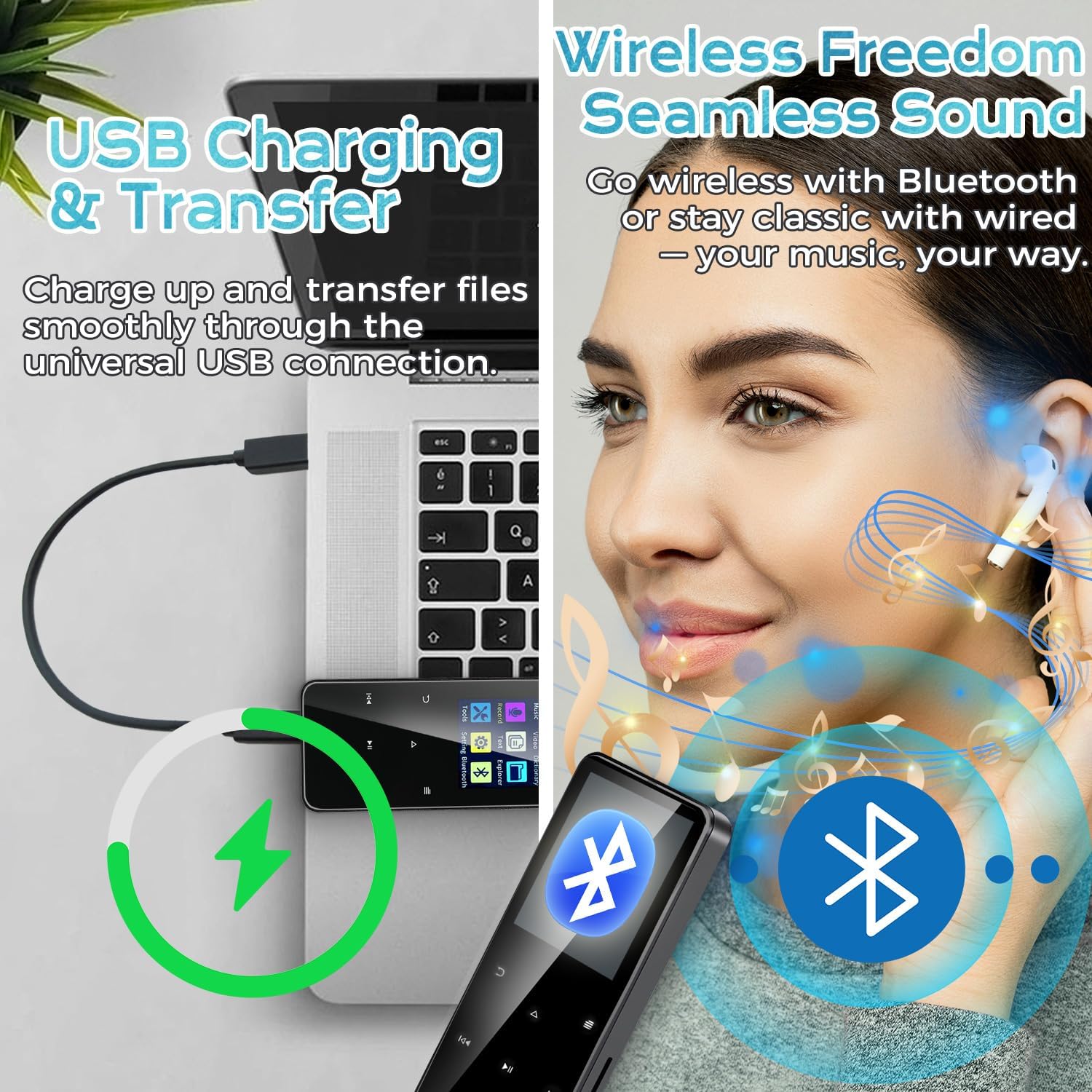
Image 3.1: The MP3 player connected to a laptop via USB cable, illustrating the process of charging and file przenosić.
Wskaźnik baterii na ekranie pokaże stan ładowania. Pełne naładowanie trwa zazwyczaj kilka godzin.
3.2 Wkładanie karty TF
Your MP3 player comes with a 64GB TF card pre-installed or included separately. To insert or replace a TF card:
- Znajdź gniazdo karty TF z boku urządzenia.
- Gently push the TF card into the slot until it clicks into place. Ensure the card is oriented correctly.
- To remove, gently push the card again until it springs out.
Note: The device supports TF cards up to 128GB, providing a total capacity of 144GB (16GB built-in + 128GB TF card).
3.3 Przenoszenie Files
Connect the MP3 player to your computer using the provided USB cable. The device will appear as a removable disk. You can then drag and drop music, video, e-book, and image files into the appropriate folders on the device or the TF card.
- For music, place files in the 'Music' folder.
- For videos, place files in the 'Video' folder.
- For e-books, place files in the 'E-Book' folder.
- For images, place files in the 'Pictures' folder.
4. Instrukcja obsługi
4.1 Power On/Off and Screen Navigation
- Włączanie: Naciśnij i przytrzymaj przycisk zasilania, aż ekran się zaświeci.
- Wyłączone: Press and hold the power button until the power-off option appears, then confirm.
- Blokada/odblokowanie ekranu: Aby zablokować lub odblokować ekran, naciśnij krótko przycisk zasilania.
- Nawigacja: Use the touch buttons (Up, Down, Left, Right, Menu, Back) to navigate through the menus and select options on the 1.8-inch color screen.
4.2 Odtwarzanie muzyki
The player supports FLAC, MP3, WMA, WAV, AAC, and OGG audio formats up to 48kHz.
- Z menu głównego wybierz „Muzyka”.
- Browse by Artist, Album, Song, or Folder.
- Wybierz utwór, aby rozpocząć odtwarzanie.
- Use the touch buttons for Play/Pause, Next/Previous Track, and Volume adjustment.

Image 4.1: The MP3 player's music interface, highlighting its capability for true lossless audio playback and portable design.
4.3 Łączność Bluetooth
Connect your MP3 player to Bluetooth headphones or speakers for wireless audio.
- Z menu głównego wybierz „Bluetooth”.
- Włącz Bluetooth.
- Upewnij się, że Twoje urządzenie Bluetooth jest w trybie parowania.
- Odtwarzacz MP3 wyszuka dostępne urządzenia. Wybierz urządzenie z listy, aby je sparować.
4.4 Radio FM
Słuchaj stacji radiowych FM.
- Z menu głównego wybierz „Radio FM”.
- Connect wired earphones; they act as the antenna.
- Use the scan function to find available stations or manually tune.
4.5 Dyktafon
Nagrywaj dźwięk za pomocą wbudowanego mikrofonu.
- From the main menu, select 'Record'.
- Aby rozpocząć, wybierz „Rozpocznij nagrywanie”.
- Press 'Stop' to end and save the recording.
4.6 Odtwarzanie wideo
The player supports AVI and AMV video formats with a resolution of 128x160.
- Z menu głównego wybierz „Wideo”.
- Przeglądaj i wybierz wideo file grać.
4.7 Czytnik e-booków
Czytaj e-booki w formacie TXT.
- Z menu głównego wybierz „E-book”.
- Przeglądaj i wybierz TXT file otworzyć.
4.8 Inne funkcje
The device also includes:
- Budzik: Ustaw alarmy jako przypomnienia.
- Zdjęcie Viewing: Przeglądaj obraz files.
- Narzędzia: Access utilities like calendar, stopwatch.
- Ustawienia: Adjust display, language, date/time, and other system preferences.
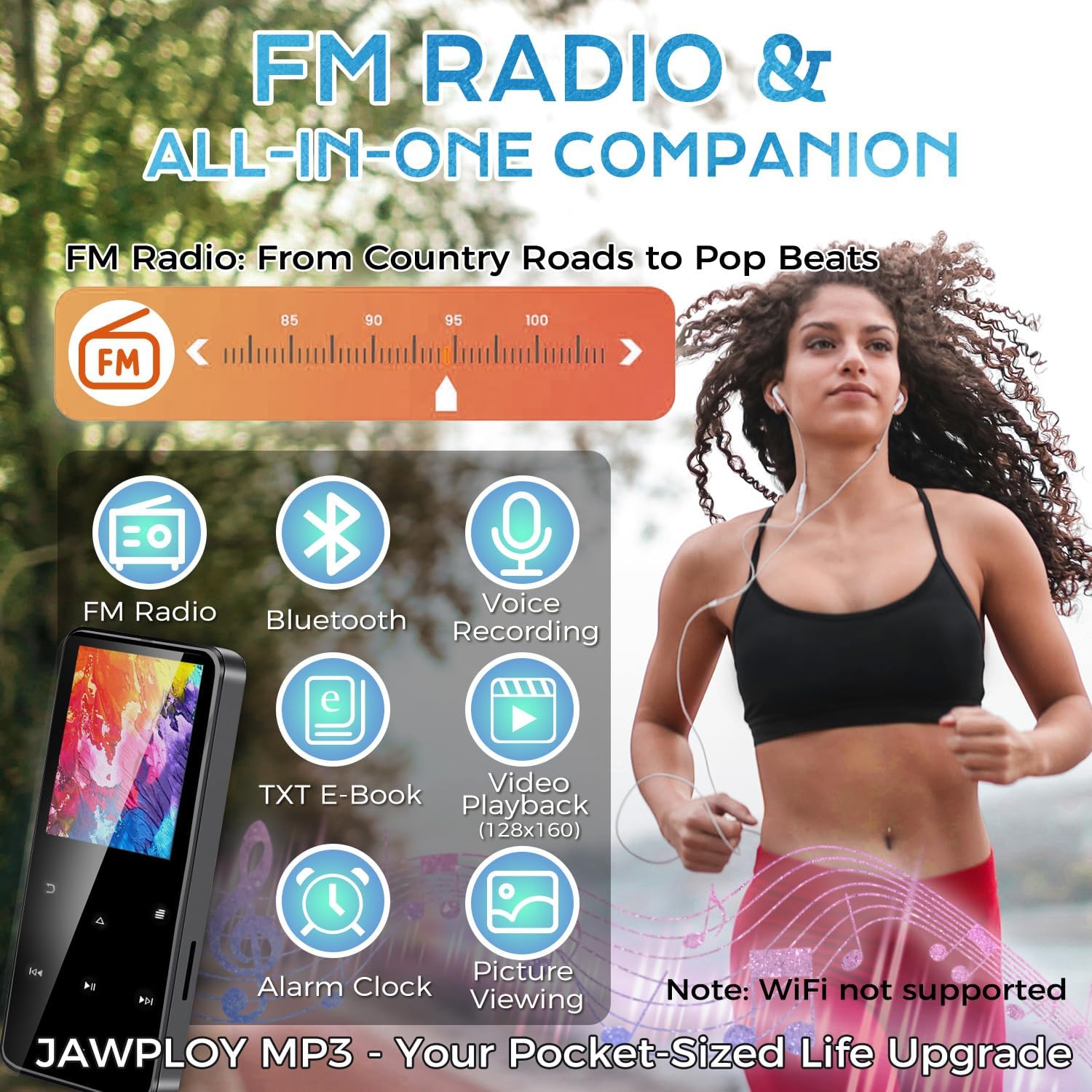
Image 4.2: The main menu of the Jawploy MP3 Player, showing icons for its multi-functional capabilities.
5. Konserwacja
5.1 Czyszczenie
Wipe the device with a soft, dry cloth. Avoid using liquid cleaners or abrasive materials, as they may damage the screen or casing.
5.2 Pielęgnacja baterii
- Unikaj częstego całkowitego rozładowywania akumulatora.
- Nie narażaj urządzenia na działanie ekstremalnych temperatur.
- Jeśli urządzenie będzie przechowywane przez dłuższy czas, należy naładować je do około 50% i ładować ponownie co kilka miesięcy.
5.3 Przechowywanie
Store the MP3 player in a cool, dry place away from direct sunlight and moisture. Keep it away from strong magnetic fields.
6. Rozwiązywanie Problemów
If you encounter issues with your Jawploy ZY-006 MP3 player, refer to the following common problems and solutions:
| Problem | Możliwa przyczyna | Rozwiązanie |
|---|---|---|
| Urządzenie nie włącza się | Niski poziom naładowania baterii; urządzenie zawiesza się | Charge the device for at least 30 minutes. If still unresponsive, try a hard reset (refer to manual for specific reset instructions, if available, or hold power button for 10-15 seconds). |
| Przyciski nie reagują | Software glitch; device frozen | Restart the device. If the issue persists, ensure the screen is not locked. |
| Nie można przenieść files | Incorrect USB connection; driver issue; full storage | Ensure the USB cable is securely connected. Try a different USB port or computer. Check available storage space on the device and TF card. |
| Muzyka files not recognized or playing | Unsupported format; corrupted file; incorrect file lokalizacja | Sprawdź, czy to muzyka files are in a supported format (FLAC, MP3, WMA, WAV, AAC, OGG). Ensure files are placed in the 'Music' folder. Try re-transferring the files. |
| Audio playback glitches or interruptions | Skorumpowany file; interference; software issue | Spróbuj zagrać w inną grę file. Ensure no strong interference sources are nearby. Restart the device. |
| Difficulty removing TF card | Card not fully ejected | Gently push the TF card further into the slot until you feel a click, then release. The card should spring out. Avoid forcing it. |
| Music order is jumbled | Metadata issues; no playlist created | Zapewnij muzykę files have correct metadata (track numbers, album info). Create playlists on the device for desired playback order. |
7. Specyfikacje
Technical details of the Jawploy ZY-006 MP3 Player:
- Nazwa modelu: ZY-006
- Marka: Jawploy
- Pojemność pamięci: 80 GB (16GB built-in + 64GB TF card included, expandable up to 128GB TF card)
- Rozmiar ekranu: 1.8 cali
- Kolor: Czarny
- Waga przedmiotu: 1.76 uncji (50 grama)
- Wymiary opakowania: 4.37 x 2.91 x 1.34 cala
- Technologia łączności: Bluetooth, USB (Wi-Fi not supported)
- Obsługiwane formaty audio: FLAC, MP3, WMA, WAV, AAC, OGG (up to 48kHz)
- Obsługiwane formaty wideo: AVI, AMV (128x160)
- Supported E-Book Format: Tekst
- Cechy szczególne: Built-In Speaker, E-Book Reader, FM Radio, Video Playback, Voice Recorder, Touch Buttons
- Bateria: Wymagana 1 bateria CR5 (w zestawie)
- Pauza w szkole: Up to 16 hours via wired headphones (MP3 format, varies by volume and format)
- Języki: Obsługuje 28 języków
8. Wsparcie i gwarancja
For technical assistance or warranty inquiries, please refer to the contact information provided with your purchase or visit the official Jawploy support webZachowaj dowód zakupu na wypadek roszczeń gwarancyjnych.
This product is designed for reliable performance. Should you encounter any issues not covered in this manual, please contact customer support for further assistance.