
1. Wprowadzenie
This manual provides essential information for setting up, operating, maintaining, and troubleshooting your HP OmniStudio X 27-cs1010 All-in-One Desktop PC. Please read these instructions carefully before using your device to ensure optimal performance and longevity.
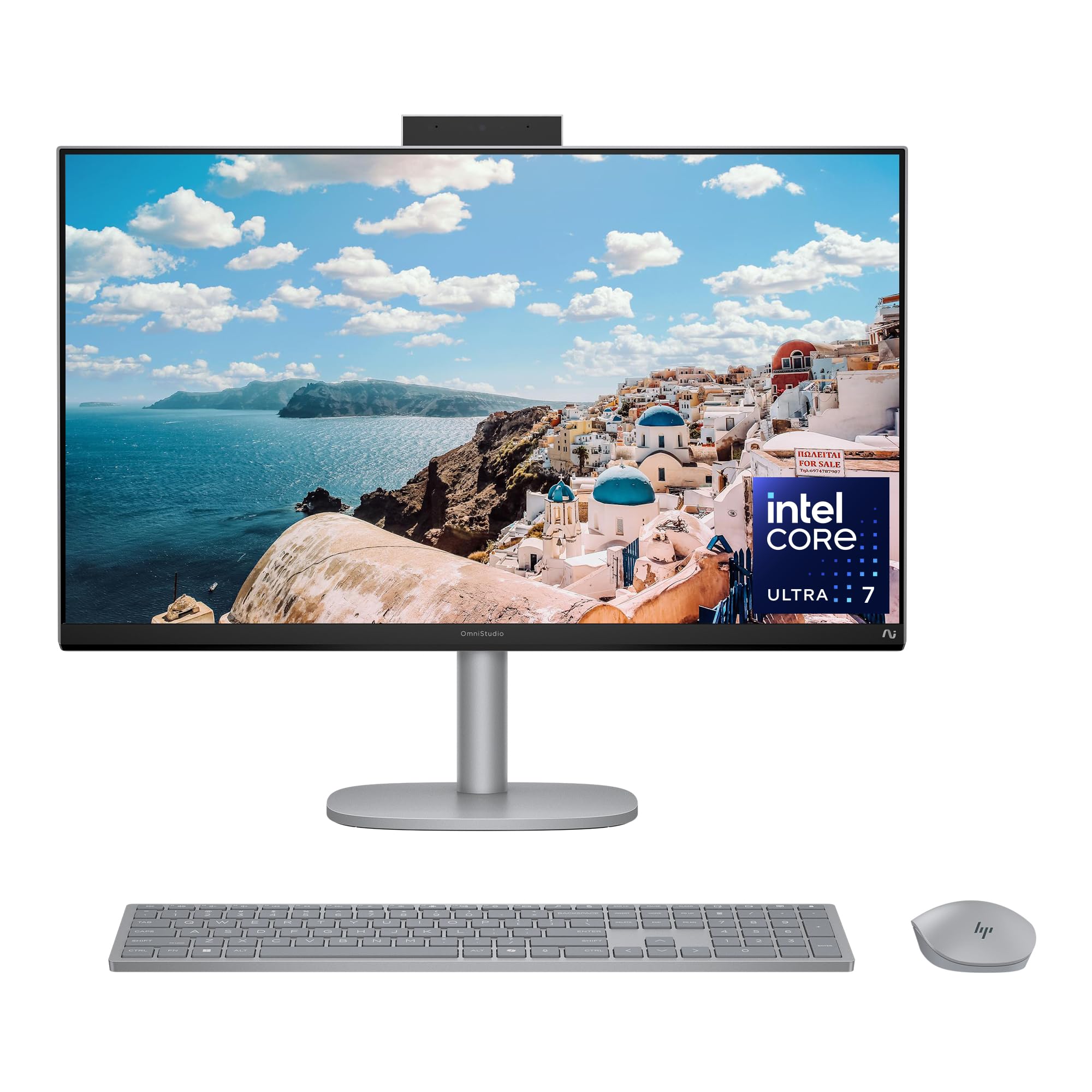
Image 1.1: HP OmniStudio X 27-inch All-in-One Desktop PC, front view.
2. Co znajduje się w pudełku
Sprawdź, czy w opakowaniu znajdują się wszystkie elementy:
- HP OmniStudio X All-in-One 27-cs1010 Desktop PC
- HP Meteor Silver Wireless Keyboard
- HP Meteor Silver Wireless Mouse
- 180 W AC Power Adapter
- Instrukcje konfiguracji

Image 2.1: Illustration of items included in the product box.
3. Konfiguracja początkowa
3.1 Podłączanie urządzeń peryferyjnych
- Klawiatura i mysz: The included wireless keyboard and mouse are pre-paired. Insert the USB receiver (usually found in the mouse battery compartment) into an available USB port on the PC.
- Urządzenia zewnętrzne: Connect any external devices such as printers, external hard drives, or additional monitors to the appropriate ports. Refer to the port diagram below.
3.2 Połączenie zasilania
- Connect the 180 W AC power adapter to the power input port on the back of the All-in-One PC.
- Podłącz zasilacz do uziemionego gniazdka elektrycznego.
3.3 Pierwsze uruchomienie
- Press the power button, typically located on the side or back of the display.
- Postępuj zgodnie z instrukcjami wyświetlanymi na ekranie, aby dokończyć konfigurację systemu Windows 11 Home, co obejmuje wybór języka, nawiązanie połączenia sieciowego i utworzenie konta użytkownika.

Obraz 3.1: Tył i bok view illustrating available ports including USB Type-C, USB Type-A, HDMI In/Out, Headphone/Microphone Combo, and RJ-45 Ethernet.
4. Korzystanie z komputera
4.1 Windows 11 Home
Your HP OmniStudio X comes with Windows 11 Home pre-installed. Familiarize yourself with the operating system's interface, Start menu, and taskbar for efficient navigation.
4.2 Funkcjonalność ekranu dotykowego
The 27-inch FHD IPS touchscreen allows for intuitive interaction. Use gestures such as tap, swipe, pinch-to-zoom, and scroll directly on the display. The screen features DC Dimming technology to reduce flicker for comfortable viewing.

Image 4.1: A user interacting with the FHD IPS touchscreen for entertainment.
4.3 AI Features and Productivity
- Procesor Intel Core Ultra 7: The integrated Intel Core Ultra 7 256V processor with AI Boost enhances performance for demanding tasks and AI-accelerated applications.
- Intel Arc Graphics: The Intel Arc Graphics 140V provides advanced creation and gaming capabilities.
- Microsoft Copilot: Utilize Copilot for AI assistance, intelligent answers, and image generation. Access it quickly via the dedicated Copilot key on the keyboard.

Image 4.2: The Microsoft Copilot interface displayed on the HP OmniStudio X screen.

Image 4.3: Close-up of the Copilot key on the included HP wireless keyboard.
4.4 Komunikacja i łączność
- Efekty programu Windows Studio: Enhance video calls with features like automatic framing, background blur, voice focus, and eye contact correction.
- 5MP Poly Camera Pro: The built-in camera includes a manual shutter for privacy and AI Noise reduction for clear audio.
- Wi-Fi 7 i Bluetooth 5.4: Enjoy fast wireless connectivity for streaming and connecting accessories.
- Poly Studio Audio: Experience high-quality audio with dual 5W speakers.

Image 4.4: A user engaged in a video conference, demonstrating Windows Studio Effects.
4.5 Wellness Features
The PC includes AI-powered wellness features designed for user comfort:
- Screen Distance Reminder: Gently blurs the screen if you are too close, encouraging proper posture and reducing eye strain.
- Presence Sensing: Automatically locks and wakes your PC, saving power and enabling quick return to work.

Image 4.5: A user performing creative tasks, highlighting the PC's design for wellbeing.
5. Konserwacja
5.1 Cleaning Your PC
- Ekran: Delikatnie użyj miękkiej, niestrzępiącej się szmatki dampSpłukać wodą lub płynem do czyszczenia ekranów. Unikać silnych środków chemicznych.
- Podwozie: Wipe the exterior surfaces with a soft, dry cloth. For stubborn marks, use a slightly damp płótno.
- Klawiatura i mysz: Use a soft brush or compressed air to remove dust and debris. Wipe surfaces with a damp jeśli to konieczne, szmatkę.
5.2 Aktualizacje oprogramowania
Regularly check for and install Windows updates and HP driver updates to ensure optimal performance, security, and access to the latest features. These updates can be managed through Windows Settings.
6. Rozwiązywanie Problemów
6.1 Problemy z zasilaniem
- Komputer się nie włącza: Ensure the power adapter is securely connected to both the PC and a working electrical outlet. Try a different outlet.
- PC shuts down unexpectedly: Check for proper ventilation around the PC to prevent overheating. Ensure all cables are secure.
6.2 Problemy z wyświetlaniem
- Brak obrazu na ekranie: Verify the PC is powered on. If an external monitor is connected, ensure it is also powered on and correctly configured.
- Ekran dotykowy nie reaguje: Restart the PC. Ensure the screen is clean and free of obstructions.
6.3 Problemy z łącznością
- Brak połączenia Wi-Fi: Check if Wi-Fi is enabled in Windows settings. Restart your router and the PC.
- Urządzenie Bluetooth nie łączy się: Ensure the Bluetooth device is in pairing mode and within range. Check Bluetooth settings on the PC.
7. Specyfikacje

Image 7.1: Physical dimensions and weight of the HP OmniStudio X 27-inch All-in-One PC.
| Funkcja | Szczegół |
|---|---|
| Nazwa modelu | HP OmniStudio X All-in-One 27-cs1010 Desktop PC |
| System operacyjny | Windows 11 Home |
| Edytor | Intel Core Ultra 7 256V (up to 4.8 GHz) |
| Grafika | Karta graficzna Intel Arc 140 V |
| Pamięć (RAM) | 16 GB LPDDR5x RAM (8533 MT/s) |
| Składowanie | Dysk SSD PCIe Gen4 NVMe M.2 o pojemności 2 TB |
| Wyświetlacz | 27-inch FHD (1920x1080) IPS Touchscreen |
| Audio | Dual 5 W speakers; Poly Studio |
| Webkrzywka | 5MP Poly Camera Pro with manual shutter |
| Łączność bezprzewodowa | Karta Intel Wi-Fi 7 BE201 (2x2), Bluetooth 5.4 |
| Porty | 1x USB Type-C (10Gbps), 2x USB Type-A (10Gbps), 1x HDMI-out 1.4, 1x HDMI-in 1.4, Headphone/Microphone Combo, RJ-45 Ethernet |
| Wymiary (szer. x gł. x wys.) | 24.11 x 7.88 x 21.15 cala |
| Waga | 18.96 funtów |
| Zasilacz | 180 W AC Power Adapter |
| Certyfikaty środowiskowe | EPEAT Gold with Climate+ registered, ENERGY STAR Certified |
8. Gwarancja i wsparcie
8.1 Ograniczona gwarancja
Your HP OmniStudio X 27-cs1010 Desktop PC comes with a 1-letnia ograniczona gwarancja na sprzęt od daty zakupu. Niniejsza gwarancja obejmuje wady produkcyjne i awarie sprzętu w normalnych warunkach użytkowania.
8.2 Wsparcie techniczne
HP provides 1-roczne ograniczone wsparcie techniczne for software and initial setup. For assistance with software issues, driver updates, or initial configuration, please contact HP Support.
8.3 Kontakt z pomocą techniczną
For warranty claims or technical assistance, please visit the official HP support website or refer to the contact information provided in your product documentation. Have your product model number (27-cs1010) and serial number ready when contacting support.