
1. Wprowadzenie
This manual provides instructions for the BoxWave DirectSync PD 100W USB-C to USB-C Cable (10ft). This cable is designed for efficient power delivery and high-speed data transfer between compatible USB-C devices. It features a durable braided nylon construction and reinforced strain reliefs for enhanced longevity.
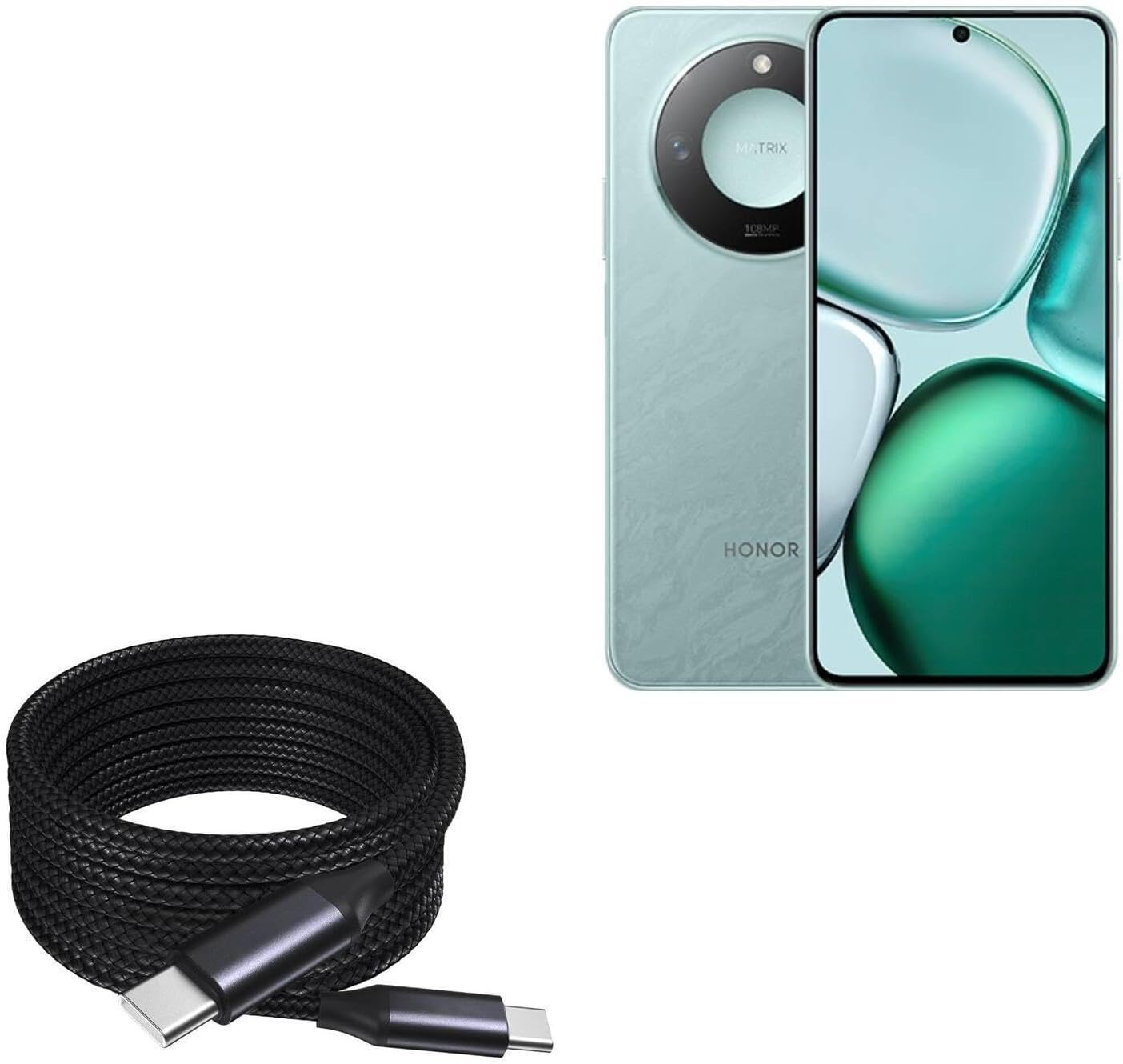
Image 1: The BoxWave DirectSync PD 100W USB-C to USB-C Cable (10ft) shown coiled next to a compatible smartphone, illustrating its design and intended use.
2. Konfiguracja i połączenie
The DirectSync PD Cable is designed for simple plug-and-play functionality. No software installation is required.
- Identyfikacja portów: Ensure both your charging adapter/power source and your device have USB-C ports.
- Podłącz w celu ładowania: Insert one end of the USB-C cable into a compatible USB-C power adapter or power bank. Insert the other end into the USB-C charging port of your device (e.g., smartphone, tablet, laptop).
- Połącz w celu przesyłania danych: Insert one end of the USB-C cable into the USB-C port of your computer. Insert the other end into the USB-C port of your device. Your device should appear as a connected storage device on your computer.

Obraz 2: Zbliżenie view of the coiled braided nylon cable, highlighting the robust USB-C connectors at each end.
3. Instrukcja obsługi
3.1 Ładowanie z wykorzystaniem technologii Power Delivery (PD)
The DirectSync PD Cable supports up to 100W Power Delivery, allowing for rapid charging of compatible devices, including laptops, tablets, and smartphones. For optimal charging speeds, ensure your power adapter also supports 100W PD or a wattage suitable for your device.
- Connect the cable as described in Section 2.
- The charging indicator on your device should activate, confirming power delivery.

Image 3: The DirectSync PD cable connected to a laptop, demonstrating its capability for high-wattage power delivery.
3.2 Przesyłanie danych
This cable facilitates high-speed data transfers up to 480Mbps, allowing you to sync files, photos, and videos between your devices and computer efficiently.
- Connect the cable between your device and computer as described in Section 2.
- Once connected, your device should be recognized by your computer, allowing you to access and transfer files.

Image 4: The cable simultaneously charging a smartphone and connected to a laptop, demonstrating its dual function for charging and data synchronization.
4. Konserwacja
Proper care will extend the life of your BoxWave DirectSync PD Cable.
- Składowanie: Store the cable in a clean, dry place. Avoid tightly coiling or bending the cable at sharp angles, especially near the connectors.
- Czyszczenie: Do czyszczenia kabla i złączy należy używać miękkiej, suchej ściereczki. Nie należy używać silnych środków chemicznych ani materiałów ściernych.
- Obsługiwanie: Always grasp the connector head when plugging or unplugging the cable, rather than pulling on the cable itself. This prevents stress on the internal wires and reinforced strain reliefs.

Rysunek 5: Szczegółowy view of the braided nylon exterior, highlighting the cable's durable construction designed to resist tangles and fraying.

Image 6: A close-up of the rubberized grommet strain relief at the connector, designed to prevent cable fraying and enhance durability.
5. Rozwiązywanie Problemów
- Urządzenie się nie ładuje:
- Upewnij się, że oba końce kabla są dobrze podłączone.
- Sprawdź, czy zasilacz działa prawidłowo i jest zgodny z wymaganiami ładowania Twojego urządzenia.
- Sprawdź, czy port ładowania urządzenia jest czysty i wolny od zanieczyszczeń.
- Confirm your power adapter supports Power Delivery (PD) for fast charging.
- Powolne ładowanie:
- Upewnij się, że Twój zasilacz zapewnia wystarczającą moc.tage for your device. For 100W charging, a 100W PD adapter is required.
- Some devices may limit charging speed based on battery level or temperature.
- Problemy z przesyłaniem danych:
- Ensure the cable is securely connected to both the device and the computer.
- Verify that your device is set to 'File Transfer' or 'MTP' mode when connected to a computer, if applicable.
- Spróbuj podłączyć urządzenie do innego portu USB-C w komputerze.
6. Specyfikacje
| Funkcja | Specyfikacja |
|---|---|
| Nazwa produktu | BoxWave DirectSync PD Cable |
| Model | DirectSync PD Cable |
| Typ złącza | USB-C do USB-C |
| Dostarczanie mocy | Do 100 W |
| Prędkość przesyłu danych | Do 480 Mb/s |
| Długość kabla | 10 stopy (około 3 metrów) |
| Tworzywo | Braided Nylon, Rubberized Grommet Strain Relief |
| Kolor | Czarny jak kruk |
| Waga przedmiotu | 6 uncji |
7. Gwarancja i wsparcie
For warranty information or technical support regarding your BoxWave DirectSync PD Cable, please refer to the official BoxWave webOdwiedź witrynę lub skontaktuj się bezpośrednio z działem obsługi klienta. Dane kontaktowe znajdują się zazwyczaj na opakowaniu produktu lub u producenta. webstrona.
Webstrona: www.boxwave.com