
Wstęp
The LifePro Pacer Mini Pro Treadmill is a compact and versatile walking pad designed for light exercise and fitness in both home and office environments. Its adjustable incline and variable speed settings allow for a customized workout experience, helping you stay active throughout your day. This manual provides essential information for the safe and effective use, setup, operation, and maintenance of your Pacer Mini Pro Treadmill.
Ważne informacje dotyczące bezpieczeństwa
Please read and understand all instructions before operating the treadmill. Failure to follow these instructions may result in injury or damage to the product.
- Bieżnię należy zawsze ustawiać na płaskiej i stabilnej powierzchni.
- Trzymaj dzieci i zwierzęta z dala od bieżni podczas pracy.
- Nie używaj bieżni, jeśli jest uszkodzona lub działa nieprawidłowo.
- Przed rozpoczęciem nowego programu ćwiczeń skonsultuj się z lekarzem.
- Sprawdź, czy przewód zasilający nie jest przyciśnięty lub uszkodzony.
- Nie próbuj samodzielnie naprawiać bieżni. Skontaktuj się z obsługą klienta, aby uzyskać pomoc.
Zawartość opakowania
Sprawdź, czy w opakowaniu znajdują się wszystkie komponenty:
- LifePro Pacer Mini Pro Treadmill Unit
- Zdalne sterowanie
- Przewód zasilający
- Smar
- Regulowana kierownica
- Uchwyt na tablet
Organizować coś
Follow these steps to set up your LifePro Pacer Mini Pro Treadmill:
- Rozpakowywanie: Ostrożnie wyjmij bieżnię i wszystkie elementy z opakowania.
- Umieszczenie: Choose a flat, stable surface for the treadmill. Ensure there is adequate space around the unit for safe operation.
- Handlebar and Feet Assembly: While the main unit comes pre-assembled, minimal assembly is required. Attach the adjustable handlebar and the incline feet as instructed in the included quick start guide. Ensure all screws are tightened securely.
- Smarowanie początkowe: The treadmill may come with some initial lubrication. Refer to the maintenance section for instructions on how to check and apply lubricant if needed before first use.
- Podłączenie zasilania: Podłącz przewód zasilający do bieżni, a następnie do uziemionego gniazdka elektrycznego.

Instrukcja obsługi
Operating your Pacer Mini Pro Treadmill is straightforward:
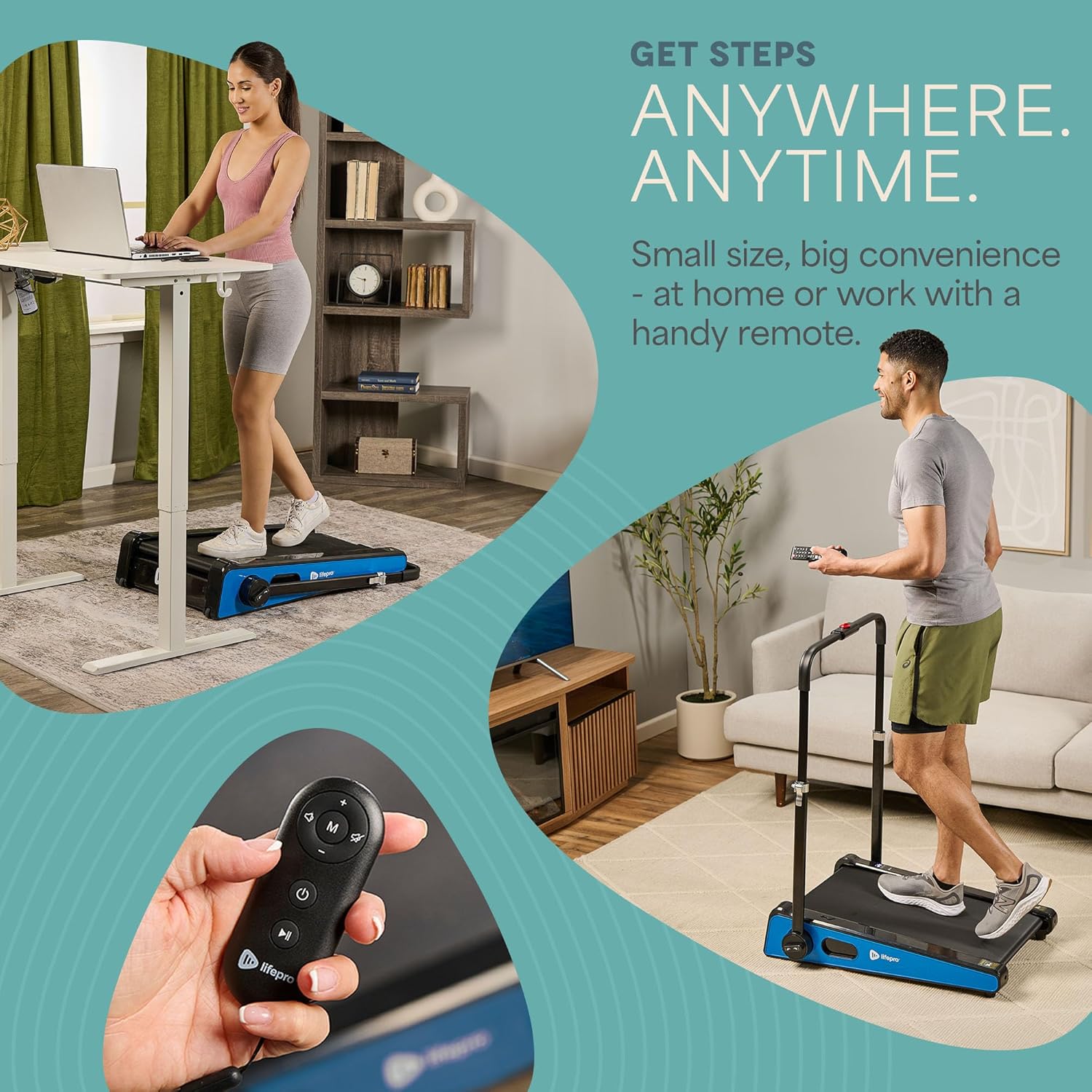
- Włączanie: Plug in the treadmill and press the power button on the unit or the remote control. The LED display will illuminate.
- Regulacja prędkości: Use the remote control to increase or decrease the walking speed. The maximum speed is 3 MPH. The current speed will be shown on the LED display.
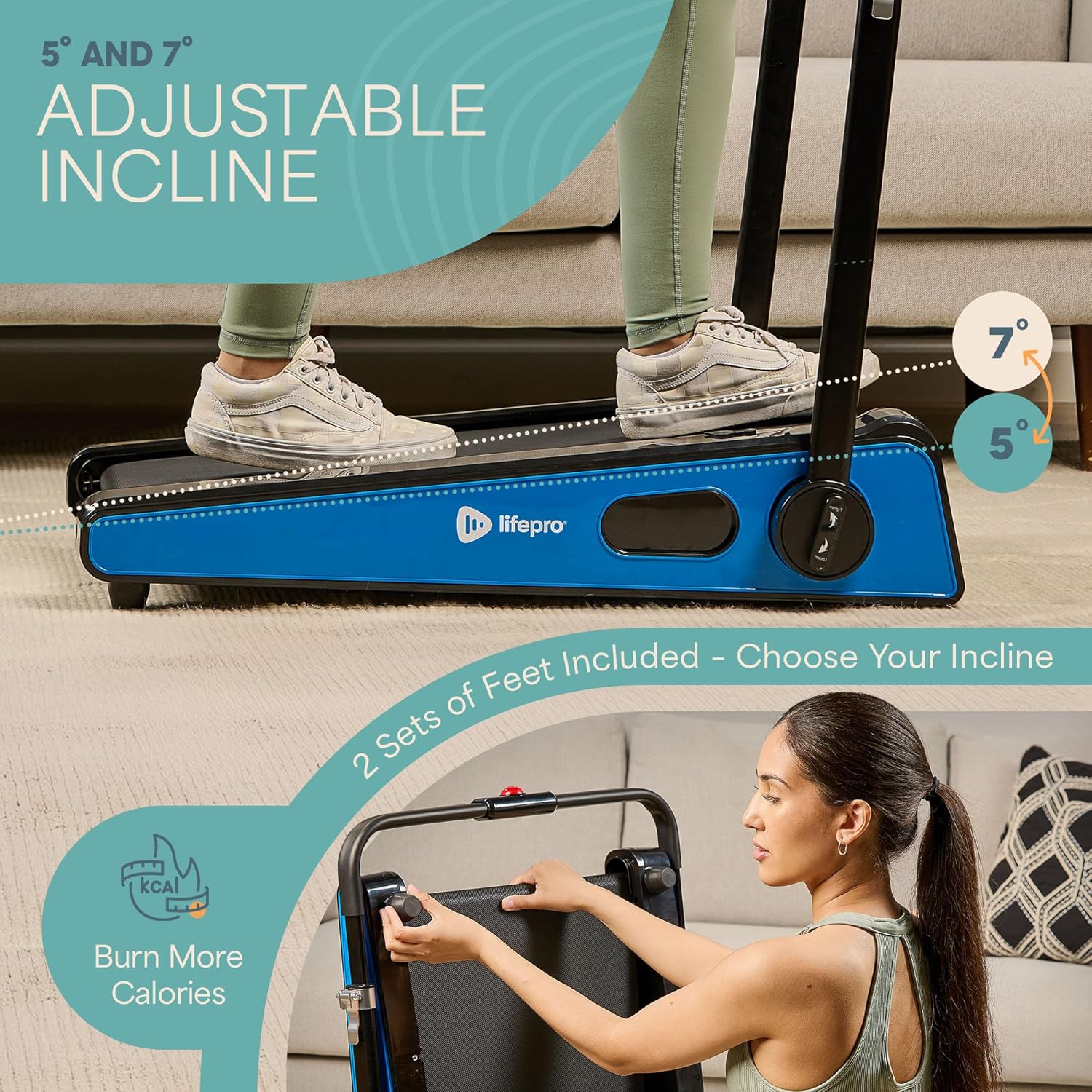
- Regulacja nachylenia: The treadmill offers adjustable incline settings of 5 or 7 degrees. To change the incline, manually adjust the feet at the rear of the treadmill. Refer to the setup section and product diagrams for visual guidance.
- Monitorowanie treningu: The LED display shows important workout metrics such as speed, calories burned, and distance covered. This helps you track your progress and stay motivated.
- Wyłączone: To stop your workout, press the stop button on the remote control or the unit. For complete power off, unplug the treadmill from the power outlet.

Konserwacja
Regularna konserwacja zapewnia długowieczność i optymalną wydajność bieżni:
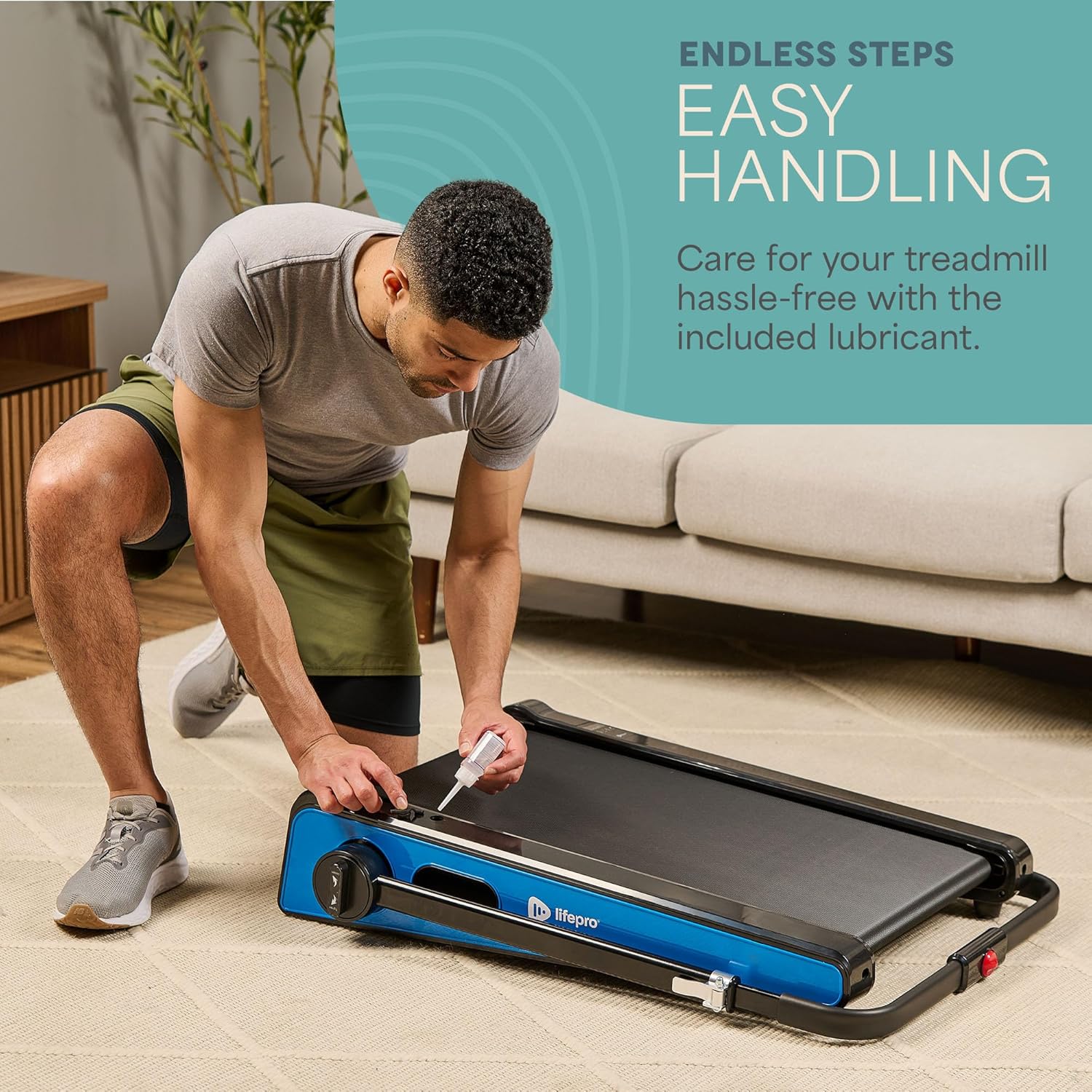
- Smarowanie: The walking belt requires periodic lubrication to reduce friction and wear. A dedicated slot on the upper left side of the treadmill allows for easy injection of the provided lubricant. Lubricate as needed, typically every few months depending on usage.
- Czyszczenie: Przetrzyj powierzchnię bieżni wodąamp Po każdym użyciu przetrzyj ściereczką pot i kurz. Nie używaj środków czyszczących o działaniu ściernym.
- Składowanie: The Pacer Mini Pro is designed for compact storage. It can be easily stored under a couch, desk, or in a closet thanks to its small footprint and built-in wheels for portability.
Rozwiązywanie problemów
If you encounter any issues with your treadmill, refer to the following common solutions:
- Bieżnia się nie włącza: Ensure the power cord is securely plugged into both the treadmill and a working electrical outlet. Check the power switch on the unit.
- Belt slipping or uneven: The walking belt may require adjustment or lubrication. Refer to the maintenance section for lubrication instructions. For belt tension adjustment, consult the detailed manual or contact customer support.
- Niezwykłe dźwięki: Stop using the treadmill immediately and inspect for any loose parts or obstructions. If the noise persists, contact customer support.
For issues not covered here, please contact LifePro customer support for assistance.
Specyfikacje
| Marka | LifePro |
| Numer modelu | LP-PCRMP-BLU-VC |
| Kolor | Niebieski z kierownicą |
| Wymiary produktu (Gł. x Szer. x Wys.) | Wymiary: 83.1 cm x 63.5 cm x 104.1 cm |
| Waga przedmiotu | 53.9 funta |
| Tworzywo | Stal nierdzewna |
| Maksymalna prędkość | 3 mil na godzinę |
| Regulowane nachylenie | 5 lub 7 stopni |
| Funkcja specjalna | Kompaktowa konstrukcja |
| Zalecane zastosowania | Light exercise, walking, home and office use |
| Grupa docelowa | Dorosły |
| Maksymalna moc | 1.75 KM |
| Typ wyświetlacza | PROWADZONY |
| Źródło zasilania | Elektryczny przewodowy |
| Technologia łączności | Sieć Ethernetowa |
| Typ licznika | Cyfrowy |
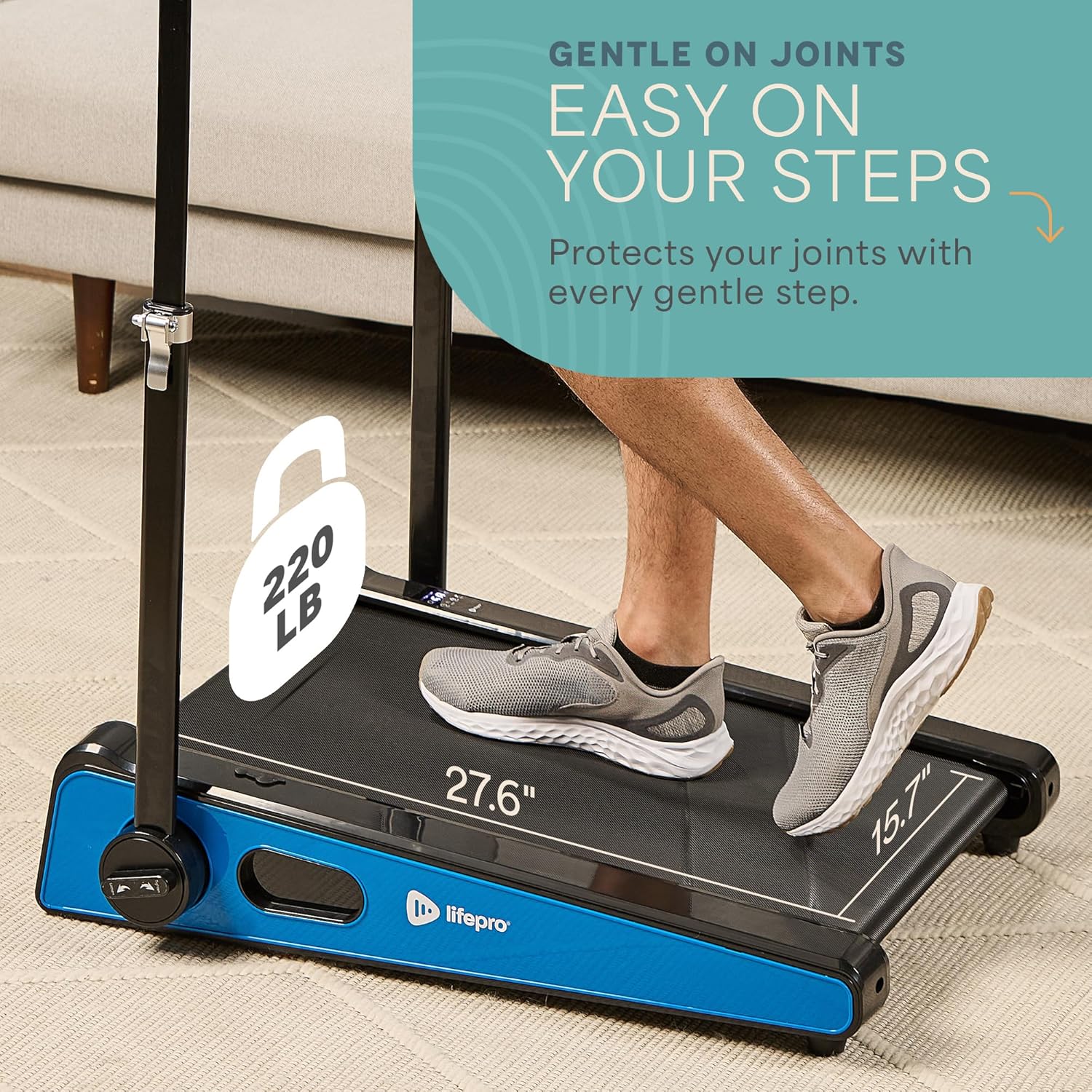
| Maksymalna zalecana waga | 220 funta |
| Liczba programów | 1 |
| Running Surface Length | 40 cali |
| Running Surface Width | 15.7 cali |
| Rozmiar ekranu | 30 cali |
| Wymagany montaż | Minimal (Handlebar and feet attachment) |
| UPC | 810161332328 |
Gwarancja i wsparcie
LifePro is committed to providing high-quality products and customer satisfaction. The LifePro Pacer Mini Pro Treadmill comes with a dożywotnia gwarancja, zapewniając spokój ducha w kontekście Twojej inwestycji.
For any questions, concerns, or technical support, please contact LifePro customer service:
- Webstrona: www.lifeprofitness.com (Byłyample link, please replace with actual support link if available)
- E-mail: support@lifeprofitness.com (Byłyample email, please replace with actual support email if available)
- Telefon: [Wpisz tutaj numer telefonu]
Please have your model number (LP-PCRMP-BLU-VC) and proof of purchase ready when contacting support.