
1. Wprowadzenie
The Oilsky M1 MP3 Player is a portable digital music player designed for high-quality audio playback. It features Bluetooth 5.4 for stable wireless connections, a 2.4-inch touchscreen for easy navigation, and a built-in speaker. With 128GB of internal storage and support for an additional 128GB Micro SD card, it can store a vast library of music, audiobooks, and other media. This manual provides detailed instructions on how to set up, operate, and maintain your device.
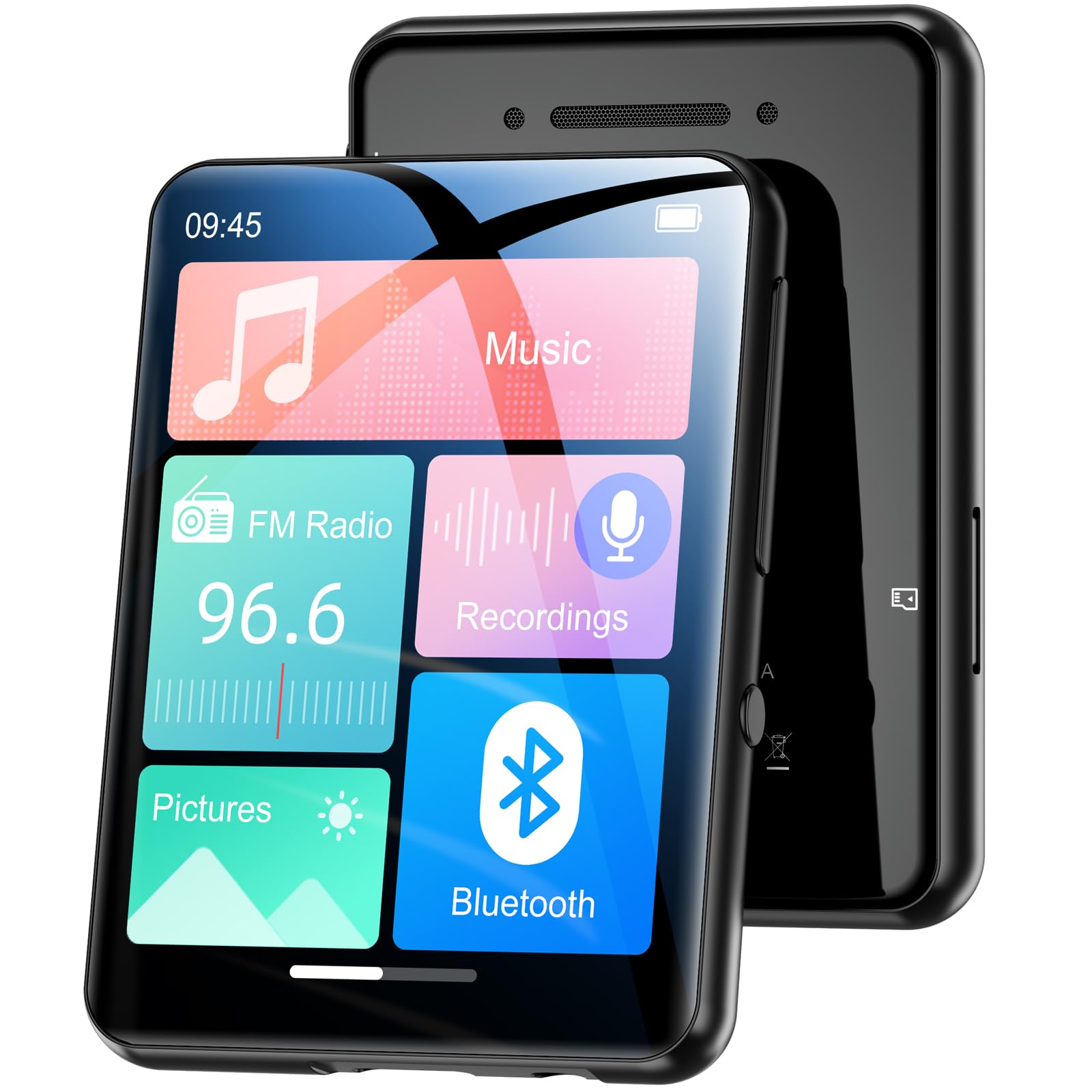
Obraz 1.1: Przód view of the Oilsky M1 MP3 Player, showcasindzięki kompaktowej konstrukcji i interfejsowi dotykowemu.
2. Co znajduje się w pudełku
Po rozpakowaniu należy sprawdzić zawartość opakowania, aby upewnić się, że znajdują się w nim wszystkie elementy:
- 1x Oilsky M1 MP3 Player
- Kabel ładowania USB 1x
- 1x Wired Headphones
- 1x Instrukcja obsługi (ten dokument)
- 1x Etui ochronne
- 1x Smycz

Image 2.1: All included accessories and the MP3 player laid out, including the USB cable, headphones, protective case, and lanyard.
3. Konfiguracja
3.1 Ładowanie urządzenia
Before first use, fully charge the MP3 player. Connect the provided USB cable to the player's charging port and the other end to a USB power adapter (not included) or a computer's USB port. The device takes approximately 2 hours to fully charge, providing up to 50 hours of music playback.
3.2 Włączanie/wyłączanie
- Włączanie: Naciśnij i przytrzymaj przycisk zasilania, aż ekran się zaświeci.
- Aby wyłączyć: Naciśnij i przytrzymaj przycisk zasilania, aż na ekranie pojawi się opcja wyłączenia, a następnie potwierdź.
3.3 Wkładanie karty Micro SD
The Oilsky M1 has 128GB of built-in memory and supports Micro SD cards up to an additional 128GB (not included). To expand storage:
- Znajdź gniazdo karty Micro SD z boku odtwarzacza.
- Ostrożnie wsuń kartę Micro SD do gniazda, złotymi stykami skierowanymi w dół, aż do kliknięcia.
- Aby wyjąć kartę, wciśnij ją do środka, aż wysunie się.

Image 3.1: Visual representation of the 128GB internal memory and the option to expand storage with a Micro SD card.
3.4 Ustawienia językowe
The device supports English, German, French, Italian, Spanish, and 29 other languages. To change the language:
- Przejdź do menu „Ustawienia”.
- Wybierz „Język”.
- Wybierz preferowany język z listy.
4. Instrukcja obsługi
The Oilsky M1 features a 2.4-inch full touchscreen for intuitive control. Navigate through menus by swiping and tapping.

Image 4.1: A hand interacting with the full touchscreen interface of the MP3 player, demonstrating ease of use.
4.1 Odtwarzanie muzyki
The player supports various audio formats including MP3, WMA, APE, FLAC, WAV, and AAC, providing high-fidelity sound with digital noise reduction. You can organize music by title, folder, artist, or album.
- Przesyłanie muzyki: Podłącz odtwarzacz do komputera za pomocą kabla USB. Odtwarzacz pojawi się jako dysk wymienny. Przeciągnij i upuść swoją muzykę. files into the 'Music' folder on the device or Micro SD card.
- Odtwarzanie muzyki: From the main menu, tap 'Music'. You can browse by 'All Songs', 'Artists', 'Albums', 'Folders', etc. Tap a song to begin playback.
- Sterownica: Use the on-screen controls for play/pause, next/previous track, and volume adjustment.

Image 4.2: A user enjoying music with headphones connected to the Oilsky M1 MP3 Player, highlighting the high-quality sound experience.

Image 4.3: Display illustrating the multiple audio formats supported by the MP3 player, including MP3, WMA, APE, FLAC, WAV, and AAC.
4.2 Połączenie Bluetooth
The player features Bluetooth 5.4 for connecting to Bluetooth headphones and speakers. It includes a memory function that automatically reconnects to previously paired devices. Note: The player cannot connect to mobile phones or car Bluetooth systems.
- From the main menu, tap 'Bluetooth'.
- Turn on Bluetooth. The player will scan for nearby devices.
- Wybierz z listy słuchawki lub głośnik Bluetooth, które chcesz sparować.

Image 4.4: The MP3 player screen showing the Bluetooth connection icon, indicating stable and fast Bluetooth 5.4 connectivity to external audio devices.
4.3 Radio FM
Aby skorzystać z funkcji radia FM:
- Connect the wired headphones (they act as an antenna).
- From the main menu, tap 'FM Radio'.
- Użyj przycisków na ekranie, aby wyszukać stacje lub dostroić je ręcznie.
4.4 Dyktafon
The player includes a built-in microphone for digital voice recording.
- From the main menu, tap 'Recordings'.
- Tap the record icon to start and stop recording.
- Recordings are saved and can be played back from this menu.

Image 4.5: The MP3 player displaying its voice recording interface, useful for capturing notes or conversations.
4.5 Czytnik e-booków
Odtwarzacz obsługuje e-booki w formacie TXT.
- Przelew TXT files to the 'E-book' folder on the device.
- From the main menu, tap 'E-book' to access your library.
4.6 Zdjęcie Viewer
View JPEG/BMP image filena ekranie o przekątnej 2.4 cala.
- Transfer image files to the 'Pictures' folder.
- From the main menu, tap 'Pictures' to browse your photos.
4.7 funkcja alarmu;
Set alarms using your favorite music as the ringtone.
- From the main menu, tap 'Alarm'.
- Configure alarm time, repeat settings, and select a music file for the alarm sound.

Image 4.6: The MP3 player displaying an alarm clock icon, indicating its alarm function capability.
5. Konserwacja
5.1 Czyszczenie
- Przetrzyj urządzenie miękką, suchą ściereczką.
- Do not use liquid cleaners or aerosols, as they may damage the device.
5.2 Pielęgnacja baterii
- Unikaj wystawiania urządzenia na działanie ekstremalnych temperatur.
- Aby zachować sprawność baterii, ładuj urządzenie regularnie, nawet jeśli go nie używasz.
5.3 Przechowywanie
When not in use for extended periods, store the player in a cool, dry place, away from direct sunlight and moisture.
6. Rozwiązywanie Problemów
| Problem | Możliwe rozwiązanie |
|---|---|
| Urządzenie się nie włącza. | Ensure the device is fully charged. If the battery is depleted, it may take a few minutes of charging before it can power on. |
| Bluetooth headphones/speaker won't connect. | Ensure Bluetooth is enabled on both devices. Make sure the headphones/speaker are in pairing mode. Confirm the MP3 player is not attempting to connect to a mobile phone or car system, as this is not supported. |
| Nie można przenieść files do gracza. | Check the USB cable connection. Ensure the player is properly recognized by your computer. Try a different USB port or cable. |
| Music playback is distorted or silent. | Check headphone connection or Bluetooth connection. Ensure volume is not muted and is set to an audible level. Verify the audio file format jest obsługiwany. |
| Ekran nie reaguje. | Perform a soft reset by pressing and holding the power button for 10-15 seconds. If the issue persists, ensure the device is charged. |
7. Specyfikacje
| Funkcja | Szczegół |
|---|---|
| Marka | Olejskiego |
| Numer modelu | M1 |
| Cechy specjalne | Touchscreen, Built-in Speaker, Digital Noise Reduction |
| Technologia łączności | Bluetooth 5.4, USB |
| Pamięć wewnętrzna | 128 GB |
| Możliwość rozbudowy pamięci masowej | Karta micro SD do 128 GB |
| Kolor | Czarny |
| Rozmiar ekranu | 2.4 cali |
| Kompatybilne urządzenia | Bluetooth Speakers, Bluetooth Headphones, Personal Computers |
| Obsługiwane formaty audio | MP3, WMA, APE, FLAC, WAV, AAC |
| Obsługiwany format e-booków | Tekst |
| Obsługiwane formaty obrazu | Pliki JPEG i BMP |
| Żywotność baterii | Do 50 godzin |
| Czas ładowania | Około 2 godzin |
| Waga przedmiotu | 65 gram |
| Wymiary przedmiotu (gł. x szer. x wys.) | Wymiary: 1 cm x 5 cm x 7 cm |
8. Gwarancja i wsparcie
8.1 Polityka gwarancyjna
Oilsky offers a one-year return policy for this product. This warranty covers manufacturing defects and issues arising from normal use.
8.2 Obsługa klienta
Our team is dedicated to providing prompt, attentive, and high-quality support. We guarantee a response within 24 hours for any inquiries or issues you may have.
For assistance, please contact us through the platform where you purchased the product or refer to the contact information provided on the official Oilsky webstrona.
We are committed to ensuring your satisfaction with your Oilsky M1 MP3 Player.


