
Wstęp
Thank you for choosing the Grandder 47x24 Inch Electric Standing Desk with Keyboard Tray. This manual provides detailed instructions for assembly, operation, maintenance, and troubleshooting to ensure safe and efficient use of your new desk. This electric height-adjustable desk is designed to promote a healthier work environment by allowing seamless transitions between sitting and standing positions.
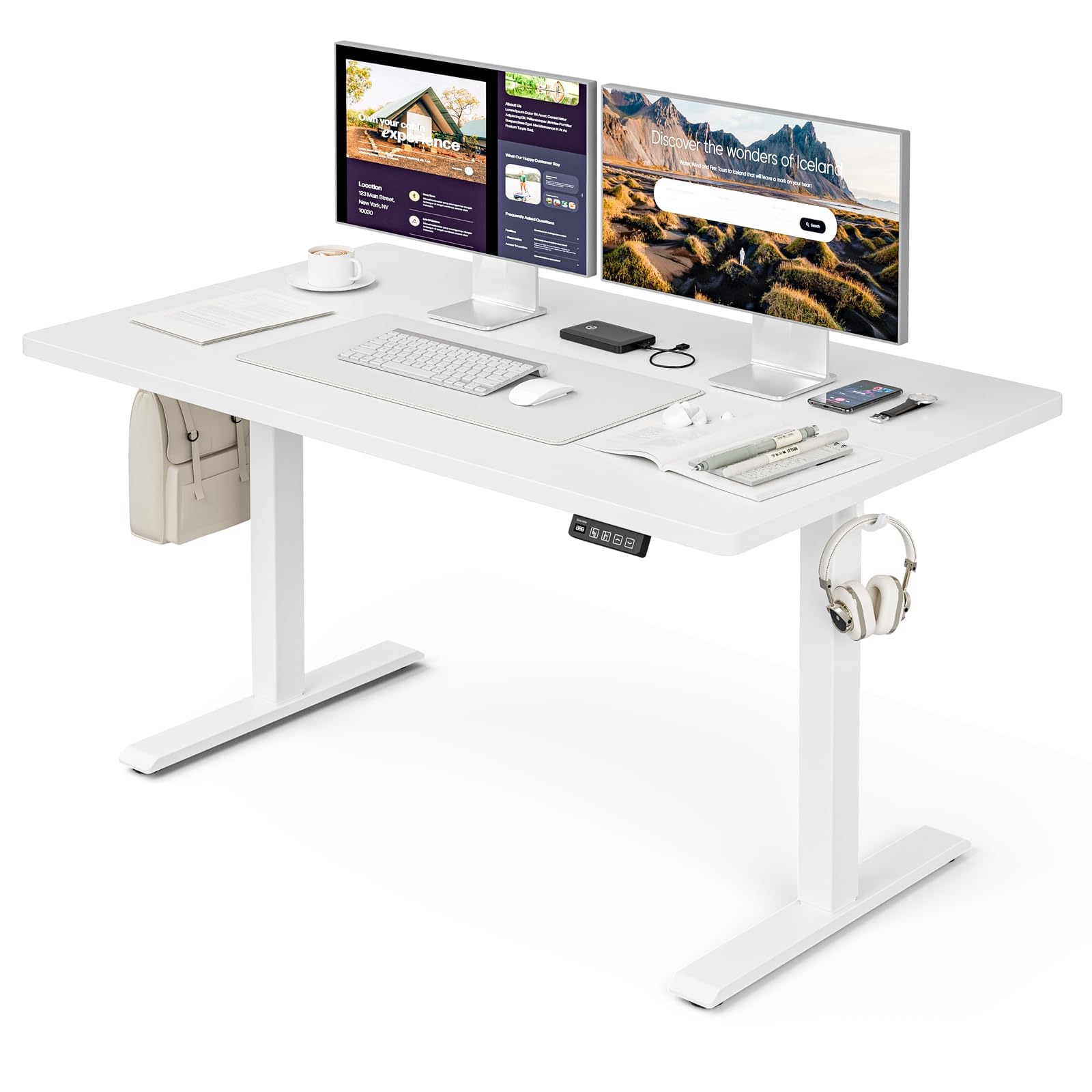
The Grandder 47x24 Inch Electric Standing Desk with Keyboard Tray, featuring a white desktop and frame, integrated keyboard tray, and a control panel for height adjustment.
Informacje dotyczące bezpieczeństwa
Ogólne środki ostrożności
- Nie przekraczać maksymalnego limitu wagi 176 funta (80 kg) on the desktop. Overloading can cause damage or injury.
- Always use the motorized lift with caution. Ensure no obstructions are present during height adjustments to prevent injury or damage to property.
- Podczas pracy urządzenia należy trzymać dzieci i zwierzęta z dala od biurka.
- Ensure all cables are properly managed and secured to prevent tripping hazards or entanglement with moving parts.
- Nie siadaj i nie stawaj na biurku.
- Przed przystąpieniem do czyszczenia lub wykonywania prac konserwacyjnych należy odłączyć zasilanie.
Zawartość opakowania
Przed rozpoczęciem montażu należy sprawdzić, czy wszystkie elementy są obecne. Jeśli brakuje którejkolwiek części lub jest ona uszkodzona, prosimy o kontakt z działem obsługi klienta.
- Desktop (Splice Board)
- Nogi biurka (2)
- Foot Pads (4)
- Silnik i skrzynka sterownicza
- Panel sterowania
- Tacka na klawiaturę i szyny
- Earphone Hooks (2)
- Opaski kablowe (3)
- Zasilacz i kabel
- Sprzęt montażowy (śruby, nakrętki itp.)
- L-shaped Allen Wrench
- Instrukcja obsługi
Konfiguracja i montaż
Assembly typically takes approximately 30 minutes. All parts are labeled, and an L-shaped Allen wrench is included for convenience. Follow the step-by-step instructions provided in the separate assembly guide for detailed visual instructions.
Pre-Assembly Considerations
- Wybierz czyste i przestronne miejsce do montażu.
- Lay out all components and hardware, matching them against the package contents list.
- Ensure the power outlet is easily accessible once the desk is in its final position.

Desk dimensions: 47 inches wide, 24 inches deep, with a height range of 28 to 45.6 inches.
Kluczowe kroki montażu
- Attach the desk legs to the desktop using the provided hardware.
- Install the motor and control box according to the assembly guide.
- Mount the control panel to the underside of the desktop in an accessible location.
- Assemble and attach the keyboard tray rails and the keyboard tray itself.
- Install the adjustable foot pads on the bottom of the desk legs to ensure stability on uneven floors.
- Attach the earphone hooks to the side of the desk for convenient storage.
- Use the included cable ties to manage and secure power and peripheral cables, maintaining a tidy workspace.

Included accessories: two earphone hooks for organization, four adjustable foot pads for stability, and three cable ties for cable management.
Instrukcja obsługi
Powering On and Initial Use
- Podłącz zasilacz do skrzynki sterowniczej i do gniazdka ściennego.
- The LED display on the control panel will illuminate, indicating the current desk height.
Regulacja wysokości
The desk can be adjusted electrically from a minimum height of 28.3 inches to a maximum height of 47.2 inches. The motorized lift operates smoothly and quietly (less than 45dB).
- Naciśnij Up arrow (↑) przycisk do podnoszenia biurka.
- Naciśnij Down arrow (↓) przycisk do obniżania biurka.
- Release the button at your desired height. The LED display shows the real-time height.

The control panel features an LED display for real-time height tracking, memory buttons for preset heights, and up/down adjustment buttons.

The desk operates with a smooth and quiet motor, maintaining noise levels below 45dB during height adjustments.
Ustawienia pamięci
The control panel includes memory buttons to save and quickly recall your preferred sitting and standing heights.
- Dostosuj wysokość biurka do swoich potrzeb.
- Naciśnij M button (or similar memory set button, indicated by a person sitting/standing icon) until the display flashes.
- Press one of the numbered preset buttons (e.g., 1 or 2) aby zapisać aktualną wysokość w tym ustawieniu wstępnym.
- To recall a saved height, simply press the corresponding preset button. The desk will automatically move to the saved position.
Korzystanie z półki na klawiaturę
The integrated keyboard tray provides additional space and ergonomic benefits. It has a maximum load capacity of 10 kg (22 funta).

The sturdy keyboard tray is designed to save working space and enhance typing comfort, supporting a maximum load of 10 kg.
System antykolizyjny
The desk is equipped with an anti-collision system that automatically stops and slightly reverses the desk's movement if it encounters an obstruction during height adjustment. This feature protects against damage and injury.
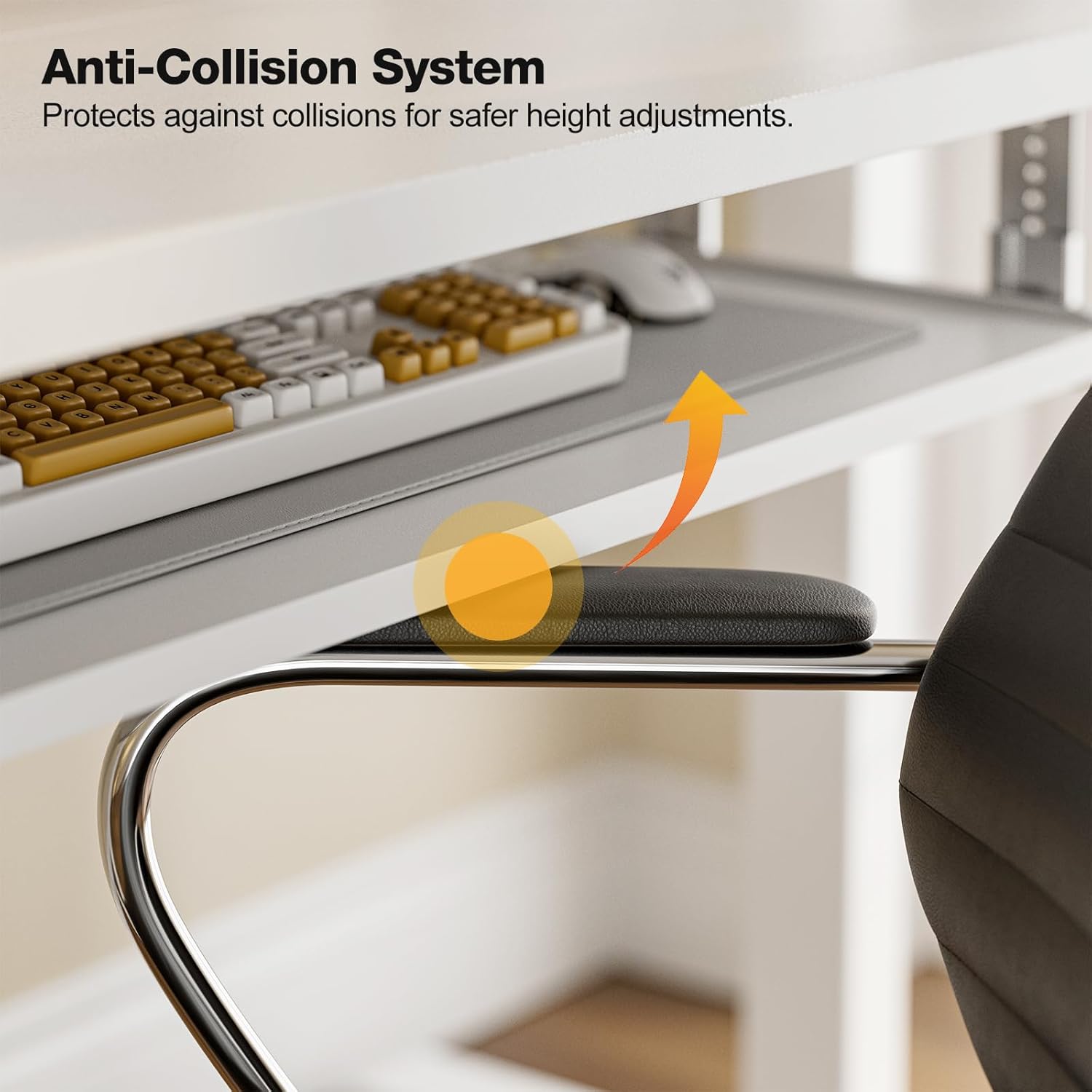
The anti-collision system protects against impacts by stopping and reversing desk movement when an obstruction is detected.
Konserwacja
Czyszczenie
- Przetrzyj blat i ramę miękką szmatką.amp ściereczką. Unikaj środków czyszczących o działaniu ściernym i silnych środków chemicznych.
- Ensure the desk is unplugged before cleaning.
Regularne kontrole
- Okresowo sprawdzaj dokręcenie wszystkich śrub i nakrętek. W razie potrzeby dokręć je.
- Inspect the power cable for any signs of damage. If damaged, discontinue use and contact support.
Rozwiązywanie problemów
If you encounter any issues with your Grandder standing desk, please refer to the following common troubleshooting steps:
| Problem | Możliwa przyczyna | Rozwiązanie |
|---|---|---|
| Biurko się nie rusza / Brak zasilania | Power cable disconnected; Power outlet malfunction; Control box issue. | Check if the power cable is securely plugged into both the desk and the wall outlet. Try a different outlet. Ensure all connections to the control box are secure. |
| Biurko porusza się nierównomiernie lub wydaje nietypowe dźwięki | Nierównomierne obciążenie; Luźne połączenia; Przeszkoda. | Ensure weight is evenly distributed on the desktop. Check all assembly screws and bolts for tightness. Inspect for any obstructions in the lifting mechanism. |
| System antykolizyjny uruchamia się często | Obstruction in path; Sensitivity setting. | Clear any objects from the desk's path. Refer to the full assembly guide for instructions on adjusting anti-collision sensitivity, if available. |
| Ustawienia pamięci nie działają | Ustawienia predefiniowane nie zostały zapisane prawidłowo. | Re-save your desired heights by following the memory preset instructions in the Operating Instructions section. |
If the problem persists after attempting these solutions, please contact Grandder customer support for further assistance.
Specyfikacje
| Funkcja | Szczegół |
|---|---|
| Marka | Grandder |
| Model | Elektryczne biurko stojące o wymiarach 47 x 24 cali |
| Projekt biurka | Biurko stojące |
| Kształt | Prostokątny |
| Wymiary produktu (Gł. x Szer. x Wys.) | 60D x 120W x 74H Centimetres (approx. 23.6D x 47.2W x 29.1H Inches) |
| Minimalna wysokość | 28.3 cali |
| Maksymalna wysokość | 47.2 cali |
| Kolor | Biały |
| Najlepszy rodzaj materiału | Melamina |
| Materiał bazowy | Metal |
| Maksymalna zalecana waga | 176 funtów (80 kg) |
| Motorized Lift Speed | 25 mm/s |
| Poziom hałasu | Mniej niż 45dB |
| Cechy specjalne | Ergonomic, Electric Height Adjustable, Keyboard Tray Included, Anti-Collision System |
| Wymagany montaż | Tak (narzędzia w zestawie) |
Gwarancja i wsparcie
Informacje o gwarancji
Grandder products are manufactured with quality and durability in mind. For specific warranty details regarding your electric standing desk, please refer to the warranty card included in your package or visit the official Grandder website. Typically, warranty covers manufacturing defects and motor malfunctions under normal use.
Obsługa klienta
Should you require assistance with assembly, operation, or troubleshooting that is not covered in this manual, please contact Grandder customer support. Have your product model number and purchase date ready when contacting support.
- Wsparcie online: Visit the Grandder official webStrona z odpowiedziami na często zadawane pytania i formularzami kontaktowymi.
- Wsparcie e-mailowe: Adres e-mail działu obsługi klienta znajdziesz na opakowaniu produktu lub na karcie gwarancyjnej.