
1. Wprowadzenie
This manual provides detailed instructions for the installation, operation, and maintenance of your TMEZON MZ-IP-V728TW IP 4-Wire Intercom Monitor. Please read this manual thoroughly before using the product to ensure proper function and to prevent damage.
The TMEZON MZ-IP-V728TW is an advanced IP-enabled 4-wire intercom monitor designed for home and office security systems, offering reliable communication and video monitoring capabilities.
2. Informacje dotyczące bezpieczeństwa
- Upewnij się, że wszystkie połączenia elektryczne zostały wykonane przez wykwalifikowanego elektryka i są zgodne z lokalnymi przepisami elektrycznymi.
- Nie wystawiaj monitora na działanie wody, wilgoci ani ekstremalnych temperatur.
- Avoid placing the monitor near strong magnetic fields or sources of interference.
- Przed przystąpieniem do czynności konserwacyjnych lub instalacyjnych należy odłączyć zasilanie.
- Use only the power adapter and accessories supplied or recommended by TMEZON.
- Przechowywać urządzenie w miejscu niedostępnym dla dzieci.
3. Zawartość opakowania
Sprawdź, czy w przesyłce znajdują się wszystkie wymienione poniżej elementy:
- TMEZON MZ-IP-V728TW IP 4-Wire Intercom Monitor
- Uchwyt montażowy
- Zasilacz (AC/DC)
- Connection Cables (4-wire, network cable)
- Śruby montażowe i kołki ścienne
- Instrukcja obsługi (ten dokument)
4. Koniec produktuview
4.1. Monitor Components
The TMEZON MZ-IP-V728TW monitor features a high-resolution display, touch-sensitive buttons, and various ports for connectivity.
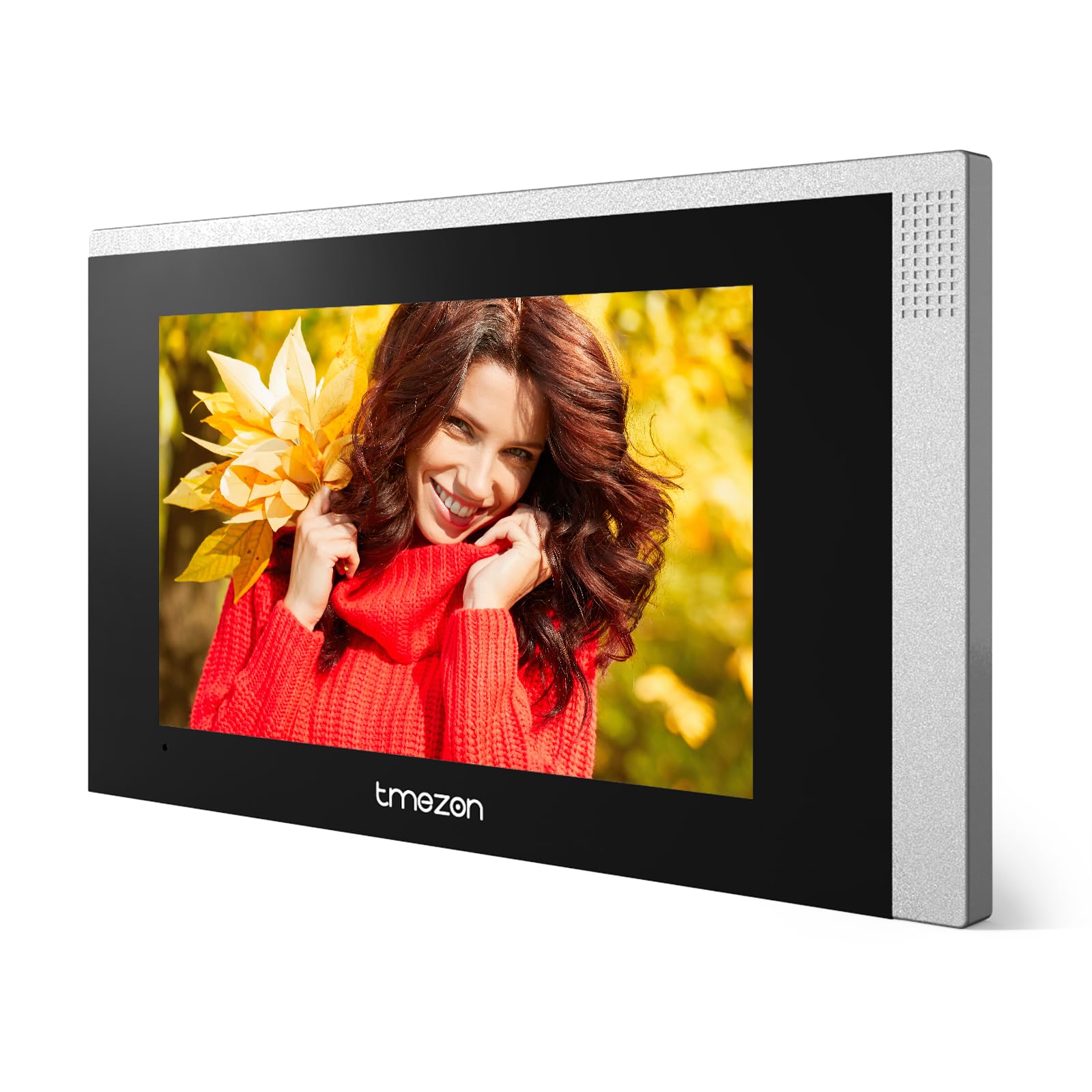
Obraz 1: Przód view of the TMEZON MZ-IP-V728TW IP 4-Wire Intercom Monitor, showing the display and control buttons.
- Ekran wyświetlacza: Main interface for video and menu navigation.
- Przyciski funkcyjne: (e.g., Answer, Door Release, Monitor, Menu, Talk) - specific functions may vary slightly based on firmware.
- Mikrofon: Do dwukierunkowej komunikacji audio.
- Głośnik: Do wyjścia audio.
- Porty tylne: Power input, 4-wire terminal, Ethernet port (RJ45), alarm inputs/outputs (if applicable).
4.2. Główne cechy
- IP-enabled for remote access and integration with smart home systems.
- 4-wire connection for reliable power and data transmission.
- High-resolution color display for clear video.
- Dwukierunkowa komunikacja audio.
- Door release function.
- Multiple indoor monitor support.
- Recording and snapshot capabilities (if equipped with storage).
5. Konfiguracja
5.1. Miejsce instalacji
Choose a suitable indoor location for the monitor, typically at eye level, away from direct sunlight, heat sources, and areas with high humidity. Ensure there is sufficient space for wiring and ventilation.
5.2. Montaż monitora
- Zaznacz na ścianie żądane miejsce montażu.
- Use the mounting bracket as a template to mark the screw holes.
- Wywierć otwory w zaznaczonych miejscach i włóż w nie kołki rozporowe.
- Przymocuj uchwyt montażowy do ściany za pomocą dołączonych śrub.
- Sprawdź, czy wspornik jest wypoziomowany i solidnie zamocowany.
5.3. Połączenia okablowania
The MZ-IP-V728TW uses a 4-wire connection system. Proper wiring is crucial for system functionality. Refer to the wiring diagram provided with your outdoor station and other system components.
- Wire 1 (Video): Connects to the video signal output of the outdoor station.
- Wire 2 (Audio): Connects to the audio signal output/input of the outdoor station.
- Wire 3 (Power +): Connects to the positive power supply from the outdoor station or power distributor.
- Wire 4 (Ground -): Connects to the ground/negative power supply.
- Ethernet (RJ45): Connect to your local network router for IP functionality and remote access.
- Pobór mocy: Connect the AC/DC power adapter to the monitor's power input port.
Note: A detailed wiring diagram specific to your complete intercom system (including outdoor station, additional monitors, and power supply) should be consulted. If you are unsure, consult a professional installer.
5.4. Pierwsze uruchomienie
- After all wiring is complete and secure, plug in the power adapter.
- The monitor will power on and display the TMEZON logo.
- Follow the on-screen prompts for initial setup, including language selection, date/time, and network configuration.
6. Instrukcja obsługi
6.1. Odbieranie połączenia
When a visitor presses the call button on the outdoor station, the monitor will ring and display the visitor's video. Press the Odpowiedź button to establish two-way audio communication.
6.2. Otwieranie drzwi
Podczas połączenia lub monitorowania naciśnij przycisk Zwolnienie drzwi button to unlock the connected electronic lock. Ensure the door is clear before activating the release.
6.3. Monitorowanie
Naciśnij Monitor przycisk do view the live video feed from the outdoor station without an incoming call. Press it again to end monitoring.
6.4. Nawigacja po menu
Naciśnij Menu button to access the monitor's settings. Use the arrow buttons (if physical) or touch screen gestures to navigate through options. Common settings include:
- Ustawienia systemowe: Language, Date/Time, Ringtone, Volume.
- Ustawienia sieciowe: Wi-Fi configuration, IP address.
- Nagrywanie/odtwarzanie: View recorded videos or snapshots (if storage is installed).
- Ustawienia alarmu: Configure external alarm sensors (if connected).
7. Konserwacja
- Czyszczenie: Use a soft, dry cloth to clean the monitor screen and body. Do not use abrasive cleaners or solvents.
- Aktualizacje oprogramowania układowego: Okresowo sprawdzaj oficjalne informacje TMEZON webwitryna z aktualizacjami oprogramowania sprzętowego, zapewniająca optymalną wydajność i bezpieczeństwo.
- Cykl zasilania: If the monitor becomes unresponsive, disconnect the power adapter for 10 seconds and then reconnect it.
8. Rozwiązywanie Problemów
| Problem | Możliwa przyczyna | Rozwiązanie |
|---|---|---|
| Monitor się nie włącza. | Brak zasilania, uszkodzony adapter, luźne połączenie. | Check power adapter connection; ensure outlet has power; try a different adapter if available. |
| No video from outdoor station. | Incorrect wiring; faulty outdoor station; damaged cable. | Verify 4-wire connections; check outdoor station power; inspect cable for damage. |
| Brak dźwięku podczas połączenia. | Volume too low; incorrect wiring; faulty microphone/speaker. | Adjust monitor volume; check audio wire connection; test with another monitor if possible. |
| Otwieranie drzwi nie działa. | Incorrect wiring to electric lock; faulty lock; insufficient power. | Verify door release wiring; check electric lock functionality; ensure adequate power supply to the lock. |
| Cannot connect to network (IP function). | Incorrect network settings; faulty Ethernet cable; router issue. | Check network cable connection; verify IP settings (DHCP/Static IP); restart router. |
9. Specyfikacje
| Funkcja | Specyfikacja |
|---|---|
| Numer modelu | MZ-IP-V728TW |
| Producent | TMEZON |
| Typ zasilania | Prąd zmienny/stały |
| Łączność | 4-Wire, IP (Ethernet) |
| Zawarte komponenty | Monitor (schermo) |
| ASIN | B0DRJJFFP8 |
10. Gwarancja i wsparcie
Produkty TMEZON zostały zaprojektowane z myślą o niezawodności i wydajności. Produkt objęty jest standardową gwarancją producenta. Prosimy o zapoznanie się z kartą gwarancyjną dołączoną do opakowania lub odwiedzenie oficjalnej strony internetowej TMEZON. webSzczegółowe warunki gwarancji można znaleźć na naszej stronie.
W celu uzyskania pomocy technicznej, pomocy w rozwiązywaniu problemów lub w celu złożenia reklamacji prosimy o kontakt z działem obsługi klienta firmy TMEZON za pośrednictwem jej oficjalnego biura obsługi klienta. website or the contact information provided with your purchase. When contacting support, please have your product model number (MZ-IP-V728TW) and purchase details ready.
Więcej informacji znajdziesz na stronie Sklep TMEZON na Amazon.