
Wstęp
This manual provides comprehensive instructions for the assembly, operation, maintenance, and troubleshooting of your FLEXISPOT One-Piece Electric Standing Desk. Please read this manual thoroughly before assembly and use to ensure proper function and safety. Keep this manual for future reference.

Image: The FLEXISPOT One-Piece Electric Standing Desk, featuring a black desktop and black frame, set up with a laptop and monitor.
Konfiguracja i montaż
Your FLEXISPOT Electric Standing Desk is designed for straightforward assembly. The desk ships in two separate packages, which may arrive at different times. Please ensure all components are present before beginning assembly.
Wymagane narzędzia (brak w zestawie):
- Electric drill (recommended for faster assembly)
Kroki montażu:
- Rozpakuj wszystkie komponenty i sprawdź je na liście części zawartej w osobnej instrukcji montażu.
- Attach the desk legs to the desktop frame. The main bracket and motor are pre-attached for convenience.
- Secure the desktop to the frame. The desktop is a single, seamless piece, 1 inch thick, providing enhanced stability.
- Connect the control panel and power cables according to the wiring diagram in the assembly guide.
- Install any optional accessories, such as the headphone hooks, if desired.
Ważny: Always follow the detailed assembly instructions included in your product packaging. Ensure all screws are tightened securely to prevent instability. Do not exceed the maximum weight recommendation of 132 pounds.

Obraz: Zbliżenie view highlighting the seamless, one-piece desktop with rounded edges, emphasizing its solid construction.
Instrukcja obsługi
The FLEXISPOT Electric Standing Desk features an intuitive control panel for easy height adjustment and memory presets.
Regulacja wysokości:
- Użyj Up I W dół arrow buttons on the control panel to adjust the desk height.
- Wysokość biurka można regulować od minimalnej wysokości 28.1 cala do maksymalnej wysokości 45.7 cala.
- The motor operates quietly, under 50 dB, ensuring minimal disruption to your workspace.
Ustawienia pamięci:
The desk includes four programmable memory height presets, allowing you to save and recall your preferred sitting and standing positions instantly.
- Dostosuj wysokość biurka do swoich potrzeb za pomocą przycisków Góra/Dół.
- Naciśnij 'M' button (or similar memory set button, refer to your control panel diagram).
- Natychmiast naciśnij jeden z ponumerowanych przycisków ustawień wstępnych (1, 2, 3 lub 4) aby zapisać aktualną wysokość w tej pozycji.
- Aby przywołać zapisaną wysokość, wystarczy nacisnąć odpowiedni numerowany przycisk. Biurko automatycznie ustawi się w zapisanej pozycji.

Obraz: szczegółowy view of the smart control panel, showing the LED display for height, up/down buttons, and four memory preset buttons.

Image: A visual representation of the desk's height adjustment range, indicating minimum (28.1 inches) and maximum (45.7 inches) heights.
Konserwacja
Regular maintenance ensures the longevity and optimal performance of your standing desk.
- Czyszczenie: Przetrzyj blat i ramę miękką szmatką.amp szmatką. Unikaj środków czyszczących o działaniu ściernym i silnych środków chemicznych, które mogłyby uszkodzić wykończenie.
- Zarządzanie kablami: Periodically check and organize cables to prevent tangles and ensure smooth operation during height adjustments.
- Limit wagowy: Do not exceed the maximum weight capacity of 132 pounds. Overloading can strain the motor and frame.
- Warunki środowiskowe: Trzymaj biurko z dala od bezpośrednich źródeł ciepła i nadmiernej wilgoci.
- Kontrola elementów złącznych: Od czasu do czasu sprawdzaj wszystkie śruby i elementy mocujące, aby upewnić się, że są dobrze dokręcone. W razie potrzeby dokręć je.
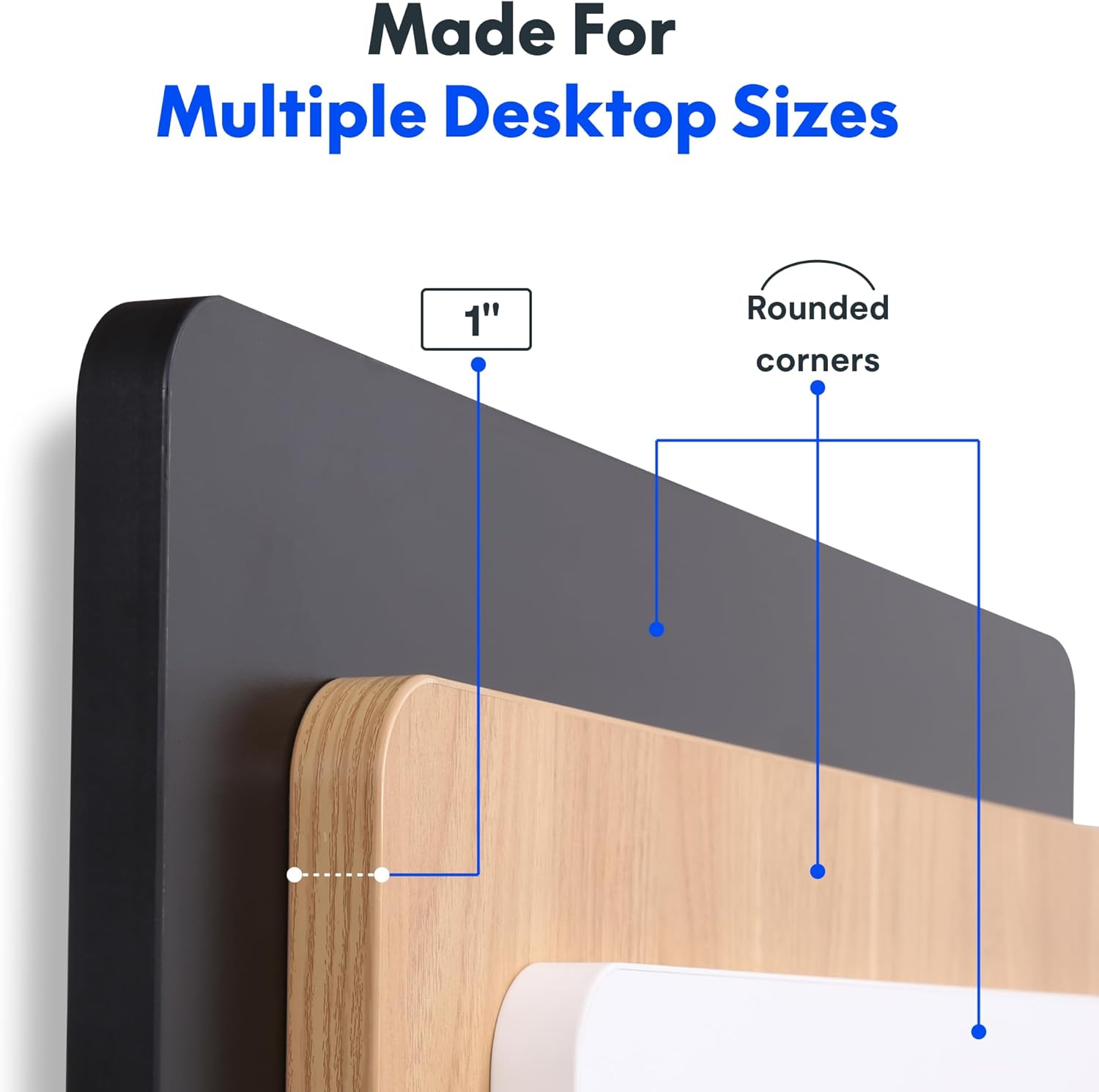
Image: The desk in operation, illustrating its smooth and quiet movement, ideal for maintaining concentration.
Rozwiązywanie problemów
If you encounter issues with your FLEXISPOT Electric Standing Desk, refer to the following common problems and solutions.
Desk Not Adjusting Height:
- Podłączenie zasilania: Ensure the power cord is securely plugged into both the desk and a working electrical outlet.
- Połączenia kablowe: Check all cables connecting the control panel to the motor and power supply for secure connections.
- Przeciążać: Verify that the weight on the desk does not exceed the maximum capacity of 132 pounds. Remove excess weight and try again.
- Procedura resetowania: Consult your specific assembly guide for any factory reset procedures for the control panel.
Unusual Noises During Adjustment:
- Dźwięk kliknięcia: A clicking sound, particularly when lowering, may indicate an issue with the motor or leg mechanism. Ensure the desk is not overloaded. If the issue persists, contact customer support.
- Kołysanie się: Ensure all assembly screws are tightly secured. Check that the desk is on a level surface.
Jeśli powyższe czynności nie rozwiążą problemu, zapoznaj się z sekcją dotyczącą gwarancji i wsparcia, aby uzyskać dalszą pomoc.
Specyfikacje
Detailed specifications for the FLEXISPOT One-Piece Electric Standing Desk (48x24 inch model).

Image: A diagram illustrating the key dimensions of the desk: 48 inches in width, 24 inches in depth, and a 1-inch desktop thickness.
| Funkcja | Szczegół |
|---|---|
| Marka | ELASTYCZNI |
| Model | One-Piece Electric Standing Desk 48x24 |
| Wymiary biurka (szer. x gł.) | 48 cali x 24 cali |
| Grubość blatu | 1 cala |
| Zakres regulacji wysokości | 28.1 cale (min.) do 45.7 cala (maks.) |
| Poziom hałasu silnika | Poniżej 50 dB |
| Ustawienia pamięci | 4 |
| Maksymalna nośność | 132 funta |
| Materiał ramy | Stal stopowa |
| Materiał na biurko | Drewno inżynieryjne |
| Kolor | Black Top + Black Frame |
| Cechy specjalne | One-Piece Desktop, Headphone Hook |
| Wymagany montaż | Tak |

Obraz: Zbliżenie view of the desk's underside, highlighting the two convenient headphone hooks for storage.
Informacje o gwarancji
FLEXISPOT provides the following warranty for your Electric Standing Desk:
- Frame, Motor, and Mechanical Parts: 5-letnia ograniczona gwarancja.
- Części elektroniczne: 2-letnia ograniczona gwarancja.
This warranty covers defects in materials and workmanship under normal use. Please retain your proof of purchase for warranty claims. For specific terms and conditions, refer to the warranty documentation included with your product or visit the official FLEXISPOT webstrona.
Obsługa klienta
For further assistance, technical support, or warranty claims, please contact FLEXISPOT customer service. You can typically find contact information on the official FLEXISPOT webna stronie internetowej lub za pośrednictwem sprzedawcy, u którego zakupiłeś produkt.
Kontaktując się z pomocą techniczną, przygotuj następujące informacje:
- Product Model: One-Piece Electric Standing Desk 48x24
- ASIN: B0DRFZWN7X
- Data zakupu
- Szczegółowy opis problemu
Odwiedź Sklep FLEXISPOT na Amazon Aby uzyskać więcej informacji o produkcie i zasobach pomocy.