
Wstęp
Ourlife AI Translation Earbuds A38 are designed to facilitate real-time communication across language barriers. These earbuds offer advanced features including 144 language support, offline translation capabilities, Bluetooth 5.4 connectivity, and extended battery life. They function as a 3-in-1 device, combining translation, music playback, and call functionality. This manual provides essential information for setting up, operating, maintaining, and troubleshooting your earbuds.
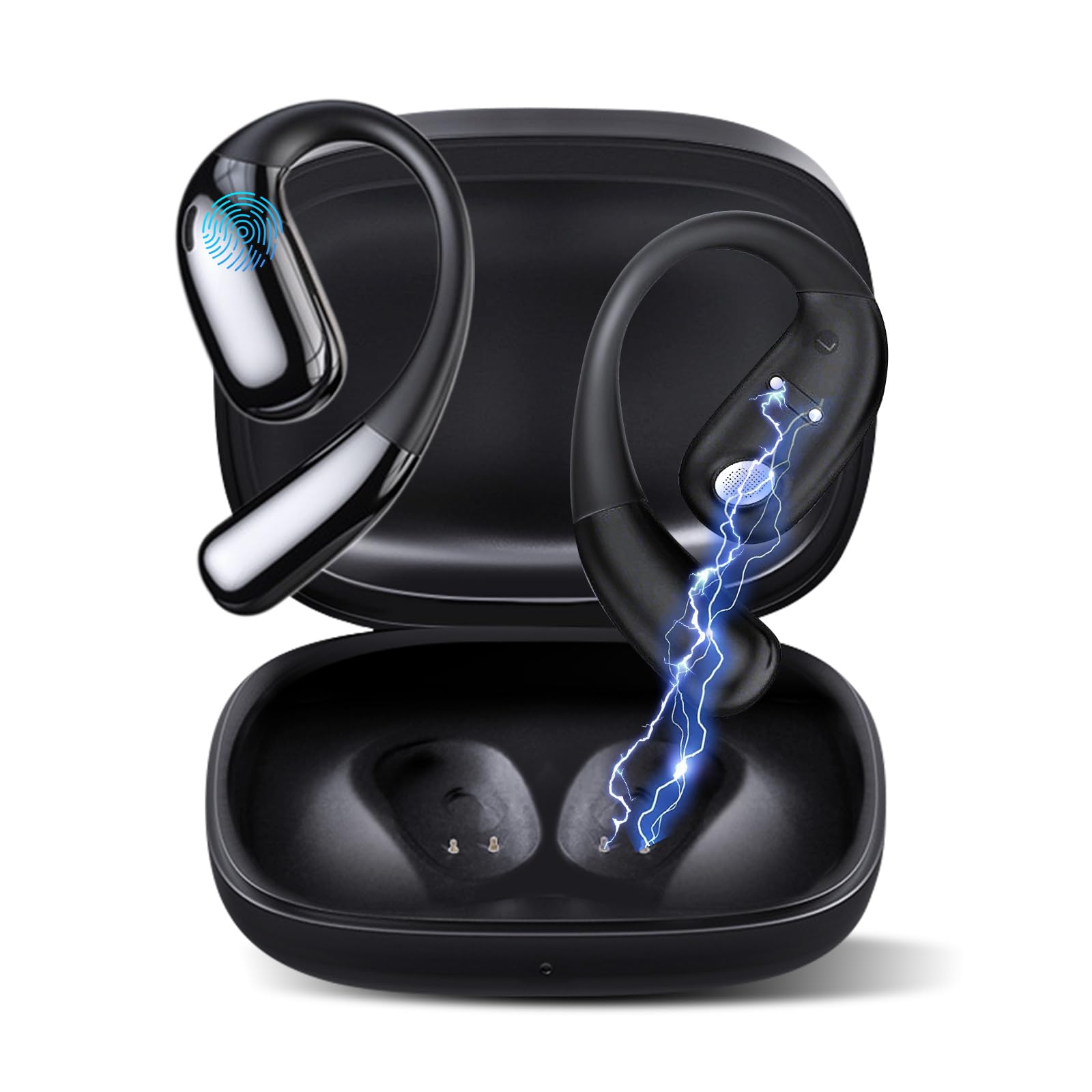
Rysunek 1: Ourlife AI Translation Earbuds A38 in use, highlighting key features.
Co jest w pudełku
Sprawdź, czy w przesyłce znajdują się wszystkie elementy:
- 2 x Translation Earbuds (Left and Right)
- 1 x etui ładujące
- Kabel ładujący 1 x USB Type-C
- 1 x Instrukcja obsługi
Produkt ponadview

Figure 2: Earbuds and charging case, illustrating 144 language support.

Figure 3: Offline translation in action, showing two users communicating.

Figure 4: Technical features and design elements of the earbuds.

Figure 5: The 'One Click' app interface and 3-in-1 functionality.

Figure 6: Ergonomic clip-on-ear design for comfort and stability.

Figure 7: Real-time translation capabilities with high accuracy.
Organizować coś
1. Ładowanie słuchawek i etui
- Umieść słuchawki douszne w etui ładującym.
- Podłącz kabel ładujący USB typu C do portu ładowania w obudowie i do źródła zasilania.
- The indicator lights on the case will show charging status. A full charge typically takes 1.5 hours.
2. Downloading the 'One Click' App
- Scan the QR code provided in the quick start guide or search for "One Click" in your device's app store (iOS or Android).
- Zainstaluj aplikację na swoim smartfonie.
3. Parowanie ze smartfonem
- Sprawdź, czy słuchawki są naładowane i znajdują się w etui ładującym.
- Open the charging case lid. The earbuds will enter pairing mode.
- Włącz Bluetooth w swoim smartfonie.
- In your phone's Bluetooth settings, select "Ourlife A38" from the list of available devices.
- Once paired, open the "One Click" app. The app will guide you through connecting the earbuds within the application.
4. Wstępna konfiguracja aplikacji
- Follow the on-screen instructions in the "One Click" app to select your native language and the target language for translation.
- Familiarize yourself with the different translation modes available.
Instrukcja obsługi
Tryby tłumaczenia
Ourlife A38 earbuds support various translation modes via the "One Click" app:
- Tryb swobodnej rozmowy: Allows for natural, continuous conversation where the app automatically detects and translates spoken languages.
- Tryb dotykowy: Tap an earbud to speak, and the app translates. Tap again to end your turn. This is ideal for turn-based conversations.
- Tryb głośnika: One person wears an earbud, and the other speaks into the phone's microphone. Translations are played through the earbud and the phone's speaker.
- Transkrypcja audio: Transcribes and translates spoken audio in real-time, useful for meetings or lectures.
- Tłumaczenie zdjęcia: Użyj aparatu w telefonie za pośrednictwem aplikacji, aby przetłumaczyć tekst ze zdjęć.
- Tryb offline: For supported languages (Chinese, English, Japanese, Korean, Russian, German, French, Spanish), offline translation packages can be purchased within the app for use without an internet connection.
Odtwarzanie muzyki i połączenia
The earbuds also function as standard Bluetooth headphones:
- Odtwarzanie muzyki: Once paired, open your music application on your smartphone. Audio will play through the earbuds.
- Wykonywanie/odbieranie połączeń: When a call comes in, the earbuds will ring. Tap the touchpad on either earbud to answer or end a call.
- Sterowanie touchpadem: The earbuds feature touchpad controls for functions such as play/pause, skip tracks, answer/end calls, and activate voice assistant. Refer to the app or quick start guide for specific gestures.
Konserwacja
Czyszczenie
- Delikatnie przetrzyj słuchawki douszne i etui ładujące miękką, suchą i niepozostawiającą włókien ściereczką.
- Nie należy używać środków czyszczących o właściwościach ściernych, alkoholu ani rozpuszczalników chemicznych.
- Unikaj dostania się wilgoci do otworów.
Pielęgnacja i przechowywanie baterii
- Aby zachować sprawność baterii, ładuj słuchawki i etui regularnie, nawet jeśli nie korzystasz z nich często.
- Przechowywać urządzenie w chłodnym i suchym miejscu, z dala od bezpośredniego światła słonecznego i ekstremalnych temperatur.
- Unikaj całkowitego rozładowania akumulatora na dłuższy czas.
Rozwiązywanie problemów
| Wydanie | Możliwa przyczyna | Rozwiązanie |
|---|---|---|
| Słuchawki douszne nie parują się | Bluetooth off, earbuds not in pairing mode, low battery | Ensure Bluetooth is on. Place earbuds in case, close, then open lid to re-enter pairing mode. Charge earbuds and case. |
| No sound during translation/music | Volume too low, not connected to app, incorrect language settings | Increase phone volume. Verify earbuds are connected in the 'One Click' app. Check language settings in the app. |
| Translation inaccuracy or delay | Poor internet connection, background noise, speaking too fast | Zapewnij stabilne połączenie internetowe. Mów wyraźnie i w umiarkowanym tempie. Zredukuj hałas w tle. |
| App not recognizing earbuds | App glitch, Bluetooth connection issue | Close and restart the 'One Click' app. Disconnect and re-pair Bluetooth. Restart your smartphone. |
| Słuchawki nie ładują się | Cable issue, dirty charging contacts, faulty power source | Try a different USB-C cable and power adapter. Clean charging contacts on earbuds and case with a dry cotton swab. |
Specyfikacje
| Funkcja | Szczegół |
|---|---|
| Marka | Ourlżycie |
| Nazwa modelu | A38 |
| Technologia łączności | Bluetooth 5.4 |
| Kompatybilne urządzenia | Smartfon (Android, iOS) |
| Cechy specjalne | AI-Powered Real-Time Translation, 144 Languages (74 languages + 70 accents), Offline Mode (8 languages available for purchase), Intelligent Noise Cancellation, 3D Spatial Audio, Quick Charge, Ergonomic Clip-on Design |
| Czas pracy baterii (słuchawki douszne) | Do 7 godzin na jednym ładowaniu |
| Całkowity czas odtwarzania (z etui ładującym) | Do 60 godzin |
| Czas ładowania | Około 1.5 godzin |
| Port ładowania | USB typu C |
| Typ kontrolera | Sterowanie panelem dotykowym |
| Technologia czujników | Redukcja szumów |
| Tworzywo | High-Grade ABS+PC |
Gwarancja i wsparcie
Informacje o gwarancji
Ourlife AI Translation Earbuds A38 come with a limited warranty. Please refer to the warranty card included in your product packaging or visit the official Ourlżycie webna stronie szczegółowe warunki.
Obsługa klienta
For technical assistance, troubleshooting, or further inquiries, please visit the official Ourlżycie website or contact their customer support team. You can find more information and contact details at the OurlSklep ife na Amazonie.