
1. Koniec produktuview
The Adin S8BT Bone Conduction Vibration Speaker is an innovative audio device that transmits sound through vibrations, allowing any flat surface to become a speaker. Its compact and portable design makes it ideal for various indoor and outdoor environments.
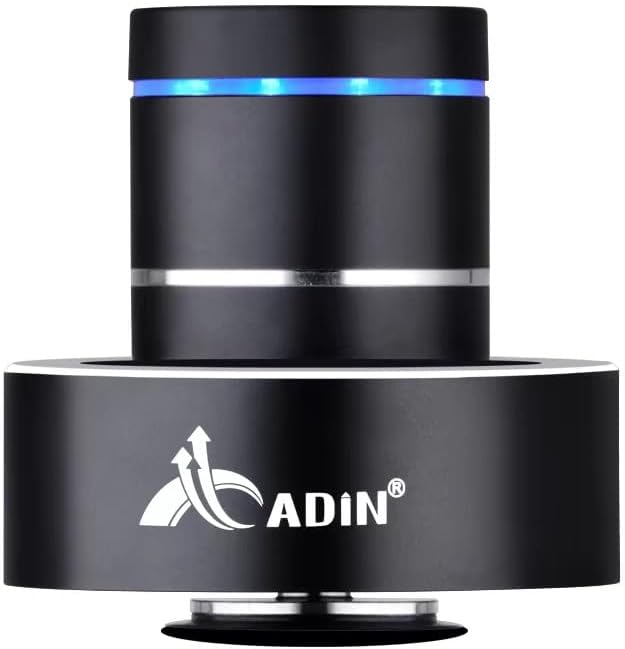
Figure 1: Adin S8BT Bone Conduction Vibration Speaker. This image displays the main unit of the speaker, showcasing its sleek black cylindrical design with a luminous blue accent ring and silver band. The speaker is designed to sit on a surface, utilizing bone conduction technology.

Figure 2: Adin S8BT Speaker and Included Accessories. This image shows the Adin S8BT speaker alongside its retail packaging, a USB charging cable, and an auxiliary audio cable, indicating the complete product package.
2. Główne cechy
- Technologia przewodnictwa kostnego: Transforms any flat surface into a speaker, delivering immersive audio.
- Połączenie bezprzewodowe: Seamlessly stream audio via Bluetooth from compatible devices.
- Kompaktowy i przenośny: Lightweight and small form factor for easy transport and placement.
- Intuicyjne sterowanie: Simple touch controls for volume adjustment, track switching, and playback management.
- Projekt wielofunkcyjny: Can function as a speaker, ambient lamp, or decorative item.
- Długa żywotność baterii: Built-in high-performance battery with Type-C socket charging.
3. Zawartość opakowania
Sprawdź, czy w przesyłce znajdują się wszystkie elementy:
- Adin S8BT Bone Conduction Vibration Speaker
- Kabel ładujący USB (1 m)
- Auxiliary Audio Cable (1m)
- Instruction Manual (PDF version available online)
4. Specyfikacje techniczne
| Funkcja | Specyfikacja |
|---|---|
| Nazwa modelu | Adin S8BT Bone Conduction Speaker |
| Typ głośnika | Przewodnictwo kostne |
| Technologia łączności | Bluetooth |
| Zasięg Bluetooth | 10 metrów |
| Metoda kontroli | Dotykać |
| Źródło zasilania | Zasilany bateryjnie |
| Maksymalna moc wyjściowa głośnika | 26 watów |
| Odpowiedź częstotliwościowa | 18 kHz |
| Tryb wyjścia audio | Stereofoniczny |
| Tworzywo | Aluminium |
| Kolor | Czarny |
| Wymiary produktu | 3.35" gł. x 3.35" szer. x 3.35" wys. |
| Waga przedmiotu | 2.2 funta |
| Zastosowanie wewnątrz/na zewnątrz | Wewnątrz, Na zewnątrz |
| jest wodoodporny | NIE |
5. Przewodnik konfiguracji
5.1 Pierwsze ładowanie
Before first use, fully charge the speaker. Connect the provided USB charging cable to the speaker's DC 5V port and the other end to a USB power adapter (not included) or a computer's USB port.

Figure 3: Adin S8BT Speaker Ports. This image shows the side of the speaker with the DC 5V charging port, ON/OFF/BT switch, and AUX input, indicating connectivity options.
5.2 Włączanie/wyłączanie
Locate the ON/OFF switch on the side of the speaker. Slide it to the "ON" position to power on the device. Slide it to the "OFF" position to power off.
5.3 Placement for Optimal Sound
For the best audio experience, place the speaker on a flat, solid surface. Different surfaces will produce varying sound qualities and volumes due to the bone conduction technology. Experiment with surfaces like wood, glass, metal, or cardboard to find your preferred sound.
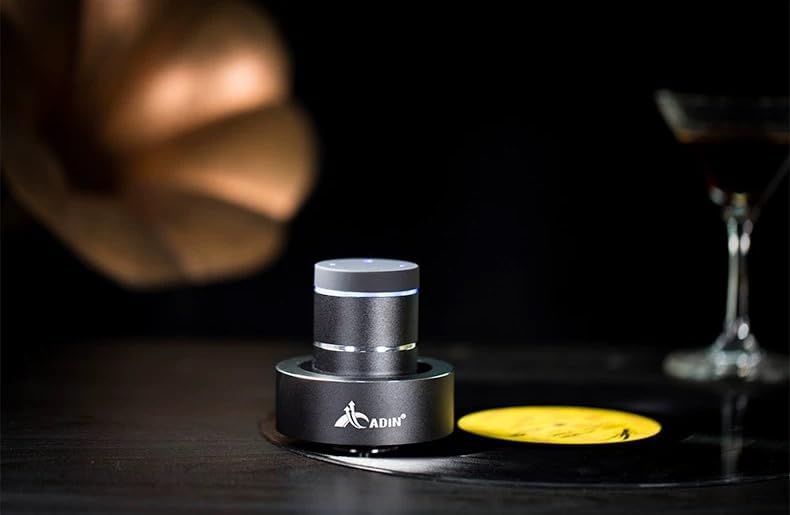
Figure 4: Adin S8BT Speaker in Use. This image depicts the Adin S8BT speaker placed on a flat surface, demonstrating its compact size and how it integrates into an environment for audio playback.
6. Instrukcja obsługi
6.1 parowanie Bluetooth
- Ensure the speaker is powered on and in Bluetooth mode. The blue accent ring will likely flash, indicating it's ready for pairing.
- Na smartfonie lub innym urządzeniu z włączoną funkcją Bluetooth przejdź do ustawień Bluetooth.
- Szukaj available devices. The speaker should appear as "Adin S8BT" or similar.
- Select the speaker from the list to pair. Once paired, the blue light may become solid or change its flashing pattern.
6.2 Odtwarzanie dźwięku
Once connected via Bluetooth, you can play audio from your device. Use the touch controls on the top of the speaker to manage playback:
- Uzyskiwać: Odtwórz/Pauza.
- Przesuń w lewo/w prawo: Previous/Next Track.
- Trzymać: Volume Up/Down (specific gesture may vary, refer to quick start guide for precise touch controls).
6.3 Wejście AUX
For devices without Bluetooth, use the provided auxiliary cable. Connect one end to the speaker's "Link In" port and the other end to your audio source's headphone jack.
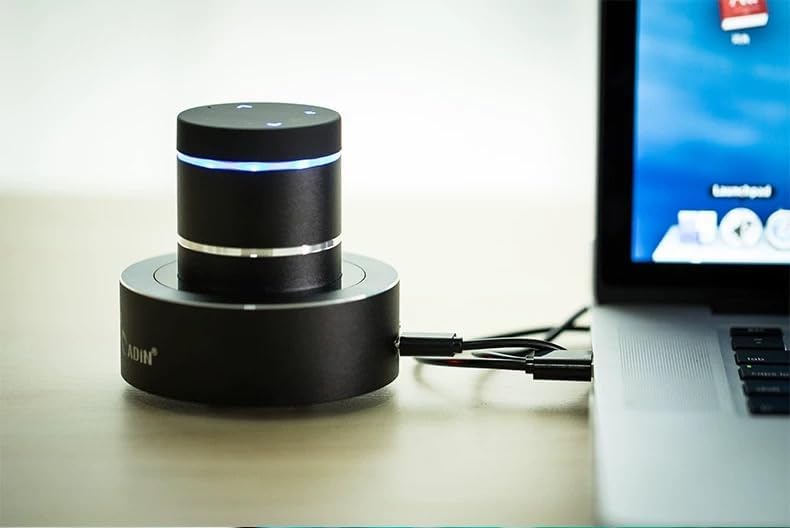
Figure 5: Adin S8BT Speaker with AUX Connection. This image illustrates the Adin S8BT speaker connected to a laptop via an auxiliary cable, demonstrating its wired connectivity option for audio input.
7. Konserwacja i pielęgnacja
- Czyszczenie: Do przecierania powierzchni głośnika należy używać miękkiej, suchej ściereczki. Nie należy używać środków czyszczących ani rozpuszczalników o działaniu ściernym.
- Składowanie: Przechowuj głośnik w chłodnym, suchym miejscu, z dala od bezpośredniego światła słonecznego i ekstremalnych temperatur.
- Narażenie na działanie wody: Mówca jest nie wodoodporny. Unikać narażenia na działanie wody i nadmiernej wilgoci.
- Pielęgnacja baterii: Aby przedłużyć żywotność baterii, unikaj częstego całkowitego rozładowywania. Ładuj ją regularnie, nawet jeśli nie jest używana przez dłuższy czas.
8. Rozwiązywanie Problemów
| Problem | Możliwa przyczyna | Rozwiązanie |
|---|---|---|
| Brak dźwięku z głośnika. | Speaker is off, not paired, or volume is too low. | Ensure speaker is ON. Re-pair Bluetooth. Increase speaker and device volume. Check surface contact. |
| Nie można sparować przez Bluetooth. | Speaker not in pairing mode, device Bluetooth off, or too far. | Ensure speaker is in pairing mode (flashing blue light). Turn device Bluetooth off/on. Move device closer to speaker (within 10m). |
| Niska jakość dźwięku. | Unsuitable surface, low battery, or interference. | Try placing on a different, more solid surface. Charge the speaker. Move away from other electronic devices. |
| Głośnik nie ładuje się. | Cable issue, power source issue, or dirty port. | Check USB cable connection. Try a different USB port or power adapter. Ensure charging port is clean. |
9. Gwarancja i wsparcie
For information regarding warranty coverage, please refer to the warranty card included with your purchase or contact the manufacturer directly. Keep your proof of purchase for any warranty claims.
If you encounter issues not covered in this manual or require further assistance, please contact Adin customer support through their official webwitrynę lub sprzedawcę, u którego kupiłeś produkt.