
Wstęp
Thank you for choosing the GAN XIN Gym Timer Clock. This multifunctional digital timer is designed to enhance your workout experience with versatile timing functions, a clear display, and user-friendly controls. This manual provides detailed instructions for setup, operation, and maintenance to ensure optimal performance and longevity of your device.
Co jest zawarte
Przed rozpoczęciem sprawdź, czy w opakowaniu znajdują się wszystkie elementy:
- GAN XIN Gym Timer Clock (Model GC-1.5T6RGB-100Bat)
- Zdalne sterowanie
- Przewodowy przycisk
- Zasilacz
- Śruby montażowe
- Instrukcja obsługi (ten dokument)
Video: What's in the box
This video demonstrates the unboxing process and shows all the components included with your GAN XIN Gym Timer Clock.
Organizować coś
1. Włączanie urządzenia
The GAN XIN Gym Timer Clock can be powered via its included power adapter or through its internal battery (for battery-powered models). Connect the power adapter to the 'Charge port' on the side of the timer and plug it into a standard electrical outlet. Ensure the power switch is in the 'ON' position.
2. Connecting the Wired Push Button
Locate the USB port on the side of the timer. Connect the wired push button's USB cable to this port. The button is used for convenient start/stop/reset functions during workouts.
3. Opcje montażu
Timer oferuje elastyczne opcje rozmieszczenia:
- Naścienny: Use the provided screws to securely mount the timer on a wall. Ensure the mounting surface is stable.
- Umiejscowienie blatu: The timer can also be placed on any flat, stable surface.

Image: Wall-mounted Timer
This image shows the GAN XIN Gym Timer Clock securely mounted on a wall, highlighting its compact design.
Video: How to install
This video provides a visual guide on how to install the GAN XIN Gym Timer Clock, including wall mounting and connecting the button.
Instrukcja obsługi
1. Podstawowe funkcjeview
The timer supports various modes accessible via the remote control:
- Time Clock (12/24H): Displays current time, switchable between 12-hour and 24-hour formats.
- Count Up/Down (HH:MM:SS): Standard stopwatch or countdown timer in hours, minutes, and seconds.
- Count Up/Down (MM:SS.ss): Stopwatch or countdown timer in minutes, seconds, and hundredths of a second, ideal for precise timing.
- Interval Timing Mode (P0-P9): Programmable modes for various workout types like EMOM, Tabata, HIIT, and FGB cycles.

Image: Multi-Function Digital Timer
This image illustrates the different display modes available on the timer, including time clock, count up/down, and interval timing.
Video: Gym Timer Function Overview
Ten film przedstawia kompleksowy przeglądview of the various functions and modes of the gym timer.
2. Korzystanie z pilota zdalnego sterowania
The remote control is the primary interface for setting up and controlling the timer. Refer to the remote's button layout for specific functions:
- Sposób użycia: Cycles through different timing modes (Clock, Count Up, Count Down, Interval).
- ZESTAW: Przechodzi do trybu ustawień bieżącej funkcji.
- ZACZĄĆ ZAKOŃCZYĆ: Inicjuje lub wstrzymuje odliczanie czasu.
- RESETOWANIE: Resets the timer to its initial value.
- , Umożliwia zmianę wartości w trybie ustawień.
- RGB: Cycles through 7 different display colors.
- JASNOŚĆ: Adjusts the display brightness (5 levels).

Image: Bright Large Display and Remote Control
This image highlights the timer's bright display and the remote control, showing its effective range of 30ft and visual distance of 40ft.
3. Using the Wired Push Button
The wired push button provides a convenient way to start, stop, and reset the timer without needing the remote control. This is particularly useful during active workouts.
- Pojedyncze naciśnięcie: Uruchamia lub wstrzymuje odliczanie czasu.
- Długie naciśnięcie: Resets the timer to its initial value (functionality may vary by mode, refer to remote for full reset control).

Image: Wired Push Button
This image shows the wired push button connected to the timer, indicating its 200-inch cable length for flexible placement.
Video: Puzzle Challenge with Count up Timer
This video demonstrates the count-up timer function in a practical scenario, showcasing its responsiveness with the wired button.
4. Customizing Display Colors and Brightness
The timer features 7 RGB color options and 5 levels of brightness. Use the dedicated buttons on the remote control to adjust these settings to your preference for optimal visibility in any environment.
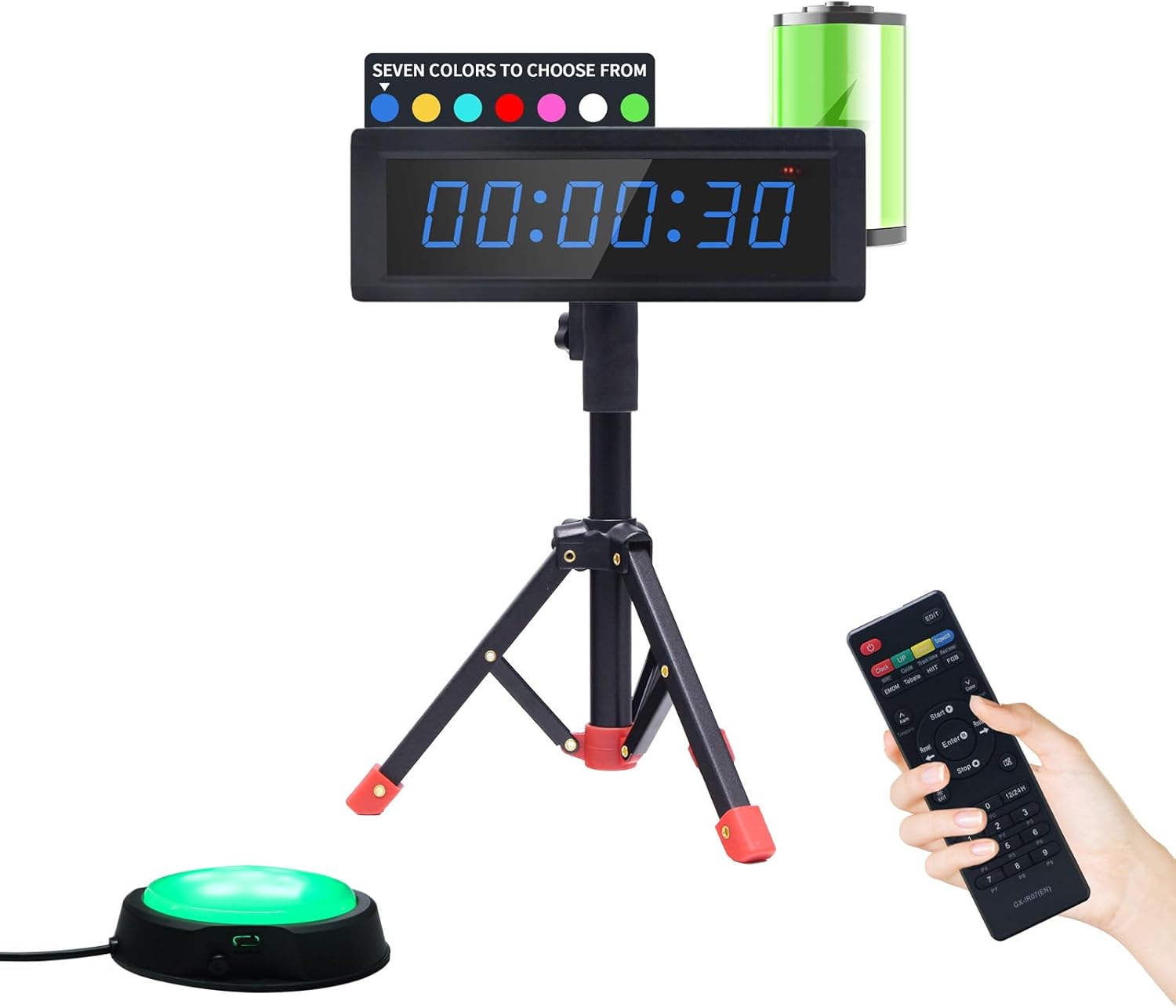
Image: 7 RGB Color Options
This image displays the timer in various RGB colors, illustrating the customization options available.
Konserwacja
To ensure the longevity and proper functioning of your GAN XIN Gym Timer Clock, follow these maintenance guidelines:
- Czyszczenie: Wipe the timer's surface with a soft, dry cloth. Avoid using abrasive cleaners or solvents, as they may damage the display or casing.
- Składowanie: Jeśli timer nie będzie używany przez dłuższy czas, należy przechowywać go w chłodnym, suchym miejscu, z dala od bezpośredniego światła słonecznego i ekstremalnych temperatur.
- Pielęgnacja baterii (jeśli dotyczy): For battery-powered models, ensure the battery is charged regularly to maintain its health. If storing for a long time, charge it to about 50% capacity.
- Kontrola kabla: Periodically check the power adapter and wired button cables for any signs of wear or damage. Replace if necessary.
Rozwiązywanie problemów
If you encounter any issues with your GAN XIN Gym Timer Clock, please refer to the following common troubleshooting steps:
- Timer Not Powering On:
- Ensure the power adapter is securely connected to both the timer and a working electrical outlet.
- Check if the power switch on the side of the timer is in the 'ON' position.
- If using a battery-powered model, ensure the battery is charged.
- Pilot nie odpowiada:
- Verify that the remote control has working batteries and they are inserted correctly.
- Upewnij się, że między pilotem zdalnego sterowania a odbiornikiem podczerwieni timera nie ma żadnych przeszkód.
- Try operating the remote closer to the timer.
- Problemy z wyświetlaniem (np. przyciemnienie, migotanie):
- Dostosuj ustawienia jasności za pomocą pilota.
- Ensure the timer is not exposed to extreme temperatures.
- Wired Push Button Not Working:
- Ensure the USB cable of the push button is firmly connected to the timer's USB port.
- Sprawdź kabel pod kątem widocznych uszkodzeń.
If these steps do not resolve the issue, please contact GAN XIN customer support for further assistance.
Specyfikacje
| Funkcja | Specyfikacja |
|---|---|
| Marka | GAN XIN |
| Numer modelu | GC-1.5T6RGB-100Bat |
| Kolor | RGB (7 selectable colors) |
| Tworzywo | Aluminium |
| Wymiary produktu | 1" gł. x 10.4" szer. x 3.5" wys. |
| Waga przedmiotu | 2.18 funta (0.99 kilograma) |
| Rozmiar ekranu | 11.6 cali |
| Źródło zasilania | 1 Nonstandard Battery (included) / Plug-in (adapter included) |
| Jasność wyświetlacza | 5 regulowane poziomy |
| Zasięg pilota | Do 30 stóp |
| Wired Button Cable Length | 200 cali |
Gwarancja i wsparcie
For warranty information or technical support, please refer to the contact details provided with your purchase or visit the official GAN XIN webZachowaj paragon jako dowód zakupu na wypadek ewentualnych roszczeń gwarancyjnych.