
Wstęp
Thank you for choosing the Dexnor case for your Samsung Galaxy S25 Ultra. This case is engineered to provide robust protection and enhanced functionality for your device, featuring a camera cover, adjustable kickstand, and secure magnetic attachment. This manual will guide you through the proper installation, operation, and care of your new case.
Zgodność
This Dexnor case is exclusively designed for the Samsung Galaxy S25 Ultra. Please verify your phone model before installation to ensure proper fit and function. This case is niekompatybilny with Samsung Galaxy S25 Plus or Samsung Galaxy S25 models.
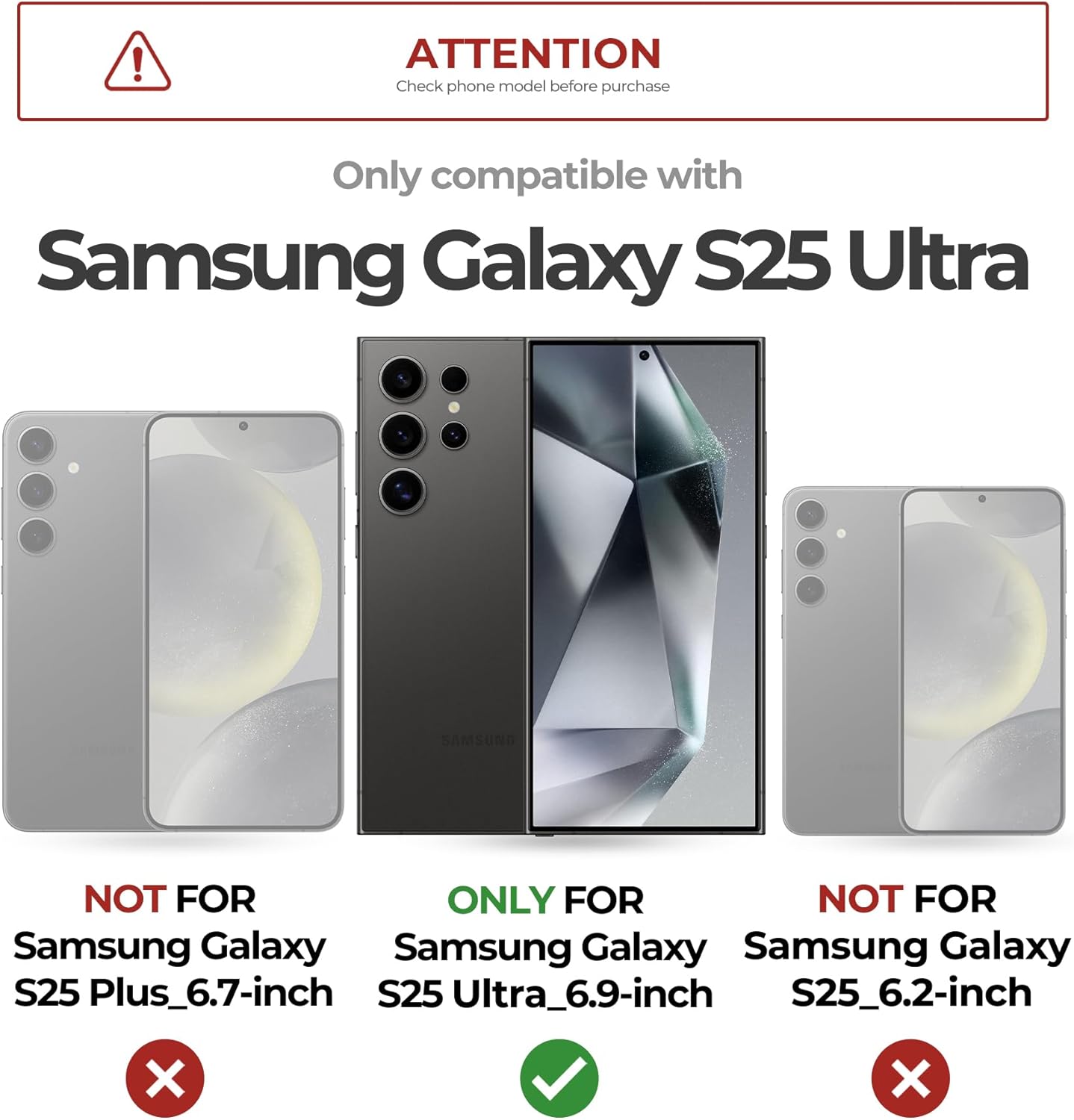
Image: Compatibility chart indicating the case is for Samsung Galaxy S25 Ultra only.
Co jest w pudełku
Your Dexnor Samsung Galaxy S25 Ultra case package includes:
- Dexnor Protective Case (back cover with integrated kickstand and camera cover)
- Front Frame with Built-in PET Screen Protector
- Alternative Front Frame (without screen protector)
- Instrukcja obsługi
Konfiguracja i instalacja
Follow these steps to properly install your Dexnor case:
- Oddziel obudowę: Gently pry apart the front frame from the back cover. Locate the small notch on the side of the case to assist in separation.
- Wyczyść swoje urządzenie: Use a soft, lint-free cloth to thoroughly clean your Samsung Galaxy S25 Ultra screen and back to remove any dust or smudges.
- Choose Your Front Frame:
- Option 1 (Built-in Screen Protector): If using the front frame with the pre-installed PET screen protector, carefully remove any protective films from both sides of the screen protector.
- Option 2 (Your Own Screen Protector): If you prefer to use your own screen protector, use the alternative front frame provided without a built-in screen protector.
- Montaż ramy przedniej: Place your Samsung Galaxy S25 Ultra into the chosen front frame, ensuring all edges are securely seated.
- Attach Back Cover: Align the front frame with the back cover and press firmly around all edges until the case snaps together securely. Ensure there are no gaps.
Video: Installation guide for the Dexnor Samsung Galaxy S25 Ultra case. This video demonstrates how to separate the case components, clean the phone, and reassemble the case with the phone inside, ensuring a secure fit.

Image: Two front frame options, one with a built-in screen protector and one without, allowing for customized screen protection.
Instrukcja obsługi
Osłona kamery
The case features a foldable camera cover designed to protect your Samsung Galaxy S25 Ultra's camera lenses from scratches, dust, and impacts. To use your camera, simply fold the cover open. Close it when not in use for maximum protection.

Image: Foldable camera cover in action, protecting the lenses when closed and allowing camera use when open.
Regulowana podpórka
The integrated metal kickstand provides convenient hands-free viewing. Gently pull out the kickstand from the back of the case. It can be adjusted to various angles (up to 70 degrees) to support your phone in both landscape and portrait orientations. Push it back into place when not in use.

Image: Adjustable metal kickstand supporting the phone for hands-free viewing.
Mocowanie magnetyczne
The case features a strong magnetic ring on the back, allowing for secure attachment to magnetic-compatible accessories such as wireless chargers and car mounts. This ensures your phone remains securely in place during use.
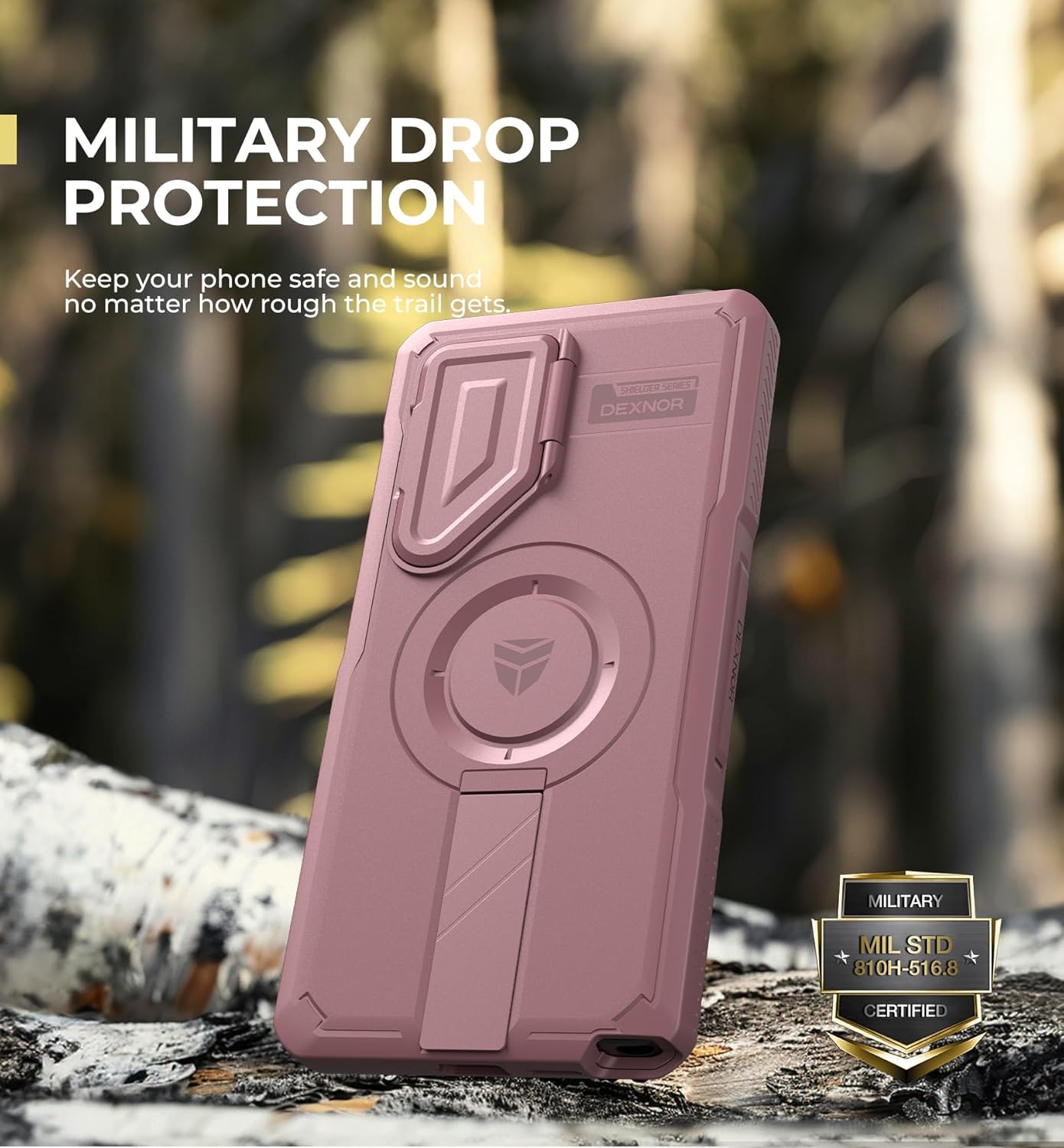
Image: Magnetic attachment feature demonstrated with a wireless charger.
Video: Demonstration of the Dexnor Samsung Galaxy S25 Ultra case's various functions, including the camera cover, kickstand, and magnetic compatibility.
Konserwacja
To keep your Dexnor case in optimal condition:
- Regularnie czyść obudowę miękką,amp szmatką. Unikaj środków czyszczących o działaniu ściernym i rozpuszczalników.
- Ensure the camera cover and kickstand mechanisms are free from debris to maintain smooth operation.
- Periodically remove your phone from the case and clean both the phone and the inside of the case to prevent dust buildup.
Rozwiązywanie problemów
Fingerprint Reader Issues
If you experience difficulty with the fingerprint reader when using the built-in screen protector:
- Ensure your screen is clean and free of dust or moisture.
- Re-register your fingerprints after installing the case. This can improve recognition accuracy.
- Apply firm, consistent pressure to the fingerprint sensor area.
- If issues persist, consider using the alternative front frame without the built-in screen protector and pair it with a screen protector of your choice.
Case Not Closing Properly
If the case does not close securely:
- Remove the phone and inspect both parts of the case for any foreign objects or damage.
- Ensure the phone is correctly seated within the front frame.
- Re-align the front frame and back cover, pressing firmly around all edges until you hear a click.
Specyfikacje
| Funkcja | Szczegół |
|---|---|
| Marka | Dexnor |
| Kompatybilny model telefonu | Samsung Galaxy S25 Ultra |
| Tworzywo | Thermoplastic Polyurethane (TPU), Polycarbonate (PC) |
| Kolor | Piwonia Różowa |
| Współczynnik kształtu | Podstawowy przypadek |
| Dodatkowe funkcje | Built-in Screen Protector, Heavy Duty Protection, Adjustable Kickstand, Magnetic Attachment, Camera Cover |
| Poziom wodoodporności | Nie jest wodoodporny |
| Wymiary przedmiotu | 7.32 x 6.89 x 0.67 cala |
| Waga przedmiotu | 80 gram |
Informacje o gwarancji
Dexnor offers a 10-letnia gwarancja on phone and tablet cases, reflecting our commitment to quality and durability. For detailed warranty terms and conditions, please refer to the official Dexnor webodwiedź witrynę lub skontaktuj się z działem obsługi klienta.
Obsługa klienta
For any questions, concerns, or support needs regarding your Dexnor case, please contact our customer service team:
- Czas reakcji: 24 hours (business days), 48 hours (weekends/holidays)
- Zasady zwrotu: 60 dni
- Wsparcie online: Visit the official Dexnor webstrona z odpowiedziami na często zadawane pytania i opcjami kontaktu.