
1. Wprowadzenie
This manual provides detailed instructions for the installation, operation, and maintenance of your Hikity Android 15 Autoradio. Please read this manual thoroughly before using the product to ensure proper functionality and safety.
1.1 Produkt powyżejview
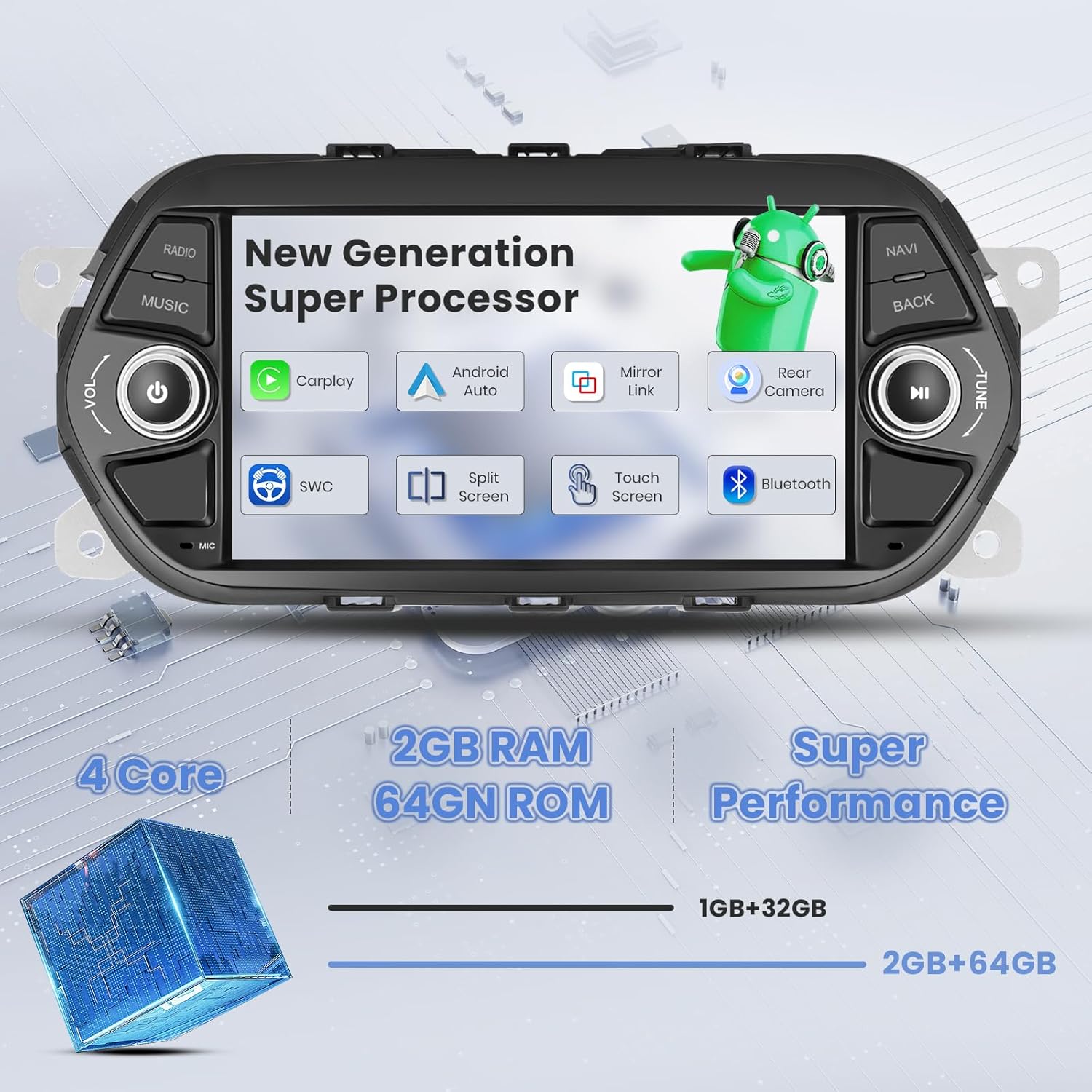
The Hikity Android 15 Autoradio is an advanced in-car entertainment and navigation system featuring a 7-inch HD capacitive touchscreen. It integrates a 4-core CPU with 2GB RAM and 64GB ROM, offering a responsive user experience. Key features include wireless Carplay and Android Auto, Mirror Link, built-in GPS navigation, WiFi connectivity, FM/RDS radio, Bluetooth, and support for a rear view kamera.
1.2 Zgodność pojazdu
This autoradio is specifically designed for Fiat Tipo Egea models manufactured between 2015 and 2020.
Rysunek 1.1: Compatibility check for Fiat Tipo Egea 2015-2020. The image illustrates the correct fitment in the dashboard, contrasting with an incompatible setup.
2. Zawartość opakowania
Sprawdź, czy w przesyłce znajdują się wszystkie elementy wymienione poniżej:
- Android Autoradio Unit
- Tył View Kamera
- Mikrofon
- Kabel zasilający
- Antena GPS
- Zestaw kabli RCA
- USB Cable (Original)
- Dekoder Canbus (jeśli dotyczy Twojego modelu pojazdu)
- Adapter anteny radiowej
- Kabel linii odwrotnej

Rysunek 2.1: Product dimensions and a visual representation of the package contents.
3. Instrukcja instalacji
Zaleca się zlecenie instalacji profesjonalnemu fachowcowi. Przed rozpoczęciem instalacji należy upewnić się, że zasilanie pojazdu jest odłączone.
3.1 Schemat okablowania
Carefully follow the wiring instructions to connect the autoradio to your vehicle's electrical system.

Rysunek 3.1: Tył view of the autoradio showing numbered wiring ports and a detailed connection diagram for the main harness.
3.2 Podłączenie tylnej kamery
W zestawie tylny AHD view camera provides a wide-angle view and automatically displays when reversing. Connect the camera as shown in the diagram.
- Podłącz czerwony przewód do dodatniego bieguna światła cofania samochodu (+12V).
- Podłącz czarny przewód do ujemnego bieguna światła cofania samochodu (GND).
- Connect the video cable from the camera to the 'CAM IN' port on the autoradio.
Rysunek 3.2: Wiring instructions for the AHD rear view camera, including power and video signal connections.
3.3 Konfiguracja sterowania z kierownicy
To enable original steering wheel controls, follow these steps:
- Idź do Ustawienia.
- Wybierać Ustawienia fabryczne (Hasło: 1234).
- Przejdź do Ustawienia protokołu.
- Wybierz odpowiednie Protocol Box Brand (refer to the surface of your Canbus protocol box).
- Follow the on-screen instructions to program the steering wheel buttons.

Rysunek 3.3: Guide for configuring original steering wheel controls with the autoradio.
4. Podstawowa obsługa
4.1 Włączanie/wyłączanie zasilania
Press and hold the power button (usually marked with a power symbol) on the front panel to turn the unit on or off. A short press typically mutes or unmutes the audio.
4.2 Interfejs dotykowy
The 7-inch HD capacitive touchscreen supports multi-touch gestures. Navigate through menus and applications by tapping, swiping, and pinching.

Rysunek 4.1: The responsive 1080P touchscreen interface, highlighting its clarity and sensitivity.
4.3 Motywy interfejsu użytkownika
The autoradio offers multiple user interface themes to personalize your experience. Access theme settings through the system menu to choose from various designs.

Rysunek 4.2: A visual representation of the diverse UI themes available for customization.
5. Funkcje łączności
5.1 Bezprzewodowy CarPlay i Android Auto
Connect your iPhone or Android smartphone wirelessly to access navigation, music, calls, and messages directly from the autoradio's screen. This feature supports both wireless and wired connections.
Rysunek 5.1: Illustration of wired and wireless connectivity options for Carplay and Android Auto.
5.2 Łącze lustrzane
Mirror Link allows you to display your smartphone's screen directly onto the autoradio's display, enabling control of phone applications from the larger screen.

Rysunek 5.2: Visual representation of Wireless Carplay, Android Auto, and Mirror Link capabilities.
5.3 parowanie Bluetooth
Pair your smartphone via Bluetooth for hands-free calling and audio streaming. Access the Bluetooth menu on the autoradio to search for and connect to your device.

Rysunek 5.3: Bluetooth interface for calls and music, including voice assistant interaction.
5.4 WiFi Hotspot & Internet Access
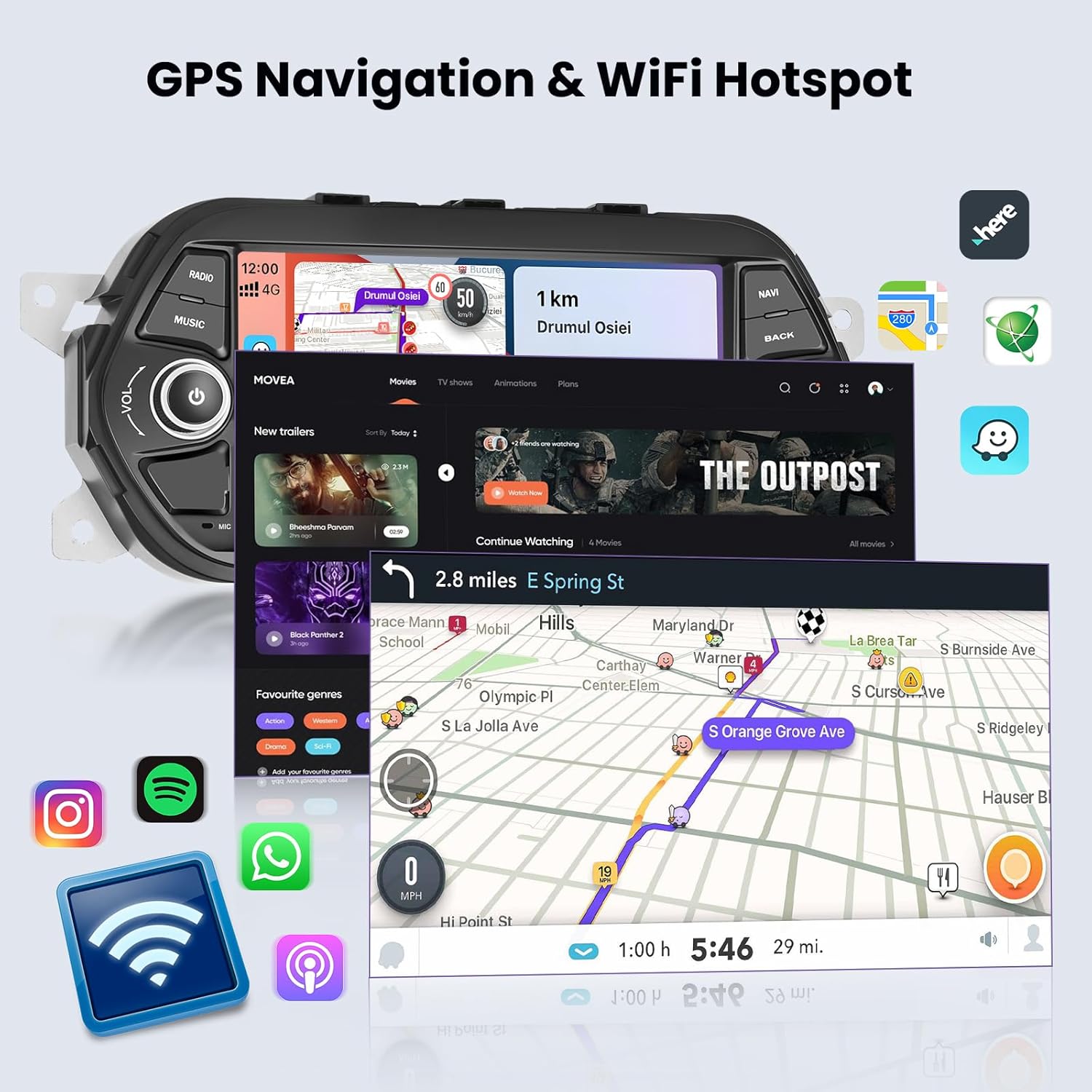
Connect the autoradio to a WiFi hotspot (e.g., from your smartphone) to access online services, stream videos, browse the internet, and download applications from the app store.

Rysunek 5.4: The autoradio connected to WiFi, enabling online navigation and media streaming.

Rysunek 5.5: Built-in WiFi functionality for internet access and app downloads.
6. Nawigacja i multimedia
6.1 GPS Navigation (Online/Offline Maps)
The autoradio features integrated GPS navigation. You can use online maps when connected to WiFi or download offline maps for navigation without an internet connection.

Rysunek 6.1: Online and offline GPS navigation options.
Radio 6.2 FM/RDS
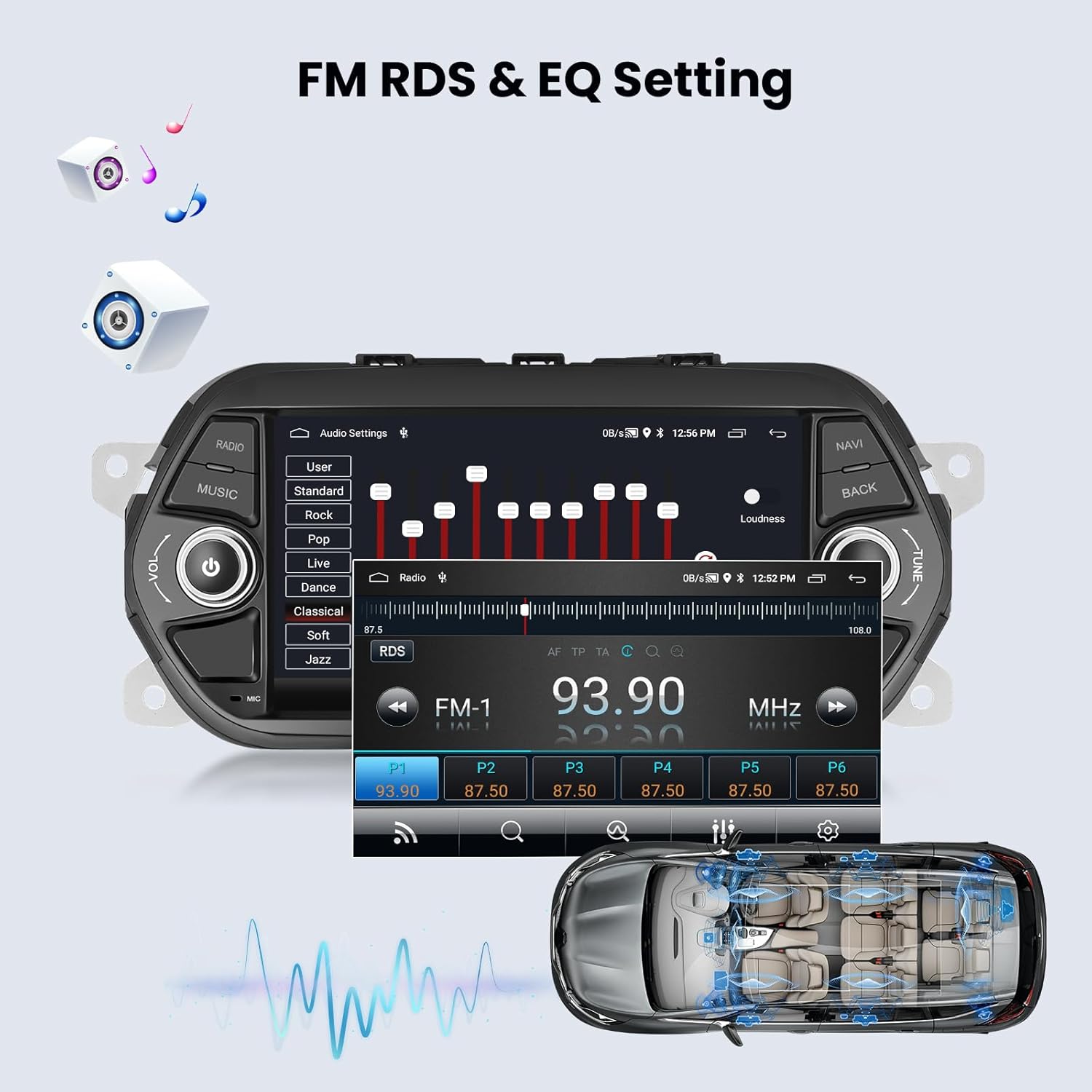
Tune into your favorite radio stations with the built-in FM tuner. RDS (Radio Data System) provides additional information like station names and song titles where available.
6.3 Korektor dźwięku (EQ)
Customize your audio experience with the integrated equalizer. Select from preset sound modes (e.g., Pop, Rock, Jazz) or adjust individual frequency bands to match your preferences.
Rysunek 6.2: FM RDS radio interface and audio equalizer settings for sound customization.
7. Konserwacja
Aby zapewnić długowieczność i optymalną wydajność radia samochodowego, należy przestrzegać poniższych wskazówek dotyczących konserwacji:
- Czyszczenie ekranu: Delikatnie przetrzyj ekran dotykowy miękką, niepozostawiającą włókien ściereczką. W przypadku uporczywych plam delikatnie przetrzyj.ampPrzetrzyj ściereczkę wodą lub płynem do czyszczenia ekranów. Unikaj stosowania silnych środków chemicznych i materiałów ściernych.
- Ogólne sprzątanie: Utrzymuj urządzenie w czystości, usuwając kurz i zanieczyszczenia. Do czyszczenia otworów wentylacyjnych i przycisków używaj miękkiej szczotki lub sprężonego powietrza.
- Aktualizacje oprogramowania: Periodically check for available software updates to ensure you have the latest features and bug fixes. Updates can usually be found through the system settings or the manufacturer's webstrona.
- Unikaj ekstremalnych temperatur: Nie wystawiaj urządzenia na działanie ekstremalnie wysokich lub niskich temperatur przez dłuższy czas, ponieważ może to wpłynąć na jego wydajność i żywotność.
8. Rozwiązywanie Problemów
If you encounter any issues with your Hikity Autoradio, refer to the following common problems and solutions:
| Problem | Możliwa przyczyna | Rozwiązanie |
|---|---|---|
| Urządzenie nie włącza się | Nieprawidłowe okablowanie, przepalony bezpiecznik, problem z akumulatorem pojazdu | Check power cable connections. Verify vehicle fuse box. Ensure car battery is charged. |
| Brak dźwięku | Volume muted, incorrect speaker wiring, audio settings | Check volume level and mute status. Verify speaker connections. Adjust audio output settings. |
| Ekran dotykowy nie reaguje | System freeze, calibration issue | Restart the unit. If issue persists, perform a factory reset (data will be lost). |
| Utracony lub niedokładny sygnał GPS | GPS antenna obstruction, poor satellite reception | Upewnij się, że antena GPS jest prawidłowo zainstalowana i ma zapewnioną przejrzystość. view nieba. Przenieś się na otwartą przestrzeń. |
| Problemy z połączeniem Bluetooth | Device not discoverable, pairing error | Upewnij się, że Bluetooth jest włączony na obu urządzeniach. Usuń poprzednie sparowania i sparuj ponownie. Uruchom ponownie oba urządzenia. |
| Tylna kamera nie wyświetla obrazu | Incorrect wiring, camera fault | Check camera power and video signal connections. Ensure the vehicle is in reverse gear. |
If the problem persists after attempting these solutions, please contact Hikity customer support for further assistance.
9. Specyfikacje
| Funkcja | Szczegół |
|---|---|
| Marka | Hikity |
| Numer modelu | Hikity-A3836A4MI2EU26-C304 |
| Rozmiar ekranu | 7 cali / 18 cm |
| System operacyjny | Android 15 |
| Edytor | 4-rdzeniowy procesor |
| BARAN | 2 GB |
| ROM | 64 GB |
| Technologia łączności | Bluetooth, USB, Wi-Fi |
| Cechy specjalne | Android Auto, Built-in Bluetooth, GPS Navigation, FM Tuner, Wireless Carplay, Mirror Link |
| Kompatybilne urządzenia | Smartfon |
| Łączna liczba portów USB | 2 |
| Tryb wyjścia audio | Stereofoniczny |
| Konfiguracja kanału dźwięku przestrzennego | 4 |
| Obsługa kodowania wideo | MKV/RMVB/AVI/MP4/MDV itp. |
| Wymiary produktu | 27.3D x 6.5W x 12H centymetrów |
10. Gwarancja i pomoc techniczna
10.1 Gwarancja producenta
Ten produkt jest dostarczany z 12-miesięczna gwarancja producenta. Hikity provides lifetime online assistance for inquiries and aims to respond within 24 hours.
10.2 Obsługa klienta
For technical support, warranty claims, or any other assistance, please visit the official Hikity store on Amazon or contact their customer service directly.
Odwiedź Hikity Store Aby uzyskać więcej informacji i wsparcie.