
Wstęp
The Ataller Digital Kitchen Scale with Nutritional Calculator is designed to provide precise measurements and detailed nutritional information for your food items. This versatile tool is ideal for meal preparation, baking, portion control, and tracking dietary intake. With its intuitive digital display and comprehensive food code database, managing your nutrition has never been easier.
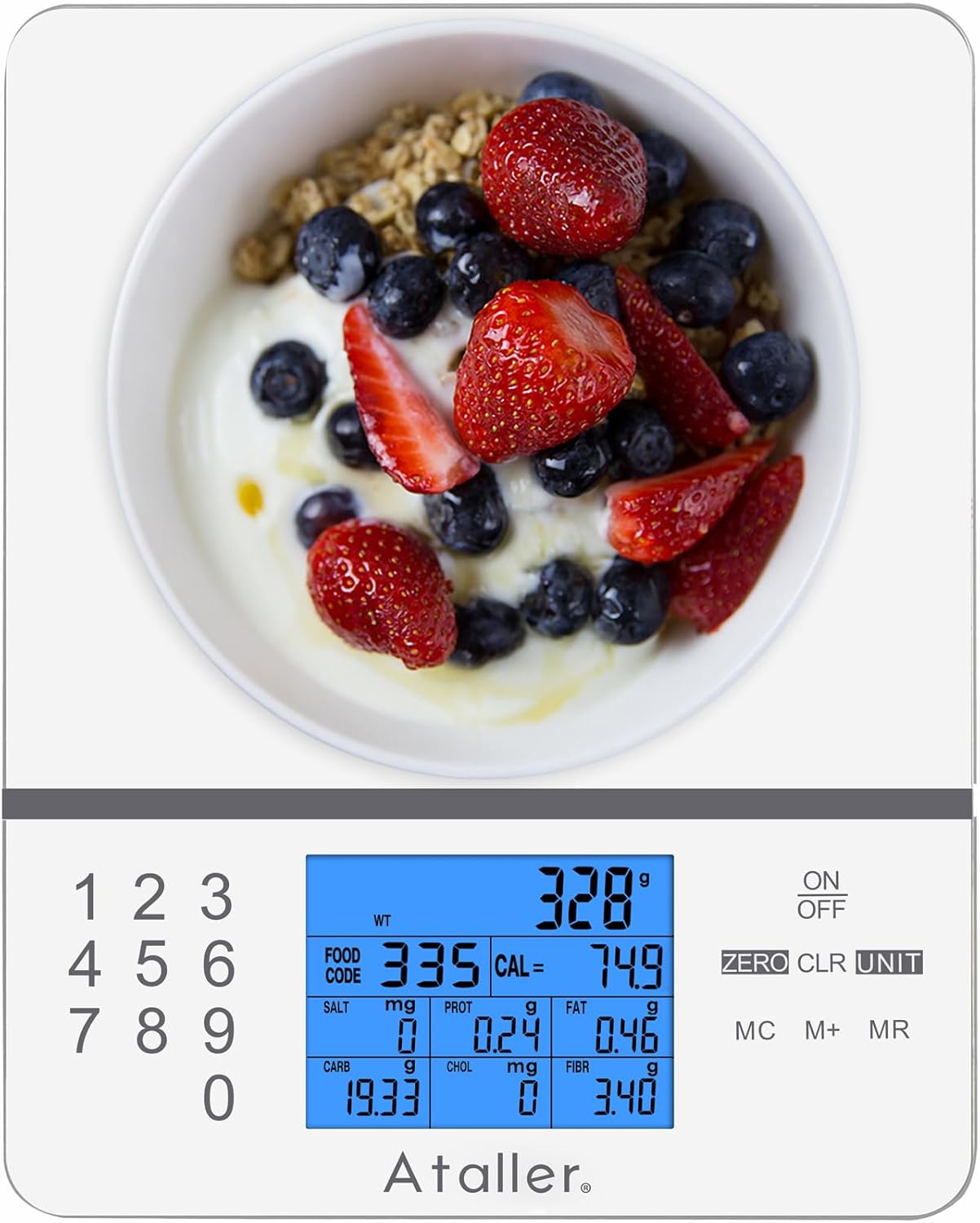
Image: Ataller Digital Kitchen Scale with Nutritional Calculator, showcasindzięki eleganckiemu wzornictwu i cyfrowemu wyświetlaczowi.
Organizować coś
Rozpakowywanie i instalacja baterii
- Ostrożnie wyjmij wagę z opakowania.
- Znajdź komorę baterii na spodzie wagi.
- Insert the two AAA batteries (included) into the compartment, ensuring correct polarity.
- Dokładnie zamknij pokrywę komory baterii.

Image: A hand inserting AAA batteries into the battery compartment on the underside of the Ataller food scale.
Instrukcja obsługi
Ważenie podstawowe
- Umieść wagę na płaskiej, stabilnej powierzchni.
- Naciśnij WŁ./WYŁ. button to turn on the scale. The display will show "0.0" when ready.
- Gently place the item to be weighed on the center of the scale platform. The weight will be displayed on the LCD screen.

Image: The Ataller food scale displaying the weight of strawberries, demonstrating basic weighing functionality.
Konwersja jednostek
The scale supports multiple units of measurement. To change the unit:
- Po włączeniu wagi naciśnij przycisk JEDNOSTKA Naciśnij przycisk kilkakrotnie.
- The unit will cycle through grams (g), milliliters (ml), ounces (oz), pounds:ounces (lb:oz), and fluid ounces (fl.oz). Select your desired unit.

Image: The Ataller food scale displaying a measurement in milliliters, illustrating the unit conversion feature.
Funkcja tarowania
The Tare function allows you to subtract the weight of a container or previous ingredients, enabling you to weigh subsequent items accurately.
- Postaw pusty pojemnik na wadze. Wyświetlacz pokaże jego wagę.
- Naciśnij ZERO button. The display will reset to "0.0", effectively taring out the container's weight.
- Add your ingredients to the container. The scale will display only the weight of the added ingredients.

Image: A hand pouring ingredients into a bowl placed on the Ataller food scale, illustrating the use of the tare function for accurate measurement.
Nutritional Calculator (Food Codes)
The scale features an integrated nutritional database with 999 food codes to calculate various nutrients.
- Połóż produkt spożywczy na wadze.
- Refer to the provided manual or scan the QR code on the scale to find the corresponding food code for your item.
- Using the numeric keypad (0-9), enter the food code.
- The LCD display will show the weight along with 7 kinds of nutritional data: Calories, Protein, Fat, Carbohydrates, Cholesterol, Sodium, and Fiber.
- To clear the currently entered food code, press the CLR przycisk.

Image: The Ataller food scale displaying detailed nutritional information for an avocado, highlighting its built-in calculator feature.
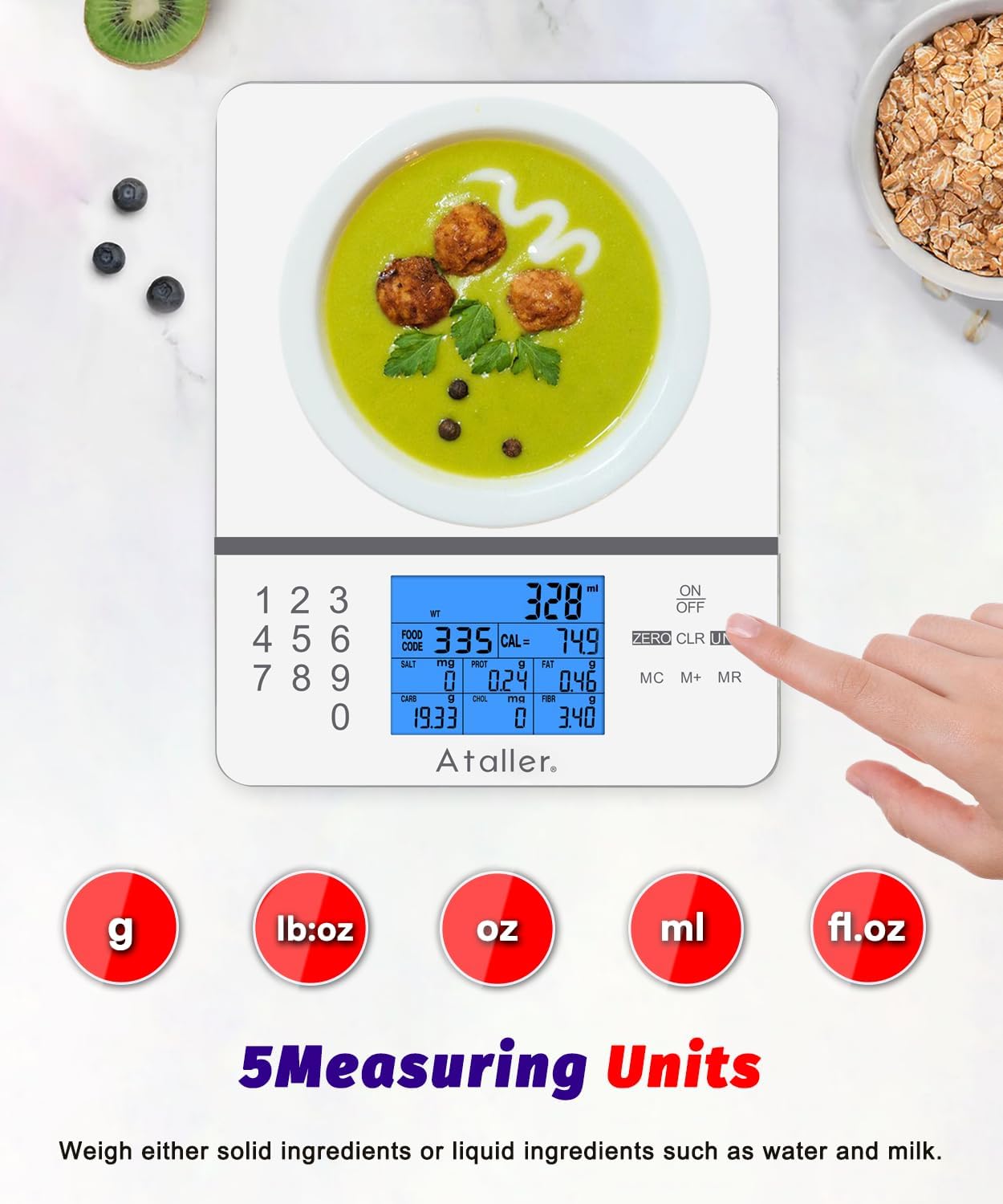
Image: A hand scanning a QR code on the Ataller food scale with a smartphone, demonstrating how to easily look up food codes for nutritional calculations.
Saving and Clearing Nutritional Data
- To save the current nutritional data, press the M+ button. The LCD will display "M01" (or subsequent numbers) to indicate that the data has been stored. A maximum of 99 nutritional data entries can be saved.
- Do view zapisane dane, naciśnij MR przycisk.
- To clear all stored data, double-click the MC klawisz.
Konserwacja i pielęgnacja
- The scale surface is made of 3mm tempered glass, making it easy to clean.
- Wipe the appliance body with a moist cloth and dry it thoroughly after each use.
- Nie zanurzaj wagi w wodzie i nie używaj środków czyszczących o właściwościach ściernych.
- Kiedy waga nie jest używana, przechowuj ją w chłodnym i suchym miejscu.

Image: A hand wiping the smooth, tempered glass surface of the Ataller food scale, highlighting its easy-to-clean design.
Rozwiązywanie problemów
| Problem | Rozwiązanie |
|---|---|
| Waga się nie włącza | Sprawdź instalację baterii i upewnij się, że nie są rozładowane. W razie potrzeby wymień je. |
| Niedokładne odczyty | Ensure the scale is on a flat, stable surface. Avoid placing it near vibrating appliances. Recalibrate if possible (refer to full manual for calibration steps if available). |
| "Err" or "OL" displayed | "Err" or "OL" indicates overload. Remove items immediately to prevent damage. Ensure weight does not exceed 5000g (11 lbs). |
| Wyświetlacz jest przyciemniony lub migocze | Low battery indication. Replace batteries. |
| Food code not recognized | Double-check the food code entered against the manual. Ensure the code is for the correct food item. |
Specyfikacje
| Funkcja | Szczegół |
|---|---|
| Marka | Ataller |
| Numer modelu | KS-4099W |
| Ograniczenie wagowe | 5000 g (11 funta) |
| Przyrosty pomiaru | 1g / 0.1 uncji |
| Jednostki miary | g, ml, oz, lb:oz, fl.oz |
| Nutritional Database | 999 Food Codes (Calories, Protein, Fat, Carbs, Cholesterol, Sodium, Fiber) |
| Typ wyświetlacza | Podświetlany wyświetlacz LCD |
| Tworzywo | Szkło hartowane |
| Źródło zasilania | 2 x baterie AAA (w zestawie) |
| Cechy specjalne | Tare Function, Auto-Off, Low Battery Indicator, Overload Indicator |
| Wymiary produktu | 7.87 x 6.3 x 0.71 cala |
| Waga przedmiotu | 1.06 funta |
Gwarancja i wsparcie
For warranty information or technical support, please contact Ataller customer service. Refer to the product packaging or the official Ataller webDane kontaktowe znajdziesz na stronie. Zachowaj dowód zakupu na wypadek roszczeń gwarancyjnych.