
Wstęp
Thank you for choosing the CREATE Speaker Retro. This portable Bluetooth speaker combines a classic retro design with modern audio technology, offering versatile connectivity and powerful sound. This manual will guide you through the setup, operation, and maintenance of your new speaker to ensure optimal performance and longevity.

Image: The CREATE Speaker Retro, highlighting its elegant retro aesthetic and compact form factor.
Ważne instrukcje bezpieczeństwa
- Przeczytaj uważnie wszystkie instrukcje przed użyciem produktu.
- Zachowaj tę instrukcję do wykorzystania w przyszłości.
- Do not expose the speaker to water or excessive moisture. This product is nie wodoodporny.
- Nie umieszczać w pobliżu źródeł ciepła, takich jak grzejniki, kratki wentylacyjne, piece lub inne urządzenia (w tym amp(lifiers) wytwarzające ciepło.
- Używaj wyłącznie dodatków/akcesoriów wskazanych przez producenta.
- Odłączaj urządzenie od zasilania podczas burzy z piorunami lub jeśli nie jest używane przez dłuższy czas.
- Wszelkie prace serwisowe należy powierzać wykwalifikowanemu personelowi.
Zawartość opakowania
The CREATE Speaker Retro package includes:
- CREATE Speaker Retro Portable Bluetooth Speaker (1 unit)
- Kabel ładujący USB-C
- Instrukcja obsługi (ten dokument)
Sterowanie i portyview
Zapoznaj się z elementami sterującymi i portami połączeniowymi głośnika:

Obraz: Szczegółowy view górnego panelu sterowania głośnika.
- Pokrętło głośności: Reguluje ogólną głośność dźwięku.
- Gałka basowa: Reguluje poziom basów.
- Pokrętło wysokich tonów: Reguluje poziom tonów wysokich.
- Przełącznik wyboru wejścia: Toggles between AUX, Bluetooth (BT), and USB input modes.
- Przycisk zasilania: Włącza/wyłącza głośnik.
- Wejście AUX (3.5 mm): Do podłączania zewnętrznych urządzeń audio za pomocą kabla audio.
- Port USB: Do odtwarzania z dysku USB.
- Port DC-IN 5V: Do ładowania głośnika.
- Kontrolka: Pokazuje stan zasilania, ładowania i parowania Bluetooth.
Organizować coś
1. Ładowanie głośnika
Before first use, fully charge the speaker. Connect the provided USB-C charging cable to the DC-IN 5V port on the speaker and the other end to a compatible USB power adapter (not included) or a computer's USB port. The indicator light will show the charging status. A full charge takes approximately 4-5 hours.
- Ładowanie: Indicator light glows (color may vary).
- W pełni naładowany: Indicator light turns off or changes color.
2. Włączanie/wyłączanie zasilania
To power on the speaker, flip the Wyłącznik zasilania to the "ON" position. To power off, flip the switch to the "OFF" position.
Instrukcja obsługi
1. Tryb Bluetooth
The speaker features Bluetooth 5.2 for wireless audio streaming with a range of up to 10 meters.
- Włącz głośnik.
- Ustaw Przełącznik wyboru wejścia to "BT/AUX" and then ensure it's in Bluetooth mode (indicator light will blink, indicating pairing mode).
- Na smartfonie, tablecie lub innym urządzeniu z obsługą technologii Bluetooth włącz funkcję Bluetooth i wyszukaj dostępne urządzenia.
- Select "CREATE Speaker Retro" from the list.
- Once paired, the indicator light will stop blinking and remain solid. You can now play music wirelessly.
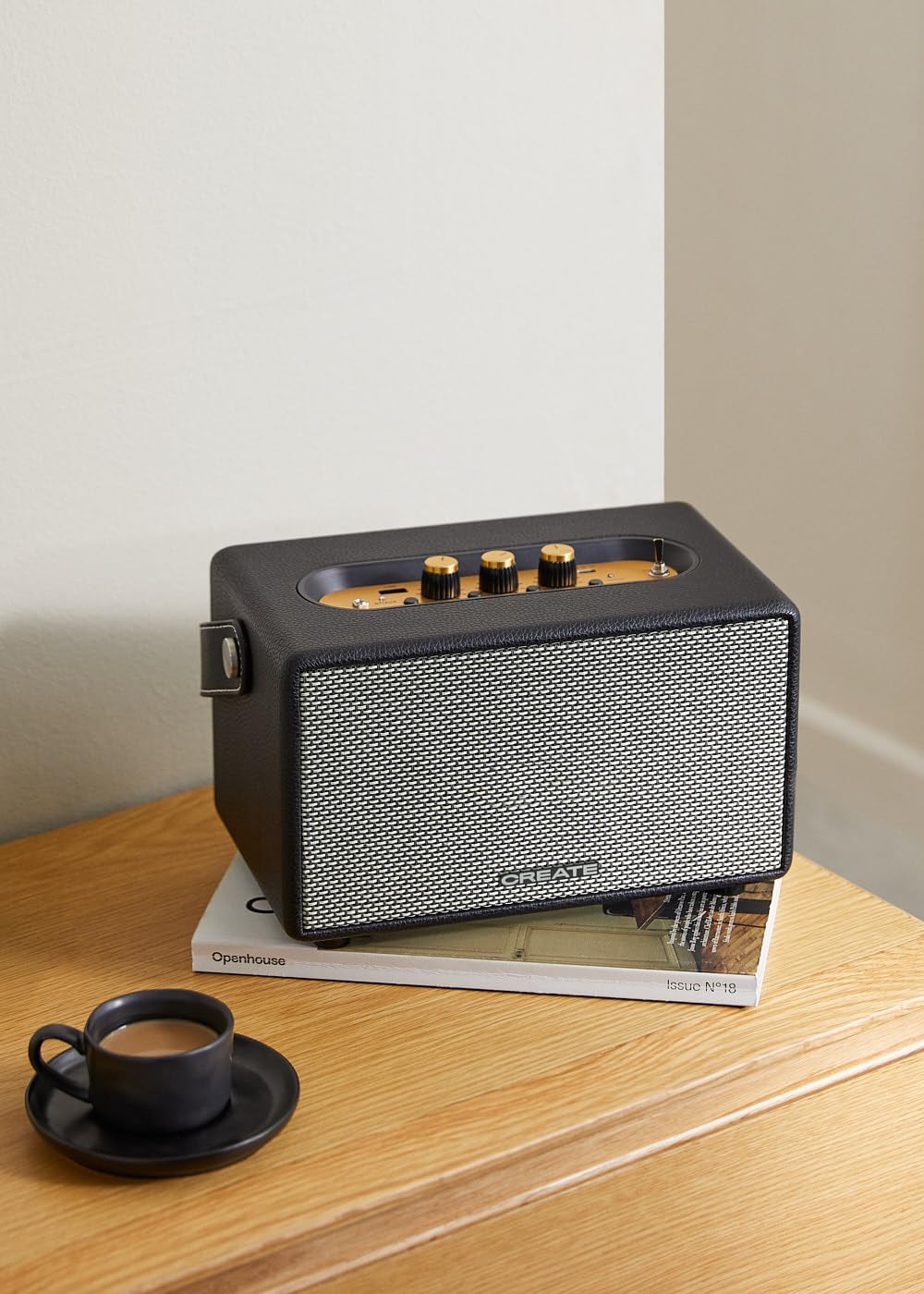
Image: Connecting to the speaker via Bluetooth from a mobile device.
2. Tryb odtwarzania USB
Odtwórz dźwięk filebezpośrednio z dysku flash USB.
- Włącz głośnik.
- Włóż dysk flash USB zawierający dźwięk files do Port USB.
- Ustaw Przełącznik wyboru wejścia to "USB". The speaker will automatically begin playing music from the USB drive.

Image: Inserting a USB drive for direct audio playback.
3. Tryb wejścia AUX
Podłącz zewnętrzne urządzenia audio za pomocą kabla audio 3.5 mm.
- Włącz głośnik.
- Podłącz jeden koniec kabla audio 3.5 mm (nie jest dołączony) do Wejście AUX port na głośniku.
- Podłącz drugi koniec kabla do gniazda słuchawkowego lub wyjścia audio w urządzeniu zewnętrznym (np. odtwarzaczu MP3, laptopie).
- Ustaw Przełącznik wyboru wejścia to "AUX". The speaker will now play audio from your connected device.
4. Regulacja dźwięku
Use the dedicated knobs on the control panel to fine-tune your audio experience:
- Obróć Pokrętło głośności to increase or decrease the overall sound level.
- Obróć Pokrętło basowe to adjust the low-frequency sounds.
- Obróć Pokrętło wysokich tonów to adjust the high-frequency sounds.
Konserwacja
Czyszczenie
To clean the speaker, use a soft, dry cloth. Do not use abrasive cleaners, waxes, or solvents as they may damage the finish. Avoid spraying liquids directly onto the speaker.
Składowanie
When not in use for extended periods, store the speaker in a cool, dry place away from direct sunlight and extreme temperatures. Ensure the speaker is fully charged before storing to preserve battery health.
Pielęgnacja baterii
The speaker is equipped with a built-in rechargeable battery. To maximize battery life:
- Unikaj częstego całkowitego rozładowywania akumulatora.
- Recharge the battery regularly, even if the speaker is not used often.
- Nie wystawiaj głośnika na działanie temperatur powyżej 45°C (113°F) lub poniżej 0°C (32°F).
Rozwiązywanie problemów
If you encounter any issues with your CREATE Speaker Retro, please refer to the following common problems and solutions:
| Problem | Możliwa przyczyna | Rozwiązanie |
|---|---|---|
| Głośnik nie włącza się. | Bateria jest rozładowana. | Charge the speaker for 4-5 hours using the USB-C cable. |
| Brak dźwięku z głośnika. | Głośność jest zbyt niska; tryb wprowadzania danych jest nieprawidłowy; urządzenie nie jest prawidłowo podłączone. | Increase volume. Ensure the correct input mode (BT, USB, AUX) is selected. Reconnect Bluetooth device or AUX cable. |
| Parowanie Bluetooth nie powiodło się. | Głośnik nie znajduje się w trybie parowania; urządzenie jest poza zasięgiem; występują zakłócenia. | Ensure speaker is in Bluetooth pairing mode (blinking indicator). Move device closer to speaker (within 10m). Turn off other Bluetooth devices. |
| Odtwarzanie USB nie działa. | Incorrect input mode; USB drive not formatted correctly or no compatible files. | Ensure "USB" input mode is selected. Check USB drive for compatible audio files (e.g., MP3). Try a different USB drive. |
| Play/Pause button not responding. | Potential hardware issue or software glitch. | Restart the speaker. If the issue persists, contact customer support. (Note: A user review mentioned this issue.) |
Specyfikacje
| Nazwa modelu | SPEAKER RETRO |
| Numer modelu | 181643_452174 |
| Wymiary (gł. x szer. x wys.) | Wymiary 17 x 26 x 15 cm |
| Waga | 2.5 kilogramów |
| Maksymalna moc wyjściowa głośnika | 40 W |
| Tryb wyjścia audio | Stereo (2.0-kanałowy) |
| Technologia łączności | Bluetooth 5.2, USB, AUX (3.5mm) |
| Zasięg Bluetooth | Do 10 metrów |
| Pojemność baterii | 3000 mAh |
| Żywotność baterii | Do 5 godzin (w zależności od użytkowania) |
| Czas ładowania | Około 4-5 godzin |
| Metoda kontroli | Touch (knobs and switches) |
| Kolor | Czarny |
| Wodoodporny | NIE |
Gwarancja i wsparcie
Informacje o gwarancji
The CREATE Speaker Retro comes with a standard manufacturer's warranty. Please retain your proof of purchase for warranty claims. The warranty covers defects in materials and workmanship under normal use. It does not cover damage caused by misuse, accidents, unauthorized modifications, or exposure to water.
For specific warranty terms and conditions, please refer to the warranty card included with your product or contact CREATE customer service.
Obsługa klienta
If you have any questions, require technical assistance, or need to report an issue that cannot be resolved using the troubleshooting guide, please contact CREATE customer support.
You can find more information and contact details on the official CREATE webna stronie internetowej lub za pośrednictwem sklepu internetowego Amazon: