
1. Wprowadzenie
Thank you for choosing the DEVAISE Electric Standing Desk. This manual provides essential information for the safe assembly, operation, and maintenance of your new desk. This 40x24 inch electric standing desk features a one-piece desktop, adjustable height functionality, and memory presets for personalized comfort. Please read this manual thoroughly before use and retain it for future reference.
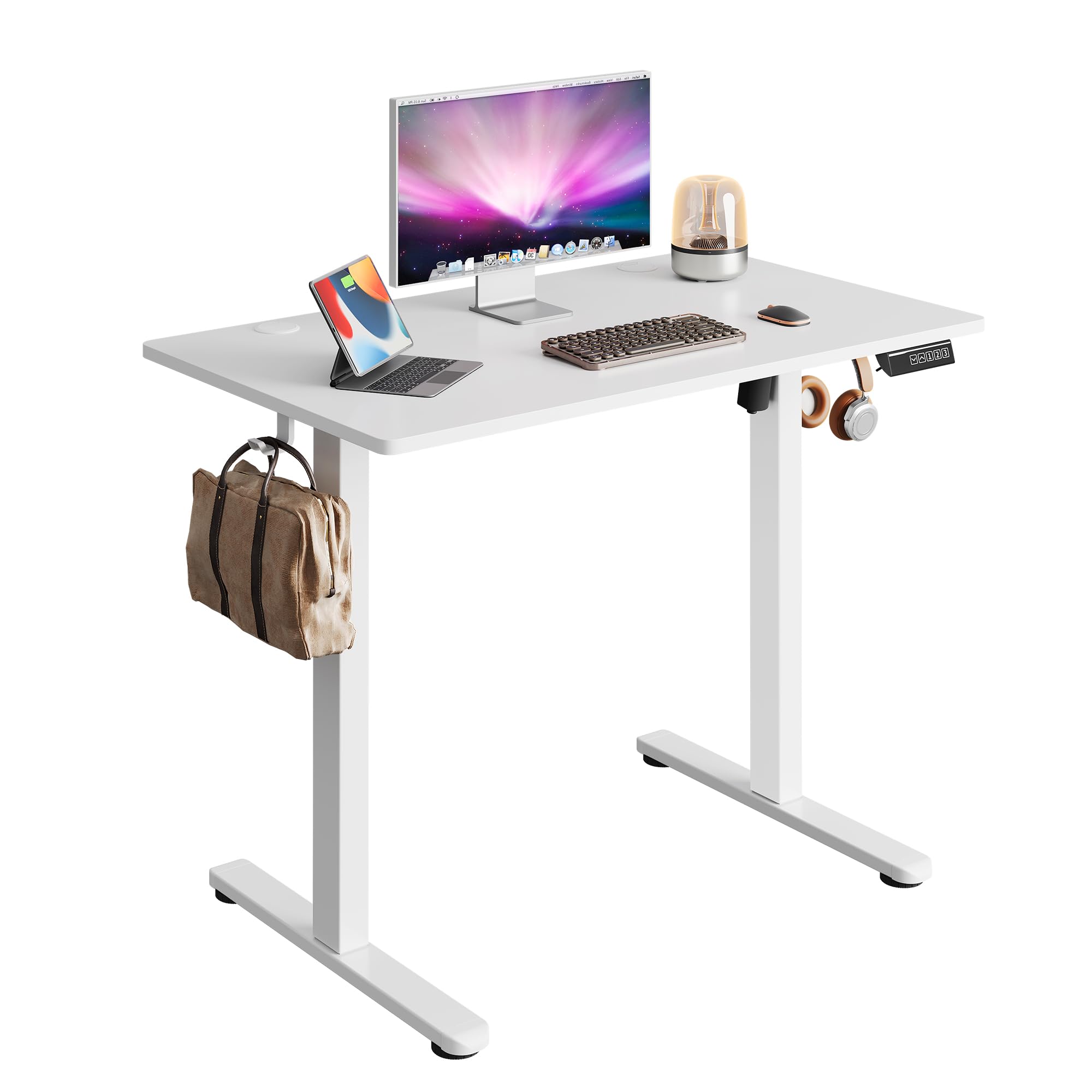
Image 1.1: The DEVAISE 40x24 Inch Electric Standing Desk in a typical home office environment.
2. Informacje dotyczące bezpieczeństwa
- Do not exceed the weight limit of 180 lbs (81.6 kg).
- Upewnij się, że biurko jest ustawione na równej powierzchni.
- Podczas pracy urządzenia należy trzymać dzieci i zwierzęta z dala od biurka.
- Unikaj stawiania płynów bezpośrednio na panelu sterowania lub w pobliżu podzespołów elektrycznych.
- Do not attempt to disassemble or repair the motor or control system yourself. Contact customer service for assistance.
- Ensure there are no obstructions in the desk's path during height adjustment to prevent damage or injury. The desk is equipped with anti-collision sensors.

Image 2.1: Key safety and convenience features including the anti-collision system, cable holes, and storage hooks.
3. Zawartość opakowania
Przed montażem należy sprawdzić, czy wszystkie elementy są kompletne i nieuszkodzone. W przypadku braku lub uszkodzenia jakiejkolwiek części prosimy o kontakt z obsługą klienta.
- Desktop (One-piece)
- Nogi (2)
- Stopy (2)
- Crossbar/Support Beam
- Skrzynka sterownicza
- Cyfrowy panel sterowania
- Zasilacz i kabel
- Zaczep na słuchawki
- Klipsy do zarządzania kablami
- Sprzęt montażowy (śruby, klucz imbusowy)
- Instrukcja obsługi

Image 3.1: All components included in the package, pre-drilled and labeled for quick installation.
4. Instrukcja montażu
Assembly typically takes approximately 15 minutes. All holes are pre-drilled, and accessories are clearly labeled for ease of installation. It is recommended to assemble the desk with two people.
- Rozpakuj komponenty: Carefully remove all parts from the packaging and lay them out on a clean, soft surface to prevent scratches. Refer to the 'Package Contents' section to ensure all parts are present.
- Przymocuj stopy do nóg: Secure the feet to the bottom of each leg using the provided screws and Allen wrench.
- Połącz nogi z poprzeczką: Attach the two legs to the central crossbar. Ensure the motor and drive shaft are correctly aligned.
- Montaż skrzynki sterowniczej: Secure the control box to the designated area under the desktop.
- Dołącz pulpit: Carefully place the desktop upside down on a soft surface. Align the assembled leg frame with the pre-drilled holes on the desktop and secure it with screws.
- Zainstaluj Panel sterowania: Mount the digital control panel to the front edge of the desktop using the provided screws.
- Podłącz kable: Connect the motor cable, control panel cable, and power adapter cable to the control box. Ensure all connections are secure.
- Zamontuj haczyk na słuchawki: Install the headphone hook to the side of the desk as desired.
- Zarządzanie kablami: Use the provided cable clips to organize and secure cables under the desk.
- Włączanie: Flip the desk upright, connect the power adapter to a wall outlet, and power on the desk.

Image 4.1: Visual guide to the quick installation process, highlighting pre-drilled holes and labeled parts.
5. Instrukcja obsługi
5.1 Regulacja wysokości
The desk's height can be adjusted electrically from 28.35 inches (72 cm) to 46.46 inches (118 cm).
- Przycisk w górę (▲): Naciśnij i przytrzymaj, aby podnieść biurko.
- Przycisk w dół (▼): Naciśnij i przytrzymaj, aby obniżyć biurko.
- Release the button at your desired height. The LED display will show the current height.

Image 5.1: Illustration of the desk's adjustable height range from 28.35 inches to 46.45 inches.
5.2 Ustawienia pamięci
Panel sterowania umożliwia zapisanie do trzech preferowanych ustawień wysokości, co pozwala na szybką regulację.
- Ustaw pozycję pamięci:
- Dostosuj wysokość biurka do swoich potrzeb za pomocą przycisków Góra/Dół.
- Press the 'S' button (Set). The display will flash.
- Press one of the number buttons (1, 2, or 3) within 5 seconds to save the current height to that preset. The display will show 'S-' followed by the number to confirm.
- Przypomnij sobie pozycję z pamięci:
- Wystarczy nacisnąć odpowiedni przycisk numeryczny (1, 2 lub 3). Biurko automatycznie ustawi się na zapisanej wysokości.

Image 5.2: The digital control panel featuring an LED display, up/down controls, and three memory preset buttons.
5.3 Demonstracja wideo
Watch this video for a visual guide on operating the DEVAISE Electric Standing Desk, including height adjustments and memory preset functions.
Video 5.3: Official product video demonstrating the operation of the DEVAISE Electric Standing Desk.
6. Konserwacja
- Czyszczenie: Wipe the desktop and legs with a soft, damp szmatką. Unikaj silnych środków chemicznych i ściernych środków czyszczących.
- Kontrola: Okresowo sprawdzaj wszystkie śruby i połączenia, aby upewnić się, że są dobrze dokręcone. W razie potrzeby dokręć.
- Zarządzanie kablami: Ensure cables are neatly organized and not pinched or tangled, especially during height adjustments.
7. Rozwiązywanie Problemów
| Problem | Możliwa przyczyna | Rozwiązanie |
|---|---|---|
| Biurko się nie porusza. | Power cable disconnected, control box cable loose, motor error. | Check all cable connections. Unplug and replug the power cable. If the issue persists, contact customer service. |
| Biurko porusza się nierównomiernie lub wydaje nietypowe dźwięki. | Overload, obstruction, loose components. | Reduce weight on the desk. Check for obstructions. Ensure all assembly screws are tight. |
| Wyświetlono kod błędu (np. E01, E02). | Awaria systemu, problem z czujnikiem. | Unplug the desk for 10 minutes, then plug it back in. If the error persists, contact customer service. |
| Ustawienia pamięci nie działają. | Ustawienia predefiniowane nie zostały zapisane prawidłowo. | Re-save the memory positions following the instructions in Section 5.2. |
8. Specyfikacje
| Funkcja | Szczegół |
|---|---|
| Numer modelu | ASJZ029 |
| Desktop Dimensions (D x W) | 23.62" x 39.35" (60 cm x 100 cm) |
| Zakres regulacji wysokości | 28.35" - 46.46" (72 cm - 118 cm) |
| Maksymalna nośność | 180 funta (81.6 kg) |
| Materiał na biurko | Drewno inżynieryjne |
| Materiał ramy | Żelazo |
| Typ silnika | Dual-motor drive |
| Poziom hałasu | <45 dB |
| Ustawienia pamięci | 3 |
| Cechy specjalne | Anti-collision system, Cable holes, Headphone hook, One-piece desktop |
| Kolor | Biały |
| Waga przedmiotu | 36.85 funta (16.7 kg) |

Image 8.1: Detailed product dimensions and maximum weight capacity of 180 lbs.

Image 8.2: Visual comparison highlighting the enhanced stability of the one-piece desktop design.
9. Gwarancja i wsparcie
The DEVAISE Electric Standing Desk comes with a 1-year frame warranty. For any questions, concerns, or assistance with your product, please contact our 24/7 US-based customer service team. Please have your model number (ASJZ029) and purchase information ready when contacting support.
For further information or to explore other DEVAISE products, visit the official DEVAISE Store on Amazon.
