
1. Wprowadzenie
Thank you for choosing the EuroFone S3 Plus Motorcycle Intercom with 2K HD Camera. This device is designed to enhance your riding experience by providing seamless communication, high-definition video recording, and entertainment features. Please read this manual carefully to understand the product's functions and ensure safe and optimal use.

Image 1.1: The EuroFone S3 Plus Intercom unit, showcasindzięki kompaktowej konstrukcji i pokrętłu sterującemu.
2. Zawartość opakowania
Sprawdź, czy w przesyłce znajdują się wszystkie elementy wymienione poniżej:
- 1 x EuroFone S3 Plus Bluetooth Host Unit
- 1 x kabel ładujący typu C
- 2 x Helmet Clips (1 Screw Clip, 1 Velcro Clip)
- 1 x Stereo Headset
- 1 x Instrukcja obsługi
- 2 x Microphones (1 Hard Mic for open-face helmets, 1 Soft Mic for full-face helmets)
3. Koniec produktuview
Familiarize yourself with the various parts and controls of your S3 Plus intercom unit.

Image 3.1: Detailed diagram of the S3 Plus unit with numbered components.
| NIE. | Część | Funkcjonować |
|---|---|---|
| 1 | Obiektyw aparatu | Captures 2K HD video footage. |
| 2 | Przycisk interkomu | Activates and manages intercom communication. |
| 3 | Przycisk nagrywania | Rozpoczyna i zatrzymuje nagrywanie wideo. |
| 4 | Przycisk Wi-Fi | Activates Wi-Fi for app connection and file przenosić. |
| 5 | Tarcza obrotowa | Adjusts volume, navigates menus, and controls music playback. |
| 6 | Przycisk wielofunkcyjny | Manages phone calls, voice assistant, and other features. |
| 7 | Przycisk zasilania | Włącza/wyłącza urządzenie. |
| 8 | TF Card / Reset Button | Slot for microSD card; press and hold for reset. |
| 9 | Earphone Mic Jack | Connects the stereo headset and microphone. |
| 10 | Charging Port / K-Line Plug | Port typu C do ładowania i przesyłania danych. |
4. Konfiguracja
4.1. Montaż kasku
The S3 Plus can be mounted on most helmets using either the screw clip or the Velcro clip.
- Choose Clip Type: Select the screw clip for a more permanent attachment or the Velcro clip for easier removal.
- Pozycjonowanie: Attach the clip to the left side of your helmet, ensuring it is securely fastened and does not obstruct your vision or helmet functionality.
- Montaż urządzenia: Slide the S3 Plus host unit onto the installed clip until it clicks into place.
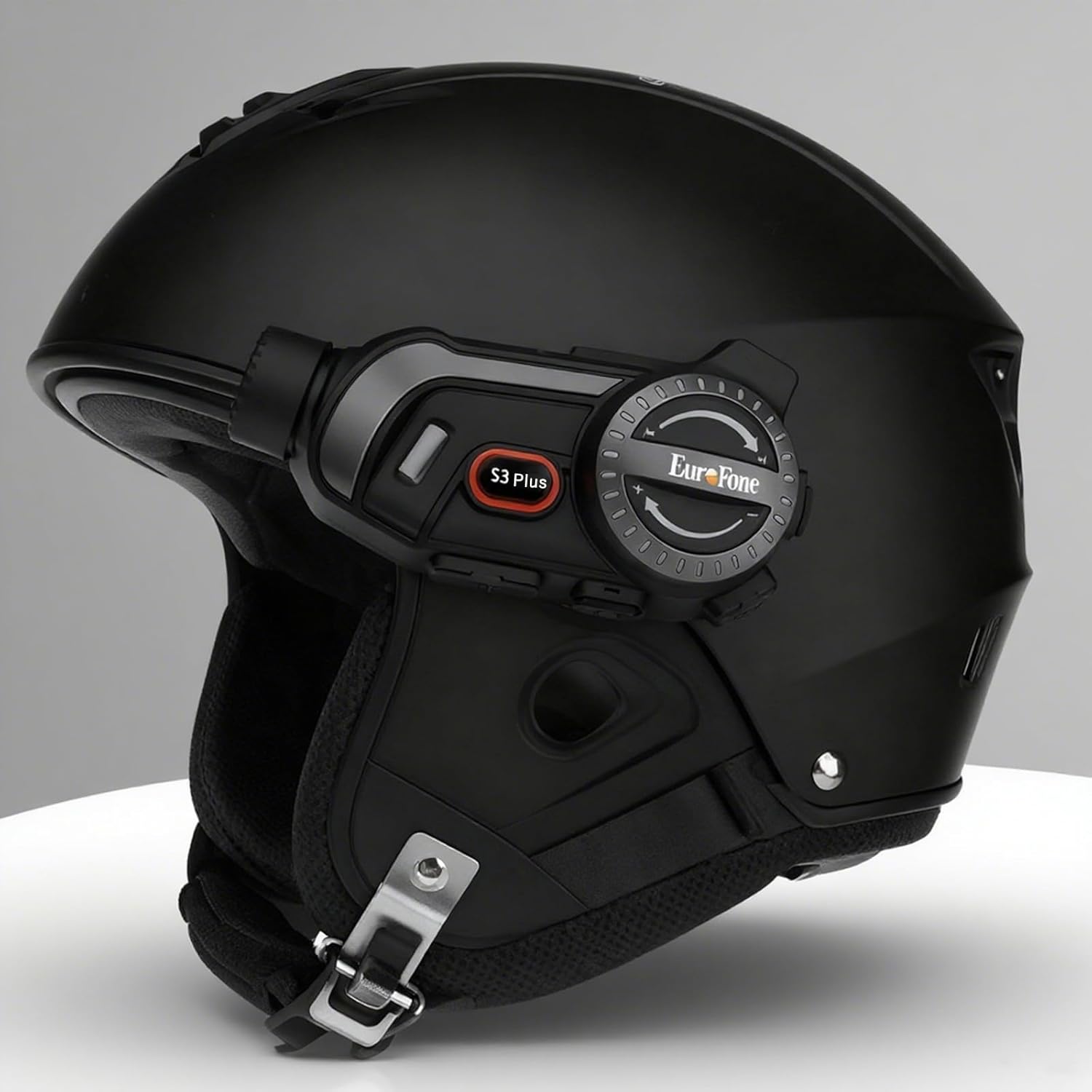
Image 4.1: The S3 Plus intercom unit securely attached to the side of a helmet.
4.2. Headset and Microphone Connection
Connect the stereo headset and microphone to the S3 Plus unit.
- Instalacja głośników: Place the headset speakers inside the helmet's ear pockets, ensuring they are aligned with your ears for optimal sound.
- Wybierz mikrofon: Choose the hard mic for open-face helmets or the soft mic for full-face helmets. Attach the microphone to the inside of the helmet near your mouth.
- Połącz z jednostką: Plug the headset and microphone cable into the Earphone Mic Jack (9) on the S3 Plus unit.
4.3. Ładowanie urządzenia
Before first use, fully charge the S3 Plus unit.
- Kabel połączeniowy: Insert the Type-C charging cable into the Charging Port (10) on the S3 Plus unit.
- Źródło zasilania: Podłącz drugi koniec kabla do zasilacza USB (nie ma go w zestawie) lub do portu USB komputera.
- Wskaźnik ładowania: Wskaźnik LED pokaże stan ładowania. Pełne ładowanie trwa około 1.5 godzin.
4.4. Włączanie/wyłączanie zasilania
- Włączanie: Press and hold the Power Button (7) for approximately 3 seconds until the LED indicator lights up and you hear a voice prompt.
- Wyłączone: Press and hold the Power Button (7) for approximately 3 seconds until the LED indicator turns off and you hear a voice prompt.
5. Instrukcja obsługi
5.1. Parowanie Bluetooth
Pair your S3 Plus with your smartphone or other Bluetooth devices.
- Wejdź w tryb parowania: With the S3 Plus powered off, press and hold the Power Button (7) for about 5-7 seconds until the LED indicator flashes red and blue alternately, indicating pairing mode.
- Włącz Bluetooth: Włącz Bluetooth na swoim smartfonie lub innym urządzeniu i wyszukaj dostępne urządzenia.
- Wybierz urządzenie: Select "EuroFone S3 Plus" from the list of found devices. If prompted, enter "0000" as the PIN.
- Potwierdzenie: Once paired, the LED indicator will flash blue slowly, and you will hear a voice confirmation.

Image 5.1: Illustration of Bluetooth 5.1 connectivity and extended battery performance.
5.2. Funkcja interkomu
The S3 Plus supports both two-way and multi-person group intercom communication.
- Domofon dwukierunkowy: To initiate a direct intercom call with another S3 Plus unit, ensure both units are powered on and within range (up to 2000m in open terrain). Briefly press the Intercom Button (2) on one unit. The units will connect automatically.
- Group Intercom (Up to 6 Riders): The S3 Plus supports simultaneous communication for up to 6 riders. Follow the pairing instructions in the manual for multi-unit connection. The system features automatic reconnection, so if a rider goes out of range, they will automatically rejoin the conversation when back in range.

Image 5.2: Visual representation of up to 6 riders engaged in group intercom communication.
5.3. Obsługa kamery
Record your rides in 2K HD quality.
- Włóż kartę TF: Ensure a microSD (TF) card (Class 10 or higher, up to 128GB) is inserted into the TF Card slot (8) before recording.
- Rozpocznij/zatrzymaj nagrywanie: Briefly press the Record Button (3) to start recording. The LED indicator will change to confirm recording is active. Press again to stop recording.
- Nagrywanie w pętli: The S3 Plus supports loop recording, automatically overwriting the oldest files gdy karta pamięci jest pełna.
- Wi-Fi App Connection: Press the Wi-Fi Button (4) to activate the unit's Wi-Fi. Connect your smartphone to the S3 Plus Wi-Fi network (details in the dedicated app manual). Use the companion app to view żyćtage, odtwarzanie nagrań i pobieranie files.

Image 5.3: Details on 2K video resolution (2560*1440) and the 135° wide-angle lens for comprehensive capture.
5.4. Odtwarzanie i udostępnianie muzyki
Enjoy music from your paired smartphone and share it with another rider.
- Odtwórz/Pauza: Briefly press the Multi-function Button (6) to play or pause music.
- Regulacja głośności: Rotate the Rotary Dial (5) clockwise to increase volume, counter-clockwise to decrease volume.
- Następny / poprzedni utwór: Press the Rotary Dial (5) forward or backward to skip tracks.
- Udostępnianie muzyki: While music is playing, activate the music sharing function (refer to the full manual for specific button combinations) to share your audio with a connected intercom unit.

Image 5.4: Two riders enjoying shared music during their journey, illustrating the music sharing feature.
5.5.Radio FM
Tune into FM radio stations for news, weather, and entertainment.
- Aktywuj radio FM: Press and hold the Intercom Button (2) for approximately 2 seconds to turn on the FM radio.
- Stacje skanowania: Briefly press the Rotary Dial (5) forward or backward to scan for the next or previous available station.
- Wyłącz radio FM: Press and hold the Intercom Button (2) for approximately 2 seconds again to turn off the FM radio.

Image 5.5: A rider listening to FM radio, highlighting the integrated FM radio functionality.
5.6. Asystent głosowy
Access your smartphone's voice assistant (e.g., Siri) hands-free.
- Aktywuj asystenta głosowego: Briefly press the Multi-function Button (6) twice to activate your paired smartphone's voice assistant.
- Komunikaty głosowe: The S3 Plus supports voice prompts in Japanese, English, and Chinese, which can be switched as needed.

Image 5.6: Visualizing the voice assistant feature, HIFI audio quality, and key device statistics like weight and battery life.
5.7. Rozmowy telefoniczne
Manage incoming and outgoing phone calls safely while riding.
- Odbierz połączenie: When a call comes in, the S3 Plus will automatically answer after approximately 10 seconds, allowing for hands-free communication.
- Zakończ połączenie: Briefly press the Multi-function Button (6) to end an active call.
- Odrzuć połączenie: Press and hold the Multi-function Button (6) for 2 seconds to reject an incoming call.
- Ponowne wybieranie ostatniego numeru: Briefly press the Multi-function Button (6) twice to redial the last number.
6. Konserwacja
Proper maintenance ensures the longevity and performance of your S3 Plus intercom.
- Czyszczenie: Użyj miękkiego, damp Do czyszczenia zewnętrznej części urządzenia należy używać ściereczki. Nie należy używać silnych środków chemicznych ani ściernych środków czyszczących.
- Narażenie na działanie wody: The S3 Plus is IP67 waterproof. While it can withstand rain, avoid prolonged submersion in water or exposure to heavy downpours. If wet, wipe dry immediately with a towel.
- Składowanie: Przechowuj urządzenie w chłodnym, suchym miejscu, z dala od bezpośredniego światła słonecznego i ekstremalnych temperatur, gdy nie jest używane.
- Pielęgnacja baterii: Aby zapewnić optymalną żywotność baterii, unikaj częstego całkowitego rozładowywania baterii. Regularnie ładuj urządzenie, nawet jeśli nie jest używane przez dłuższy czas.
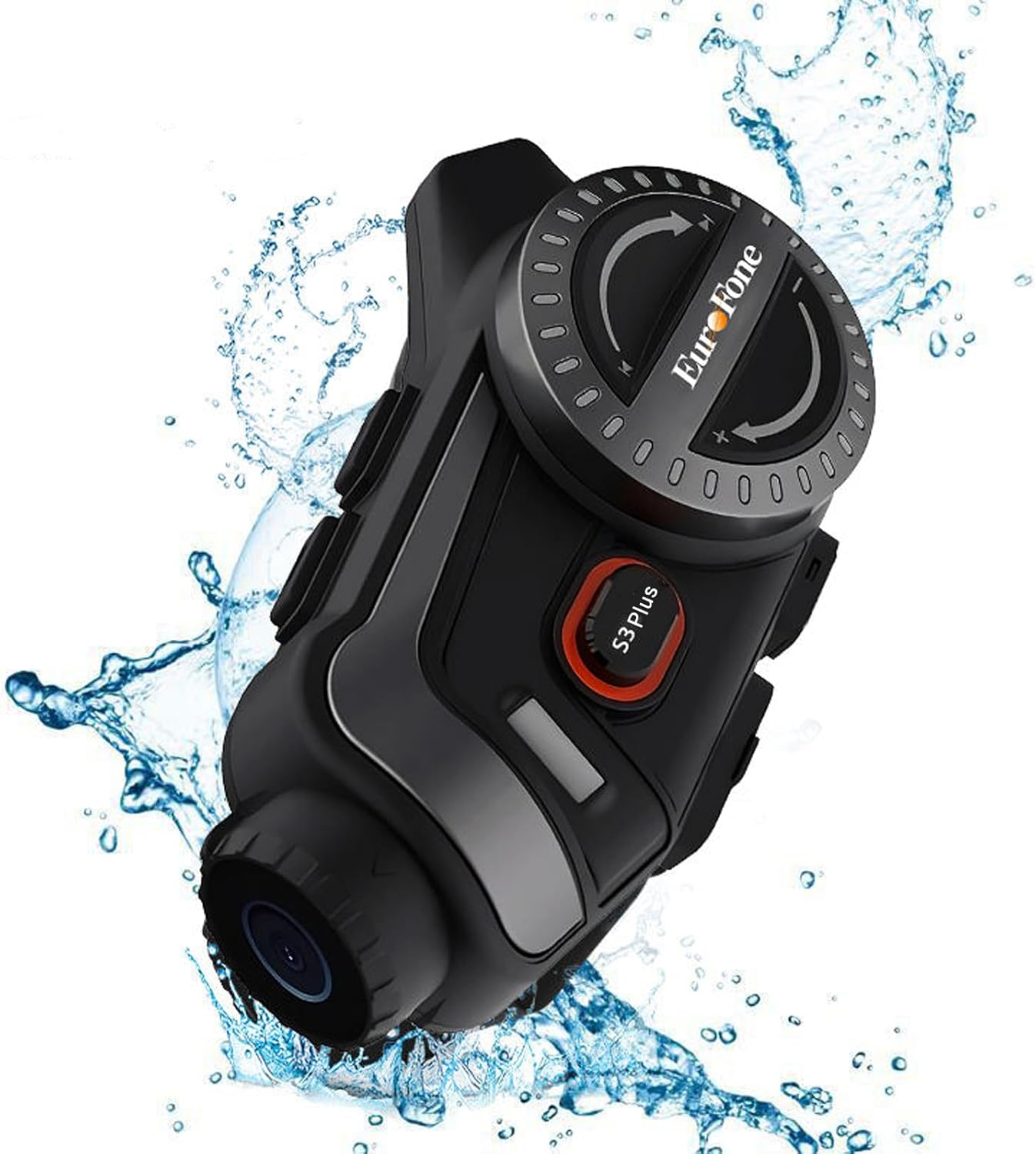
Image 6.1: The S3 Plus unit demonstrating its IP67 waterproof and dustproof capabilities.
7. Rozwiązywanie Problemów
If you encounter issues with your S3 Plus, refer to the following common problems and solutions:
- Urządzenie nie włącza się: Ensure the battery is charged. Connect to a charger and try again. If unresponsive, try a factory reset by pressing the Reset Button (8) with a small pin.
- Nie można sparować ze smartfonem: Ensure the S3 Plus is in pairing mode (flashing red and blue). Turn off and on your phone's Bluetooth. Clear previous Bluetooth connections on both devices and try again.
- Problemy z połączeniem interkomowym: Ensure both intercom units are within range and fully charged. Re-initiate the intercom connection. Obstacles can reduce range.
- Poor Audio Quality (Intercom/Music): Check headset and microphone connections. Ensure speakers are correctly positioned in the helmet. The device features CVC8.0 and DSP dual noise cancellation for clear audio, but extreme wind noise can still affect quality.
- Nagrywanie nie działa: Ensure a compatible microSD (TF) card is inserted and has sufficient free space. Format the card if necessary (refer to app instructions or connect to PC).
- Wi-Fi App Connection Failure: Ensure the S3 Plus Wi-Fi is activated. Check your smartphone's Wi-Fi settings to confirm connection to the device's network. Ensure the app is up-to-date.
8. Specyfikacje
Key technical specifications of the EuroFone S3 Plus intercom:
| Funkcja | Specyfikacja |
|---|---|
| Nazwa modelu | S3 Plus |
| Marka | EuroFone |
| Kolor | Czarny |
| Technologia łączności | Bezprzewodowa (Bluetooth 5.1) |
| Wersja Bluetooth | 5.1 |
| Zasięg domofonu | Up to 2000 meters (1500-2000m between 2 units) |
| Domofon grupowy | Up to 6 riders simultaneous talk |
| Rozdzielczość wideo | 2K HD (1440p) |
| Obiektyw aparatu | 135° Wide Angle, 14mm Sony HD F2.0 |
| Ciągłe nagrywanie wideo | Do 8 godzin |
| Pojemność baterii | 2000mAh |
| Ciągły czas rozmów | Do 45 godzin |
| Czas odtwarzania muzyki | Do 80 godzin |
| Czas czuwania | Do 1000 godzin |
| Czas ładowania | Około 1.5 godziny (typ C) |
| Stopień wodoodporności | IP67 |
| Redukcja szumów | CVC8.0 & DSP Dual Noise Cancellation |
| Cechy specjalne | FM Radio, Music Sharing, Voice Assistant (Siri compatible), Auto-Answer Calls, Loop Recording, WiFi App Support, GPS Guidance Compatibility |
| Wymiary produktu | Wymiary 5.7 x 10.5 x 3.5 cm |
| Waga produktu | 0.45 kilogramów |
9. Gwarancja i wsparcie
The EuroFone S3 Plus Motorcycle Intercom comes with a 1-year warranty, affirming its quality and reliability. If you have any questions, concerns, or require technical assistance, please do not hesitate to contact our support team. We aim to respond within 24 hours.
For support, please refer to the contact information provided with your purchase or visit the official EuroFone webstrona.