
Ważne informacje dotyczące bezpieczeństwa
Please read this manual carefully before operating your Riflewell gun safe. Failure to follow these instructions may result in injury, damage to the safe, or unauthorized access to firearms. Keep this manual for future reference.
- Przechowywać bezpiecznie: Always store firearms unloaded and locked in the safe. Keep ammunition stored separately and securely.
- Keep Keys Secure: The emergency keys must be stored in a secure location away from the safe and out of reach of children and unauthorized individuals. Do not store emergency keys inside the safe.
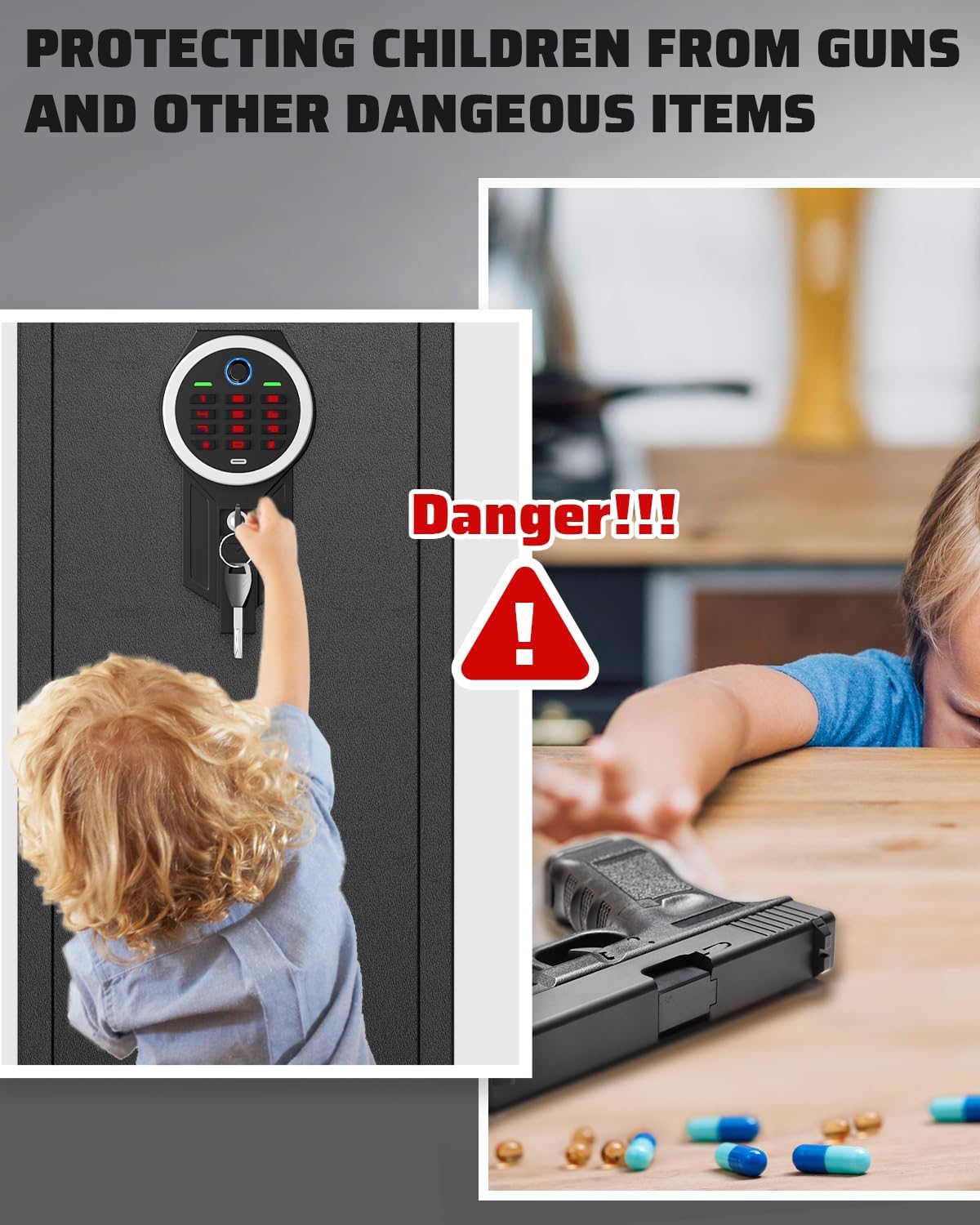
- Bezpieczeństwo dzieci: This safe is designed to prevent unauthorized access, especially by children. Never leave the safe unlocked or allow children to play with the safe or its locking mechanisms.
- Prawidłowa instalacja: Ensure the safe is securely mounted to a wall or floor to prevent removal or tipping.
- Pielęgnacja baterii: W przypadku niskiego poziomu naładowania baterii należy je niezwłocznie wymienić.tage warning is indicated to ensure continuous operation.
Zawartość opakowania
Verify that all items listed below are included in your package. If any items are missing or damaged, please contact customer service.
- 1 x Rifle Gun Safe
- 2 x klucze awaryjne
- 5 śrub rozporowych
- 1 x Type-C Cable (for external power)
- 3 x Gun Racks (adjustable)
- 1 x Instrukcja obsługi (ten dokument)

Produkt ponadview
The Riflewell GMM-145ZW gun safe is constructed from low-carbon alloy steel, providing robust security for your firearms. It features a biometric fingerprint scanner and a digital keypad for quick access, along with an emergency key override.
Główne cechy:
- Budowa: Low-carbon alloy steel with a 6cm-thick anti-drill door and 1mm anti-pry seam.
- Mechanizm blokujący: Biometric fingerprint sensor, digital keypad, and emergency key access.
- Security Bolts: 5 solid 20mm anti-theft bolts.
- Wnętrze: Soft foam gun rack, carpeted floor, adjustable gun racks, removable shelf, 2 storage boxes, and 2 pistol bags on the door.
- Oświetlenie: Internal LED light for visibility in dark conditions.
- System alarmowy: Dual alarm system for incorrect code/fingerprint attempts and violent vibration.
- Funkcja wyciszenia: Option to silence operational sounds.


Organizować coś
1. Otwarcie początkowe
Upon receiving your safe, use one of the provided emergency keys to open the door for the first time. The keyhole is typically located behind the biometric/keypad module or under a cover.
- Znajdź dziurkę od klucza awaryjnego.
- Włóż klucz awaryjny i przekręć go, aby odblokować sejf.
- Otwórz drzwi sejfu.
2. Instalacja baterii
The safe requires batteries to power the biometric and keypad systems. The battery compartment is usually located on the inside of the safe door.
- Otwórz drzwi sejfu za pomocą klucza awaryjnego.
- Locate the battery compartment (typically on the back of the keypad module).
- Włóż wymaganą liczbę baterii AA (nie ma ich w zestawie) zgodnie z oznaczeniami biegunów.
- Zamknij komorę baterii.
3. Montaż sejfu
For maximum security, it is highly recommended to securely mount the safe to a wall or floor using the provided expansion screws.
- Wybierz odpowiednie miejsce na sejf, upewniając się, że jest ono wypoziomowane i stabilne.
- Zaznacz punkty wiercenia przez wcześniej nawiercone otwory z tyłu lub spodu sejfu.
- Wywierć otwory montażowe w ścianie lub podłodze za pomocą odpowiedniego wiertła.
- Position the safe and align the holes.
- Insert the expansion screws through the safe and into the drilled holes.
- Dokręć śruby, aby zamocować sejf na miejscu.

Instrukcja obsługi
1. Setting Up Fingerprints
The safe can store up to 30 unique fingerprints for multiple users. Refer to the specific instructions on the keypad for entering programming mode.
- Otwórz drzwi sejfu.
- Press the programming button (refer to the safe's internal panel for exact location, usually a small button).
- Place your finger on the fingerprint scanner. The safe will prompt you to lift and place your finger multiple times until the fingerprint is successfully registered.
- Repeat for additional fingerprints if desired.
- Test the registered fingerprint to ensure it unlocks the safe.
2. Setting Up Digital Code
You can set a personal digital code for access. The code memory function ensures your code is retained even if batteries are depleted.
- Otwórz drzwi sejfu.
- Naciśnij przycisk programowania.
- Enter your desired code (typically 4-8 digits) on the keypad.
- Press the '#' or 'confirm' button.
- Re-enter the code and press '#' or 'confirm' again to confirm.
- Test the new code to ensure it unlocks the safe.


3. Using Emergency Keys
In case of battery failure or forgotten codes, the emergency keys provide manual access.
- Locate the emergency keyhole (often concealed).
- Włóż klucz awaryjny i przekręć go, aby odblokować sejf.
- Turn the handle to open the door.
4. Funkcja wyciszania
To operate the safe silently, you can activate the mute function.
- To turn on/off the mute function, press '1' twice, then press '#'. A prompt sound will confirm the change.
5. Podwójny system alarmowy
Sejf wyposażono w podwójny system alarmowy dla większego bezpieczeństwa.
- Incorrect Entry Alarm: After 3 consecutive incorrect code entries or 5 consecutive incorrect fingerprint attempts, the alarm will activate for 30 seconds.
- Alarm wibracyjny: If the safe experiences violent movement, a vibration alarm will be triggered, sounding up to 70 decibels.


Konserwacja
1. Wymiana baterii
Kiedy objętośćtage drops below 4.8V, the safe will emit a prompt sound to remind you to replace the batteries. Prompt replacement ensures continuous functionality.
- Otwórz drzwi sejfu.
- Zlokalizuj komorę baterii.
- Wyjmij stare baterie i zutylizuj je w odpowiedni sposób.
- Włóż nowe baterie AA, zwracając uwagę na prawidłową biegunowość.
- Zamknij komorę baterii.
2. Czyszczenie
To maintain the appearance and functionality of your safe:
- Przetrzyj powierzchnię zewnętrzną miękką,amp płótno. Unikaj ściernych środków czyszczących.
- Keep the fingerprint scanner and keypad clean and free of dust or debris for optimal performance.
Rozwiązywanie problemów
| Problem | Możliwa przyczyna | Rozwiązanie |
|---|---|---|
| Sejfu nie da się otworzyć za pomocą odcisku palca/kodu. | Low batteries, incorrect fingerprint/code, scanner/keypad malfunction. | Replace batteries. Re-enter code carefully. Re-register fingerprint. Use emergency key. |
| Niespodziewanie rozlega się dźwięk alarmu. | Multiple incorrect entries, violent movement/vibration. | Ensure correct code/fingerprint. Check if safe was disturbed. Alarm will reset after 30 seconds. |
| Brak zasilania/wyświetlacza. | Rozładowane baterie, nieprawidłowa instalacja baterii. | Replace batteries. Check battery polarity. Use external Type-C power cable if available. |
| Klucz awaryjny nie działa. | Key not fully inserted, wrong key, lock mechanism jammed. | Ensure key is fully inserted and turned correctly. Contact customer service if issue persists. |
Specyfikacje
| Funkcja | Szczegół |
|---|---|
| Marka | Strzelnica |
| Numer modelu | GMM-145ZW |
| Wymiary zewnętrzne (wys. x szer. x gł.) | 57.08" x 13.78" x 11.81" |
| Wymiary wewnętrzne (wys. x szer. x gł.) | 56.27" x 13.38" x 10.83" |
| Tworzywo | Stal niskowęglowa |
| Typ zamka | Biometric Fingerprint, Digital Keypad, Emergency Key |
| Pojemność odcisku palca | Do 30 odcisków palców |
| Czas odblokowania | Less than 0.1 seconds (biometric) |
| Alarm Decibels | Do 70 dB |
| Typ montażu | Montaż na podłodze, montaż na ścianie |
| Kolor | Czarny |
| UPC | 792864903404 |
Gwarancja i wsparcie
Riflewell is committed to providing quality products and customer satisfaction. If you encounter any issues with your gun safe, please refer to the following information.
Serwis posprzedażowy
If there are any problems with the gun cabinet, please contact our experienced customer service team directly. We aim to respond within 24 hours and resolve the problem to your satisfaction.
How to Find the Seller on Amazon:
- Log in to your Amazon buyer's account.
- Przejdź do zakładki „Twoje zamówienia”.
- Find your purchase of the Riflewell gun safe.
- Click 'Get help' or 'Contact Seller' for assistance with this product.