
Wstęp
Thank you for choosing the Amazon Basics Pro Series 4-in-1 USB-C Hub. This compact and versatile hub is designed to expand the connectivity of your PC, MacBook, laptops, phones, monitors, and projectors, offering high-speed data transfer and seamless peripheral integration. This manual provides essential information for proper setup, operation, and maintenance of your device.
Produkt ponadview
The Amazon Basics Pro Series 4-in-1 USB-C Hub features a durable aluminum alloy and ABS housing, ensuring both portability and resilience. It includes a built-in 150mm USB-C cable for convenient connection to your host device.

Obraz: Ponadview of the 4-in-1 versatile hub, highlighting its port configuration.
Główne cechy:
- Połączenie hosta USB-C: Provides a versatile bridge between your laptop and peripherals.
- Two USB-C Ports: Both support USB 3.2 Gen 2 standard for data transfer speeds up to 10 Gbps.
- Two USB-A Ports: Do podłączania standardowych urządzeń USB.
- Szybki transfer danych: Enables rapid transfer of large files.
- Podłącz i graj: Do instalacji nie są wymagane żadne sterowniki.
- Trwała konstrukcja: Aluminum alloy and ABS housing with a flexible TPE cable.
Organizować coś
The Amazon Basics Pro Series 4-in-1 USB-C Hub is designed for immediate use with its plug-and-play functionality. No software drivers are required for installation.
- Podłącz koncentrator: Insert the built-in USB-C cable of the hub into an available USB-C port on your host device (PC, MacBook, laptop, phone, etc.).
- Rozpoznawanie urządzenia: Your operating system will automatically detect and configure the hub. This process usually takes a few seconds.
- Podłącz urządzenia peryferyjne: Once the hub is recognized, you can connect your USB-C and USB-A peripherals (e.g., external drives, keyboards, mice) to the corresponding ports on the hub.

Image: The USB-C hub connected to a laptop, demonstrating peripheral connections.
Instrukcja obsługi
The hub facilitates high-speed data transfer and expands connectivity for various devices.
Transfer danych:
- Connect USB 3.2 Gen 2 compatible devices to the USB-C ports for data transfer speeds up to 10 Gbps.
- Connect USB-A devices to the USB-A ports for standard data transfer.
- Ensure your host device's USB-C port supports the required data transfer speeds to achieve optimal performance.

Image: The hub emphasizing its ultra-fast 10Gbps data transfer capability.
Uniwersalna kompatybilność:
The hub is compatible with a wide range of devices, including:
- PC
- MacBook
- Laptopy
- Telefony
- Monitory
- Projektory
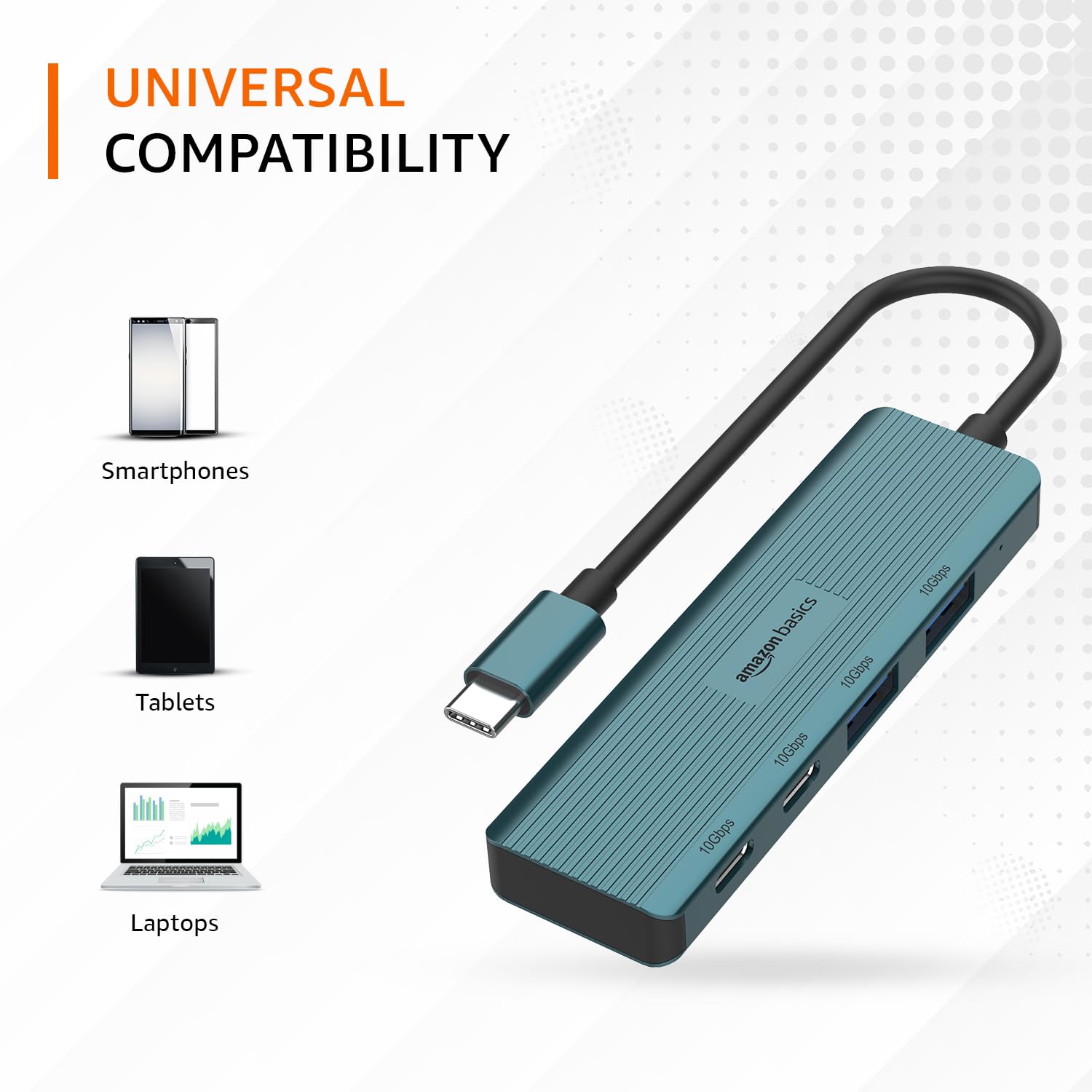
Image: The hub illustrating its compatibility with various devices like smartphones, tablets, and laptops.
Konserwacja
To ensure the longevity and optimal performance of your USB-C hub, follow these maintenance guidelines:
- Czyszczenie: Do czyszczenia zewnętrznej powierzchni piasty należy używać miękkiej, suchej ściereczki. Unikaj stosowania płynnych środków czyszczących i rozpuszczalników, ponieważ mogą one uszkodzić powłokę lub elementy wewnętrzne.
- Składowanie: Gdy piasta nie jest używana, należy ją przechowywać w chłodnym, suchym miejscu, z dala od bezpośredniego światła słonecznego i ekstremalnych temperatur.
- Obsługiwanie: Avoid dropping the hub or subjecting it to strong impacts. Do not bend the integrated cable excessively.
- Wentylacja: Ensure the hub has adequate ventilation during operation to prevent overheating, especially during prolonged high-speed data transfers.
Rozwiązywanie problemów
If you encounter issues with your Amazon Basics Pro Series 4-in-1 USB-C Hub, refer to the following common troubleshooting steps:
- Urządzenie nierozpoznane:
- Upewnij się, że kabel USB-C koncentratora jest całkowicie włożony do portu USB-C urządzenia hosta.
- Spróbuj podłączyć koncentrator do innego portu USB-C w urządzeniu hosta.
- Restart your host device (computer, laptop, phone).
- Verify that the connected peripheral devices are functioning correctly when connected directly to your host device (if applicable).
- Niska prędkość transferu danych:
- Confirm that both your host device's USB-C port and the connected peripheral support USB 3.2 Gen 2 (10 Gbps) for optimal speeds.
- Jeśli zauważysz spadek wydajności, unikaj jednoczesnego podłączania wielu urządzeń o dużej przepustowości.
- Ensure the cables used for connecting peripherals are of high quality and support the desired data transfer speeds.
- Połączenie przerywane:
- Check for loose connections at both the hub and the host device.
- Ensure the hub is not being subjected to physical stress or excessive cable bending.
- If using with a power-intensive device, ensure your host device can supply sufficient power, as this hub is not externally powered.
Specyfikacje
| Marka | podstawy amazon |
| Model | Złącze USB-C 4-in-1 |
| Interfejs hosta | USB-C |
| Porty wyjściowe | 2 x USB-C (USB 3.2 Gen 2), 2 x USB-A (USB 3.2 Gen 2) |
| Prędkość przesyłu danych | Do 10 Gb/s (USB 3.2 Gen 2) |
| Długość kabla | 150mm (built-in) |
| Tworzywo | Aluminum Alloy, ABS Housing, TPE Cable |
| Kolor | Turkus |
| Waga przedmiotu | 20 gramów |
| Kompatybilne urządzenia | PC, MacBook, Laptops, Phones, Monitors, Projectors |
| System operacyjny | MAC OS (and generally compatible with Windows, Linux, Android) |

Image: Physical dimensions of the USB-C hub.
Gwarancja i wsparcie
For warranty information and customer support regarding your Amazon Basics Pro Series 4-in-1 USB-C Hub, please refer to the Amazon Basics official webOdwiedź witrynę lub skontaktuj się bezpośrednio z obsługą klienta Amazon. Zachowaj paragon zakupu na wypadek reklamacji.