
1. Wprowadzenie
The Audizio Avola is a comprehensive audio system designed to provide a wide range of listening options. It integrates Internet Radio, DAB+, FM radio, a CD player, and Bluetooth connectivity into a single, elegant unit. This manual will guide you through the setup, operation, and maintenance of your Avola system, ensuring you can fully utilize its features for an optimal audio experience.
2. Instrukcje bezpieczeństwa
- Zasilanie: Używaj wyłącznie dostarczonego zasilacza. Upewnij się, że napięcietage odpowiada wymaganiom Twojego regionu.
- Woda i wilgoć: Do not expose the unit to rain, moisture, or liquids. Avoid placing objects filled with liquids, such as vases, on the unit.
- Wentylacja: Zapewnij odpowiednią wentylację wokół urządzenia. Nie blokuj otworów wentylacyjnych.
- Źródła ciepła: Trzymaj urządzenie z dala od źródeł ciepła, takich jak grzejniki, kratki wentylacyjne, piece i inne urządzenia wytwarzające ciepło.
- Czyszczenie: Disconnect the unit from the power supply before cleaning. Use a soft, dry cloth. Do not use liquid cleaners or aerosol cleaners.
- Serwisowanie: Nie próbuj samodzielnie naprawiać urządzenia. Wszelkie prace serwisowe zlecaj wykwalifikowanemu personelowi.
- Odtwarzacz CD: Do not insert foreign objects into the CD tray. Handle CDs by their edges to avoid scratches.
3. Zawartość opakowania
Sprawdź, czy w opakowaniu znajdują się wszystkie elementy:
- 1x Audizio Avola Internet Radio
- 1x Pilot zdalnego sterowania
- 1x Zasilacz
- 1x Instrukcja obsługi (Szybki przewodnik)

Image: Audizio Avola unit shown with its remote control and power adapter.
4. Koniec produktuview
4.1 Panel przedni

Obraz: Przód view of the Audizio Avola with the CD tray closed.
The front panel features the main display, control buttons, a CD tray, and input ports.
- Wyświetlacz: Color display for navigation and information.
- Przyciski sterujące: MENU, INFO, REC/DEL, PRESET/REPEAT, STANDBY, I/R, Play/Pause, Stop, Skip/Fast Forward/Rewind.
- Tacka na płyty CD: Do wkładania płyt CD audio.
- Pokrętło TUNE/SELECT: Rotate to navigate menus, press to select.
- Gałka GŁOŚNOŚCI: Reguluje poziom wyjściowy audio.
- Port USB: Do podłączania urządzeń pamięci masowej USB.
- Gniazdo karty SD: Do wkładania kart pamięci SD.
- Wejście AUX: Gniazdo 3.5 mm do podłączania zewnętrznych źródeł dźwięku.
- Gniazdo słuchawkowe: Gniazdo 3.5 mm do słuchania w prywatności.

Image: Close-up of the Audizio Avola front panel showing USB, SD, AUX, and headphone ports.
4.2 Panel tylny
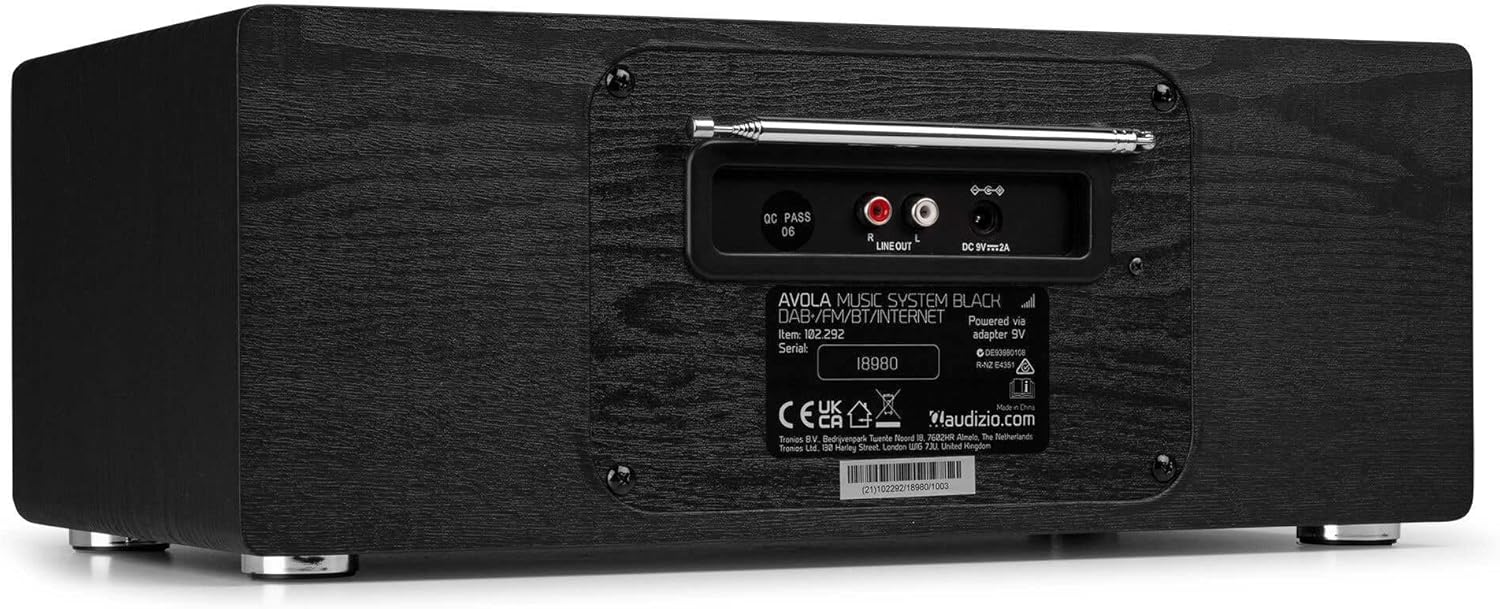
Obraz: Tył view of the Audizio Avola, highlighting the antenna and connection ports.
The rear panel houses essential connections:
- Antena teleskopowa: Do odbioru radia DAB+ i FM. Rozłóż całkowicie, aby uzyskać najlepszy sygnał.
- WYJŚCIE LINIOWE (RCA): Do podłączenia do zewnętrznego ampgłośniki lub głośniki.
- Wejście zasilania DC 9V 2A: Do podłączenia zasilacza.
5. Konfiguracja
5.1 Połączenie zasilania
- Connect the power adapter to the DC 9V 2A input on the rear of the Avola unit.
- Podłącz zasilacz do odpowiedniego gniazdka ściennego.
- The unit will enter standby mode. Press the STANDBY button on the unit or remote control to power on.
5.2 Konfiguracja anteny
For optimal DAB+ and FM radio reception, fully extend the telescopic antenna located on the rear panel. Adjust its position for the best signal quality.
5.3 Initial Setup (WLAN Connection)
To access Internet Radio features, the Avola must be connected to a Wi-Fi network.
- Upon first power-on, the unit may prompt you to set up the network connection. If not, press MENU, navigate to 'System Settings' and then 'Network'.
- Select 'Wi-Fi Network' and choose 'Scan' to find available networks.
- Wybierz swoją sieć Wi-Fi z listy.
- Enter your Wi-Fi password using the TUNE/SELECT knob to navigate characters and press to confirm each character.
- Once connected, the display will show a Wi-Fi icon.
6. Tryby pracy
6.1 Radio internetowe
Access thousands of radio stations worldwide via your Wi-Fi connection.
- Press the MENU button and select 'Internet Radio'.
- Możesz przeglądać stacje według lokalizacji, gatunku lub wyszukiwać konkretne stacje.
- Use the TUNE/SELECT knob to navigate and select.
- To save a station as a preset, press and hold the PRESET/REPEAT button until the preset menu appears, then select a preset number.

Image: The Audizio Avola display showing the Internet Radio interface.
Radio 6.2 DAB+
Digital Audio Broadcasting Plus offers high-quality digital radio.
- Press the MENU button and select 'DAB Radio'.
- Urządzenie automatycznie przeskanuje dostępne stacje DAB+.
- Use the TUNE/SELECT knob to browse and select stations.
- Zapisz ustawienia tak, jak opisano w przypadku radia internetowego.
6.3 Radio FM
Listen to traditional analog FM radio broadcasts.
- Press the MENU button and select 'FM Radio'.
- Use the TUNE/SELECT knob to manually tune or press and hold to auto-scan for stations.
- Zapisz ustawienia tak, jak opisano w przypadku radia internetowego.
6.4 Odtwarzacz CD
Play your favorite audio CDs.
- Press the MENU button and select 'CD Player'.
- Press the 'Open' button next to the CD tray to open it.
- Carefully place an audio CD onto the tray with the label side facing up.
- Press the 'Open' button again to close the tray. The unit will begin playing the CD automatically.
- Use the Play/Pause, Stop, and Skip buttons for playback control.
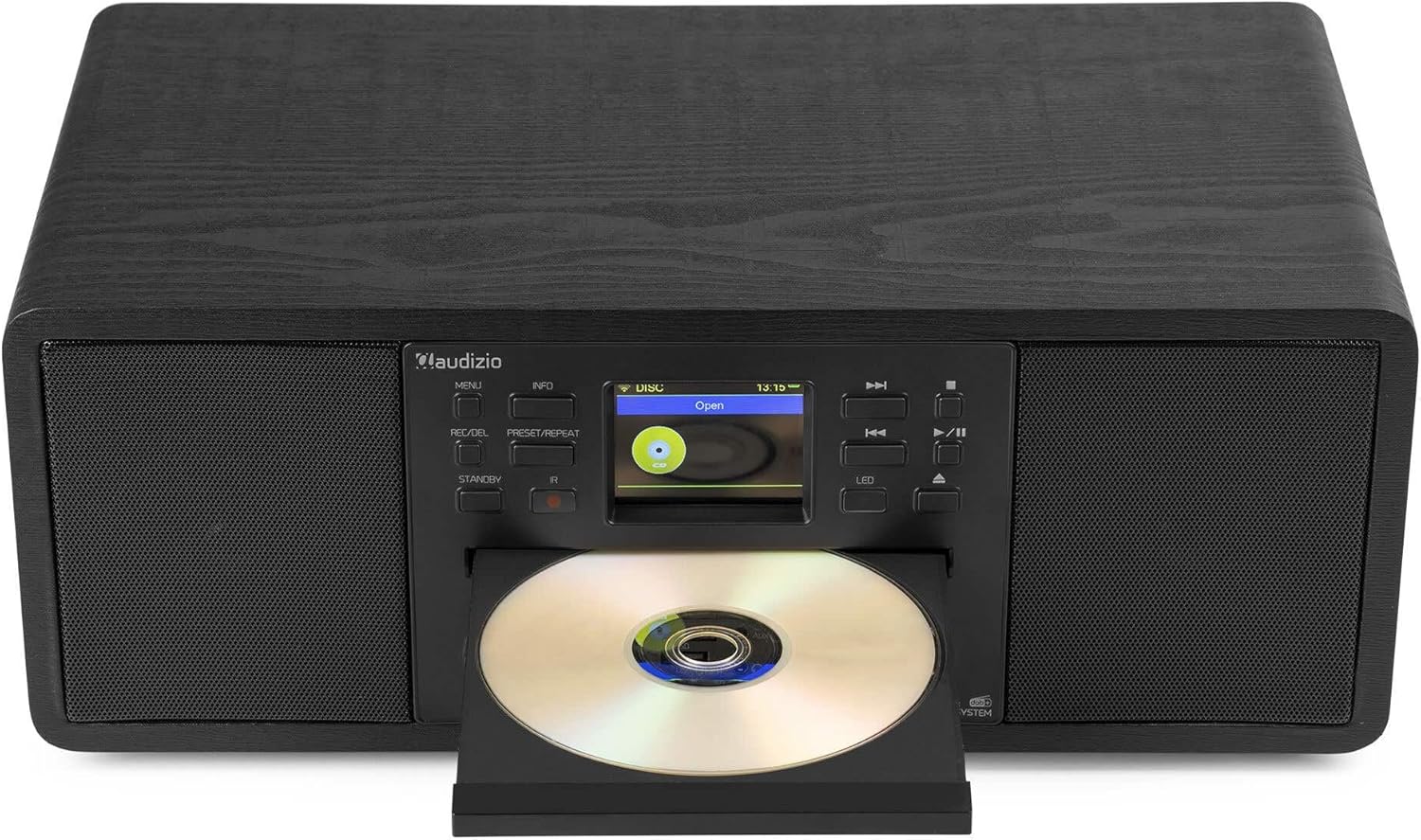
Image: The Audizio Avola with its CD tray open, ready for disc insertion.
6.5 Łączność Bluetooth
Przesyłaj strumieniowo dźwięk bezprzewodowo ze swojego smartfona, tabletu lub innego urządzenia obsługującego technologię Bluetooth.
- Press the MENU button and select 'Bluetooth'.
- The Avola will enter pairing mode and become discoverable.
- On your Bluetooth device, search for 'Audizio Avola' in the Bluetooth settings and select it to pair.
- Once connected, the display will show 'BT Connected'. You can now play audio from your device through the Avola.

Image: The Audizio Avola display indicating a successful Bluetooth connection.
6.6 Odtwarzanie USB/SD
Odtwórz dźwięk files from USB drives or SD cards.
- Insert a USB drive into the USB port or an SD card into the SD card slot on the front panel.
- Press the MENU button and select 'USB' or 'SD' (the unit may automatically switch to the correct mode).
- Poruszaj się po swoim files and folders using the TUNE/SELECT knob.
- Press the TUNE/SELECT knob to play a selected track.
7. Konserwacja
- Czyszczenie urządzenia: Use a soft, dry, lint-free cloth to clean the exterior of the unit. Do not use abrasive cleaners, waxes, or solvents.
- Czyszczenie soczewek CD: Jeżeli odtwarzanie płyty CD staje się nieregularne, należy wyczyścić soczewkę lasera za pomocą dostępnego w sprzedaży środka czyszczącego do soczewek CD.
- Składowanie: Jeśli urządzenie będzie przechowywane przez dłuższy czas, należy odłączyć je od zasilania i przechowywać w chłodnym, suchym miejscu.
8. Rozwiązywanie Problemów
| Problem | Możliwa przyczyna | Rozwiązanie |
|---|---|---|
| Brak zasilania | Zasilacz nie jest podłączony lub gniazdko jest uszkodzone. | Sprawdź podłączenie zasilania. Spróbuj innego gniazdka. |
| Brak dźwięku | Głośność jest za niska, wyciszenie jest włączone lub wybrano nieprawidłowe źródło. | Increase volume. Check if mute is active. Ensure correct input source is selected. |
| Radio internetowe nie łączy się | Nieprawidłowe hasło Wi-Fi, słaby sygnał lub problem z siecią. | Re-enter Wi-Fi password. Move unit closer to router. Check router status. |
| DAB+/FM reception poor | Antena nie jest wysunięta lub sygnał jest słaby. | Całkowicie rozłóż i wyreguluj antenę teleskopową. Spróbuj zmienić położenie urządzenia. |
| Płyta CD nie odtwarza się | CD inserted incorrectly, dirty/scratched CD, or unsupported format. | Ensure CD is inserted label-side up. Clean or replace CD. Verify CD format (supports CD-DA, MP3). |
| Bluetooth nie łączy się | Device not in pairing mode, or Avola not discoverable. | Ensure both devices are in pairing mode. Check Bluetooth settings on your device. |
9. Specyfikacje
| Funkcja | Specyfikacja |
|---|---|
| Nazwa modelu | Avola |
| Numer przedmiotu | 102.292 |
| Wymiary (dł. x szer. x wys.) | Wymiary 45.8 x 25.8 x 19.7 cm |
| Waga | 4 kilogramów |
| Moc wejściowa | 220 Volt (via power adapter) |
| Speaker Output Power (Max) | 60 waty |
| Tryb wyjścia audio | Stereofoniczny |
| Obsługiwane formaty audio | CD-DA, MP3 |
| Technologia łączności | WLAN, Bluetooth, AUX, RCA |
| Kompatybilne urządzenia | MP3 Player, PC, Smartphone, Tablet |
| Kolor | Czarny |
10. Gwarancja i wsparcie
Audizio products are designed and manufactured to the highest standards. In the unlikely event of a problem with your product, please contact your retailer for assistance. Keep your proof of purchase for warranty claims. For further support or inquiries, please refer to the official Audizio webwitryny lub skontaktuj się z obsługą klienta.


