
DEVAISE ASJZ022
DEVAISE 48 Inch Electric Standing Desk Instruction Manual
Model: ASJZ022
Wstęp
Thank you for choosing the DEVAISE 48 Inch Electric Standing Desk. This manual provides essential information for the safe and efficient assembly, operation, and maintenance of your new adjustable height desk. Please read these instructions thoroughly before use and retain them for future reference.
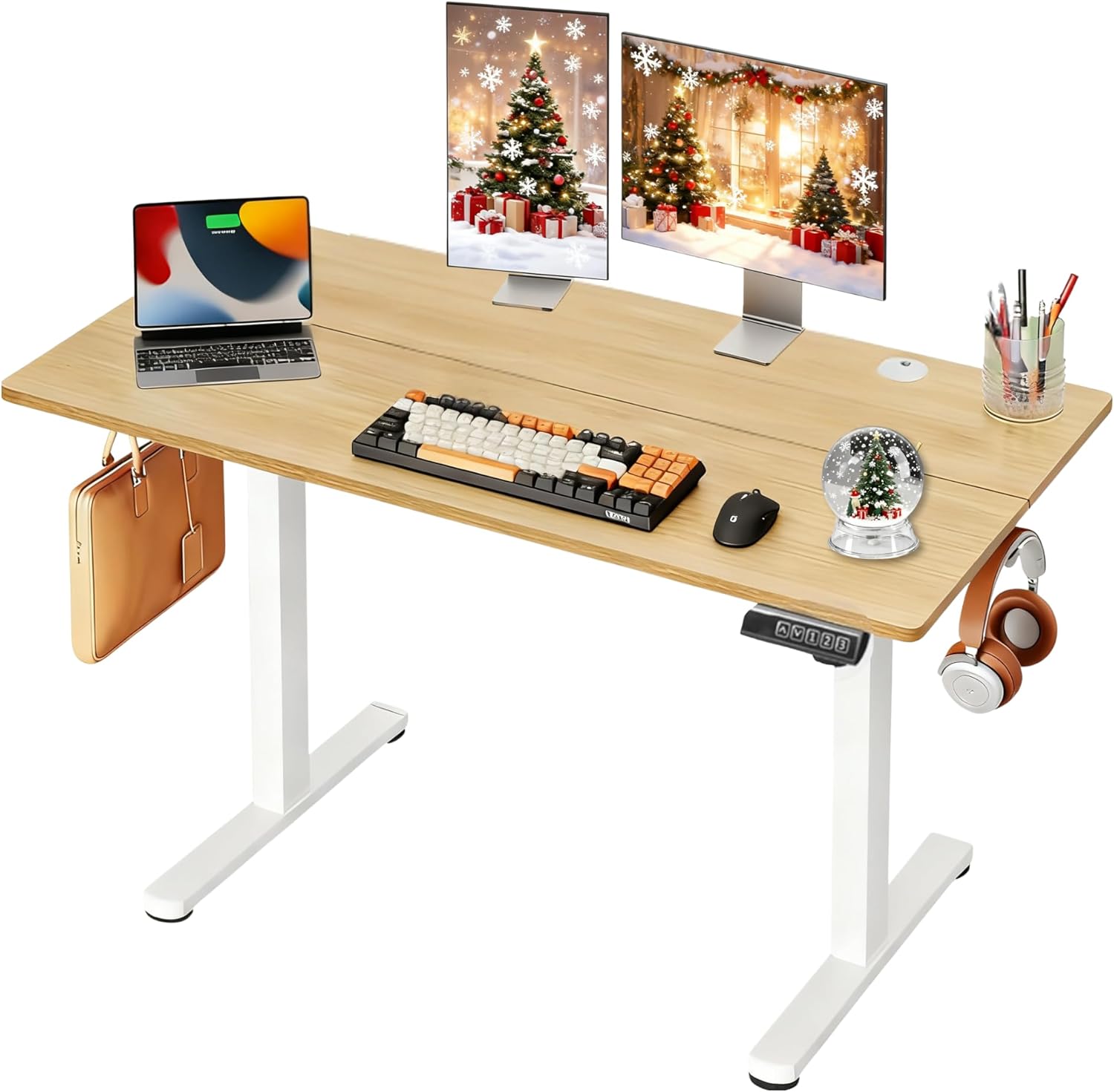
Image: The DEVAISE 48 Inch Electric Standing Desk, showcasing its spacious maple desktop and white frame, equipped for a modern workspace.
Ważne informacje dotyczące bezpieczeństwa
Aby zapewnić bezpieczną eksploatację i zapobiec uszkodzeniom, należy przestrzegać następujących zasad:
- The desk has a maximum weight recommendation of 180 funtaNie przekraczaj tego limitu.
- Przed użyciem upewnij się, że wszystkie elementy są bezpiecznie zamocowane.
- Podczas regulacji wysokości biurka należy trzymać dzieci i zwierzęta z dala od niego.
- Unikaj stawiania płynów bezpośrednio na panelu sterowania lub w pobliżu podzespołów elektrycznych.
- The desk features an anti-collision mechanism. However, always ensure a clear path during movement to prevent injury or damage.
Konfiguracja i montaż
The DEVAISE Electric Standing Desk is designed for straightforward assembly with pre-drilled screw holes and clearly labeled parts. An average assembly time is approximately 15 minutes.
Kroki montażu powyżejview
- Rozpakuj komponenty: Carefully remove all parts from the packaging. Verify all components are present against the parts list in the included manual.
- Złóż ramę: Attach the crossbar to the lifting columns using the provided screws and tools.
- Montaż stóp: Secure the desk feet to the bottom of the lifting columns.
- Connect Drive Rod: Insert and secure the drive rod between the two lifting columns to synchronize movement.
- Dołącz pulpit: Carefully place the desktop onto the assembled frame, aligning the pre-drilled holes. Secure the desktop with the provided screws.
- Podłącz panel sterowania i zasilanie: Attach the LED touchscreen control panel and connect all necessary power cables to the motor and power adapter.
- Ostatnie szlify: Install the headphone hook and cable management grommets.

Image: Visual guide illustrating the streamlined assembly process with pre-labeled parts.
Assembly Video Guides
For a detailed visual walkthrough of the assembly process, please refer to the official installation videos:
Video: DEVAISE Electric Standing Desk Detailed Installation Guide (Duration: 0:54). This video provides a step-by-step visual guide to assembling your desk.
Video: DEVAISE Detailed Installation Guide of Standing Desk (Duration: 3:13). A more comprehensive video demonstrating the full assembly process.
Instrukcja obsługi
Your DEVAISE Electric Standing Desk features an intuitive LED touchscreen control panel for effortless height adjustments.
Funkcje panelu sterowania

Image: The multi-function control panel with LED display, up/down arrows, and memory preset buttons.
- Strzałki w górę/w dół: Naciśnij i przytrzymaj Up or W dół arrow buttons to manually adjust the desk height. The LED display will show the current height in real-time.
- Ustawienia pamięci (1, 2, 3): The desk allows you to store three personalized height settings. To save a height: adjust the desk to your desired position, then press the S button (Set) followed by the desired number button (1, 2, or 3). To recall a saved height: simply press the corresponding number button.
- Cicha i płynna praca: The tri-motor system ensures whisper-quiet height transitions (below 50dB), minimizing disruption in your workspace.
- Funkcja zapobiegająca kolizjom: The desk is equipped with an anti-collision system that automatically stops movement if an obstruction is detected.

Image: The desk operates with a quiet and smooth lift, ensuring a peaceful environment.
Konserwacja
Regular maintenance helps prolong the life and performance of your DEVAISE Electric Standing Desk:
- Czyszczenie: Przetrzyj blat i ramę miękką szmatką.amp szmatką. Unikaj silnych środków chemicznych i ściernych środków czyszczących.
- Zarządzanie kablami: Periodically check and organize cables to prevent tangles and damage. Utilize the included headphone hook and cable grommets for a tidy setup.
- Dokręcenie śrub: Od czasu do czasu sprawdzaj, czy wszystkie śruby i nakrętki są dobrze dokręcone. W razie potrzeby dokręć je.
- Kontrola silnika: Ensure the motor and drive rod are free from obstructions and debris.
Rozwiązywanie problemów
Jeśli napotkasz jakiekolwiek problemy z biurkiem, zapoznaj się z poniższymi typowymi rozwiązaniami:
- Biurko się nie rusza: Check if the power cable is securely plugged into both the desk and the wall outlet. Ensure the control panel cable is properly connected.
- Nierównomierny ruch: Verify that the drive rod is correctly installed and fully extended. Ensure the desk is placed on a level surface.
- Kod błędu na wyświetlaczu: Refer to the detailed troubleshooting section in your printed manual for specific error code interpretations and solutions.
- Anti-Collision Activated: If the desk stops unexpectedly, check for any obstructions in its path. Remove the obstruction and try adjusting the height again.
Specyfikacje
| Funkcja | Szczegół |
|---|---|
| Numer modelu | ASJZ022 |
| Wymiary pulpitu | 47.24"W x 23.62"D (48 Inch) |
| Zakres regulacji wysokości | 28.35" - 46.45" |
| Maksymalna nośność | 180 funtów |
| Układ silnika | Tri-motor for quiet and smooth operation (<50dB) |
| Panel sterowania | LED Touchscreen with 3 Memory Presets |
| Materiał ramy | Heavy-duty Solid Steel (Iron Base) |
| Materiał na biurko | Eco-engineered Thickened Wood (FSC-Certified) |
| Cechy specjalne | Adjustable Height, Electric, Anti-Collision, Headphone Hook |
Gwarancja i wsparcie
Your DEVAISE Electric Standing Desk comes with a Ograniczona gwarancja. For specific terms and conditions, please refer to the warranty card included with your product.
Should you have any questions regarding assembly, operation, or product selection, please do not hesitate to contact our U.S.-based product support team. Contact information can be found in your product packaging or on the official DEVAISE webstrona.
Powiązane dokumentyASJZ022

Ask a question about this manual
Ask about setup, troubleshooting, compatibility, parts, safety, or missing instructions. Manuals+ will review the question and use this page’s manual context to help answer it.