
1. Wprowadzenie
Thank you for choosing the eppfun AKC Air Conduction Bluetooth Headset. This manual provides essential information for setting up, operating, and maintaining your device. Please read it carefully before use.
Główne cechy
- Konstrukcja otwarta na uszy: Enjoy comfortable listening without blocking your ear canal, reducing the risk of inner ear hearing issues and maintaining awareness of your surroundings for enhanced safety during activities like running or driving.
- Lepsza jakość dźwięku: Equipped with APTX/APTX LL/APTX HD Audio decoding for powerful bass and rich sound, allowing you to enjoy music with added impact and punch.
- Zaawansowana redukcja szumów: Features cutemeet 350 noise-canceling technology, effectively reducing echo and external environmental noise by up to 60dB for clear calls.
- Zmniejszone przenikanie dźwięku: Concentrated low-frequency vibration reduces sound leakage by up to 90% compared to other open-ear headphones, ensuring privacy.
- Długa żywotność baterii: Up to 10 hours of music playback and calls on a single 2-hour charge.
- Wodoodporność IP67: Fully sweatproof and waterproof, ideal for workouts, fitness, running, cycling, gym, and meetings (not suitable for swimming).

The eppfun AKC headset is designed for active lifestyles, allowing you to enjoy audio while remaining aware of your surroundings.
2. Zawartość opakowania
Sprawdź, czy w przesyłce znajdują się wszystkie elementy:
- eppfun AKC Air Conduction Bluetooth Headset
- Kabel ładujący USB
- Instrukcja obsługi
3. Konfiguracja
3.1 Ładowanie zestawu słuchawkowego
- Podłącz kabel ładujący USB do portu ładowania w zestawie słuchawkowym.
- Podłącz drugi koniec kabla do zasilacza USB (nie ma go w zestawie) lub do portu USB komputera.
- Wskaźnik LED pokaże stan ładowania. Pełne ładowanie trwa około 2 godziny.
- Once fully charged, the LED indicator will change (refer to LED indicator section for details) and you can disconnect the cable.
3.2 parowanie Bluetooth
- Upewnij się, że zestaw słuchawkowy jest wyłączony.
- Naciśnij i przytrzymaj przycisk zasilania/wielofunkcyjny, aż dioda LED zacznie migać naprzemiennie na czerwono i niebiesko, wskazując tryb parowania.
- Na swoim urządzeniu (smartfonie, tablecie, komputerze) włącz Bluetooth i wyszukaj dostępne urządzenia.
- Select "eppfun AKC" from the list of found devices.
- Once connected, the LED indicator will flash blue slowly, and you will hear a confirmation tone.
- If pairing fails, turn off the headset and repeat the steps.
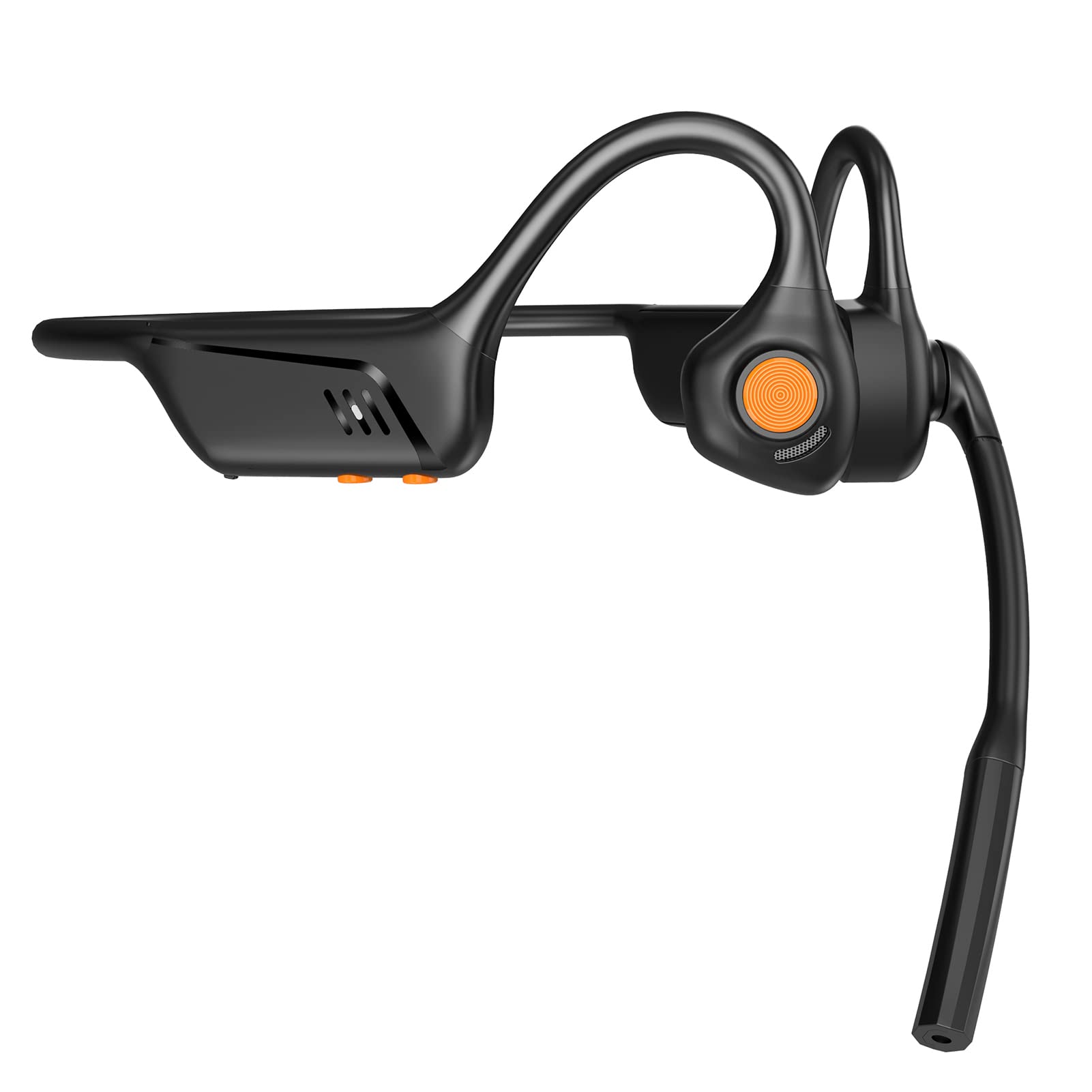
Przód view of the eppfun AKC headset, showing its ergonomic design.
4. Instrukcja obsługi
4.1 Włączanie/wyłączanie zasilania
- Włączanie: Naciśnij i przytrzymaj przycisk zasilania/wielofunkcyjny przez 2 sekundy, aż dioda LED zacznie migać na niebiesko.
- Wyłączone: Press and hold the Power/Multi-function button for 3 seconds until the LED indicator flashes red and then turns off.
4.2 Odtwarzanie muzyki
- Odtwórz/Pauza: Naciśnij przycisk zasilania/wielofunkcyjny jeden raz.
- Następny utwór: Naciśnij i przytrzymaj przycisk zwiększania głośności przez 2 sekundy.
- Poprzedni utwór: Naciśnij i przytrzymaj przycisk zmniejszania głośności przez 2 sekundy.
4.3 Zarządzanie połączeniami
- Odbierz połączenie: Naciśnij przycisk zasilania/wielofunkcyjny jeden raz.
- Zakończ połączenie: Naciśnij przycisk zasilania/wielofunkcyjny jeden raz podczas połączenia.
- Odrzuć połączenie: Press and hold the Power/Multi-function button for 2 seconds when an incoming call rings.
- Aktywuj asystenta głosowego: Naciśnij dwukrotnie przycisk zasilania/wielofunkcyjny.
4.4 Regulacja głośności
- Zwiększenie głośności: Naciśnij przycisk zwiększania głośności.
- Ściszanie: Naciśnij przycisk zmniejszania głośności.
4.5 Korzystanie z mikrofonu
The integrated microphone with CVC 8.0 noise cancellation ensures clear communication during calls and online meetings.

The headset features CVC 8.0 Call Noise Cancelling for clear conversations.

Ideal for remote meetings and telework, compatible with iPhone and Android devices.
5. Konserwacja
5.1 Czyszczenie
- Przetrzyj zestaw słuchawkowy miękką, suchą ściereczką.
- Nie należy używać środków czyszczących o działaniu ściernym, rozpuszczalników ani środków chemicznych w sprayu.
5.2 Przechowywanie
- Przechowuj zestaw słuchawkowy w chłodnym, suchym miejscu, z dala od bezpośredniego światła słonecznego i ekstremalnych temperatur.
- Unikaj umieszczania ciężkich przedmiotów na zestawie słuchawkowym.
5.3 Wodoodporność
The eppfun AKC headset has an IP67 waterproof rating, meaning it is protected against dust and can withstand immersion in water up to 1 meter for 30 minutes. It is sweatproof and suitable for various sports activities. However, it is not suitable for swimming or prolonged submersion in water.
6. Rozwiązywanie Problemów
Jeśli masz problemy ze swoim zestawem słuchawkowym, zapoznaj się z poniższymi typowymi problemami i ich rozwiązaniami:
| Problem | Rozwiązanie |
|---|---|
| Zestaw słuchawkowy nie włącza się | Ensure the headset is fully charged. Press and hold the Power button for a longer duration. |
| Nie można sparować z urządzeniem | Ensure the headset is in pairing mode (LED flashing red and blue). Turn off and on your device's Bluetooth. Move the headset closer to your device. |
| Brak dźwięku lub niska głośność | Check the volume levels on both the headset and your connected device. Ensure the headset is properly connected. |
| Problemy z jakością połączeń | Ensure the microphone is not obstructed. Move to an area with less background noise. Check your device's network connection. |
| Zestaw słuchawkowy nie ładuje się | Verify the charging cable is securely connected to both the headset and the power source. Try a different USB port or power adapter. |
7. Specyfikacje
| Funkcja | Szczegół |
|---|---|
| Marka | śmiech |
| Numer modelu | AKC |
| Kolor | Czarny |
| Typ słuchawek | Truly Wireless, Open-Ear |
| Wersja Bluetooth | 5.1 |
| Impedancja | 32 omy |
| Stopień wodoodporności | IP67 (Sweatproof, not for swimming) |
| Kompatybilne urządzenia | Game Consoles, Laptops, Mobile Phones |
| Cechy specjalne | Microphone, Lightweight, Sweatproof, Volume Control, Fast Charging |
| Tworzywo | Akrylonitryl-butadien-styren (ABS), metal |
| GTIN | 710421188002 |

The headset supports aptX Low Latency for minimal audio delay, ideal for video and gaming.
8. Gwarancja i wsparcie
eppfun provides professional after-sales service for your product.
- Okres gwarancji: Your eppfun AKC headset comes with a 1-year warranty from the date of purchase.
- Polityka zwrotów: A 90-day refund policy is available.
- Wsparcie dożywotnie: Oferujemy dożywotnie wsparcie techniczne dla naszych produktów.
- Skontaktuj się z nami: For any questions, concerns, or technical assistance, please do not hesitate to contact our customer support team. We commit to responding and resolving all issues within 12 hours.
Please refer to the contact information provided with your purchase or visit the official eppfun webstronie, aby uzyskać szczegółowe informacje na temat pomocy technicznej.