
1. Wprowadzenie
Thank you for choosing the ELECCTV W1 2K QHD 5G/2.4G WiFi Wireless Outdoor Security Camera. This manual provides essential information for the proper installation, operation, and maintenance of your device. Please read it thoroughly before use and retain it for future reference.
Główne cechy:
- Łączność dwupasmowa WiFi: Supports both 2.4GHz and 5GHz networks for flexible and stable connections.
- Rozdzielczość 2K QHD: Zapewnia wyraźny i szczegółowy obraz wideotage.
- Kolorowe widzenie nocne: Lepsza widoczność w warunkach słabego oświetlenia dzięki pełnokolorowemu obrazowaniu.
- Wykrywanie ruchu AI: Intelligent detection of human and bird movement to reduce false alerts.
- Dwukierunkowy dźwięk: Wbudowany mikrofon i głośnik umożliwiające komunikację w czasie rzeczywistym.
- Syrena i reflektor: Integrated deterrents for enhanced security.
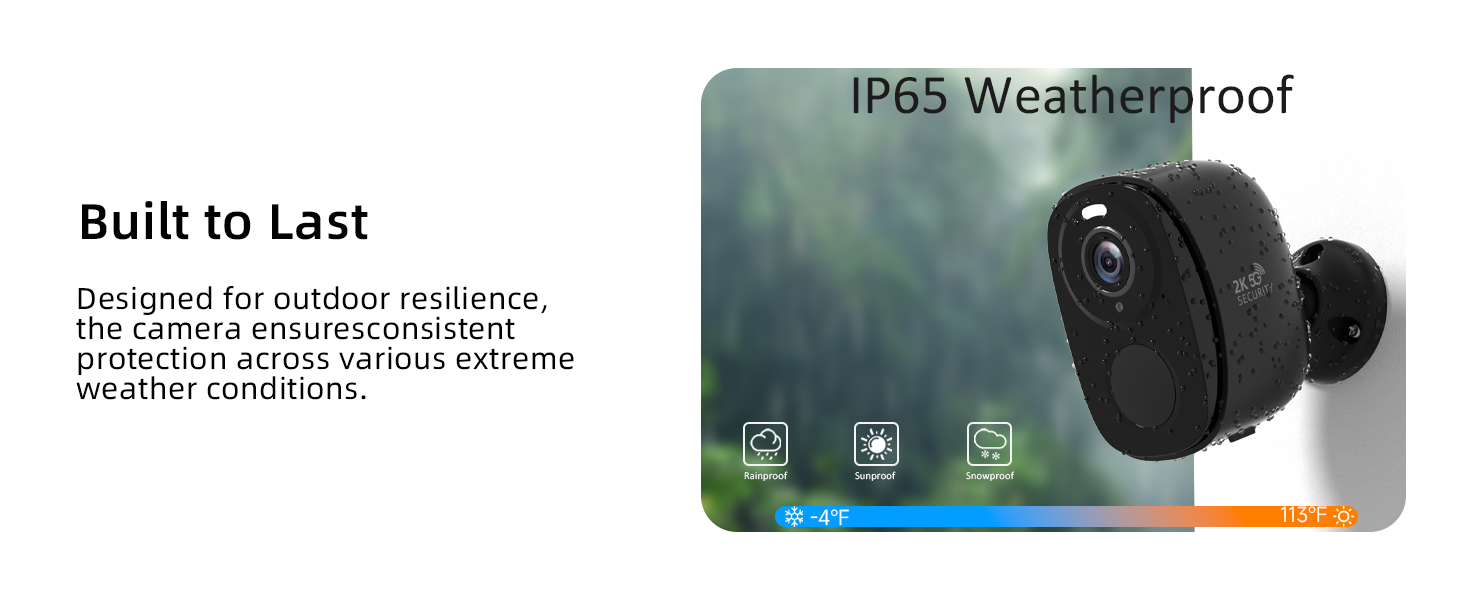
- Odporność na warunki atmosferyczne IP65: Przeznaczone do stosowania na zewnątrz w różnych warunkach pogodowych.
- Konstrukcja bezprzewodowa: Rechargeable battery for flexible placement.
- Opcje podwójnego przechowywania: Obsługuje karty Micro SD (do 256 GB, brak w zestawie) i opcjonalne przechowywanie w chmurze.
- Integracja inteligentnego domu: Kompatybilny z Amazon Alexa i Asystentem Google.
Zawartość opakowania:
- ELECCTV W1 Security Camera (Quantity: 2 for this model)
- Akcesoria montażowe
- Kabel ładujący USB
- Instrukcja obsługi
2. Koniec produktuview
Familiarize yourself with the camera's physical features and capabilities.

Obraz 2.1: The ELECCTV W1 camera demonstrating its 130-degree wide-angle view and 33ft night vision range, highlighting both infrared and color night vision capabilities.

Obraz 2.2: The ELECCTV W1 camera illustrating its IP65 weatherproof design, indicating resistance to rain, sun, and snow, with an operating temperature range of -4°F to 113°F.

Obraz 2.3: The ELECCTV W1 camera demonstrating its versatile installation, suitable for mounting on walls or under eaves, for both indoor and outdoor environments.
3. Przewodnik konfiguracji
3.1 Instalacja aplikacji
- Pobierz Aplikacja O-KAM Pro ze sklepu App Store (iOS) lub Google Play Store (Android).
- Zarejestruj nowe konto lub zaloguj się, jeśli już je posiadasz.
3.2 Ładowanie aparatu
Before initial use, fully charge the camera using the provided USB cable and a 5V/1A power adapter (not included). The charging indicator light will change once fully charged.
3.3 Połączenie sieciowe
The ELECCTV W1 supports both 2.4GHz and 5GHz WiFi networks.
- Open the O-KAM Pro App and tap 'Add Device' or the '+' icon.
- Follow the on-screen instructions to select your camera model and connect it to your home WiFi network. Ensure your phone is connected to the same WiFi network during setup.
- Gdy pojawi się odpowiedni komunikat, zeskanuj obiektywem aparatu kod QR wyświetlony na ekranie telefonu.
- Poczekaj, aż kamera połączy się z siecią. Komunikat głosowy potwierdzi pomyślne połączenie.

Obraz 3.1: Illustration of the ELECCTV W1 camera's dual-band WiFi capability, supporting both 5GHz and 2.4GHz frequencies for stable and fast connectivity.

Obraz 3.2: Screenshots from the O-KAM Pro app demonstrating the easy setup process for connecting the camera to a dual-band WiFi network.
3.4 Montaż kamery
Choose a suitable location for optimal coverage. The IP65 rating allows for outdoor installation.
- Zaznacz miejsca wywiercenia otworów, korzystając z uchwytu montażowego jako szablonu.
- W razie potrzeby wywierć otwory i włóż kotwy ścienne.
- Przymocuj uchwyt montażowy do ściany lub sufitu.
- Attach the camera to the mounting bracket and adjust the angle for desired coverage.
4. Instrukcja obsługi
4.1 Na żywo View
Uzyskaj dostęp do filmów w czasie rzeczywistymtage from your camera through the O-KAM Pro App. Simply select the camera from your device list to view kanał na żywo.

Obraz 4.1: A smartphone screen showing simultaneous live streaming from four ELECCTV cameras, providing comprehensive coverage.
4.2 Dźwięk dwukierunkowy
Użyj funkcji dwukierunkowej transmisji dźwięku, aby komunikować się z gośćmi lub odstraszać intruzów.
- Na żywo view, dotknij ikony mikrofonu w aplikacji.
- Speak into your phone to transmit audio through the camera's speaker.
- Release the microphone icon to listen for a response.

Obraz 4.2: A user communicating with a delivery driver via the camera's two-way audio feature, demonstrating real-time interaction.
4.3 Detekcja ruchu i alerty
The camera utilizes AI to detect motion and send alerts to your phone.
- Wykrywanie ruchu AI: Configurable to detect humans and birds, reducing notifications from irrelevant movements.
- Custom Delineated Area: Set specific detection zones within the camera's field of view aby skupić się na obszarach krytycznych.
- Syrena i reflektor: Activate these features manually or automatically upon detection to deter unwanted activity.

Obraz 4.3: An illustration of the camera's AI Precision Detection, showing its ability to accurately identify persons and birds within the monitored area.

Obraz 4.4: The camera's Night Guard Security feature, depicting how it activates spotlights and a 120dB siren to deter intruders at night.
4.4 Widzenie nocne
The camera provides clear visibility even in complete darkness.
- Kolorowe widzenie nocne: Utilizes integrated lights to provide full-color images at night.
- Nocna Nocna Wizja: Automatically switches to black and white mode in very low light conditions if color night vision is off.
Obraz 4.5: A comparison showing the camera's day and night security capabilities, emphasizing the clarity of 2K QHD Color Night Vision.
4.5 Opcje przechowywania
The camera offers flexible video storage solutions.
- Karta micro sd: Włóż kartę Micro SD (do 256 GB, nie ma jej w zestawie) do przeznaczonego na to gniazda, aby przechowywać dane lokalnie.
- Przechowywanie w chmurze: An optional subscription-based cloud storage service is available for secure off-site backup.
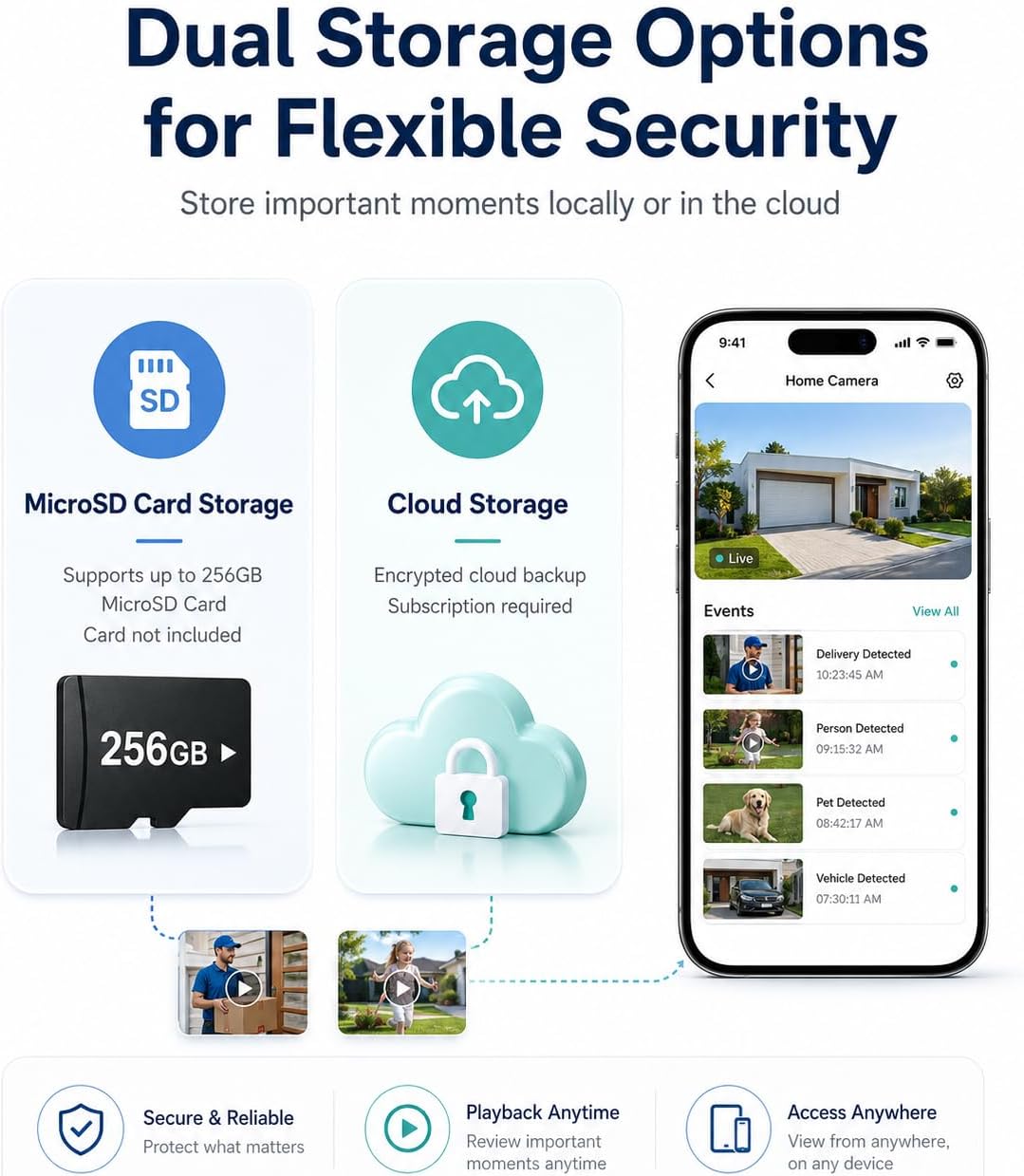
Obraz 4.6: Ponadview of the camera's dual storage options, including local Micro SD card storage (up to 256GB) and encrypted cloud storage (subscription required).
4.6 Integracja inteligentnego domu
The camera can be integrated with smart home platforms.
- Amazon Alexa: Link your O-KAM Pro account to Alexa for voice control and live view na kompatybilnych urządzeniach.
- Asystent Google: Connect your camera to Google Assistant for similar voice commands and streaming.
4.7 Bird Identification Feature
This advanced feature can identify various bird species. Note that this feature requires a separate subscription or payment within the O-KAM Pro App.

Obraz 4.7: The camera's bird identification feature, showing a bird detected and classified, alongside its night vision capabilities for human detection.
Wideo 4.1: This video illustrates the family safety and security features of the ELECCTV W1 camera, showcasing its ability to monitor and protect your home environment.
Wideo 4.2: This video highlights the wireless outdoor functionality of the ELECCTV W1 security camera, demonstrating its ease of installation and use in an outdoor setting.
5. Konserwacja
5.1 Ładowanie akumulatora
The camera's rechargeable battery can last 1-3 months depending on usage and settings. When the battery level is low, you will receive a notification via the O-KAM Pro App. Recharge the camera using the USB cable.
5.2 Czyszczenie
To ensure optimal performance, periodically clean the camera lens and housing. Use a soft, dry cloth. Avoid abrasive cleaners or solvents that could damage the device.
5.3 aktualizacji oprogramowania sprzętowego
Regularly check the O-KAM Pro App for available firmware updates. Updates often include performance improvements, new features, and security enhancements. Follow the in-app instructions to update the firmware.
6. Rozwiązywanie Problemów
If you encounter issues with your ELECCTV W1 camera, refer to the following common problems and solutions:
| Problem | Możliwa przyczyna | Rozwiązanie |
|---|---|---|
| Camera fails to connect to WiFi. | Incorrect WiFi password; camera too far from router; router not supporting 2.4GHz or 5GHz. | Verify WiFi password. Move camera closer to router. Ensure router supports both 2.4GHz and 5GHz bands. Reset camera and try again. |
| Częste rozłączenia. | Weak WiFi signal; network interference. | Improve WiFi signal strength (e.g., use a WiFi extender). Reduce interference from other devices. |
| Alerty o ruchu pojawiają się zbyt często lub nie są uruchamiane. | Sensitivity settings too high/low; detection zone not optimized. | Adjust motion detection sensitivity in the app. Refine the custom detection zones to focus on relevant areas. |
| Słaba jakość widzenia nocnego. | Lens obstruction; external light sources interfering. | Wyczyść obiektyw aparatu. Upewnij się, że nie ma żadnych przedmiotów blokujących. view. Minimize direct external light sources that might cause glare. |
| Bateria szybko się rozładowuje. | High activity in detection zone; frequent live view access; extreme temperatures. | Zmniejsz czułość lub częstotliwość wykrywania ruchu. Ogranicz transmisję na żywo. view Dostęp. Upewnij się, że kamera pracuje w optymalnym zakresie temperatur. |
| Karta Micro SD nie została wykryta. | Card not inserted correctly; incompatible card; card corrupted. | Reinsert the Micro SD card. Ensure it is a compatible type (up to 256GB). Format the card in the app or on a computer. |
Jeśli problem będzie się powtarzał, skontaktuj się z obsługą klienta.
7. Specyfikacje
| Funkcja | Szczegół |
|---|---|
| Marka | ELEKTV |
| Nazwa modelu | W1 |
| Technologia łączności | Wireless (2.4GHz & 5GHz Wi-Fi, Bluetooth) |
| Rozdzielczość przechwytywania wideo | 2K QHD |
| Viewing kąt | 130 stopni |
| Cechy specjalne | 2-Way Audio, AI Motion Detection, Color Night Vision, Siren |
| Zastosowanie wewnątrz/na zewnątrz | Plenerowy |
| Poziom wodoodporności | Wodoodporność IP65 |
| Źródło zasilania | Zasilanie bateryjne (ładowalne) |
| Kompatybilne urządzenia | Smartfon (iOS/Android), Amazon Alexa, Asystent Google |
| Opcje przechowywania | Karta Micro SD (do 256 GB), przechowywanie w chmurze (wymagana subskrypcja) |
| Waga przedmiotu | 0.02 kilograma |
| Wymiary przedmiotu | 1 x 1 x 1 cala (w przybliżeniu) |
8. Gwarancja i wsparcie
8.1 Informacje o gwarancji
ELECCTV products are covered by a limited warranty from the date of purchase. Please refer to the warranty card included in your package or visit the official ELECCTV website for detailed warranty terms and conditions. This warranty typically covers manufacturing defects and malfunctions under normal use.
8.2 Obsługa klienta
For technical assistance, troubleshooting, or any questions regarding your ELECCTV W1 camera, please contact our customer support team:
- E-mail: support@elecctv.com (Byłyample email, please refer to actual product documentation for correct contact)
- Webstrona: www.elecctv.com (Byłyample website, please refer to actual product documentation for correct contact)
When contacting support, please have your product model (W1) and purchase information ready.