
BoxWave AllCharge miniSync
BoxWave AllCharge miniSync Retractable USB Cable
Instrukcja obsługi
1. Koniec produktuview
The BoxWave AllCharge miniSync is a versatile, retractable USB cable designed for convenient charging and data synchronization across multiple devices. Its innovative design eliminates tangles, making it an ideal portable solution for your charging needs.

This image displays the BoxWave AllCharge miniSync Retractable USB Cable in its compact, retracted form, positioned alongside a smart watch to illustrate its intended use for charging and syncing various devices.
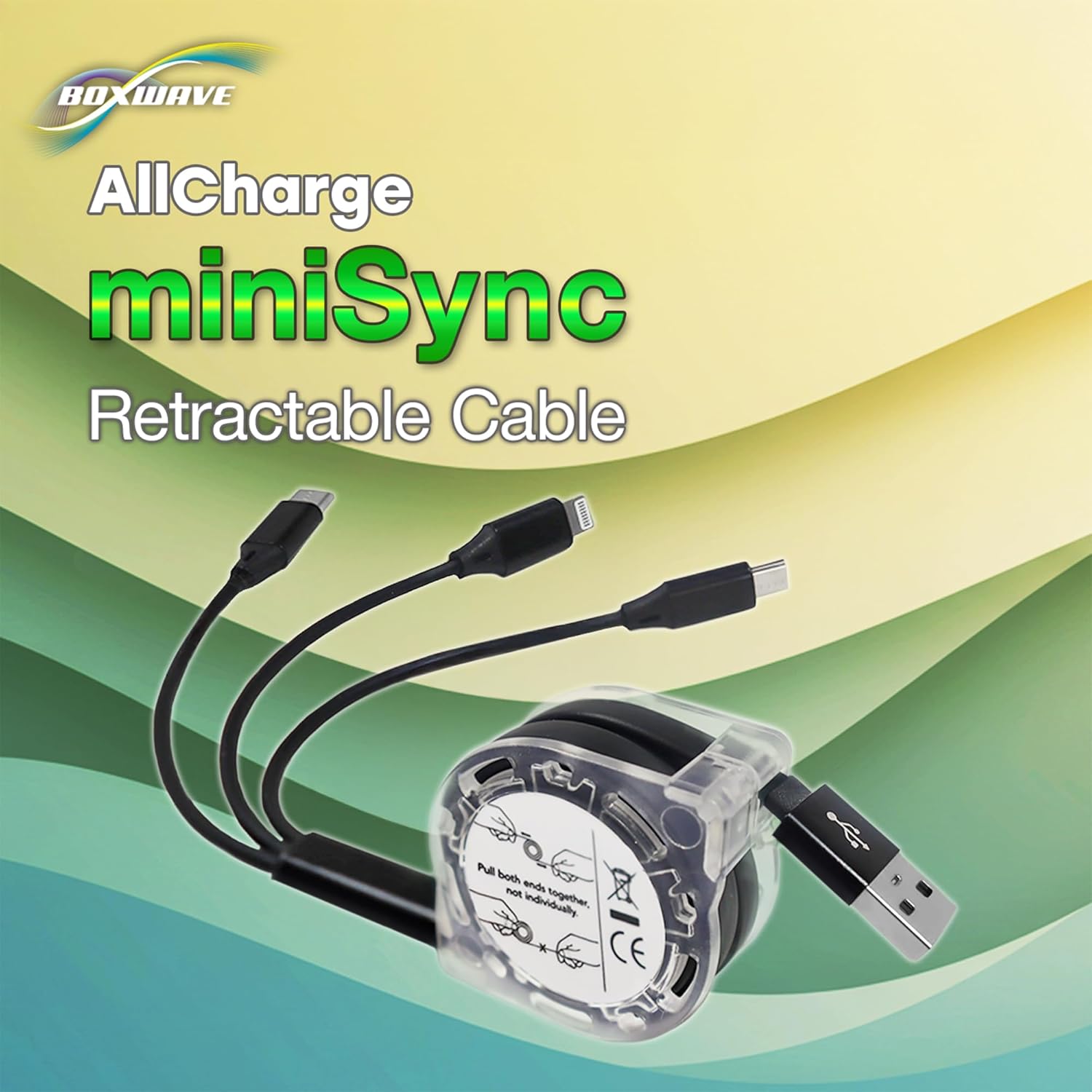
A clear product shot of the AllCharge miniSync cable, highlighting its retractable design and integrated multi-connectors.
2. Konfiguracja i obsługa
2.1 Extending the Cable
To extend the cable, gently pull both ends of the cable simultaneously away from the central reel. The cable will lock into one of five pre-set lengths. Do not pull only one side, as this may cause the retraction mechanism to jam.
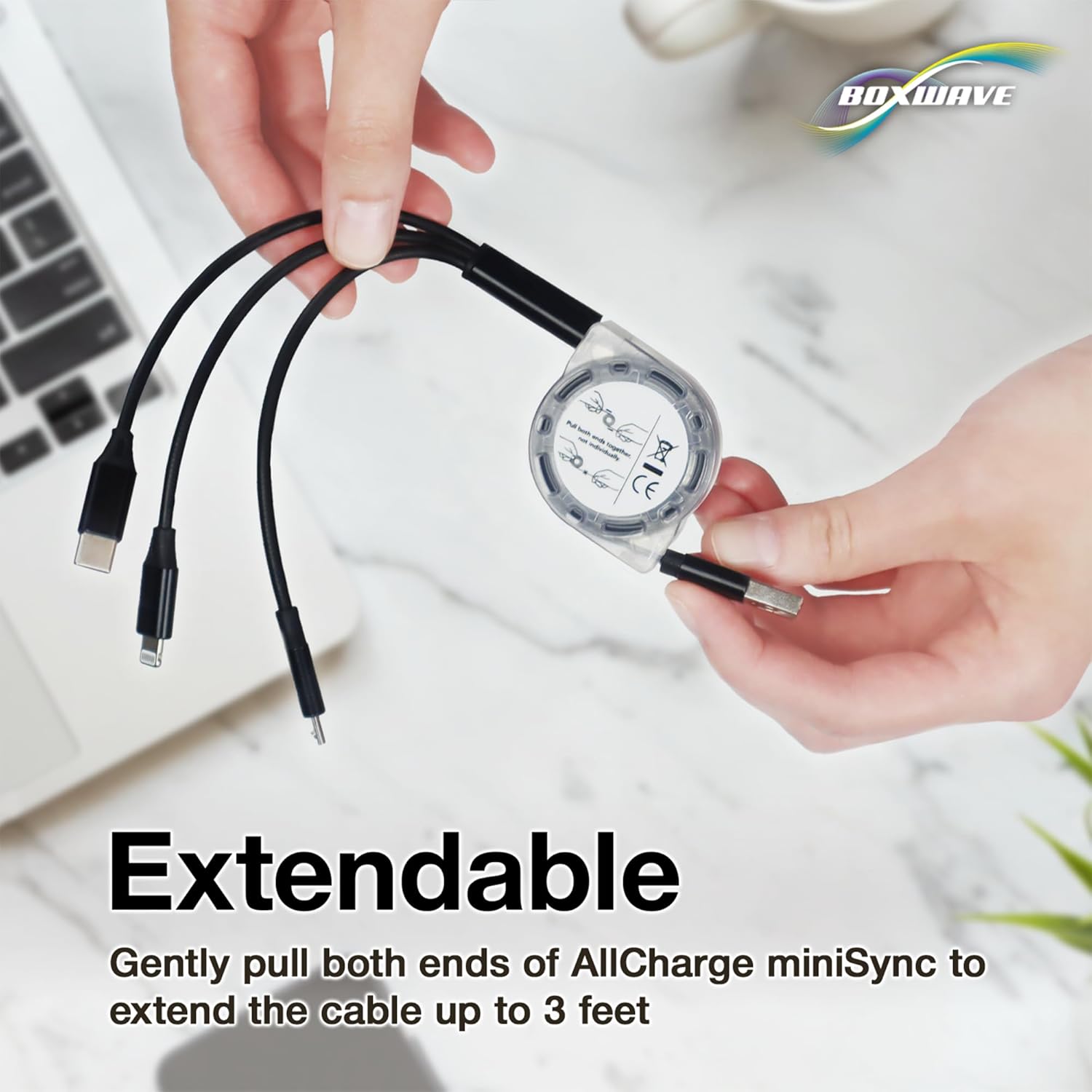
An image showing how to properly extend the cable by pulling both ends simultaneously, illustrating the smooth extension mechanism of the AllCharge miniSync.
2.2 Wciąganie kabla
Once you are finished using the cable, give a quick, gentle tug on both ends of the cable. This action will release the locking mechanism, allowing the cable to fully retract back into its compact form.
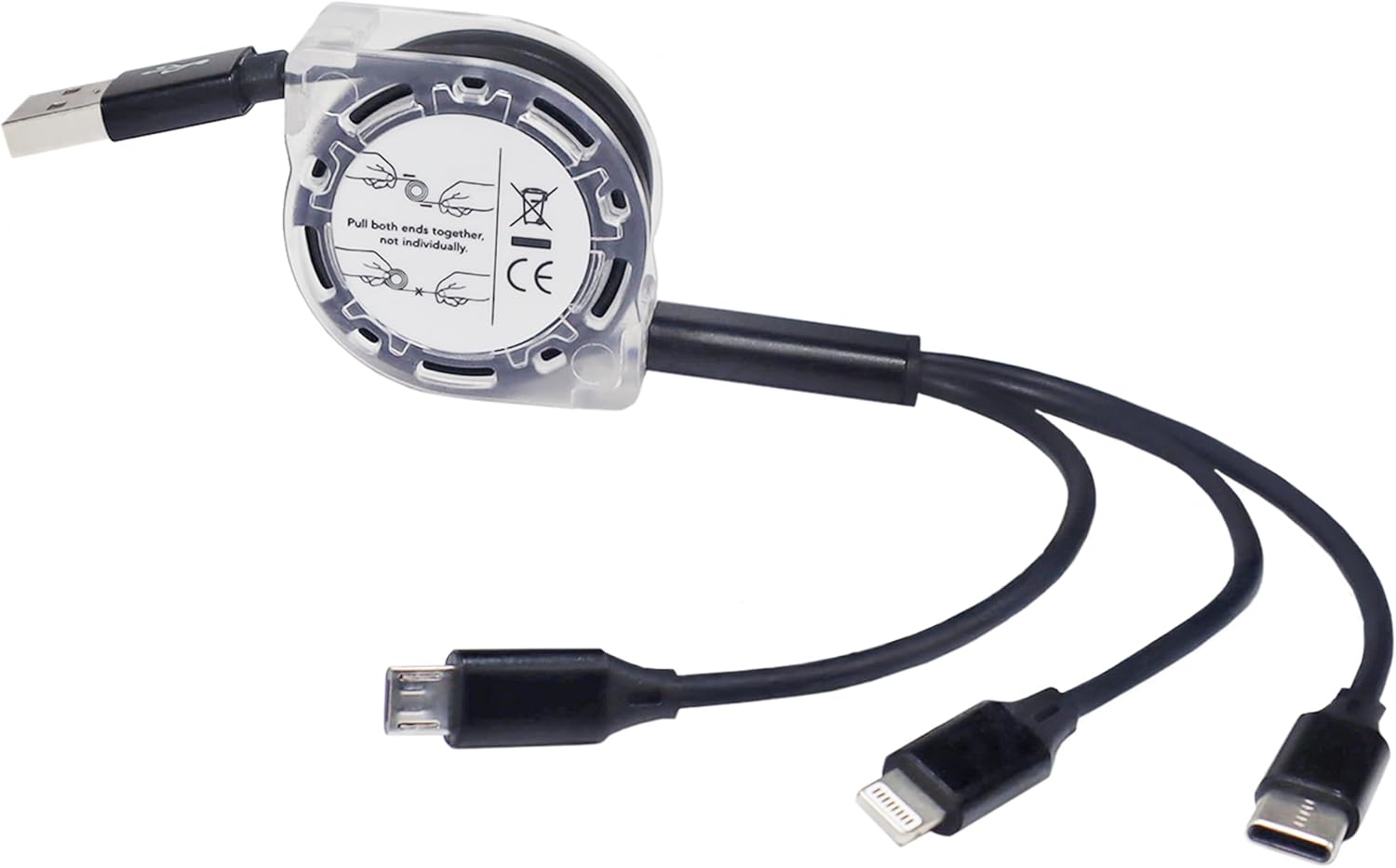
Szczegółowy view of the cable's central retractable reel, highlighting the clear casing and the three integrated charging connectors: Micro USB, USB-C, and an Apple-compatible connector, ready for use.
3. Zastosowanie
3.1 Podłączanie urządzeń
The AllCharge miniSync cable features three industry-standard connectors: Micro USB, USB Type-C, and an Apple-compatible connector. Select the appropriate connector for your device and plug it into the device's charging port. The standard USB-A end connects to any compatible USB power adapter or computer USB port.

This graphic clearly labels the three universal connector types featured on the AllCharge miniSync cable: USB-C, Apple Connector, and Micro USB, emphasizing its broad compatibility.
3.2 Ładowanie jednoczesne
The cable supports simultaneous charging of up to three devices. Simply connect each of the three output connectors to your desired devices, and ensure the USB-A input is connected to a sufficient power source. Charging speeds may vary depending on the power source and the number of devices connected.

This image demonstrates the cable's ability to charge up to three devices concurrently, with the AllCharge miniSync connected to a smartphone, a tablet, and a pair of wireless earbuds.
4. Pielęgnacja i konserwacja
- Składowanie: Always retract the cable fully when not in use to protect the wires and prevent tangling.
- Czyszczenie: Przetrzyj kabel i złącza miękką, suchą ściereczką. Unikaj stosowania silnych środków chemicznych i materiałów ściernych.
- Obsługiwanie: Avoid excessive force when extending or retracting the cable. Do not bend the connectors at sharp angles.
- Środowisko: Trzymaj kabel z dala od ekstremalnych temperatur, bezpośredniego światła słonecznego i wilgoci.

A visual comparison illustrating the benefit of the retractable design: the AllCharge miniSync cable is neatly organized, contrasting sharply with a messy pile of tangled standard cables.

The image shows the compact AllCharge miniSync cable being easily stored in a bag, highlighting its portability and convenience for users on the go.
5. Rozwiązywanie Problemów
5.1 Cable Not Charging
- Upewnij się, że oba końce kabla są solidnie podłączone do urządzenia i źródła zasilania.
- Verify that the power source (wall adapter, computer USB port) is functional.
- Check if the correct connector type is being used for your device.
- Aby zidentyfikować problem, przetestuj kabel przy użyciu innego urządzenia lub źródła zasilania.
5.2 Retraction Mechanism Jammed
- Ensure you are pulling both ends of the cable simultaneously and gently.
- If stuck, try gently wiggling both ends while pulling to free the mechanism. Avoid excessive force.
5.3 Niska prędkość ładowania
- Ensure your power adapter provides sufficient output for all connected devices, especially when charging multiple devices simultaneously.
- Some devices may draw more power than others, affecting overall charging speed when multiple devices are connected.
6. Specyfikacje produktu
| Funkcja | Szczegół |
|---|---|
| Marka | Fala pudełkowa |
| Nazwa modelu | AllCharge miniSync |
| Złącza | USB-A (input), Micro USB, USB Type-C, Apple-compatible (outputs) |
| Długość kabla | Up to 3 feet (approx. 91 cm) extended |
| Długość po wycofaniu | Approx. 3 inches (approx. 7.6 cm) |
| Kolor | Czarny jak kruk |
| Waga przedmiotu | 0.8 uncji (około 22.7 gramów) |
| ASIN | B0DP5QGWXM |
| Data pierwszej dostępności | 22 listopada 2024 r. |
7. Gwarancja i wsparcie
For warranty information, technical support, or any inquiries regarding your BoxWave AllCharge miniSync cable, please contact BoxWave Corporation directly through their official website or the retailer where the product was purchased. Please have your product model and purchase details ready when contacting support.
Ask a question about this manual
Ask about setup, troubleshooting, compatibility, parts, safety, or missing instructions. Manuals+ will review the question and use this page’s manual context to help answer it.