
Wstęp
Welcome to the GUHUAVMI GT4 Pro Smartwatch user manual. This guide provides detailed instructions on how to set up, operate, and maintain your new smartwatch. The GT4 Pro combines advanced health monitoring, comprehensive fitness tracking, and smart connectivity features in a durable, stylish design. Please read this manual carefully to ensure optimal performance and longevity of your device.
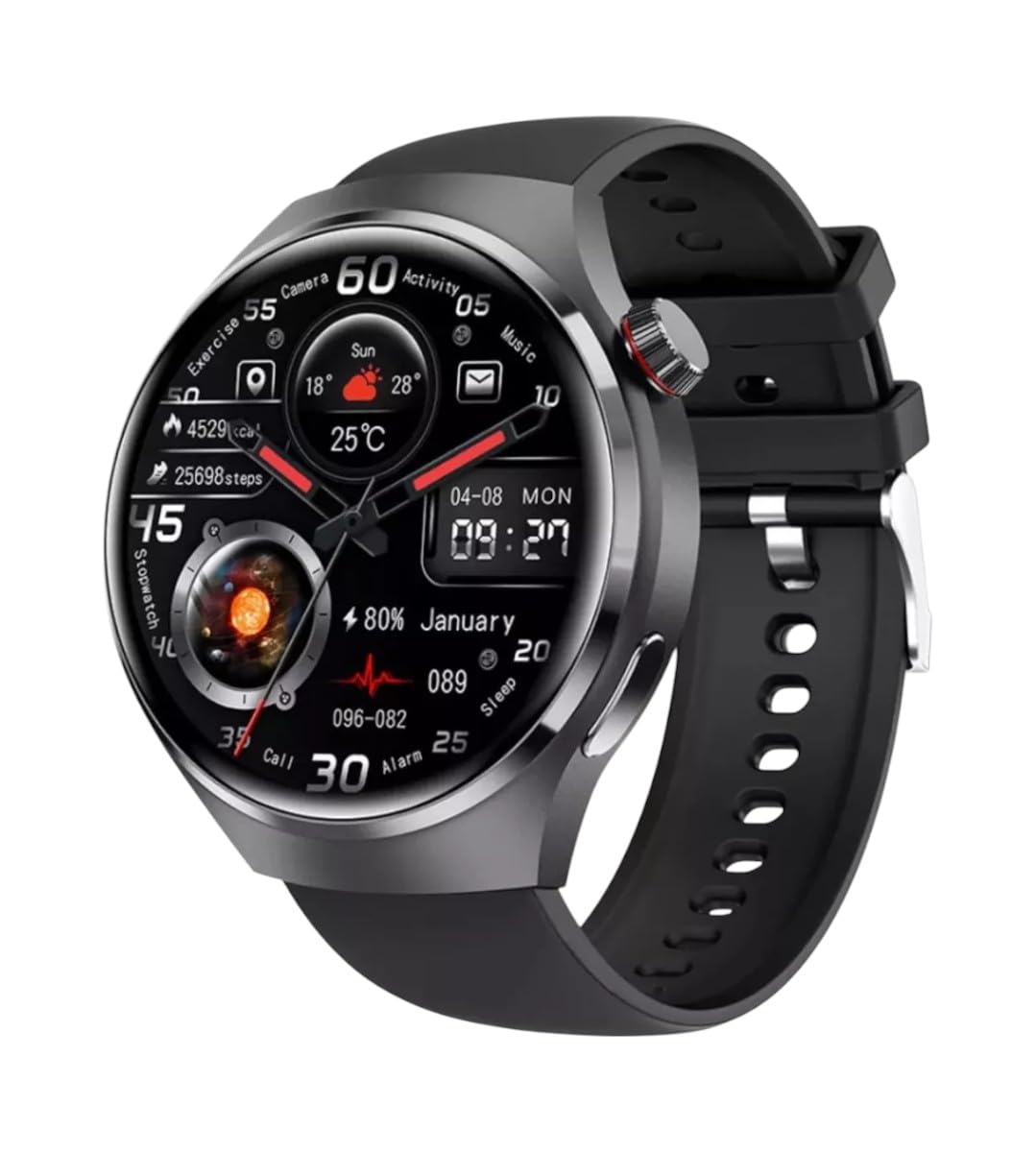
Obraz: Przód view of the GUHUAVMI GT4 Pro Smartwatch, showcasindzięki eleganckiemu wyglądowi i wyświetlaczowi.
Organizować coś
1. Rozpakowanie i komponenty
Przed rozpoczęciem upewnij się, że w opakowaniu znajdują się wszystkie elementy:
- GUHUAVMI GT4 Pro Smartwatch
- Ładowarka bezprzewodowa
- Instrukcja obsługi (ten dokument)
2. Ładowanie smartwatcha
For first-time use, fully charge your GT4 Pro Smartwatch. Connect the wireless charger to a USB power adapter (not included) and place the smartwatch onto the magnetic charging base. The watch will indicate charging status on its screen.
- Czas ładowania: Pełne ładowanie trwa około 3 godzin.
- Czas pracy baterii: Typical usage provides 5-7 days of battery life.

Image: The GUHUAVMI GT4 Pro Smartwatch placed on its magnetic wireless charger, displaying battery life and charging time information.
3. Włączanie/wyłączanie zasilania
- Włączanie: Naciśnij i przytrzymaj przycisk boczny, aż ekran się zaświeci.
- Wyłączone: Naciśnij i przytrzymaj przycisk boczny, a następnie wybierz opcję „Wyłącz” na ekranie.
4. Pobieranie i parowanie aplikacji
To unlock the full potential of your GT4 Pro, download the companion app on your smartphone. Scan the QR code provided in the watch's initial setup screen or search for the app name (usually indicated on the watch or packaging) in your phone's app store.
- Włącz Bluetooth w swoim smartfonie.
- Otwórz aplikację towarzyszącą i postępuj zgodnie z instrukcjami wyświetlanymi na ekranie, aby utworzyć konto lub się zalogować.
- In the app, select 'Add Device' or 'Pair Device' and choose 'GT4 Pro' from the list of available devices.
- Potwierdź prośbę o sparowanie na smartfonie i smartwatchu.
Instrukcja obsługi
1. Podstawowa nawigacja
The GT4 Pro features a 1.6-inch HD AMOLED touchscreen and a side crown button for navigation.
- Przesuń w górę/w dół: Przewijaj menu i powiadomienia.
- Przesuń w lewo/w prawo: Uzyskaj szybki dostęp do widżetów i różnych tarcz zegarka.
- Uzyskiwać: Wybierz element lub otwórz aplikację.
- Naciśnij przycisk boczny: Wróć do ekranu głównego lub uzyskaj dostęp do listy aplikacji.
2. Asystent głosowy AI
Your GT4 Pro is equipped with an integrated AI voice assistant for hands-free operation.
- Aktywacja: Tap the voice assistant icon on the watch face or use a designated gesture/button press (refer to watch settings).
- Polecenia: Speak clearly to ask questions, set reminders, make calls, or control music.
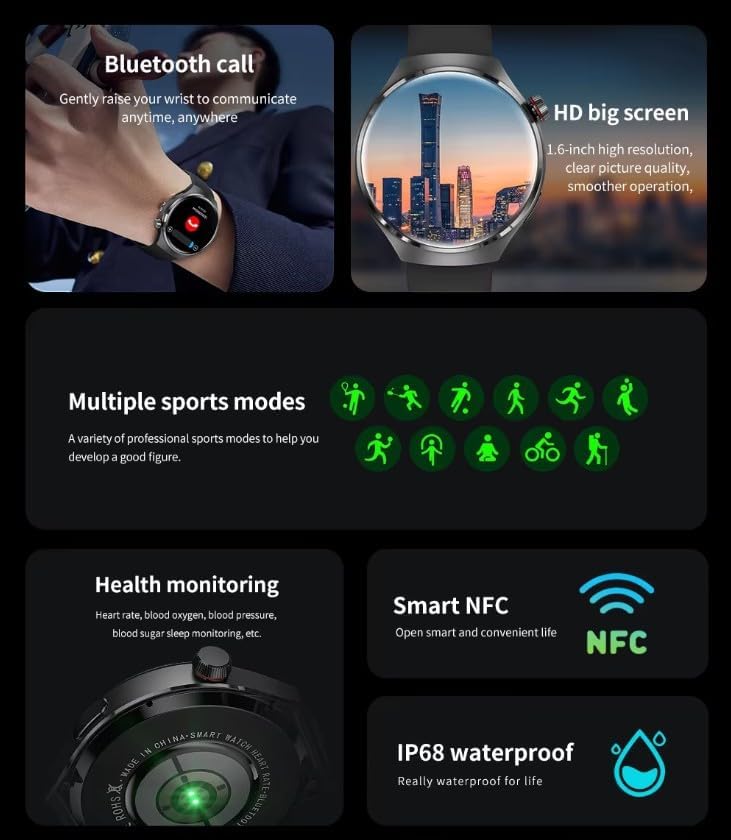
Image: The GUHUAVMI GT4 Pro Smartwatch displaying the AI voice assistant interface, showing exampliczba poleceń głosowych.
3. Połączenia Bluetooth
Po sparowaniu ze smartfonem możesz wykonywać i odbierać połączenia bezpośrednio za pomocą smartwatcha.
- Dzwonić: Uzyskaj dostęp do dialera i listy kontaktów na zegarku.
- Odbieranie połączeń: Answer or reject incoming calls directly from the watch screen.
4. Monitorowanie stanu zdrowia
The GT4 Pro provides real-time health data to help you monitor your well-being.
- Tętno: Continuous monitoring throughout the day.
- Tlen we krwi (SpO2): Zmierz poziom saturacji krwi tlenem.
- Stężenie cukru we krwi: Provides estimated blood sugar readings.
- Monitorowanie snu: Monitoruje sentagi jakość.
View detailed health reports in the companion app.
5. Monitorowanie kondycji fizycznej
Track your workouts and daily activity with precision.
- Wiele trybów sportowych: Select from various activities like running, cycling, swimming, and more for accurate data.
- Wbudowany GPS: Records your route, distance, and pace during outdoor activities.
- Kompas: Provides directional guidance for outdoor adventures.

Image: The GUHUAVMI GT4 Pro Smartwatch showcasing icons for NFC, GPS, compass, heart rate, and Bluetooth call, highlighting its comprehensive features.
6. NFC Features
GT4 Pro obsługuje technologię NFC, co zapewnia wygodę interakcji.
- Kontrola dostępu: Use your watch for compatible access systems.
- Find My iPhone: Utilize NFC to locate your paired iPhone.
7. Dynamic Island Function
Experience enhanced interactive displays for notifications, music, and charging status.
- Interactive Displays: Smart displays adapt to show relevant information dynamically.
- Aktualizacje OTA: New functional interactive displays may be added through future over-the-air updates.
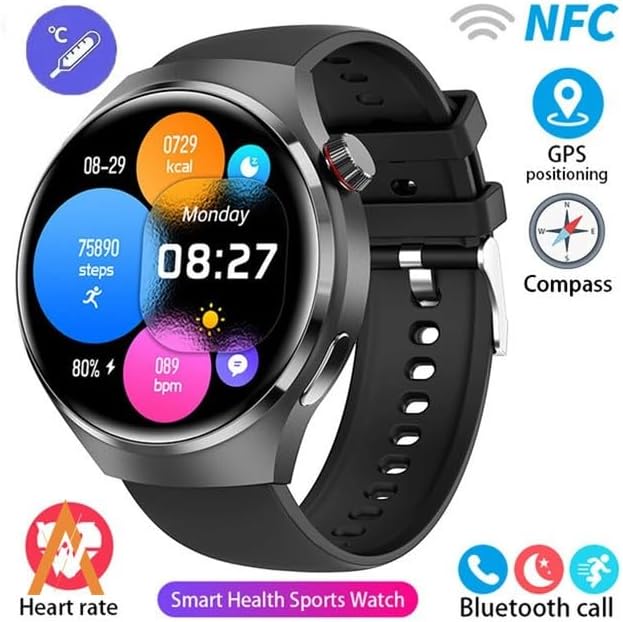
Image: The GUHUAVMI GT4 Pro Smartwatch screen demonstrating the Dynamic Island function, showing notifications and active processes.
8. Other Utility Features
The smartwatch includes several convenient tools:
- Zdalna kamera: Zdalnie steruj aparatem swojego smartfona.
- Budzik: Ustawiaj alarmy bezpośrednio z nadgarstka.
- Stoper i timer: Do precyzyjnego pomiaru czasu.
- Pomiar temperatury: Monitor ambient temperature.
- Multi-Time Zone Settings: Keep track of different time zones.
- Sterowanie odtwarzaniem muzyki: Manage music on your paired smartphone.
Konserwacja
1. Wodoodporność (IP68)
The GT4 Pro has an IP68 waterproof rating, meaning it is resistant to dust and can withstand immersion in water up to 1.5 meters for 30 minutes. It is suitable for swimming and use in rainy conditions.
- Do not use in hot water, saunas, or steam rooms.
- Avoid exposure to high-velocity water.
- Po wystawieniu zegarka na działanie wody należy wytrzeć go do sucha miękką ściereczką.
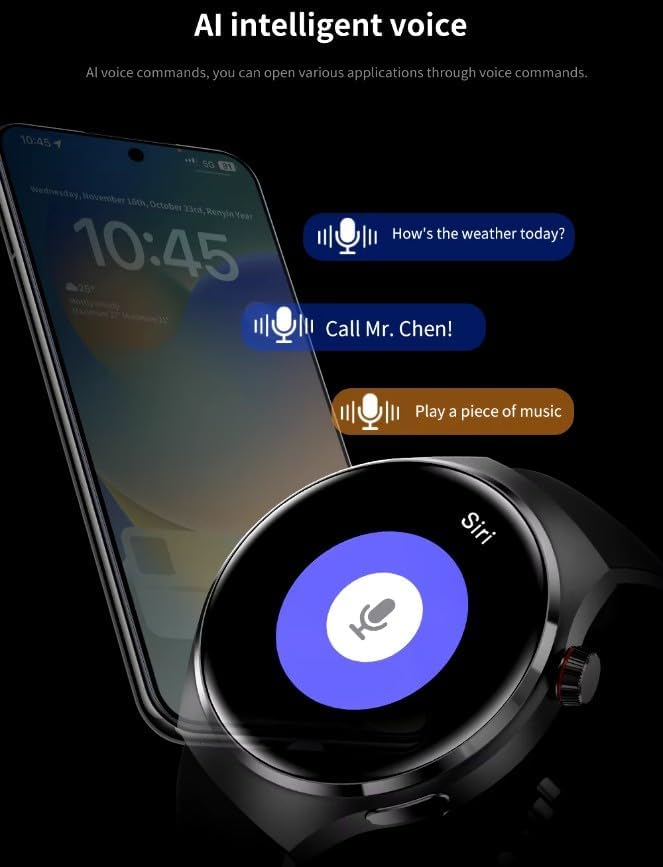
Image: Two GUHUAVMI GT4 Pro Smartwatches shown with water droplets, illustrating their IP68 waterproof capability.
2. Czyszczenie
Regularly clean your smartwatch to maintain its appearance and sensor accuracy.
- Przetrzyj ekran i obudowę miękką szmatką.amp, ściereczka nie pozostawiająca włókien.
- Clean the charging contacts and heart rate sensor on the back of the watch to ensure proper function.
- Unikaj stosowania silnych środków chemicznych i materiałów ściernych.
3. Aktualizacje oprogramowania
Periodically check for software updates through the companion app. Updates can provide new features, performance improvements, and bug fixes.
Rozwiązywanie problemów
- Zegarek się nie włącza: Upewnij się, że zegarek jest w pełni naładowany. Podłącz go do ładowarki na co najmniej 30 minut.
- Nie można sparować ze smartfonem:
- Sprawdź, czy Bluetooth jest włączony w telefonie i zegarku.
- Upewnij się, że zegarek znajduje się w zasięgu telefonu.
- Uruchom ponownie zegarek i telefon.
- Sprawdź, czy aplikacja towarzysząca została zaktualizowana do najnowszej wersji.
- Niedokładne dane dotyczące zdrowia:
- Upewnij się, że zegarek ściśle przylega do nadgarstka — nie jest za ciasny, ani za luźny.
- Wyczyść czujniki z tyłu zegarka.
- Unikaj nadmiernego ruchu podczas pomiarów.
- Krótka żywotność baterii:
- Zmniejsz jasność ekranu.
- Wyłącz niepotrzebne powiadomienia lub funkcje.
- Ogranicz ciągłe monitorowanie tętna, jeśli nie jest to konieczne.
Specyfikacje
| Funkcja | Opis |
|---|---|
| Numer modelu | GT4 Pro |
| Wyświetlacz | 1.6-inch HD AMOLED, 360x360 resolution |
| Łączność | Bluetooth 5.0 |
| Stopień wodoodporności | IP68 |
| Monitorowanie zdrowia | Heart Rate, Blood Oxygen, Blood Sugar, Sleep Tracking |
| Śledzenie sprawności fizycznej | Built-in GPS, Compass, Multiple Sports Modes |
| Asystent głosowy | AI Voice Assistant Integrated |
| NFC | Supported (e.g., Find My iPhone, Access Control) |
| Typ ładowania | Bezprzewodowe ładowanie magnetyczne |
| Typowa żywotność baterii | 5-7 dni |
| Czas ładowania | Około 3 godzin |
| Zawarte komponenty | Smartwatch, User Manual, Wireless Charger |
Gwarancja i wsparcie
Informacje o gwarancji
The GUHUAVMI GT4 Pro Smartwatch comes with a 6-miesięczna gwarancja od daty zakupu. Niniejsza gwarancja obejmuje wady produkcyjne powstałe w wyniku normalnego użytkowania. Nie obejmuje uszkodzeń spowodowanych niewłaściwym użytkowaniem, wypadkami, nieautoryzowanymi modyfikacjami ani normalnym zużyciem.
Obsługa klienta
If you encounter any issues or have questions regarding your GUHUAVMI GT4 Pro Smartwatch, please refer to the troubleshooting section of this manual. For further assistance, contact your retailer or the manufacturer's customer support channel. Please have your purchase receipt and product model number (GT4 Pro) ready when contacting support.