
TOHETO A4-D60
TOHETO Rechargeable A4 Light Pad (Model A4-D60) Instruction Manual
Model: A4-D60
Wstęp
Thank you for choosing the TOHETO Rechargeable A4 Light Pad. This ultra-bright, cordless light pad is designed to enhance your creative projects such as diamond painting, tracing, drawing, stenciling, 2D animation, calligraphy, and more. Featuring a high-capacity battery, adjustable light colors, and brightness levels, it provides a comfortable and efficient working experience.
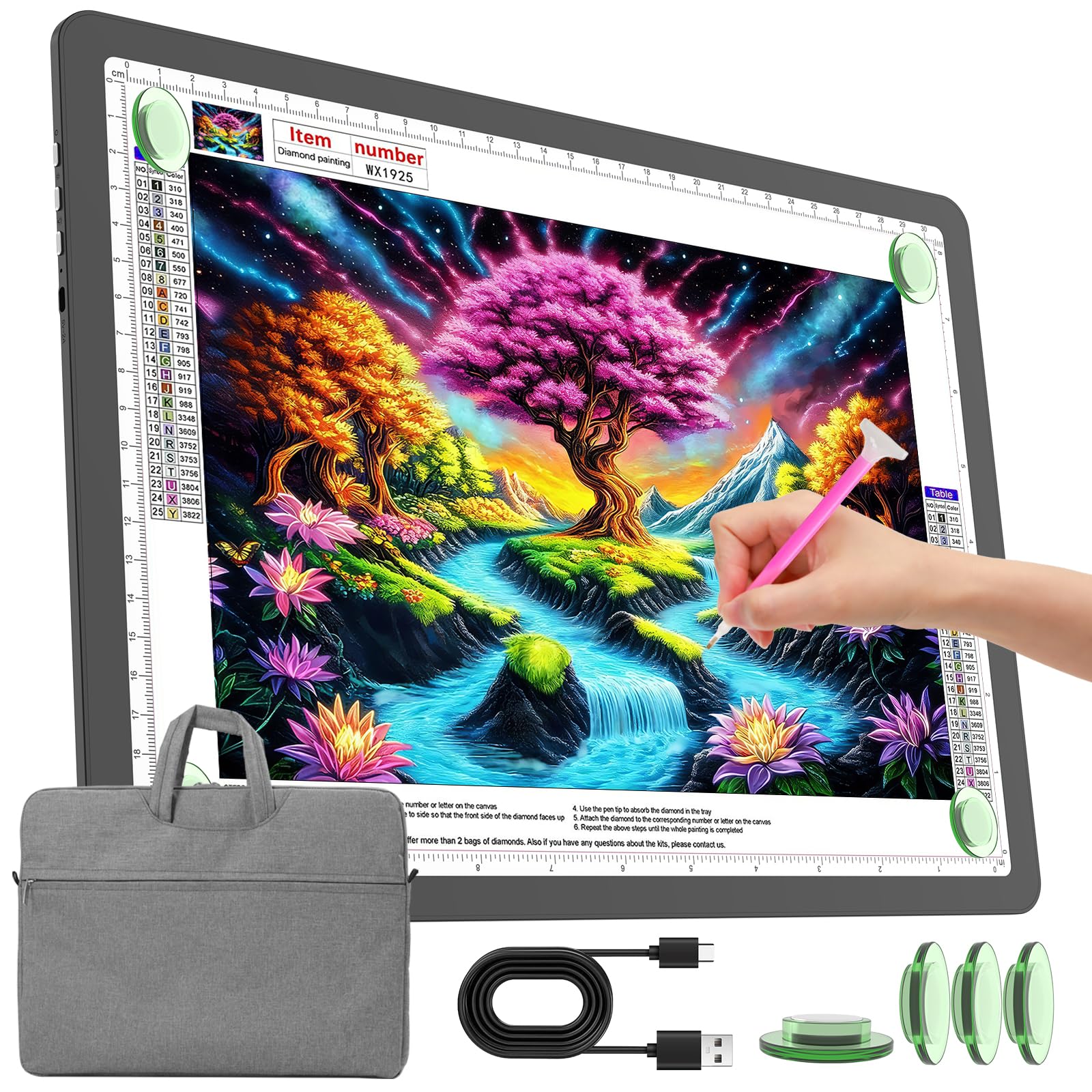
Image: The TOHETO Rechargeable A4 Light Pad, shown with its protective carry bag.
Cechy produktu
- Ładowalna konstrukcja: Equipped with a 4000mAh lithium battery for up to 5 hours of wireless use at maximum brightness.
- Przyciski fizyczne: Side-mounted physical buttons prevent accidental touches, offering precise control over power, light color, and brightness.
- Regulowane oświetlenie: Three light color modes (White, Warm, Mixed Light) and six brightness levels, plus stepless dimming.
- Funkcja pamięci: Automatically recalls the last used brightness setting.
- Technologia dbająca o oczy: Provides soft, uniform, and flicker-free illumination to protect your eyes during extended use.
- Powierzchnia magnetyczna: Integrated magnets and included magnet pins securely hold your paper in place.
- Standardowy rozmiar A4: Visual working area of 31.6 x 21.8 cm (12.5 x 8.6 inches) with CM-INCH double scale.
- Protective Carry Bag: Padded and lined with anti-scratch fabric, includes a shoulder strap for portability.

Obraz: Ponadview of the TOHETO A4 Light Pad highlighting its eye-caring, battery, dimming, color modes, and physical button features.
Zawartość opakowania
Upewnij się, że po rozpakowaniu wszystkie elementy są obecne:
- TOHETO Rechargeable A4 Light Pad
- Ochronna torba transportowa
- Kabel do ładowania USB typu C.
- 4 x Magnetic Pins
- Instrukcja obsługi (ten dokument)

Image: The TOHETO A4 Light Pad, carry bag, USB cable, and magnet pins as included in the package.
Organizować coś
1. Ładowanie początkowe
Before first use, fully charge the light pad. Connect the provided USB Type-C cable to the light pad's Type-C port and the other end to a compatible 5V/3A USB power source (e.g., wall adapter, power bank, computer USB port). The LED indicator will show a red light during charging and turn blue when fully charged. A full charge typically takes about 3.5 hours.

Image: Charging the light pad using the Type-C cable from various power sources.
2. Using the Carry Bag
The included carry bag protects your light pad and provides convenient storage for accessories. Place the light pad inside the main compartment. Use the additional pocket for small tools like the USB cable or magnet pins.

Image: Features of the protective carry bag, including storage for small tools and portability.
Instrukcja obsługi
1. Włączanie/wyłączanie zasilania
Locate the physical power button on the side of the light pad. Press it once to turn the device on or off.

Image: Detail of the physical buttons on the side of the light pad.
2. Adjusting Light Color
The light pad offers three color modes: White, Warm, and Mixed Light. Press the light color button (indicated by a sun icon) on the side to cycle through these modes. The sequence is typically White → Mixed → Warm → Off.

Image: Visual representation of the three light color modes.
3. Regulacja jasności
Istnieją dwa sposoby regulacji jasności:
- 6 Levels of Brightness: Short press the brightness adjustment button (indicated by a light bulb icon) to cycle through 6 distinct brightness levels.
- Bezstopniowe ściemnianie: Long press the brightness adjustment button to smoothly increase or decrease the brightness. Release the button when the desired brightness is reached.
The light pad will remember your last brightness setting when turned off and on again.

Image: Illustration of 6-level and stepless brightness adjustment.
4. Securing Your Work
Place your paper or material on the light pad. Use the included magnetic pins to secure it firmly to the light pad's surface. The magnetic design ensures your work stays in place without clips.

Image: Using magnetic pins to secure paper on the light pad.
Konserwacja
- Czyszczenie: Wipe the surface of the light pad with a soft, dry cloth. For stubborn marks, use a slightly damp cloth and immediately dry. Avoid abrasive cleaners or solvents.
- Składowanie: When not in use, store the light pad in its protective carry bag to prevent scratches and dust accumulation. Keep it in a cool, dry place away from direct sunlight and extreme temperatures.
- Pielęgnacja baterii: Aby przedłużyć żywotność baterii, unikaj częstego całkowitego rozładowywania. Ładuj ją regularnie, nawet jeśli nie jest używana regularnie.
- Obsługiwanie: Handle the light pad with care to avoid dropping or impacting it, which could damage internal components or the screen.
Rozwiązywanie problemów
| Problem | Możliwa przyczyna | Rozwiązanie |
|---|---|---|
| Light pad does not turn on. | Bateria jest rozładowana. | Connect the light pad to a power source using the Type-C cable and charge it. |
| Light pad does not charge. | Wadliwy kabel lub zasilacz. | Try a different USB Type-C cable and a different 5V/3A power adapter. Ensure connections are secure. |
| Brightness is too low/high. | Nieprawidłowe ustawienie jasności. | Short press the brightness button to cycle through levels or long press for stepless dimming. |
| Light color is not desired. | Incorrect color mode selected. | Press the light color button to cycle through White, Warm, and Mixed Light modes. |
| Paper slides on the surface. | Magnetic pins not used or misplaced. | Use the provided magnetic pins to secure the paper at the corners or edges. |
Specyfikacje
| Funkcja | Szczegół |
|---|---|
| Numer modelu | A4-D60 |
| Całkowity rozmiar | 35.2 x 25.4 x 0.9 cm (13.9 x 10.0 x 0.35 cala) |
| Visual Working Area | 31.6 x 21.8 cm (12.5 x 8.6 cala) |
| Tworzywo | Akrylonitryl-butadien-styren (ABS) |
| Źródło zasilania | Zasilany bateryjnie (bateria litowa 4000 mAh) |
| Port ładowania | USB typu C |
| Typ źródła światła | Dioda elektroluminescencyjna (LED) |
| Maksymalna jasność | Do 9000 luksów |
| Tryby kolorów światła | 3 (White, Warm, Mixed Light) |
| Poziomy jasności | 6 poziomów + płynne przyciemnianie |
| Żywotność baterii | Up to 5 hours (at max brightness) |

Image: Detailed dimensions of the A4 Light Pad.
Oficjalny film o produkcie
Wideo: Oficjalny produkt dostępnyview of the TOHETO Rechargeable A4 Light Pad (Model A4-D60-B), demonstrating its features and use.
Gwarancja i wsparcie
Informacje o gwarancji
This TOHETO product comes with a 1-letnia gwarancja producentaNiniejsza gwarancja obejmuje wady materiałowe i wykonawcze powstałe w wyniku normalnego użytkowania. Nie obejmuje ona uszkodzeń spowodowanych niewłaściwym użytkowaniem, wypadkami, nieautoryzowanymi modyfikacjami ani normalnym zużyciem.
Obsługa klienta
For any questions, technical assistance, or warranty claims, please contact TOHETO customer support. You can typically find contact information on the product packaging, the official TOHETO website, or through your purchase platform (e.g., Amazon seller page).
When contacting support, please have your product model number (A4-D60) and proof of purchase ready.
For Amazon purchases, you can visit the TOHETO US seller page for direct contact options.
Ask a question about this manual
Ask about setup, troubleshooting, compatibility, parts, safety, or missing instructions. Manuals+ will review the question and use this page’s manual context to help answer it.