
1. Wprowadzenie
Thank you for choosing the HyperGear Power Bank Pro+ 20,000mAh. This portable power bank is designed to provide reliable and fast charging for your mobile devices, tablets, and even USB-C laptops. With its high capacity and advanced charging technologies, it ensures your devices stay powered on the go. Please read this manual thoroughly before using the product to ensure proper operation and safety.
2. Informacje dotyczące bezpieczeństwa
- Nie wystawiaj powerbanku na działanie ekstremalnych temperatur (wysoko lub zimno), bezpośredniego światła słonecznego ani wysokiej wilgotności.
- Do not disassemble, modify, or attempt to repair the device. This will void the warranty and may cause damage or injury.
- Trzymaj power bank z dala od wody i innych płynów.
- Unikaj upuszczania i narażania power banku na silne uderzenia.
- Używaj wyłącznie certyfikowanych kabli ładujących i adapterów.
- Przechowywać w miejscu niedostępnym dla dzieci.
- Powerbank należy utylizować zgodnie z lokalnymi przepisami.
3. Zawartość opakowania
- HyperGear Power Bank Pro+ 20,000mAh
- USB-C to USB-C Charging Cable (may vary by package)
- Instrukcja obsługi
4. Koniec produktuview
The HyperGear Power Bank Pro+ features multiple ports and an LED display for convenient charging and monitoring.
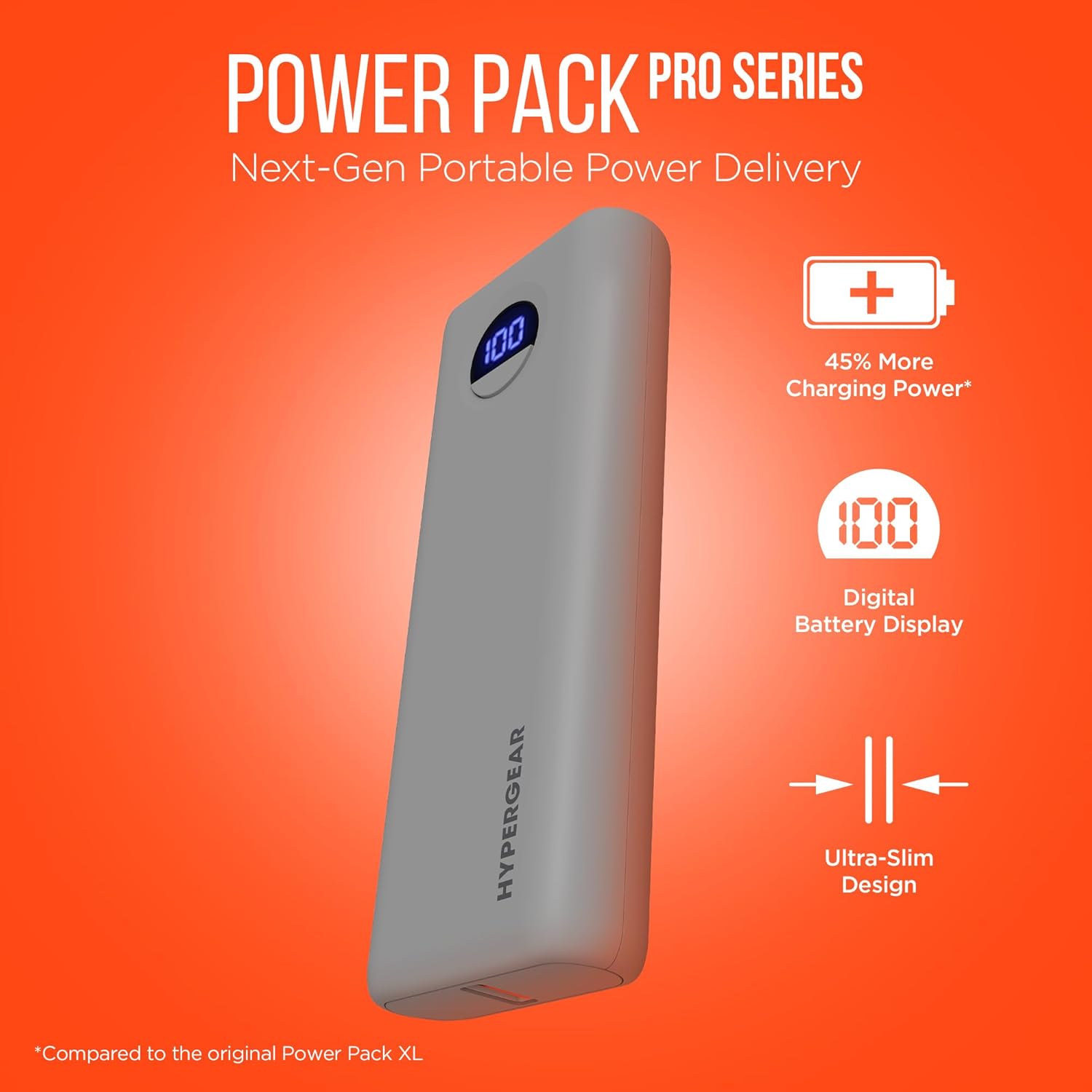
Image: HyperGear Power Bank Pro+ 20,000mAh with LED display showing 100% charge. This image highlights the sleek design and the digital battery indicator.
Opisy portów i wskaźników:
- Port USB-C (wejście/wyjście): Supports 35W Power Delivery (PD) for fast charging compatible devices and recharging the power bank itself.
- Port USB-A (wyjście): Supports 18W Adaptive Fast Charge for quick charging of various devices.
- Cyfrowy wyświetlacz LED: Pokazuje pozostały procent bateriitage power banku.
- Przycisk zasilania: Press once to check battery level; press and hold to activate/deactivate (if applicable).
5. Konfiguracja
Pierwsze ładowanie powerbanku:
- Podłącz dołączony kabel USB-C do portu USB-C w powerbanku.
- Connect the other end of the USB-C cable to a compatible USB-C wall adapter (not included) with a minimum output of 35W for optimal charging speed.
- The LED digital display will show the charging progress. Allow the power bank to fully charge to 100% before first use.

Image: HyperGear Power Bank Pro+ connected to a wall adapter for recharging, while simultaneously charging a smartphone. This demonstrates the pass-through charging capability.
6. Instrukcja obsługi
Ładowanie urządzeń:
- Podłącz kabel ładujący urządzenia do portu wyjściowego USB-C lub USB-A w powerbanku.
- Podłącz drugi koniec kabla do urządzenia.
- Powerbank automatycznie rozpocznie ładowanie Twojego urządzenia. Wyświetlacz LED pokaże poziom naładowania baterii powerbanku.
- To charge two devices simultaneously, connect one to the USB-C port and another to the USB-A port.

Image: HyperGear Power Bank Pro+ connected via a USB-C cable to an iPhone, illustrating fast charging for smartphones.

Image: HyperGear Power Bank Pro+ connected via a USB-C cable to a tablet, demonstrating fast charging for tablets.

Image: HyperGear Power Bank Pro+ connected via a USB-C cable to a MacBook Air, showing its capability for full-speed laptop charging.
Ładowanie Power Banku:
To recharge the power bank, follow the steps outlined in the "Initial Charging of the Power Bank" section (Section 5). The USB-C port functions as both an input and output.
Ładowanie przelotowe:
The HyperGear Power Bank Pro+ supports pass-through charging, allowing you to recharge the power bank while it simultaneously charges your devices. Simply connect the power bank to a wall adapter and then connect your devices to the power bank's output ports.
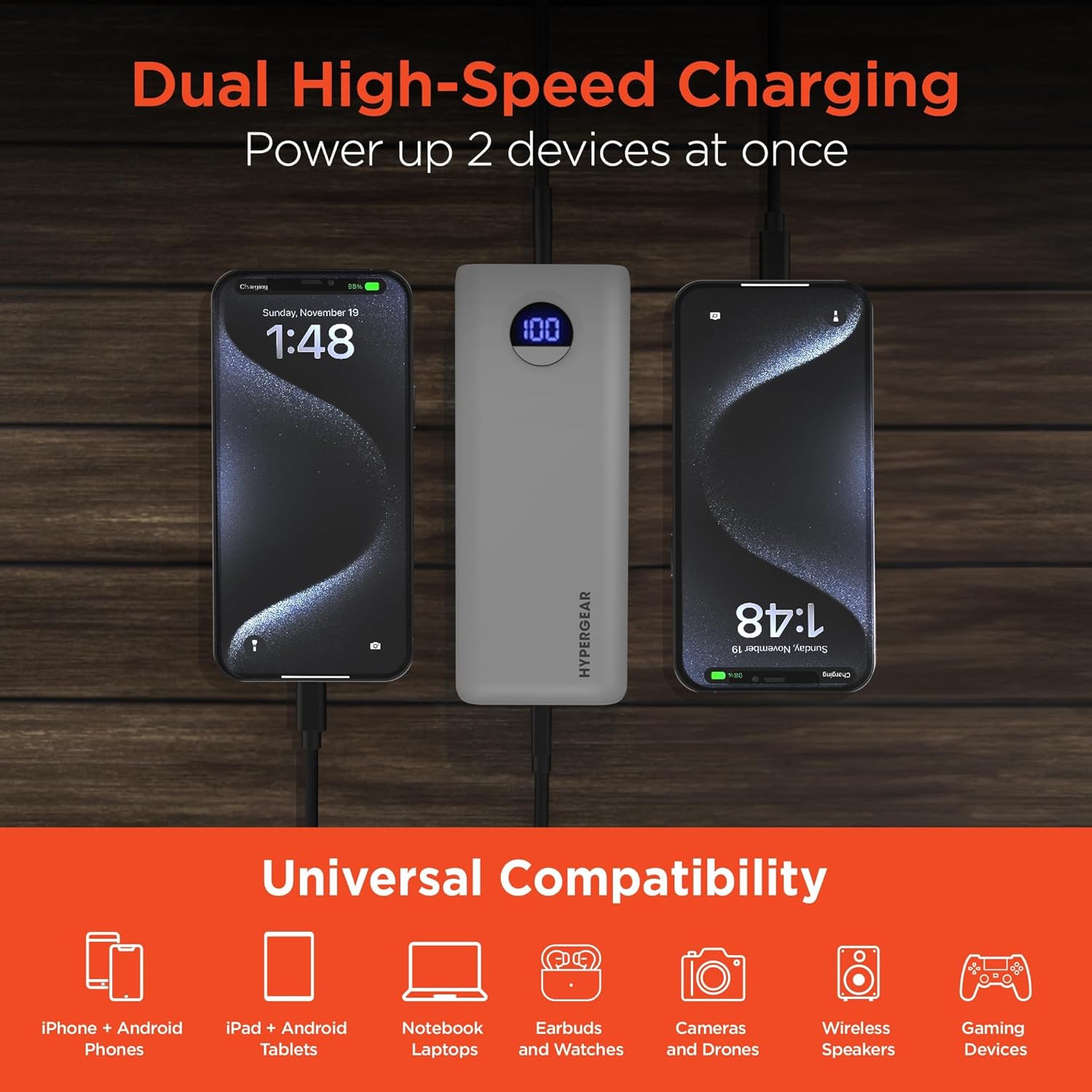
Image: HyperGear Power Bank Pro+ simultaneously charging two smartphones, with icons indicating universal compatibility for various devices.
7. Konserwacja
- Czyszczenie: Do czyszczenia powierzchni powerbanku używaj miękkiej, suchej ściereczki. Nie używaj silnych środków chemicznych ani materiałów ściernych.
- Składowanie: Przechowuj power bank w chłodnym, suchym miejscu, z dala od bezpośredniego światła słonecznego i ekstremalnych temperatur. W przypadku długotrwałego przechowywania zaleca się ładowanie power banku do około 50–75% pojemności co 3–6 miesięcy, aby utrzymać baterię w dobrym stanie.
- Stan baterii: Avoid fully discharging the power bank regularly, as this can reduce its overall lifespan.
8. Rozwiązywanie Problemów
Power Bank nie ładuje się:
- Upewnij się, że kabel ładujący jest bezpiecznie podłączony zarówno do powerbanku, jak i do zasilacza sieciowego.
- Sprawdź, czy zasilacz sieciowy działa prawidłowo i jest podłączony do gniazdka elektrycznego.
- Spróbuj użyć innego kabla USB-C i/lub zasilacza ściennego.
Urządzenie nie ładuje się z powerbanku:
- Sprawdź czy power bank jest wystarczająco naładowany (sprawdź wyświetlacz LED).
- Upewnij się, że kabel ładujący jest bezpiecznie podłączony zarówno do powerbanku, jak i do urządzenia.
- Spróbuj użyć innego kabla ładującego.
- Confirm your device is compatible with the power bank's output ports.
Powolne ładowanie:
- Upewnij się, że używasz kabla kompatybilnego z szybkim ładowaniem i że Twoje urządzenie obsługuje szybkie ładowanie.
- The charging speed can be affected if multiple devices are charging simultaneously.
- Check your device's charging input requirements.
9. Specyfikacje
| Numer modelu | 15843 |
| Pojemność baterii | 20,000 mAh |
| Wyjście/wejście USB-C | 35W Power Delivery (PD) with PPS |
| Wyjście USB-A | 18 W Adaptacyjne Szybkie Ładowanie |
| Wymiary | 2.97 x 6 x 1.03 cala |
| Waga przedmiotu | 12.6 uncji |
| Cechy specjalne | Digital Battery Level Display, Dual Device Charging, Pass-Through Charging, Airline/TSA Compliant |
10. Informacje o gwarancji
HyperGear products are designed and manufactured to the highest quality standards. For detailed warranty information, including coverage period and terms, please refer to the official HyperGear webstronę internetową lub kartę gwarancyjną dołączoną do zakupu. Zachowaj dowód zakupu na wypadek roszczeń gwarancyjnych.
11. Wsparcie
If you encounter any issues or have questions regarding your HyperGear Power Bank Pro+, please visit the official HyperGear support website for FAQs, troubleshooting guides, and contact information. You can typically find support resources at www.hypergear.com/support (byłyamplink, proszę sprawdzić poprawność URL).