
Wstęp
This manual provides essential information for the safe and efficient operation of your Promethean PRM-30 LCD Projector. Please read these instructions thoroughly before using the projector and retain them for future reference.
Informacje dotyczące bezpieczeństwa
- Nie blokuj otworów wentylacyjnych. Zapewnij odpowiedni przepływ powietrza wokół projektora.
- Unikaj bezpośredniego kontaktu oczu z obiektywem projektora podczasamp jest włączony.
- Nie umieszczaj projektora na niestabilnym wózku, stojaku lub stole.
- Unplug the projector from the power outlet before cleaning.
- Wszelkie prace serwisowe należy powierzać wykwalifikowanemu personelowi.
Zawartość opakowania
Sprawdź, czy w opakowaniu znajdują się wszystkie elementy:
- Promethean PRM-30 LCD Projector
- Zdalne sterowanie
- Kabel zasilający
- Kabel HDMI
- Instrukcja obsługi (ten dokument)
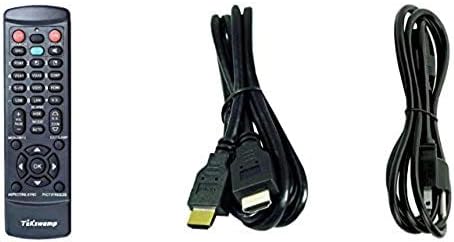
Image: Included accessories, showing the remote control, HDMI cable, and power cable.
Projektor ponadview
Przód i bok View
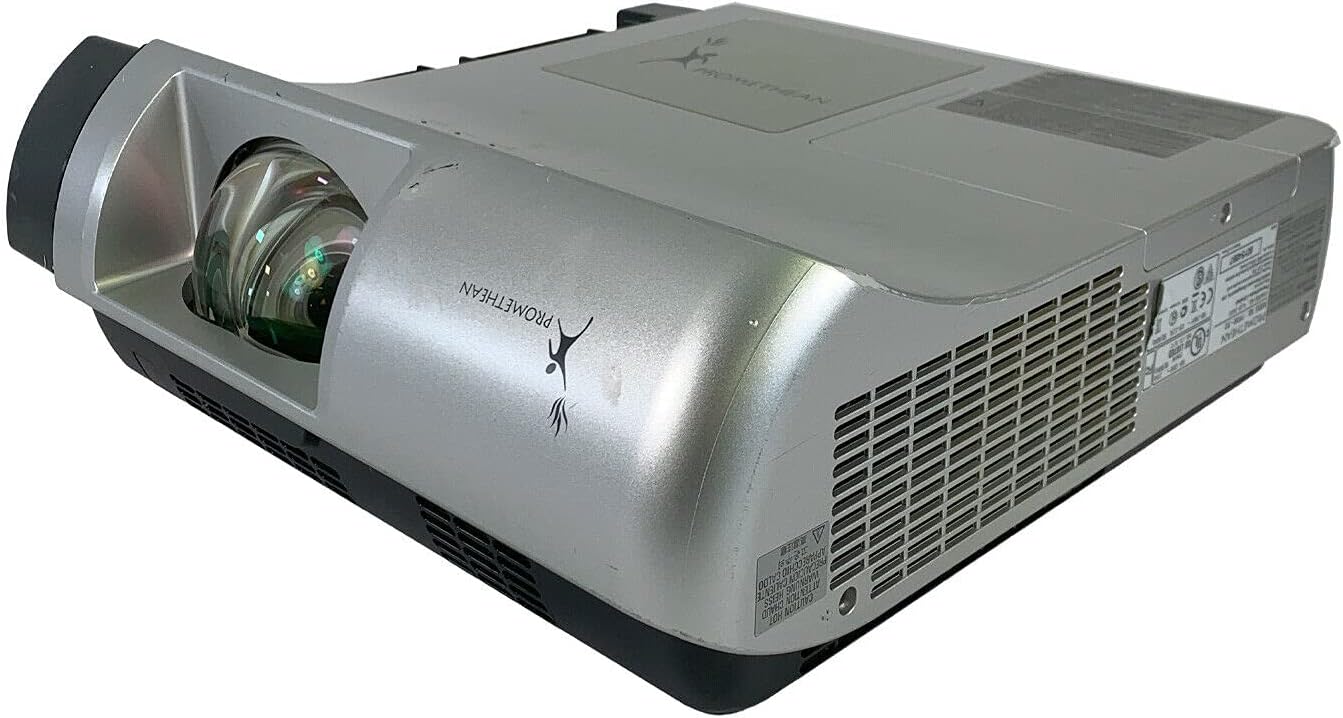
Obraz: przód i bok view of the Promethean PRM-30 projector, highlighting the lens and ventilation.
Połączenia na tylnym panelu
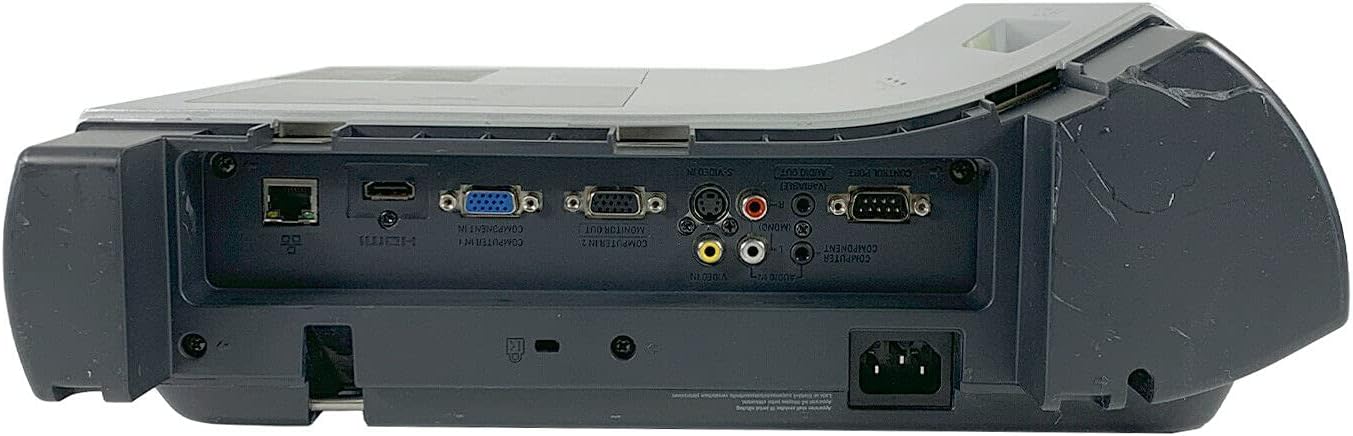
Image: Rear panel of the projector, showing various input and output ports including HDMI, VGA, Composite, LAN, and RS232.
The rear panel provides various connectivity options for your audio and video sources. Refer to the "Connecting Devices" section for detailed instructions.
Top Panel Controls and Indicators

Obraz: Góra view of the projector, displaying the control panel buttons and indicator lights for power, lamp, and warning.
The top panel features buttons for power, menu navigation, input selection, and focus/zoom adjustment. Indicator lights provide status information for power, lamp life, and warnings.
Organizować coś
1. Umiejscowienie projektora
Position the projector on a stable, flat surface or mount it securely for ceiling projection. Ensure the projector is within the optimal throw distance for your screen size. The PRM-30 supports front, rear, ceiling, and table-top projection.
- Table Top Projection: Umieść projektor na płaskiej powierzchni przed ekranem.
- Projekcja sufitu: Mount the projector inverted from the ceiling. Adjust settings in the menu for correct image orientation.
- Projekcja tylna: Place the projector behind a translucent screen. Adjust settings in the menu for correct image orientation.
2. Podłączanie urządzeń
Connect your video and audio sources to the appropriate ports on the projector's rear panel.
- HDMI: For high-definition digital video and audio. Use an HDMI cable to connect to your source device.
- VGA/SVGA D-Sub (Computer In): For analog computer signals. Connect using a VGA cable.
- Composite (RCA): For standard definition video. Connect using RCA cables (yellow for video, red/white for audio).
- S-wideo: Aby uzyskać ulepszoną jakość wideo w standardowej rozdzielczości.
- Sieć lokalna (RJ-45): Do sterowania i monitorowania sieci.
- RS232 (DB-9 pinów): Do sterowania szeregowego.
- Gniazdo słuchawkowe: For audio output to external headphones or speakers.
3. Podłączenie zasilania
Connect the power cable to the projector's power inlet and then to a suitable electrical outlet.
Instrukcja obsługi
Włączanie/wyłączanie
- Włączanie: Press the Power button on the projector's control panel or the remote control. The power indicator light will turn on.
- Aby wyłączyć: Press the Power button again. The projector will enter a cooling down cycle before completely shutting off. Do not unplug the projector during the cooling cycle.
Wybór źródła wejściowego
Press the "Input" or "Source" button on the projector or remote control to cycle through available input sources (HDMI, VGA, Composite, S-Video, etc.) until your desired source is displayed.
Regulacja obrazu
- Centrum: Obróć pierścień ostrości na obiektywie projektora, aż obraz będzie ostry i wyraźny.
- Brzęczenie: Aby zmienić rozmiar obrazu bez konieczności przesuwania projektora, należy wyregulować pierścień zoomu na obiektywie projektora.
- Korekcja Keystone'a: Jeśli obraz wydaje się trapezoidalny, należy użyć funkcji korekcji zniekształcenia trapezowego (zazwyczaj dostępnej w menu lub za pomocą dedykowanych przycisków), aby nadać obrazowi kształt kwadratowy.
- Korekcja kolorów: Access the projector's on-screen display (OSD) menu to adjust color settings, brightness, and contrast for optimal image quality.
Wyjście audio
The projector has built-in speakers. For external audio, connect speakers or headphones to the Headphone Jack or use the audio output from your source device.
Konserwacja
Lamp Wymiana
When the "LAMP REPLACE" indicator illuminates, it is time to replace the projector lamp. Refer to the specific lamp replacement instructions provided with your replacement lamp or consult a qualified technician. Always allow the projector to cool down completely before attempting lamp wymiana.
Czyszczenie filtra powietrza
Regularly clean the air filter to maintain optimal performance and prevent overheating. While this specific unit is noted as having "No Filter Cover", general projector maintenance often involves cleaning air intake areas. Use a soft brush or vacuum cleaner to remove dust from the ventilation grilles.

Obraz: Bok view of the projector showing the ventilation grille, which should be kept clear of dust.
Ogólne sprzątanie
Wytrzyj projektor casing z miękkim, damp Ściereczka. Nie używaj środków czyszczących ani rozpuszczalników o działaniu ściernym. Do czyszczenia soczewek używaj specjalnej ściereczki i płynu do czyszczenia soczewek, aby uniknąć zarysowań.
Rozwiązywanie problemów
| Problem | Możliwa przyczyna | Rozwiązanie |
|---|---|---|
| Brak obrazu na ekranie |
|
|
| Obraz jest przyciemniony lub słabej jakości |
|
|
| Brak dźwięku |
|
|
| Pilot nie działa |
|
|
Specyfikacje
| Marka | PROMETEAN |
| Model | PRM-30 |
| Typ wyświetlacza | LCD |
| Jasność | Lumenów 2500 ANSI |
| Współczynnik kontrastu | 500:1 |
| Rozdzielczość natywna | 1280x800 |
| Tryb wideo HD | 1080i |
| Waga projektora | 12.57 funtów. |
| Łączność | LAN, Composite: RCA, Network: RJ-45, RS232: DB-9pin, S-Video, Headphone Jack, HDMI Standard, VGA/SVGA D-Sub, Wired |
| Cechy specjalne | Built-in Speakers, Ceiling Projection, Color Correction, HD Ready, Projection Tilt, Rear Projection, Short Throw Projection, Table Top Projection, Portable |
| Wymiary opakowania | 16 x 16 x 8 cala |
Gwarancja i wsparcie
This Promethean PRM-30 projector is offered as a renewed product. Please refer to the seller's (PR Renewed) specific return and warranty policies for details. Typically, renewed products come with a limited warranty or return period.
- Zasady zwrotu: This product typically includes a 90-day refund or replacement policy.
- Wsparcie techniczne: For technical assistance or warranty claims, please contact the seller, PR Renewed, directly.
- Plany ochrony: Opcjonalne rozszerzone plany ochrony mogą być dostępne do kupienia osobno.