
Wstęp
The GameSir G8 Plus Thanos Edition is a versatile mobile game controller designed to provide a console-like gaming experience across multiple platforms. This manual provides essential information for setting up, operating, maintaining, and troubleshooting your controller.
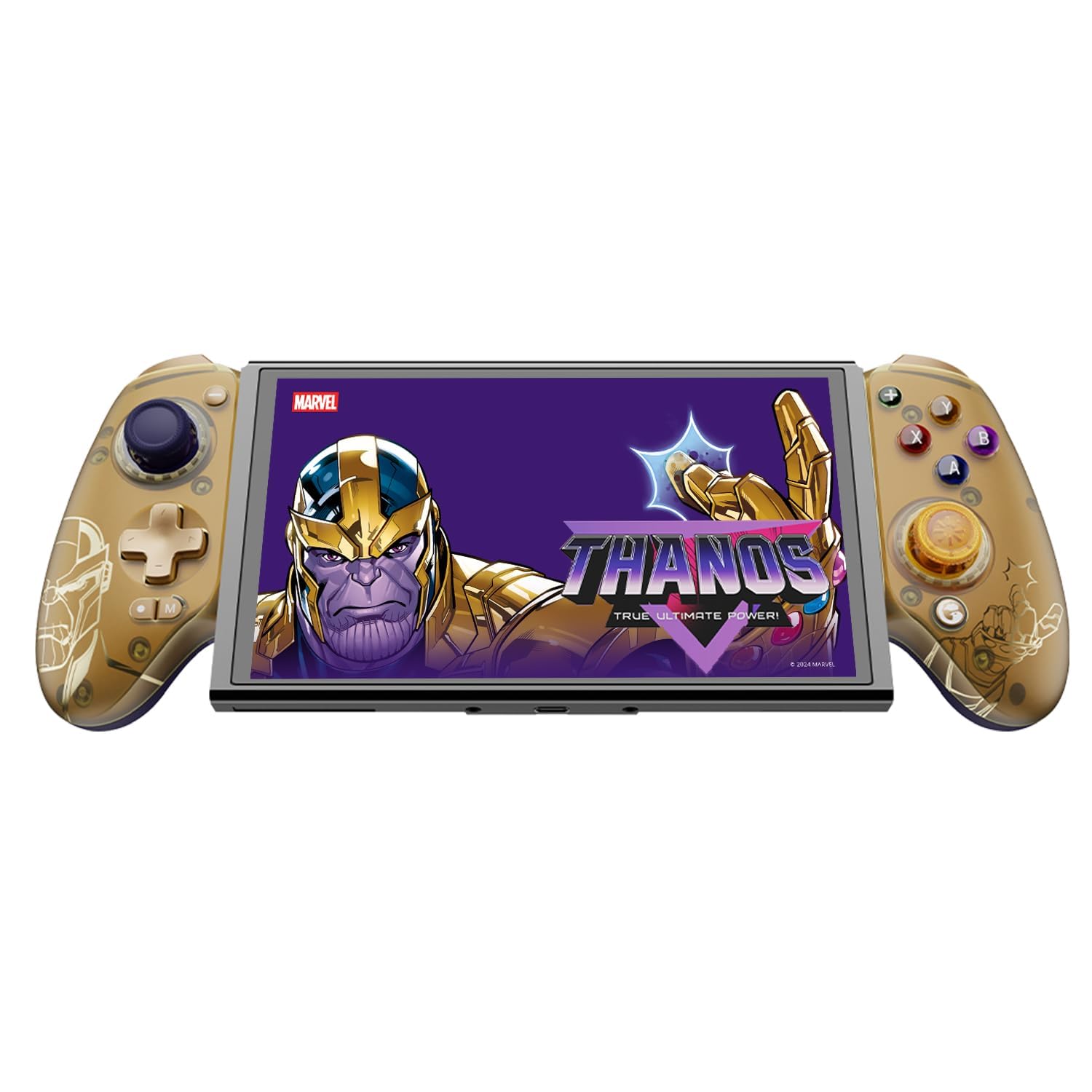
Figure 1: GameSir G8 Plus Thanos Edition Mobile Game Controller.
Organizować coś
Zawartość opakowania
Sprawdź, czy w opakowaniu znajdują się wszystkie elementy:
- GameSir G8 Plus Thanos Edition Mobile Game Controller
- Interchangeable Thumbstick Caps (3 pairs)
- Kabel USB-C
- Instrukcja obsługi (ten dokument)

Figure 2: Contents of the GameSir G8 Plus Thanos Edition package.
Zgodność urządzenia
The GameSir G8 Plus is compatible with a wide range of devices:
- Android devices (Android 8.0 or later)
- Urządzenia z systemem iOS
- Nintendo Switch
- Tablets (4.7 to 8.4 inches)
- PC (via 2.4G receiver, sold separately, or wired)

Figure 3: Universal compatibility of the GameSir G8 Plus.
Połączenie początkowe
To connect your GameSir G8 Plus controller to a device:
- For Mobile Devices (Bluetooth): Extend the controller to fit your smartphone or tablet. Ensure Bluetooth is enabled on your device. Press and hold the pairing button on the controller until the indicator light flashes, then select "GameSir G8 Plus" from your device's Bluetooth settings.
- Dla Nintendo Switch: Insert the Switch console into the controller. The controller should automatically connect.
- For PC (Wired): Connect the controller to your PC using the provided USB-C cable.
- For PC (2.4G Wireless): Insert the 2.4G receiver (sold separately) into your PC's USB port. The controller should connect automatically.
Wideo 1: Ponadview of the Gamesir G8 Plus Bluetooth Marvel Licensed controller, demonstrating its design and features.
Operacyjny
Główne funkcje i sterowanie
- Joysticki z efektem Halla: Experience precise 360° control with anti-drift technology, ensuring longevity and accuracy.
- Wyzwalacze efektu Halla: Optimized triggers provide smooth and quick response, ideal for various game genres.
- Mapowalne przyciski Wstecz: Two additional back buttons (L4/R4) allow for instant button mapping, enhancing gameplay customization.
- Wykrywanie ruchu: A built-in 6-axis gyroscope enhances motion control, particularly useful for compatible Switch games and motion-sensitive gameplay.
- Sprzężenie zwrotne dotykowe: Console-level haptic feedback provides realistic and immersive sensations during gameplay.

Figure 4: Explanation of GameSir Hall Effect Sticks.

Figure 5: Toggle Trigger Modes for different game types.

Figure 6: Motion Control capabilities with built-in 6-axis gyro.

Figure 7: Realistic and immersive haptic sensation.
Personalizacja
- Magnetic Faceplates: The controller features magnetic faceplates that can be easily removed and swapped for personalized aesthetics or maintenance.
- Wymienne nakładki na gałki analogowe: Three pairs of thumbstick caps with varying heights are included, allowing users to customize control feel.
- GameSir App: The GameSir app (Android exclusive) allows for real-time customization, including button mapping and sensitivity adjustments, for personalized gameplay.

Figure 8: Free customization options for the controller.

Figure 9: Advanced features of the GameSir G8 Plus.
Video 2: Introduction to the GameHub App, showcasing its features for game management and controller customization.
Przełączanie trybów
The controller supports various modes for different platforms. To switch between modes, press the corresponding key combination:
| Tryb | Wskaźnik domu | Metoda połączenia | Kompatybilna platforma |
|---|---|---|---|
| Android | Zielony | Controller + A | Android 8.0 lub nowsze wersje |
| DS4 | Niebieski | Controller + B | iOS |
| Przełącznik | Czerwony | Controller + X | Przełącznik |
| G-Touch | Cyjan | Controller + Y | Aplikacja GameSir |
*W stanie pracy naciśnij odpowiednią kombinację klawiszy, aby przejść do żądanego trybu.
Konserwacja
Aby zapewnić długowieczność i optymalną wydajność kontrolera GameSir G8 Plus, należy przestrzegać poniższych wskazówek dotyczących konserwacji:
- Czyszczenie: Do przecierania powierzchni kontrolera użyj miękkiej, suchej ściereczki. W przypadku uporczywych zabrudzeń delikatnie przetrzyj.ampPrzetrzyj ściereczkę wodą lub delikatnym środkiem czyszczącym. Unikaj stosowania silnych środków chemicznych i materiałów ściernych.
- Składowanie: Przechowuj kontroler w chłodnym, suchym miejscu, z dala od bezpośredniego światła słonecznego i ekstremalnych temperatur. Jeśli kontroler nie będzie używany przez dłuższy czas, upewnij się, że jest w pełni naładowany przed schowaniem.
- Obsługiwanie: Avoid dropping the controller or subjecting it to strong impacts. Do not attempt to disassemble the controller beyond removing the magnetic faceplates and thumbstick caps.
Rozwiązywanie problemów
If you encounter issues with your GameSir G8 Plus controller, refer to the following common troubleshooting steps:
- Kontroler nie łączy się: Ensure Bluetooth is enabled on your device and the controller is in the correct mode (Android, DS4, Switch). Try restarting both the controller and your device. For wired connections, ensure the USB-C cable is securely connected.
- Przyciski lub joysticki nie reagują: Check if the controller's battery is charged. If using the GameSir App, verify that button mappings are correctly configured. For Hall Effect Joysticks, recalibration might be necessary if drift occurs (refer to GameSir App for calibration options).
- Urządzenie nie pasuje: Ensure your device's dimensions are within the supported range of 4.7 to 8.4 inches. The controller's design accommodates devices with larger cameras.
- GameSir App Issues: Ensure your GameSir App is updated to the latest version. The app is currently exclusive to Android devices.
For further assistance, please contact GameSir customer support.
Specyfikacje
Detailed specifications for the GameSir G8 Plus Thanos Edition Mobile Game Controller:
| Funkcja | Szczegół |
|---|---|
| Kompatybilne urządzenia | Android, iOS, Nintendo Switch, PC |
| Typ kontrolera | Gamepad |
| Technologia łączności | Bluetooth 5.3, USB, 2.4G (receiver sold separately) |
| Dodatkowe funkcje | Multiuse, Wireless, Hall Effect Joysticks & Triggers, 6-axis Gyroscope, Mappable Back Buttons, Magnetic Faceplates, Interchangeable Thumbstick Caps, Pass-through Charging |
| Ilość przycisków | 6 (standard face buttons) + D-pad, shoulder buttons, triggers, menu buttons, 2 back buttons |
| Platforma sprzętowa | Smartphone, Tablet, Nintendo Switch, PC |
| Źródło zasilania | Battery Powered (500mAh per side) |
| Waga przedmiotu | 620 gram |
| Nazwa modelu | G8 Plus |
| Producent | GraSir |
| Kolor | Gamesir G8 Plus Thanos Edition (Gold/Purple) |
Gwarancja i wsparcie
Informacje o gwarancji
The GameSir G8 Plus Thanos Edition Mobile Game Controller comes with a 1-letnia gwarancja. GameSir provides 12 months replacement service for product issues.
Obsługa klienta
If you experience any problems with your product or require further assistance, please feel free to send a message through Amazon. GameSir aims to reply within 24 hours.