
Wstęp
Thank you for choosing the witcaremed Smart Digital Scale Model 01. This advanced scale is designed to provide detailed body composition measurements using 8 electrodes and dual-frequency technology. Please read this manual carefully to ensure proper use and optimal performance of your device.
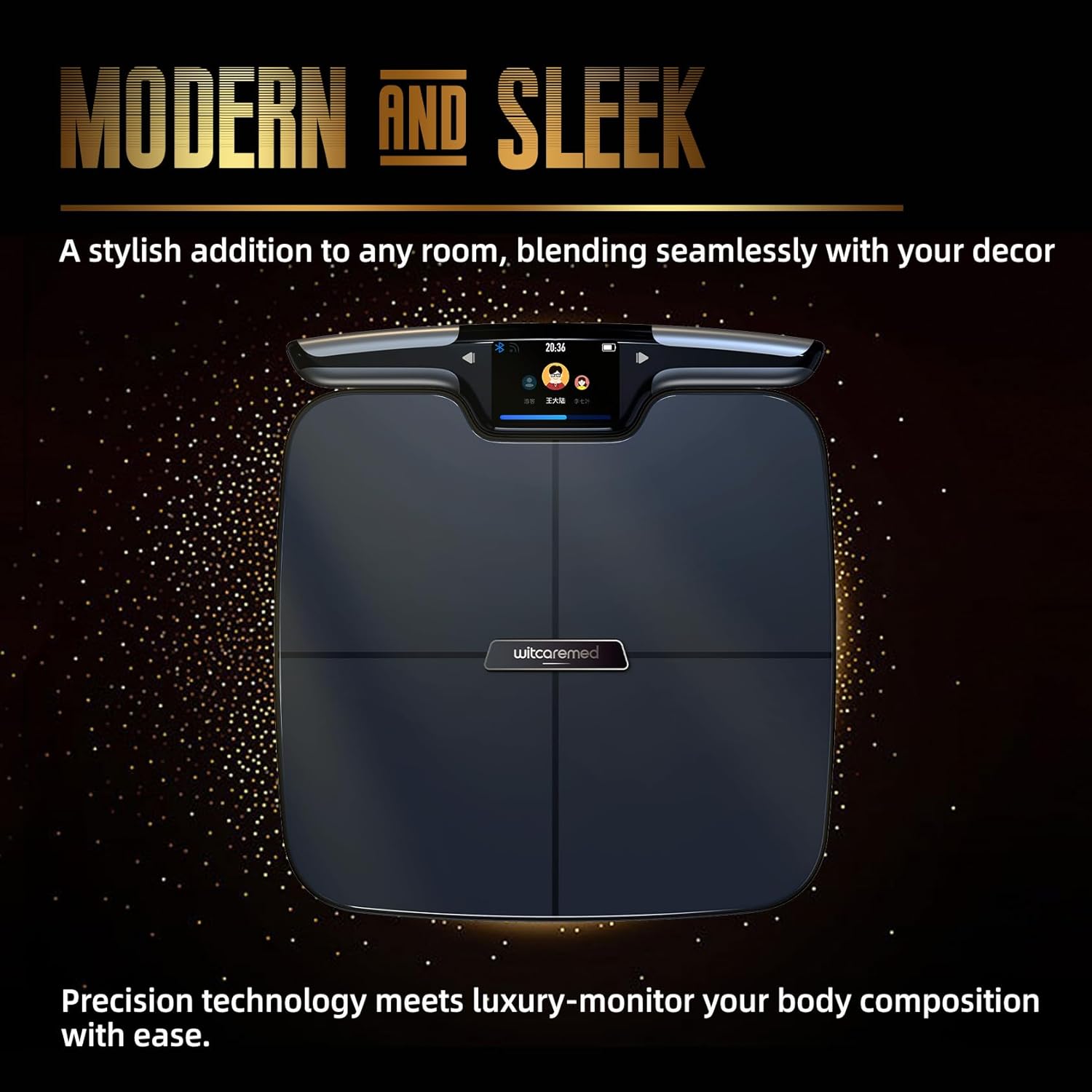
Image: The witcaremed Smart Digital Scale, showcasing its modern and sleek design. The scale is black with a central witcaremed logo and a display unit attached by a cable.
Przewodnik po konfiguracji
1. Rozpakowanie i wstępna inspekcja
- Ostrożnie wyjąć wszystkie elementy z opakowania.
- Inspect the scale and handheld unit for any signs of damage.
- Ensure all accessories, including the charging cable, are present.
2. Ładowanie urządzenia
Before first use, fully charge the scale's internal battery using the provided charging cable. Connect the cable to the charging port on the device and a suitable USB power source.
3. Pobieranie i instalacja aplikacji
- Download the "Unique Health" app from your smartphone's app store (available for iOS and Android).
- Install the app and create a user account.
4. Device Pairing and User Profile Organizować coś
- Upewnij się, że Bluetooth jest włączony w Twoim smartfonie.
- Open the "Unique Health" app and follow the on-screen instructions to pair the scale via Bluetooth.
- Connect the scale to your home Wi-Fi network through the app for data synchronization.
- Skonfiguruj swojego osobistego profesjonalistęfile within the app, including age, height, and gender. This information is crucial for accurate body composition calculations.
- It is recommended to check for and install any available firmware updates for the scale through the app after initial setup.

Image: The witcaremed Smart Digital Scale showing its TET color screen on the handheld unit, displaying various health metrics like weight, heart rate, and muscle mass. The screen allows users to slide left or right to view dane.
Instrukcja obsługi
1. Wykonywanie pomiaru
- Umieść wagę na twardej, płaskiej powierzchni. Unikaj dywanów i nierównych podłóg.
- Upewnij się, że Twoje stopy są czyste i suche.
- Step onto the scale barefoot, ensuring your feet are positioned correctly on the electrodes.
- Grasp the handheld unit firmly, ensuring your hands cover the electrodes completely. Hold it in front of your chest with arms outstretched.
- Remain still until the measurement is complete. The scale will provide a voice prompt to guide you.
- Your measurements will be displayed on the handheld unit's screen and automatically synchronized with the "Unique Health" app.

Image: A diagram illustrating the correct posture for using the 8-electrode scale. A person stands barefoot on the scale with feet on the electrodes and holds the handheld unit with both hands, covering its electrodes completely, with arms outstretched.
2. Zrozumienie pomiarów składu ciała
The witcaremed Smart Digital Scale provides up to 56 different body composition metrics, including:
- Weight, BMI, Heart Rate
- Body Fat Ratio, Muscle Mass, Protein Ratio
- Total Body Water, Subcutaneous Fat, Visceral Fat
- Bone Mass, Skeletal Muscle Mass, Body Age
- Segmental analysis for arms, legs, and trunk (fat and muscle mass)
- And many more detailed metrics for comprehensive health tracking.
These measurements are for reference only and should not be used for medical diagnosis. Consult a healthcare professional for any health concerns.

Image: A graphic explaining the 8-electrode and dual-frequency technology. It highlights full-body measurement for accuracy, tracking muscle, fat, hydration, and 53 other body composition metrics, and advanced signals for deeper insights.
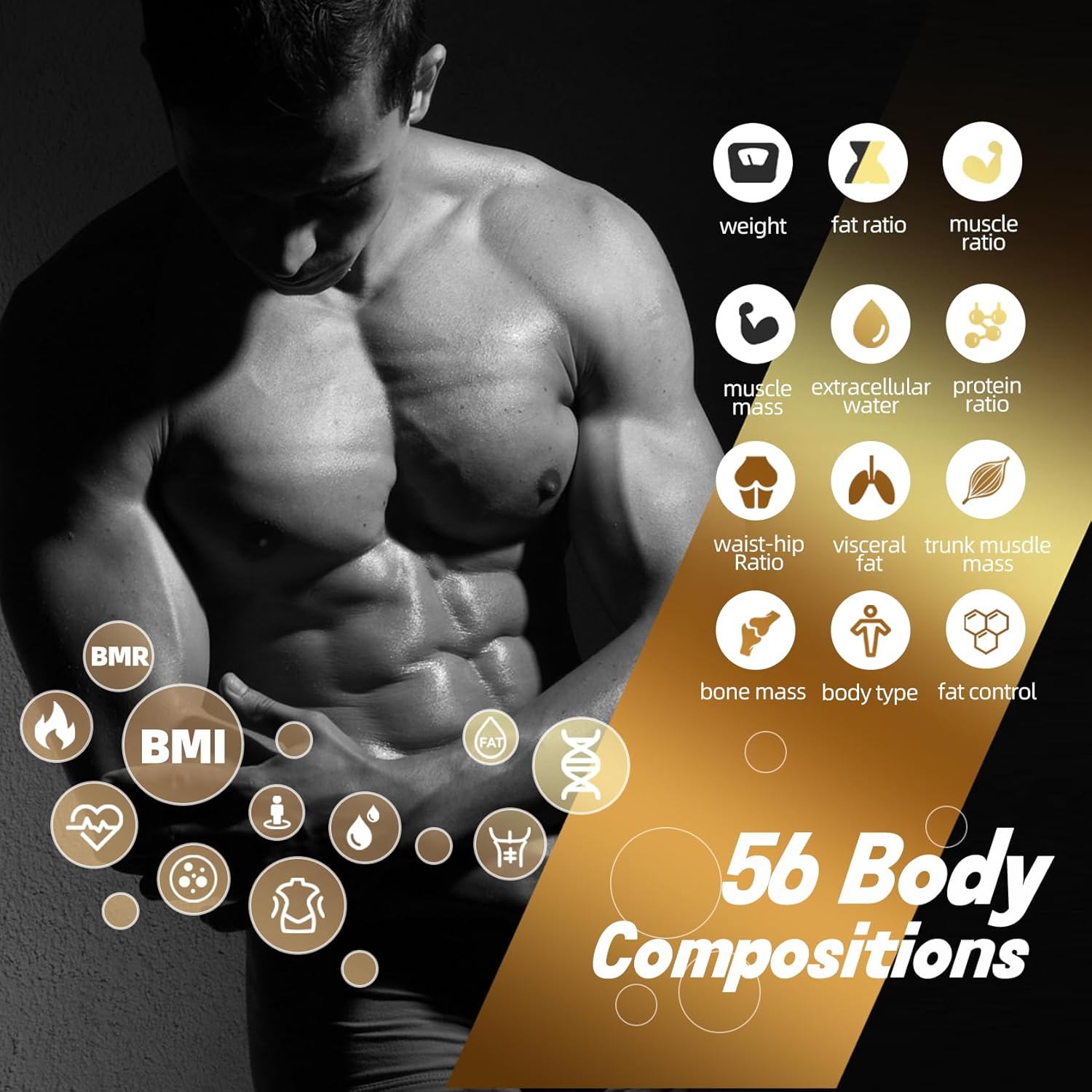
Image: An infographic displaying various body composition metrics (weight, fat ratio, muscle ratio, BMI, BMR, etc.) overlaid on a male physique, indicating the 56 body compositions measured by the scale.

Image: An infographic displaying various body composition metrics (weight, fat ratio, muscle ratio, BMI, BMR, etc.) overlaid on a female physique, indicating the 56 body compositions measured by the scale.
3. Using the "Unique Health" App
- The app logs and organizes your data efficiently, providing historical trends and detailed analysis.
- Zarządzaj maksymalnie 10 użytkownikami profiles within the app, allowing multiple family members to track their progress individually.
- Review your daily, weekly, and monthly progress for all measured metrics.
- Note: The app does not currently support direct integration with Apple Health or similar third-party health platforms.

Image: A screenshot of the "Multifunctional App" interface on a smartphone, showing member management and data trends. The app supports up to 10 users.
Konserwacja
1. Czyszczenie
- Wipe the scale surface and handheld unit with a soft, damp płótno.
- Nie należy używać środków czyszczących o właściwościach ściernych ani zanurzać urządzenia w wodzie.
- Przed przechowywaniem lub kolejnym użyciem należy upewnić się, że waga jest całkowicie sucha.
2. Przechowywanie
- Przechowuj wagę w chłodnym i suchym miejscu, z dala od bezpośredniego światła słonecznego i ekstremalnych temperatur.
- Unikaj umieszczania ciężkich przedmiotów na wadze, gdy nie jest używana.
3. Pielęgnacja baterii
- Recharge the scale when the battery indicator shows low power.
- Należy używać wyłącznie dołączonego kabla ładującego lub kompatybilnej ładowarki USB.
Rozwiązywanie problemów
1. Niedokładne odczyty
- Zadbaj o właściwe rozmieszczenie: The scale must be on a hard, flat surface. Soft surfaces like carpets can affect accuracy.
- Consistent measurement time: Body composition can fluctuate throughout the day. For consistent tracking, weigh yourself at the same time each day, preferably in the morning before eating or drinking.
- Prawidłowa postawa: Ensure your feet are bare and correctly positioned on the electrodes, and your hands fully cover the electrodes on the handheld unit.
- Użytkownik profile dokładność: Verify that your age, height, and gender are correctly entered in the "Unique Health" app.
- Aktualizacja firmware: Check if there are any pending firmware updates for the scale in the app, as updates can improve accuracy and performance.
2. Problemy z łącznością aplikacji
- Bluetooth: Ensure Bluetooth is enabled on your smartphone and the scale is within range.
- App restart: Close and reopen the "Unique Health" app.
- Ponowne parowanie: If issues persist, try unpairing and re-pairing the scale with the app.
- Połączenie Wi-Fi: Verify the scale is connected to a stable Wi-Fi network for data synchronization.
3. Wyświetlacz nie działa
- Poziom naładowania baterii: Ensure the scale is sufficiently charged.
- Uruchom ponownie: If possible, try restarting the scale (refer to specific instructions if a reset button is available).
Specyfikacje
| Funkcja | Szczegół |
|---|---|
| Marka | witcaremed |
| Numer modelu | 01 |
| Typ wyświetlacza | Digital, Touchscreen |
| Typ pomiaru | Funty (funty) |
| Dokładność odczytu | Wysoki |
| Elektrody | 8 (4 on scale, 4 on handheld unit) |
| Częstotliwość | Dual Frequency BIA |
| Body Composition Metrics | Up to 56 (Weight, BMI, Fat, Muscle, Water, etc.) |
| Zgodność aplikacji | "Unique Health" app (iOS & Android) |
| Użytkownik Profiles | Obsługuje do 10 użytkowników |
| Łączność | Bluetooth, WiFi |
| GTIN (UPC) | 722818360533 |
Informacje o gwarancji
Please refer to the warranty card included with your product packaging for detailed warranty terms and conditions. Typically, witcaremed products come with a limited warranty covering manufacturing defects from the date of purchase. Keep your purchase receipt as proof of purchase for warranty claims.
Obsługa klienta
For technical assistance, troubleshooting, or warranty inquiries, please contact witcaremed customer support. You can usually find contact information on the official witcaremed website or within the "Unique Health" app's support section.
Kontaktując się z pomocą techniczną, przygotuj numer modelu produktu (01) i dane dotyczące zakupu.