Wstęp
The GeekMagic Wired Mini 3D Hologram Cube Display is a versatile desktop device designed to provide real-time information and customizable visual experiences. This compact unit functions as a smart weather station, digital clock, and a customizable display for photos and GIF animations. Its transparent design allows for a clear view of the internal display, adding a modern aesthetic to any space. With WiFi connectivity, it can access network weather information, time, date, and indoor temperature, making it a practical and multi-functional addition to your home or office.

Obraz: Ponadview of the GeekMagic Mini 3D Hologram Cube Display, showcasing its three available colors (black, white, transparent) and its potential as a creative gift item.
Organizować coś
Follow these steps to set up your GeekMagic Mini 3D Hologram Cube Display:
- Rozpakowywanie: Carefully remove the device from its packaging. Ensure all components, including the display unit and power cable, are present.
- Podłączenie zasilania: Connect the provided power cable to the device's power input port. Plug the other end into a standard power outlet. The device should power on automatically.
- Pierwsze uruchomienie: Allow a few moments for the device to boot up. The display will show initial setup prompts or a default screen.
- Połączenie WiFi: The device requires a WiFi connection to access real-time weather and time information. Follow the on-screen instructions to connect to your local WiFi network. This typically involves selecting your network from a list and entering the password. Refer to the device's internal software interface for specific WiFi setup steps.
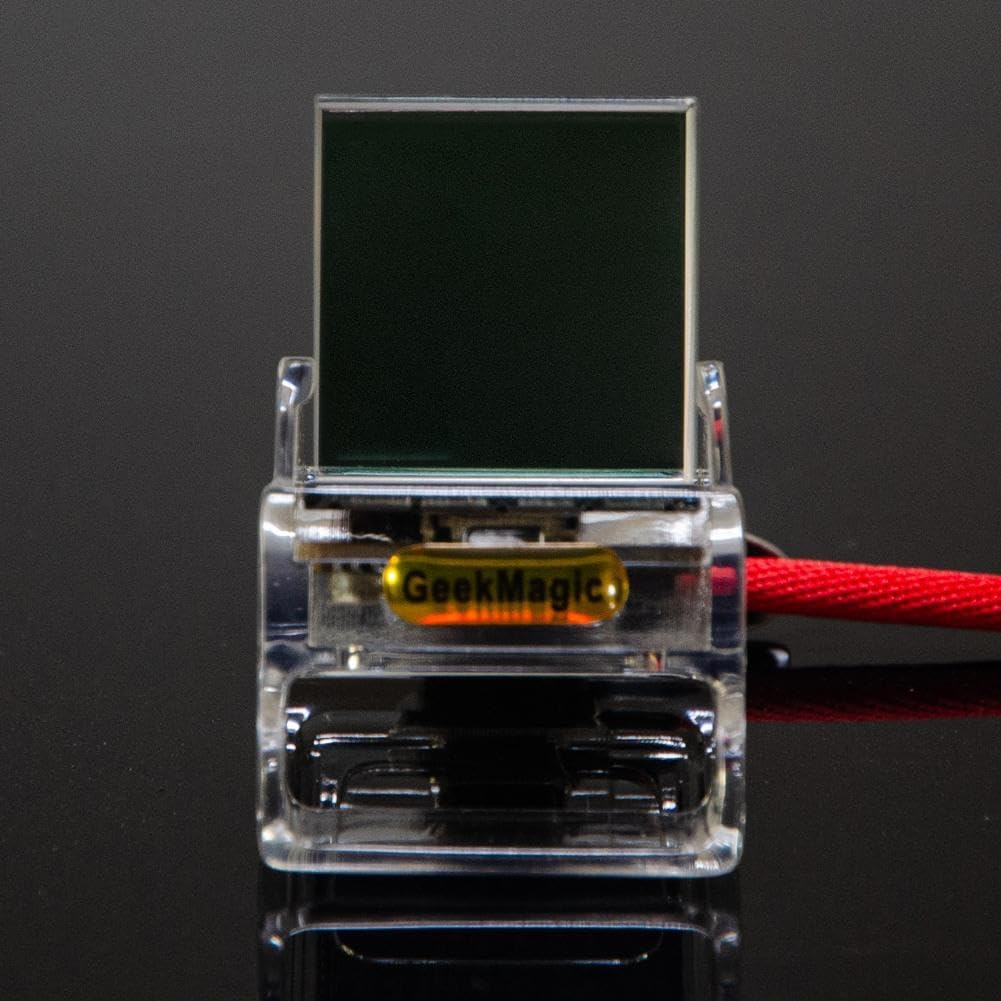
Image: A transparent version of the display unit, highlighting the connection point for the power cable, which is red in this image.
Instrukcja obsługi
Once set up, the GeekMagic display offers various functions:
- Wyświetlanie czasu i daty: The device automatically synchronizes with network time to display accurate time and date.
- Informacje pogodowe: After connecting to WiFi, the device will display real-time weather conditions, including temperature. Ensure your location settings are correctly configured within the device's software for accurate local weather.
- Możliwość dostosowania wyświetlacza: The display supports showing personal photos and GIF animations. Refer to the device's internal menu or accompanying software/app (if applicable) for instructions on uploading and managing your media files.
- Temperatura wewnętrzna: In addition to external weather, the device can display the indoor temperature.

Image: The display unit showcasing a vibrant image, demonstrating its capability as a photo album or GIF animation display.

Image: The display unit presenting digital information, such as time, date, or weather data.
Konserwacja
To ensure the longevity and optimal performance of your display:
- Czyszczenie: Use a soft, dry, lint-free cloth to gently wipe the display screen and the device's exterior. Avoid using abrasive cleaners, solvents, or aerosol sprays, as these can damage the surface.
- Umieszczenie: Umieść urządzenie na stabilnej, płaskiej powierzchni, z dala od bezpośredniego światła słonecznego, nadmiernego ciepła i wilgoci. Zapewnij odpowiednią wentylację wokół urządzenia.
- Wyłączone: Jeżeli urządzenie nie będzie używane przez dłuższy czas, należy odłączyć je od gniazdka zasilania.
Rozwiązywanie problemów
If you encounter issues with your GeekMagic display, refer to the following common problems and solutions:
- Urządzenie się nie włącza:
- Upewnij się, że kabel zasilający jest solidnie podłączony zarówno do urządzenia, jak i do sprawnego gniazdka elektrycznego.
- Try plugging the device into a different outlet to rule out a faulty power source.
- Brak połączenia WiFi:
- Verify that your WiFi router is on and functioning correctly.
- Check if the WiFi password entered on the device is correct.
- Move the device closer to your WiFi router to improve signal strength.
- Restart both the device and your WiFi router.
- Incorrect Time/Weather Display:
- Ensure the device is successfully connected to WiFi.
- Check the location settings within the device's software to ensure it's set to your correct region.
- Display is Blank or Frozen:
- Try restarting the device by unplugging it from the power source for 10 seconds and then plugging it back in.
- If the issue persists, consult the manufacturer's support resources.
Specyfikacje
| Funkcja | Szczegół |
|---|---|
| Nazwa produktu | Creative gift desktop display |
| Rozmiar produktu | 3.5 x 3.1 x 3.8 cm (1.4 x 1.2 x 1.5 cala) |
| Tworzywo | Plastikowy |
| Kolor | Black (This variant), White, Transparent |
| Łączność | Wi-Fi |
| Funkcje | Digital Clock, Weather Station, Photo Album Display, GIF Animation |
| Producent | Ogólny |
| ASIN | B0DP28LC6V |
| Kraj pochodzenia | Chiny |
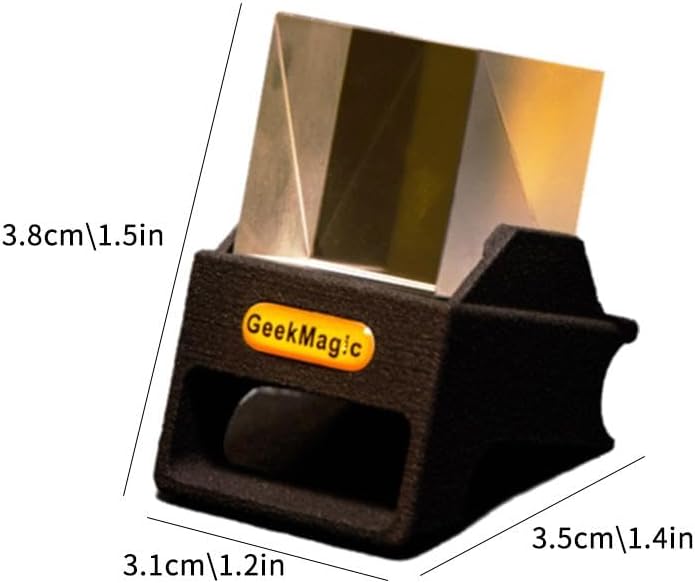
Image: Dimensional diagram of the display unit, indicating its compact size.
Informacje o gwarancji
Please refer to the retailer or your purchase documentation for specific warranty details. Standard warranty terms typically cover manufacturing defects for a limited period from the date of purchase. Keep your proof of purchase for any warranty claims.
Obsługa klienta
For further assistance, technical support, or inquiries regarding your GeekMagic Wired Mini 3D Hologram Cube Display, please contact the seller or retailer from whom you purchased the product. They will be able to provide the most accurate and up-to-date support information.