
LIECTROUX M70 Pro
Instrukcja obsługi robota odkurzającego LIECTROUX M70 Pro Lidar
Model: M70 Pro
Wstęp
Thank you for choosing the LIECTROUX M70 Pro Lidar Robot Vacuum Cleaner. This manual provides essential information for the safe operation, maintenance, and troubleshooting of your device. Please read it thoroughly before using the product and retain it for future reference.
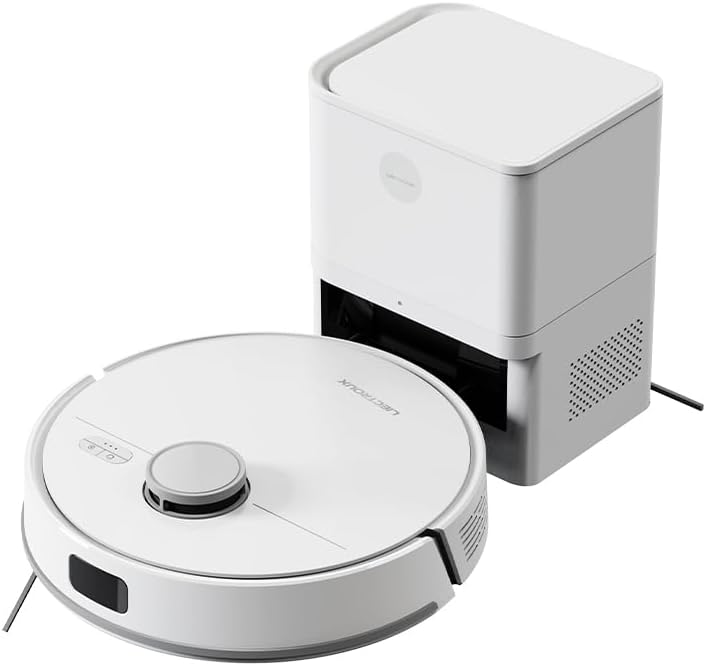
Image: The LIECTROUX M70 Pro robot vacuum cleaner alongside its auto-emptying dustbin station.
Informacje dotyczące bezpieczeństwa
Aby zapobiec obrażeniom ciała lub uszkodzeniu urządzenia, należy zawsze przestrzegać następujących środków ostrożności:
- Do not disassemble the device. Repairs should only be performed by qualified professionals.
- Trzymaj urządzenie z dala od wody i wilgoci.
- Upewnij się, że zasilanie jest zgodne z wymaganiami urządzenia.
- Do not use the device on wet surfaces or to clean liquids.
- Supervise children and pets when the device is operating.

Image: A product label displaying various safety warnings and compliance certifications in multiple languages.
Składniki produktu
The LIECTROUX M70 Pro package includes the following components:
- LIECTROUX M70 Pro Robot Vacuum Cleaner
- Auto-Emptying Dustbin Station
- Zasilacz
- Szczotki boczne
- Szczotka wałkowa w kształcie litery V
- Ściereczki do mopa
- Disposable Dust Bag (3.0L)
- Instrukcja obsługi
Organizować coś
1. Rozpakowanie i ustawienie
- Ostrożnie wyjąć wszystkie elementy z opakowania.
- Place the auto-emptying dustbin station against a wall in an open area, ensuring there are no obstacles within 1 meter to the front and 0.5 meters to the sides.
- Connect the power adapter to the station and plug it into a power outlet.
2. Ładowanie początkowe
Before first use, ensure the robot is fully charged. Place the robot onto the charging station. The indicator lights will show charging status.
3. App Connection (Smart Life Tuya APP)
For full functionality, download the Smart Life Tuya APP from your app store.
- Upewnij się, że Twoje urządzenie mobilne jest połączone z siecią Wi-Fi 2.4 GHz.
- Open the app and follow the on-screen instructions to add the LIECTROUX M70 Pro.
- The app allows you to monitor cleaning routes, set schedules, adjust suction and water levels, and create restricted zones.
Instrukcja obsługi
1. Tryby czyszczenia
Urządzenie M70 Pro oferuje różne tryby czyszczenia dostosowane do Twoich potrzeb:
- Automatyczne czyszczenie: The robot intelligently plans its route for whole-house coverage.
- Czyszczenie krawędzi: Koncentruje się na czyszczeniu wzdłuż ścian i krawędzi mebli.
- Czyszczenie strefy: Czyści określone obszary zdefiniowane w aplikacji.
- Czyszczenie punktowe: Koncentruje się na małym, brudnym obszarze.
- Podwójne czyszczenie: Wykonuje dwa przejścia w celu dokładnego czyszczenia.
- Czyszczenie czasowe: Schedules cleaning sessions via the app.
- Mopowanie w kształcie litery Y: Naśladuje ręczne mycie mopem, zapewniając skuteczne czyszczenie na mokro.
- Tryby zygzakowe: Standardowy schemat czyszczenia.

Image: The robot vacuum cleaner actively cleaning a floor covered with small debris, demonstrating its powerful suction.
2. Suction Power and Water Flow Adjustment
Adjust suction power (up to 6500Pa) and water flow (3 levels) via the Smart Life Tuya APP to optimize cleaning for different surfaces and dirt levels.

Image: A smartphone displaying the user interface of the robot vacuum's control application, showing options for cleaning modes and settings.
3. Lidar Navigation and Obstacle Avoidance
The M70 Pro uses advanced LDS LiDAR navigation for 360° scanning and rapid mapping of your home. Equipped with a full set of obstacle avoidance sensors, it protects furniture and prevents getting stuck or falling down stairs.

Image: The robot vacuum cleaner navigating smoothly around furniture in a living room, demonstrating its smart obstacle avoidance capabilities.
4. Multi-Floor Mapping and Restricted Areas
The robot can save up to 5 editable maps for multi-story homes. You can set up to 30 virtual forbidden areas via the app to prevent the robot from entering specific zones (e.g., pet areas, carpets during mopping).
5. Auto-Charging and Resume Cleaning
When the battery is low, the robot automatically returns to the charging station. If cleaning is not complete, it will recharge to 80% and then resume cleaning from where it left off.

Image: The robot vacuum cleaner positioned near its charging station, with a cat observing it, illustrating its integration into a home environment.
Konserwacja
Regularna konserwacja zapewnia optymalną wydajność i wydłuża żywotność robota odkurzającego.
1. Auto-Emptying Dustbin and Dust Bag
The 3.0L disposable dust bag in the auto-emptying station can hold debris for up to 60 days. The app will notify you when the bag is full. Replace the dust bag as needed.

Image: A hand demonstrating the replacement of the large 3L dust bag within the auto-emptying station, highlighting the hands-free cleaning feature.
2. Cleaning the Robot Vacuum
- Pędzel główny: Remove and clean the main brush regularly to prevent hair entanglement.
- Szczotki boczne: Check for debris and clean or replace if worn.
- Czujniki: Wipe all sensors (Lidar, cliff, obstacle avoidance) with a clean, dry cloth.
- Koła: Clean any hair or debris from the wheels.
3. Water Tank and Mop Cloth
Empty and clean the 250ml electronic controlled water tank after each mopping session. Wash the mop cloth thoroughly and allow it to air dry.
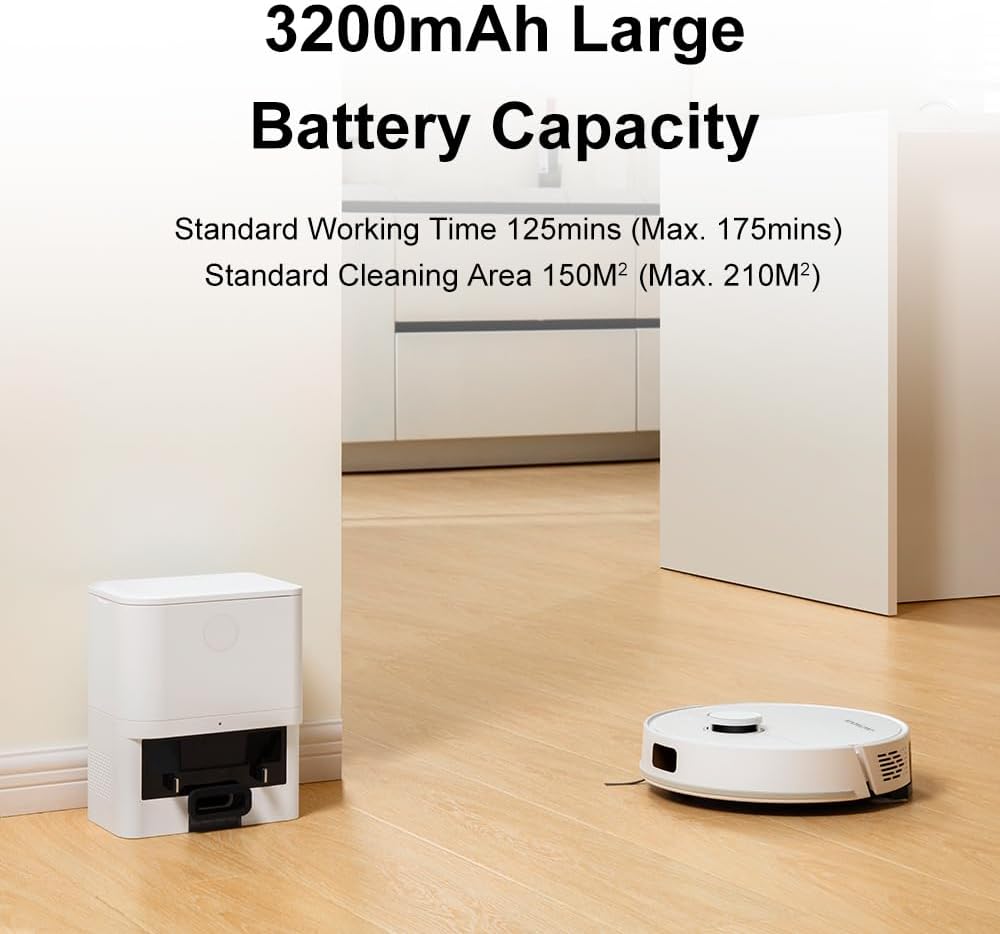
Image: The robot vacuum cleaner actively mopping a wet floor, illustrating its smart electronic controlled water tank and mopping function.
Rozwiązywanie problemów
| Problem | Możliwa przyczyna | Rozwiązanie |
|---|---|---|
| Robot nie uruchamia się lub nie odpowiada. | Niski poziom naładowania baterii; Wyłączony wyłącznik zasilania; Robot zablokowany. | Naładuj robota; Włącz zasilanie; Pokonaj przeszkody. |
| Słaba skuteczność czyszczenia. | Pełny kosz na śmieci; Zatkane szczotki; Brudne czujniki. | Empty dustbin/replace dust bag; Clean main/side brushes; Wipe sensors. |
| Robot nie może wrócić do stacji ładującej. | Stacja ładowania jest zablokowana; robot znajduje się zbyt daleko od stacji. | Clear area around station; Manually place robot near station. |
| Problemy z połączeniem aplikacji. | Incorrect Wi-Fi (not 2.4GHz); Router issues. | Ensure 2.4GHz Wi-Fi; Restart router and robot. |
Specyfikacje
- Model: M70 Pro
- Marka: LIECTROUX
- Moc ssania: Do 6500Pa
- Pojemność baterii: 3200mAh
- Czas trwania: 110-175 minutes (depending on settings)
- Pojemność worka na kurz: 3.0L (Auto-Emptying Station)
- Pojemność zbiornika na wodę: 250ml (Electronic Controlled)
- Nawigacja: LiDAR LDS
- Obstacle Crossing Ability: 18mm
- Metoda sterowania: Smart Life Tuya APP, Voice Control (Alexa, Google Assistant)
- Wymiary: 32L x 9.8W x 32H centimeters (Robot)

Image: A visual representation detailing the dimensions and key features of the robot vacuum cleaner.
Gwarancja i wsparcie
For warranty information and technical support, please refer to the official LIECTROUX webOdwiedź stronę internetową lub skontaktuj się bezpośrednio ze sprzedawcą. Zachowaj paragon jako dowód zakupu.
Sprzedający: LIECTROUX ROBOTICS SA
Zasady zwrotu: 30 dni (zwrot/wymiana)
Aby uzyskać dalszą pomoc, możesz odwiedzić stronę producenta webwitryny lub skontaktuj się z obsługą klienta.
Ask a question about this manual
Ask about setup, troubleshooting, compatibility, parts, safety, or missing instructions. Manuals+ will review the question and use this page’s manual context to help answer it.