
1. Wprowadzenie
Dziękujemy za zakupasing the MEIYA Digital Kitchen Scale. This high-precision scale is designed for accurate measurement in various applications such as baking, cooking, food weighing, coffee preparation, and more. Featuring a large LCD backlit display, USB charging, and a durable stainless steel pan, it offers convenience and reliability for your daily needs.
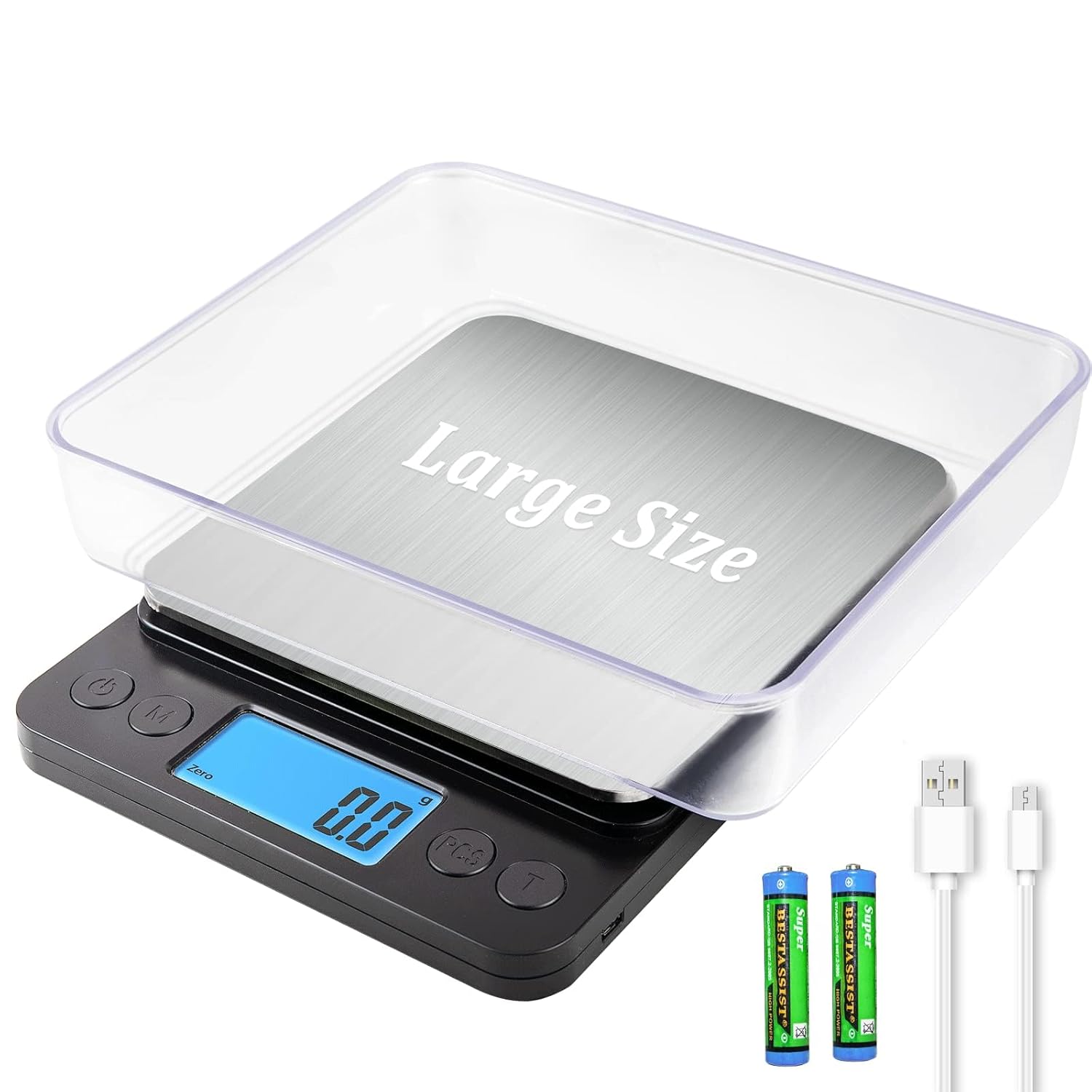
Image: The MEIYA Digital Kitchen Scale, showcasing its main unit, clear weighing tray, USB charging cable, and AAA batteries.
2. Ważne informacje dotyczące bezpieczeństwa
- Do not overload the scale beyond its maximum capacity of 5kg (11 lbs).
- Unikaj wystawiania wagi na działanie ekstremalnych temperatur i wilgoci.
- Trzymaj wagę z dala od silnych pól elektromagnetycznych.
- Wyczyść wagę miękką, damp płótno. Nie zanurzaj go w wodzie.
- To urządzenie jest przeznaczone wyłącznie do użytku domowego.
- Handle with care to prevent damage to the precision sensors.
3. Zawartość opakowania
Proszę sprawdzić, czy w paczce znajdują się następujące elementy:
- 1 x MEIYA Digital Kitchen Scale
- 1 x kabel ładujący USB
- 2 x AAA Batteries (for optional use)
- 2 x BPA-free Weighing Trays
- 1 x Product Description (User Manual)
4. Konfiguracja
4.1 Opcje zasilania
The MEIYA Digital Kitchen Scale offers three power supply options:
- USB-Lithium Battery Charging: Connect the provided USB cable to the scale and a USB power source (e.g., power bank, wall adapter, computer USB port) to charge the internal lithium battery. A full charge can provide up to 90 days of use.
- Direct USB Power: The scale can be used continuously while plugged in via the USB cable.
- Baterie AAA: Insert the 2 included AAA batteries into the battery compartment at the bottom of the scale. Ensure correct polarity. This option allows for standalone use without USB connection.

Image: The scale connected via USB-C for charging, illustrating compatibility with power banks, power strips, and computer USB ports.
4.2 Początkowe umiejscowienie
Aby zapewnić dokładne odczyty, ustaw wagę na twardej, płaskiej i stabilnej powierzchni. Unikaj miękkich i nierównych powierzchni.
4.3 Using the Trays
The two BPA-free trays can be used as containers for weighing ingredients and also serve to protect the weighing platform when not in use. Place a tray on the stainless steel pan before powering on or after using the Tare function.
5. Instrukcja obsługi
5.1 Włączanie/wyłączanie zasilania
- Naciśnij "WŁ./WYŁ." przycisk, aby włączyć wagę.
- Naciśnij i przytrzymaj "WŁ./WYŁ." Aby wyłączyć wagę, naciśnij przycisk przez kilka sekund.
- The scale features an auto shut-off function to save energy after a period of inactivity (typically 180 days standby time).
5.2 Konwersja jednostek
The scale supports 9 different units of measurement. Press the "UNIT" or "M" button to cycle through the available units:
- Gramy (g)
- Uncje (oz)
- Funty (lb)
- Mililitry (ml)
- Karaty (ct)
- Pennyweights (dwt)
- Uncje trojańskie (ozt)
- Ziarna (gn)
- Kilogramy (kg)

Image: The scale showing various unit options (g, oz, lb, ml, ct, dwt, ozt, gn, kg) with baked goods on the platform.
5.3 Funkcja tary
The Tare function allows you to subtract the weight of a container, ensuring only the weight of the ingredients is measured.
- Umieść pusty pojemnik na platformie wagi.
- Poczekaj, aż wyświetlacz się ustabilizuje i wyświetli wagę pojemnika.
- Naciśnij "TARE" or "T" przycisk. Wyświetlacz zostanie zresetowany do zera.
- Dodaj składniki do pojemnika. Na wyświetlaczu będzie teraz wyświetlana tylko waga składników.
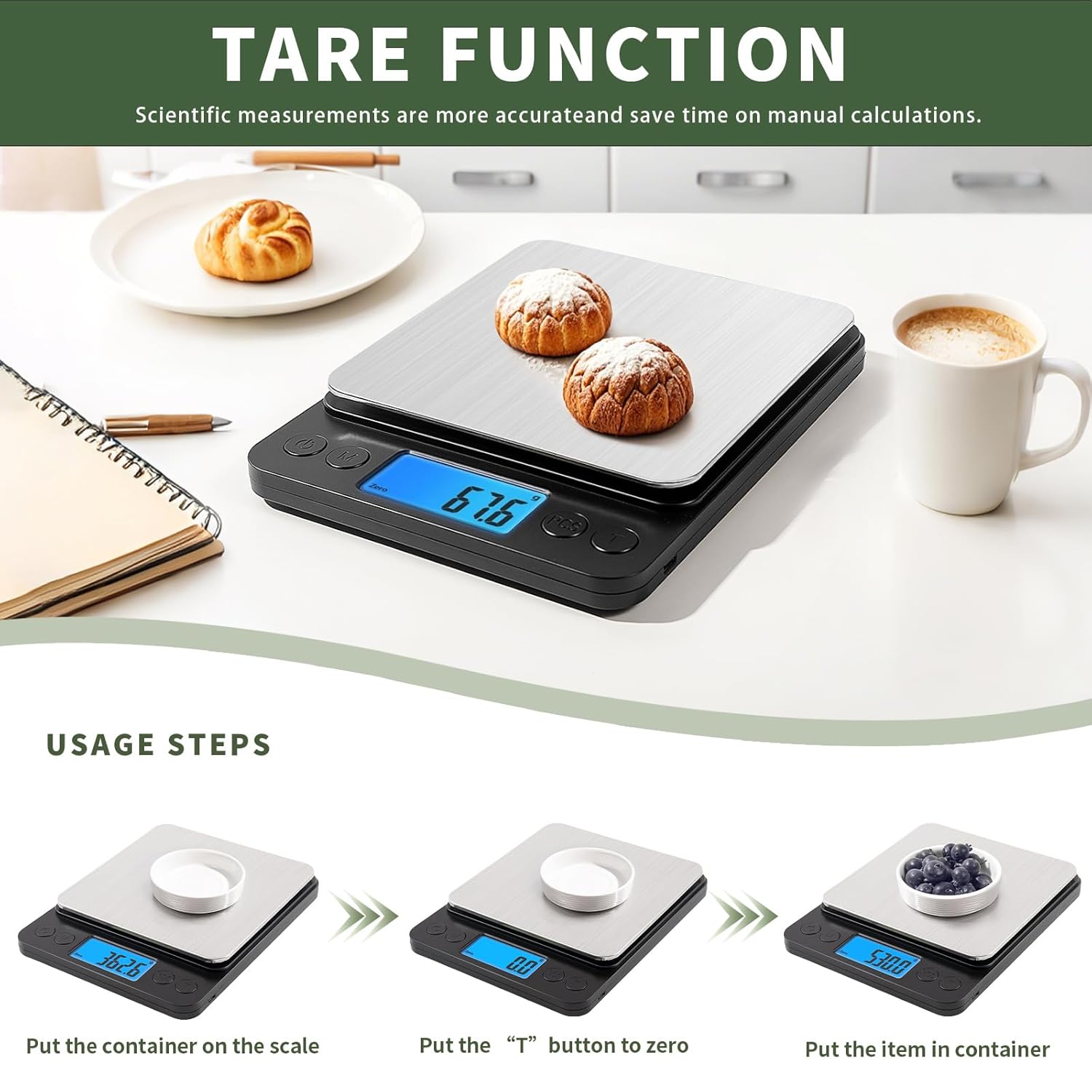
Image: A visual guide demonstrating the tare function: placing a container, pressing the 'T' button to zero, and then adding items to weigh.
5.4 PCS Function (Counting)
The PCS function allows you to count small items such as beads, screws, or other small components.
- Włącz wagę.
- Miejsce jakoample quantity of items (e.g., 25, 50, 75, or 100 pieces) on the platform.
- Naciśnij i przytrzymaj "PCS" button until "PCS" appears on the display.
- Naciśnij "UNIT" or "M" przycisk do wyboru sample quantity you placed (e.g., "25", "50").
- Naciskać "PCS" again to confirm. The scale is now calibrated for counting.
- Add the items you wish to count. The display will show the total number of items.
5.5 Procedura ważenia
- Upewnij się, że waga jest ustawiona na płaskiej, stabilnej powierzchni i jest włączona.
- If using a container, place it on the platform and use the Tare function.
- Select your desired unit of measurement using the "UNIT" przycisk.
- Gently place the item(s) to be weighed onto the center of the platform or into the tared container.
- Odczytaj wagę stabilną wyświetlaną na ekranie LCD.

Image: A person weighing flour on the scale, demonstrating its 0.1g high accuracy and 5kg/11lb large range.
6. Konserwacja
6.1 Czyszczenie
The stainless steel pan is designed for easy cleaning. Wipe the scale surface with a soft, slightly damp cloth. For stubborn stains, a mild detergent can be used. Ensure no liquid enters the internal components. Do not use abrasive cleaners or immerse the scale in water.
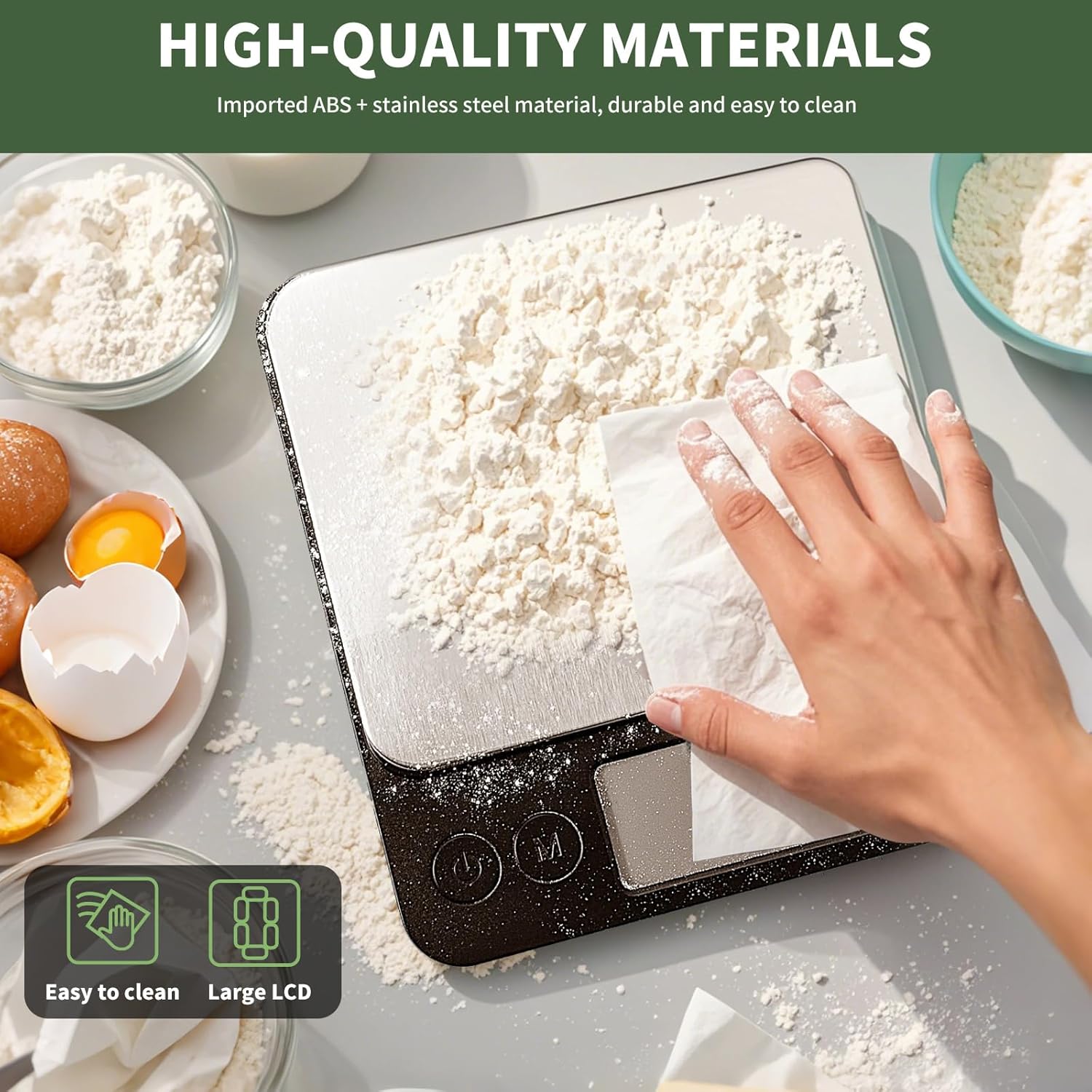
Image: A hand wiping flour off the stainless steel platform of the scale, illustrating its easy-to-clean surface.
6.2 Przechowywanie
Store the scale in a cool, dry place away from direct sunlight and extreme temperatures. If not in use for an extended period, it is recommended to remove the AAA batteries (if used) to prevent leakage.
7. Rozwiązywanie Problemów
| Problem | Możliwa przyczyna | Rozwiązanie |
|---|---|---|
| Waga nie włącza się. | Niski poziom naładowania baterii lub brak zasilania. | Charge the internal lithium battery via USB or replace/install AAA batteries. |
| Niedokładne odczyty. | Uneven surface, overloaded, or interference. | Place on a flat, stable surface. Do not exceed 5kg capacity. Avoid strong electromagnetic fields. Recalibrate if necessary (refer to advanced settings if available, or power cycle). |
| "EEEE" or "O_Ld" error message. | Sygnalizacja przeciążenia. | Remove items immediately to prevent damage. Ensure weight is within 5kg limit. |
| Na wyświetlaczu pojawia się komunikat „Lo”. | Niski poziom naładowania baterii. | Charge the internal lithium battery or replace AAA batteries. |
8. Specyfikacje produktu
| Funkcja | Szczegół |
|---|---|
| Marka | MEIJA |
| Model | Digital Kitchen Scale 5kg/0.1g |
| Zakres pomiaru | 0.5g - 5kg (11 lbs) |
| Dokładność | 0.1g |
| Jednostki | g, kg, oz, lb, ct, dwt, ozt, gn, ml |
| Wyświetlacz | Podświetlany wyświetlacz LCD |
| Zasilacz | USB-C Rechargeable Lithium Battery, 2x AAA Batteries (included) |
| Tworzywo | Imported ABS, Stainless Steel Pan |
| Wymiary produktu | 8.3 x 6.5 x 1.1 cala |
| Wymiary platformy | 6.5 x 6.3 cali |
| Cechy specjalne | Tare Function, PCS Counting Function, Auto Shut-off, Low Battery Indicator, Overload Indicator |

Image: The MEIYA Digital Kitchen Scale with its dimensions (8.3in x 6.5in x 1.2in) clearly marked, demonstrating its large size and platform suitable for bigger containers.
9. Gwarancja i wsparcie
MEIYA is committed to providing high-quality and reliable products. For any questions, concerns, or technical support regarding your MEIYA Digital Kitchen Scale, please refer to the contact information provided with your purchase or visit the official MEIYA webStrona. Zachowaj dowód zakupu na wypadek roszczeń gwarancyjnych.
The product typically comes with a standard manufacturer's warranty covering defects in materials and workmanship. Specific warranty terms and conditions may vary and are usually detailed in the product packaging or on the manufacturer's webstrona.