Wstęp
Welcome to the user manual for your Arikasen A6 Bluetooth On-Ear Headset. This manual provides detailed instructions on how to set up, operate, maintain, and troubleshoot your new wireless earphones. Designed for comfort and superior sound, the A6 headset features Bluetooth 5.0 for stable connections, deep bass, and 3D stereo sound. Please read this manual carefully to ensure optimal performance and longevity of your device.
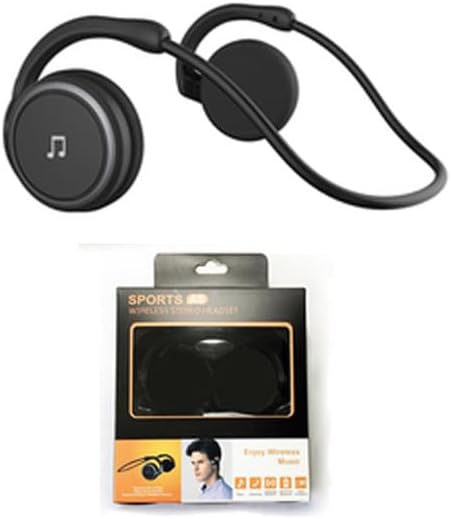
Figure 1: Arikasen A6 Bluetooth Headset. This image displays the overall design of the black on-ear headset, highlighting its lightweight and ergonomic form factor.
Konfiguracja i pierwsze użycie
1. Ładowanie zestawu słuchawkowego
Before first use, fully charge your Arikasen A6 headset. The headset charges via a cable connection.
- Connect the charging cable to the headset's charging port.
- Podłącz drugi koniec kabla do źródła zasilania USB (np. portu USB komputera, zasilacza sieciowego).
- Kontrolka pokaże stan ładowania (informacje na temat konkretnego zachowania kontrolki można znaleźć w opisie urządzenia).
- A full charge provides approximately 11 hours of music playback time.
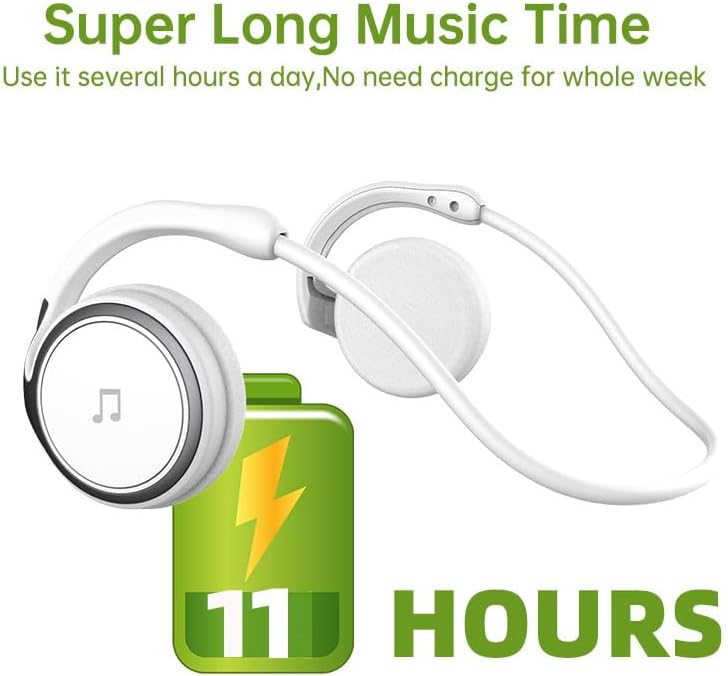
Figure 2: Battery Life Indication. This image illustrates the headset's capability to provide up to 11 hours of continuous music playback on a single charge.
2. Parowanie Bluetooth
To connect your headset to a device (smartphone, tablet, computer), follow these steps:
- Sprawdź, czy zestaw słuchawkowy jest naładowany i wyłączony.
- Press and hold the power button on the headset until the indicator light flashes, indicating pairing mode.
- Na swoim urządzeniu przejdź do ustawień Bluetooth i włącz Bluetooth.
- Szukaj available devices. The headset should appear as "Arikasen A6" or similar.
- Select "Arikasen A6" to connect. Once connected, the indicator light will change (e.g., solid blue or off).
- Jeśli zostaniesz poproszony o podanie hasła, wpisz „0000”.

Figure 3: Bluetooth 5.0 Connectivity. This image highlights the headset's Bluetooth 5.0 capabilities, ensuring stable and swift connections for both audio and voice calls.
Instrukcja obsługi
Kontrola nadview
The Arikasen A6 headset features intuitive controls located on the earcup. Familiarize yourself with these buttons for easy operation.
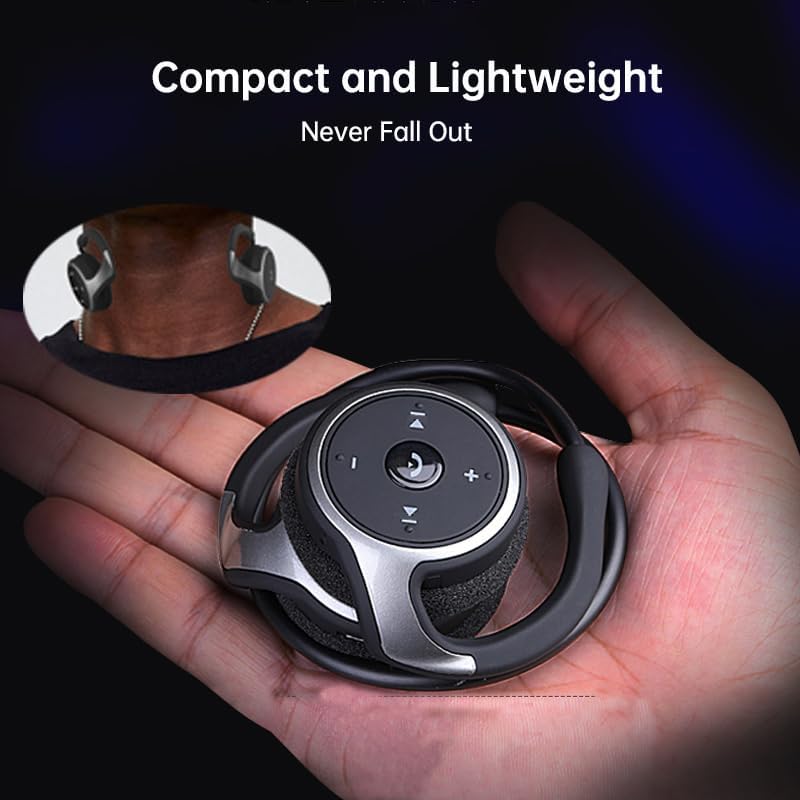
Figure 4: Headset Controls. This image provides a close-up view of the control panel on the headset's earcup, detailing the button layout for music and call management.
- Przycisk zasilania (przycisk wielofunkcyjny):
- Naciśnij i przytrzymaj, aby włączyć/wyłączyć zasilanie.
- Naciśnij raz, aby odtworzyć/wstrzymać muzykę.
- Naciśnij raz, aby odebrać/zakończyć połączenie.
- Naciśnij i przytrzymaj, aby odrzucić połączenie.
- Zwiększanie głośności (+): Naciśnij, aby zwiększyć głośność.
- Ściszanie (-): Naciśnij, aby zmniejszyć głośność.
- Następny utwór (>>|): Naciśnij, aby przejść do następnego utworu.
- Poprzedni utwór (|<<): Naciśnij, aby przejść do poprzedniego utworu.
Noszenie zestawu słuchawkowego
The Arikasen A6 is designed for ultra-comfort, balancing stress on the ear. Its lightweight and compact design ensures it stays securely in place.
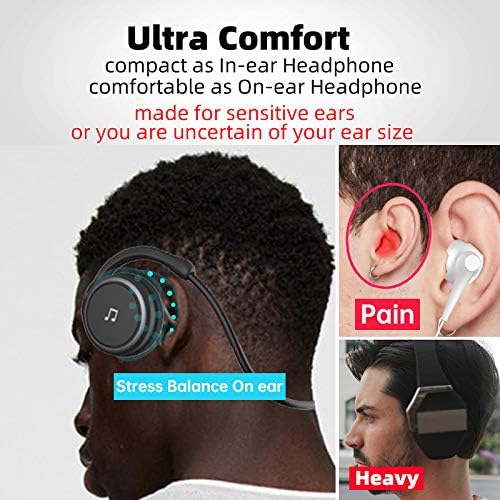
Figure 5: Ultra Comfort Design. This image demonstrates the ergonomic design of the headset, emphasizing its comfortable fit for extended wear, particularly beneficial for sensitive ears.
Konserwacja i pielęgnacja
Proper maintenance ensures the longevity and optimal performance of your Arikasen A6 headset.
- Czyszczenie: Use a soft, dry cloth to wipe the headset. Do not use abrasive cleaners, solvents, or strong chemicals.
- Składowanie: Gdy nie używasz zestawu słuchawkowego, przechowuj go w chłodnym i suchym miejscu, z dala od bezpośredniego światła słonecznego i ekstremalnych temperatur.
- Unikaj wilgoci: Do not expose the headset to water or excessive moisture. It is not waterproof.
- Zachowaj ostrożność: Unikaj upuszczania zestawu słuchawkowego i narażania go na silne uderzenia.
- Ładowanie: Używaj wyłącznie dołączonego kabla ładującego lub certyfikowanego odpowiednika. Nie przeładowuj akumulatora.
Rozwiązywanie problemów
If you encounter issues with your Arikasen A6 headset, refer to the following common problems and solutions:
| Problem | Możliwa przyczyna | Rozwiązanie |
|---|---|---|
| Zestaw słuchawkowy nie włącza się. | Niski poziom naładowania baterii. | Naładuj całkowicie zestaw słuchawkowy. |
| Nie można sparować z urządzeniem. | Zestaw słuchawkowy nie jest w trybie parowania; Bluetooth w urządzeniu jest wyłączony; urządzenie znajduje się za daleko. | Ensure headset is in pairing mode (flashing light). Turn on Bluetooth on your device. Move headset closer to device (within 10 meters). |
| Brak dźwięku lub niski poziom głośności. | Zbyt niski poziom głośności zestawu słuchawkowego lub urządzenia; zestaw słuchawkowy nie jest prawidłowo podłączony. | Increase volume on both headset and connected device. Re-pair the headset. |
| Przerywane połączenie. | Zakłócenia; urządzenie znajduje się za daleko; słaba bateria. | Odsuń się od innych urządzeń bezprzewodowych. Upewnij się, że zestaw słuchawkowy jest w zasięgu. Naładuj zestaw słuchawkowy. |
Jeśli problem nadal występuje, zapoznaj się z sekcją Gwarancja i wsparcie, aby uzyskać dalszą pomoc.
Specyfikacje
The following are the technical specifications for the Arikasen A6 Bluetooth Headset:
- Model: A6
- Marka: Generic (Arikasen)
- Łączność: Bluetooth 5.0
- Earcups Type: Półotwarty
- Izolacja dźwięku: NIE
- Moc wyjściowa: 50mW
- Liczba kierowców: 2
- Rozmiar sterownika: 18mm (for superior sound and deeper bass)
- Metoda ładowania: Kabel
- Headphone Pads Material: Miękka pianka
- Typ magnesu: Neodymowy
- Tworzywo: Plastikowy
- Kolor: Black (without box)
- Approximate Music Playback Time: 11 godziny

Figure 6: Driver Technology. This image illustrates the internal components of the earcup, highlighting the 18mm driver responsible for delivering superior sound quality and deep bass.
Gwarancja i wsparcie
Your Arikasen A6 headset comes with dedicated customer support.
If you encounter any issues with your product, such as a damaged product or receiving incorrect items, please contact us directly through the Amazon platform. We are committed to providing the best solution to resolve any issues promptly.
For further assistance or inquiries, please reach out to our customer service team via the Amazon messaging system.