
Produkt ponadview
The Statik Aktive Open Ear Bluetooth Earbuds are designed to provide high-quality audio while maintaining situational awareness. Their open-ear design ensures comfort for all-day usage and allows you to hear your surroundings. These wireless earphones feature fast charging, a long-lasting battery, and an IPX5 waterproof rating, making them suitable for various activities.
- Konstrukcja otwarta na uszy: Audio transmitted without blocking your ears, enhancing awareness.
- Świadomość sytuacyjna: Safely hear your environment during activities like walking, jogging, or working out.
- Fast Charging & Long-Lasting Battery: Charging case rapidly recharges earbuds, providing extended audio playback.
- Wodoodporność IPX5: Designed to withstand sweat, rain, and dirt.
- Wygodne dopasowanie: Engineered for all-day wear without discomfort.
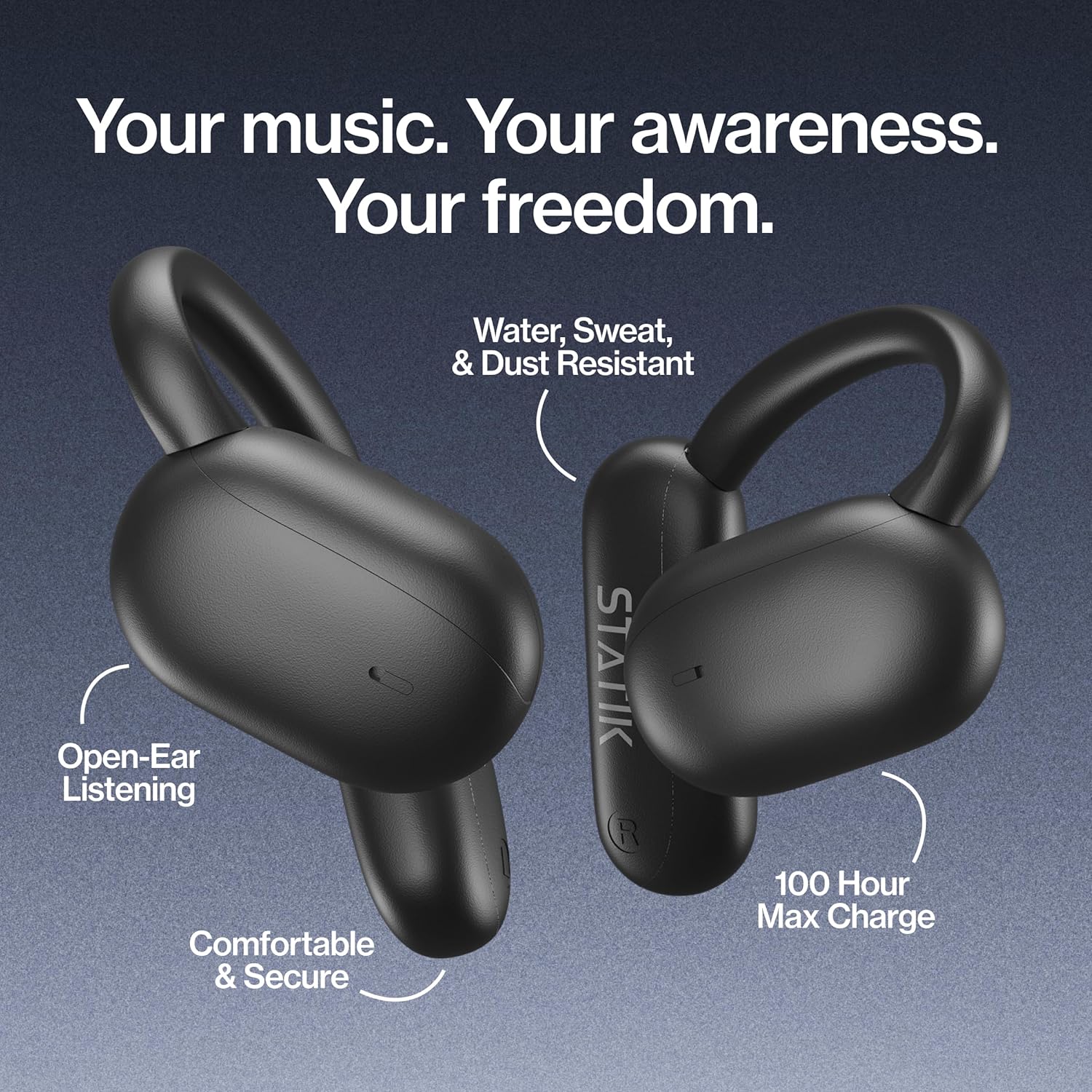
Figure 1: Statik Aktive Open Ear Bluetooth Earbuds and their charging case, highlighting key features like open-ear listening, water resistance, comfortable fit, and 100-hour max charge.
Organizować coś
1. Rozpakowanie i opłata początkowa
Upon unboxing, ensure all components are present: the Statik Aktive Earbuds, the charging case, and the USB-C charging cable. It is recommended to fully charge the earbuds and case before first use. Connect the charging case to a power source using the provided USB-C cable.

Figure 2: The Statik Aktive Earbuds resting in their charging case, which displays the battery level. The case provides up to 100 hours of battery life, with 10 hours on a single earbud charge and 2 hours after a 10-minute charge.
2. Parowanie z urządzeniem
- Otwórz etui ładujące. Słuchawki automatycznie przejdą w tryb parowania, co zasygnalizuje migająca dioda LED.
- Na smartfonie lub innym urządzeniu z włączoną funkcją Bluetooth przejdź do ustawień Bluetooth.
- Select "Statik Aktive" from the list of available devices to connect.
- Po nawiązaniu połączenia usłyszysz komunikat głosowy potwierdzający pomyślne sparowanie.
Wideo 1: Krótki przeglądview of the STATIK Aktive Open Earbuds, demonstrating the product and its charging case. This video shows the earbuds being removed from the case and worn, highlighting their design and ease of use.
Instrukcja obsługi
1. Noszenie słuchawek dousznych
The Statik Aktive Earbuds feature an open-ear design with ear hooks for a secure and comfortable fit. Gently place the earbud over your ear, ensuring the speaker rests just outside your ear canal. Adjust the ear hook for optimal comfort and stability.
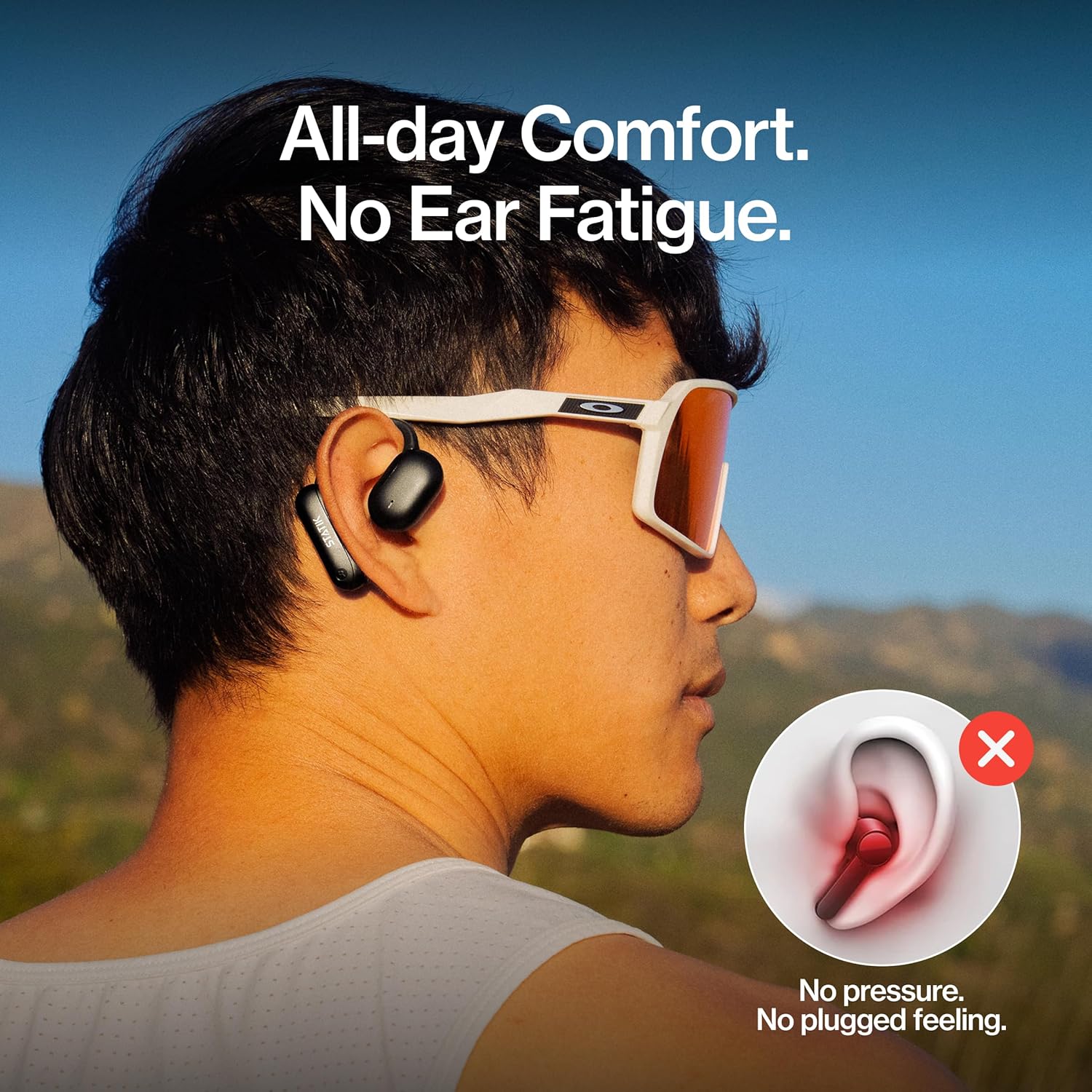
Figure 3: A person wearing the Statik Aktive Open Ear Bluetooth Earbuds, demonstrating the comfortable, no-pressure fit that avoids ear fatigue and a plugged feeling.
2. Sterowanie dotykowe
Słuchawki douszne wyposażone są w sterowanie dotykowe umożliwiające łatwe zarządzanie dźwiękiem i połączeniami:
- Odtwórz/Pauza: Pojedyncze dotknięcie dowolnej słuchawki.
- Następny utwór: Kliknij dwukrotnie prawą słuchawkę.
- Poprzedni utwór: Kliknij dwukrotnie lewą słuchawkę.
- Odbieranie/kończenie połączeń: Pojedyncze dotknięcie dowolnej słuchawki podczas połączenia przychodzącego lub aktywnego połączenia.
- Odrzuć połączenie: Naciśnij i przytrzymaj jedną ze słuchawek przez 2 sekundy podczas połączenia przychodzącego.
- Aktywuj asystenta głosowego: Naciśnij trzykrotnie dowolną słuchawkę.
- Regulacja głośności: Reguluj głośność bezpośrednio z podłączonego urządzenia.
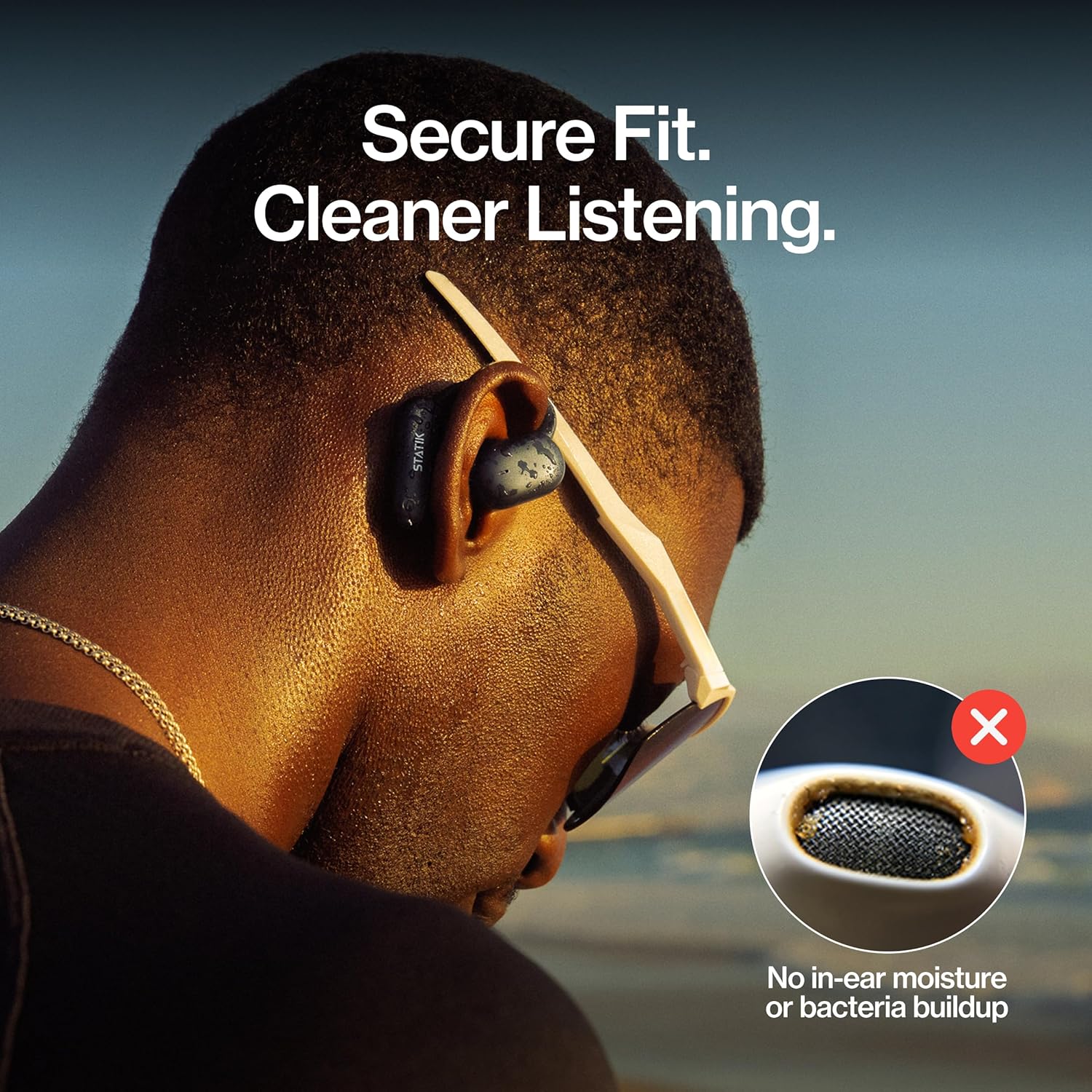
Figure 4: A close-up of a person wearing the Statik Aktive Open Ear Bluetooth Earbuds, illustrating the secure fit and the hygienic benefit of no in-ear moisture or bacteria buildup.
Konserwacja
1. Czyszczenie
To maintain optimal performance and hygiene, regularly clean your earbuds. Use a soft, dry, lint-free cloth to wipe the earbuds and charging case. Avoid using abrasive materials or harsh chemicals. Do not submerge the charging case in water.
2. Wodoodporność
The Statik Aktive Earbuds are IPX5 water-resistant, meaning they can withstand splashes, sweat, and light rain. They are not designed for submersion in water. Ensure the charging port cover is securely closed before exposing the earbuds to moisture.

Figure 5: A woman wearing Statik Aktive Open Ear Bluetooth Earbuds while running outdoors, demonstrating the ability to listen to music while remaining aware of her surroundings.
Rozwiązywanie problemów
- Słuchawki nie łączą się: Ensure earbuds are charged and within range of your device. Turn off and on your device's Bluetooth, then try pairing again.
- Brak dźwięku: Check the volume levels on both your device and the earbuds. Ensure the earbuds are properly connected to your device.
- Problemy z ładowaniem: Verify the USB-C cable is securely connected to both the case and the power source. Ensure the charging contacts on the earbuds and inside the case are clean and free of debris.
- Niestabilne połączenie: Move closer to your connected device and away from potential interference sources (e.g., other wireless devices, microwaves).
Specyfikacje
| Technologia łączności | Bezprzewodowy |
| Zawarte komponenty | Stacja ładowania |
| Waga przedmiotu | 3.84 uncji |
| Numer modelu przedmiotu | PUP-0705-BLK |
| Baterie | Wymagana jest 3 bateria niestandardowa. (w zestawie) |
| Marka | Statyk |
| Kolor | Czarny |
| Umieszczenie ucha | Otwarte ucho |
| Współczynnik kształtu | Otwarte ucho |
| Nazwa modelu | Aktive Earbuds |
Gwarancja i wsparcie
For warranty information and customer support, please refer to the documentation included with your product or visit the official Statik webZachowaj dowód zakupu na wypadek roszczeń gwarancyjnych.