
1. Wprowadzenie
This manual provides detailed instructions for the installation, operation, and maintenance of your SEBSON Outdoor Motion Detector IP65. Please read this manual carefully before installation and use to ensure proper function and safety. Keep this manual for future reference.
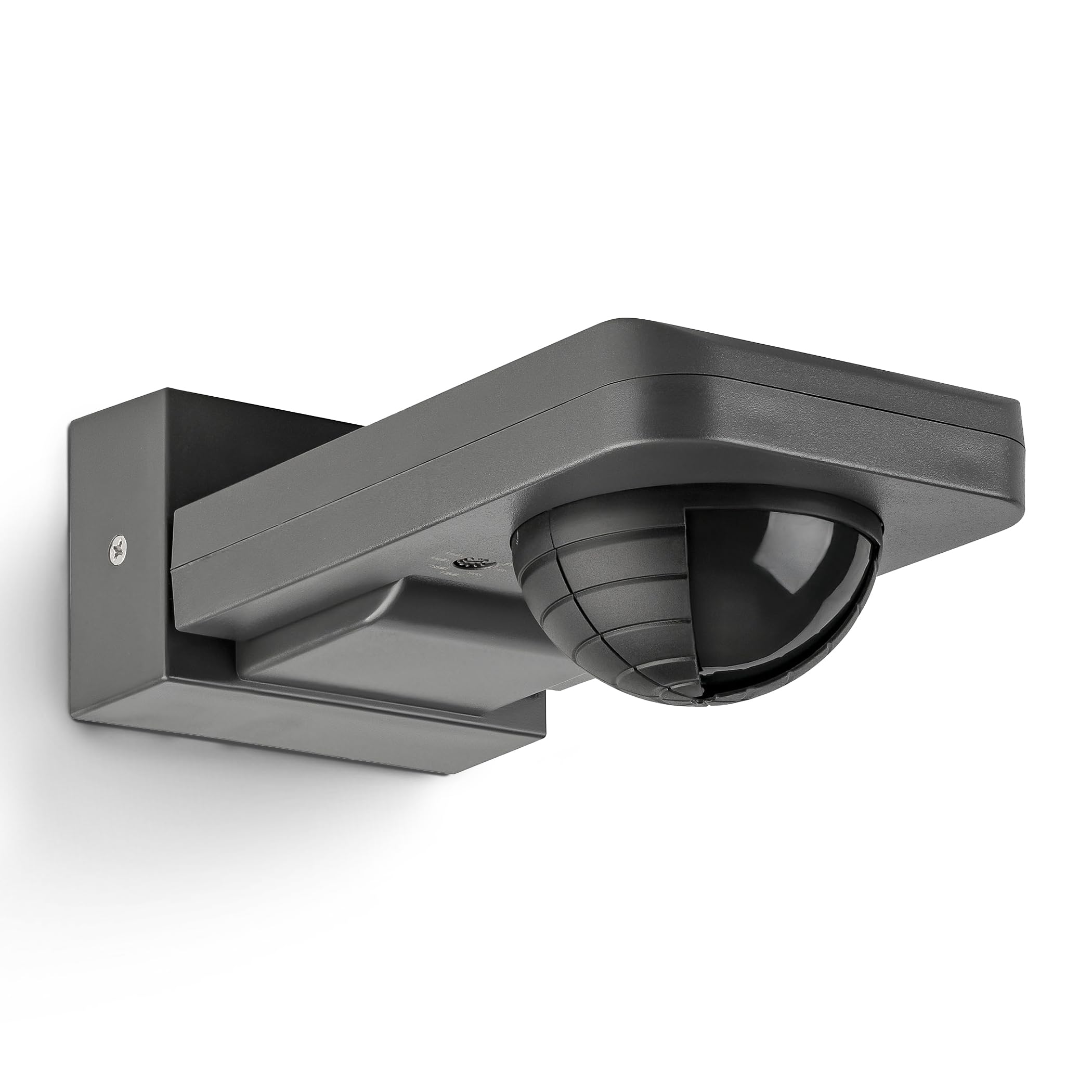
Image 1: SEBSON Outdoor Motion Detector IP65 in anthracite.
2. Instrukcje bezpieczeństwa
- Instalację musi wykonać wykwalifikowany elektryk, zgodnie z lokalnymi przepisami dotyczącymi instalacji elektrycznych.
- Przed instalacją lub konserwacją należy upewnić się, że zasilanie jest odłączone.
- Nie należy przekraczać maksymalnego udźwigu określonego dla urządzenia.
- This product is designed for outdoor use with an IP65 rating, protecting against dust and low-pressure water jets.
- Avoid installing near heat sources, air conditioning units, or objects that may cause false triggers (e.g., swaying trees, reflective surfaces).
3. Funkcje produktu
- Integrated with 3 sensors for precise detection of people, large animals, and vehicles.
- IP65 protection rating for outdoor use.
- Suitable for surface mounting on walls or ceilings.
- Maximum load capacity: 2,000W for incandescent lamps, 1,000W for LED or energy-saving lamps.
- Detection area: 20 meters at 360°.
- Vertical orientation adjustable by 180°.
- Adjustable activation duration: 10 seconds to 30 minutes, or permanent ON/OFF.
- Adjustable ambient brightness sensor: 3-2,000 LUX.

Obraz 2: Koniecview kluczowych specyfikacji i cech produktu.
4. Konfiguracja i instalacja
4.1 Miejsce montażu
Choose a stable surface for mounting, either a wall or a ceiling. Ensure the chosen location allows for the desired detection area and is free from obstructions. The detector can be vertically oriented by 180° after installation.

Image 3: Vertical adjustment range of the motion detector.
4.2 Okablowanie
Connect the motion detector to the AC power supply (230V) and the light fixture according to the wiring diagram provided by a qualified electrician. Ensure all connections are secure and insulated.
4.3 Dostosowywanie obszaru detekcji
The detection range is 20m at 360°. To reduce the detection range or exclude specific areas, use the provided modified cover. Cut the cover according to the desired pattern and place it over the sensor lens.
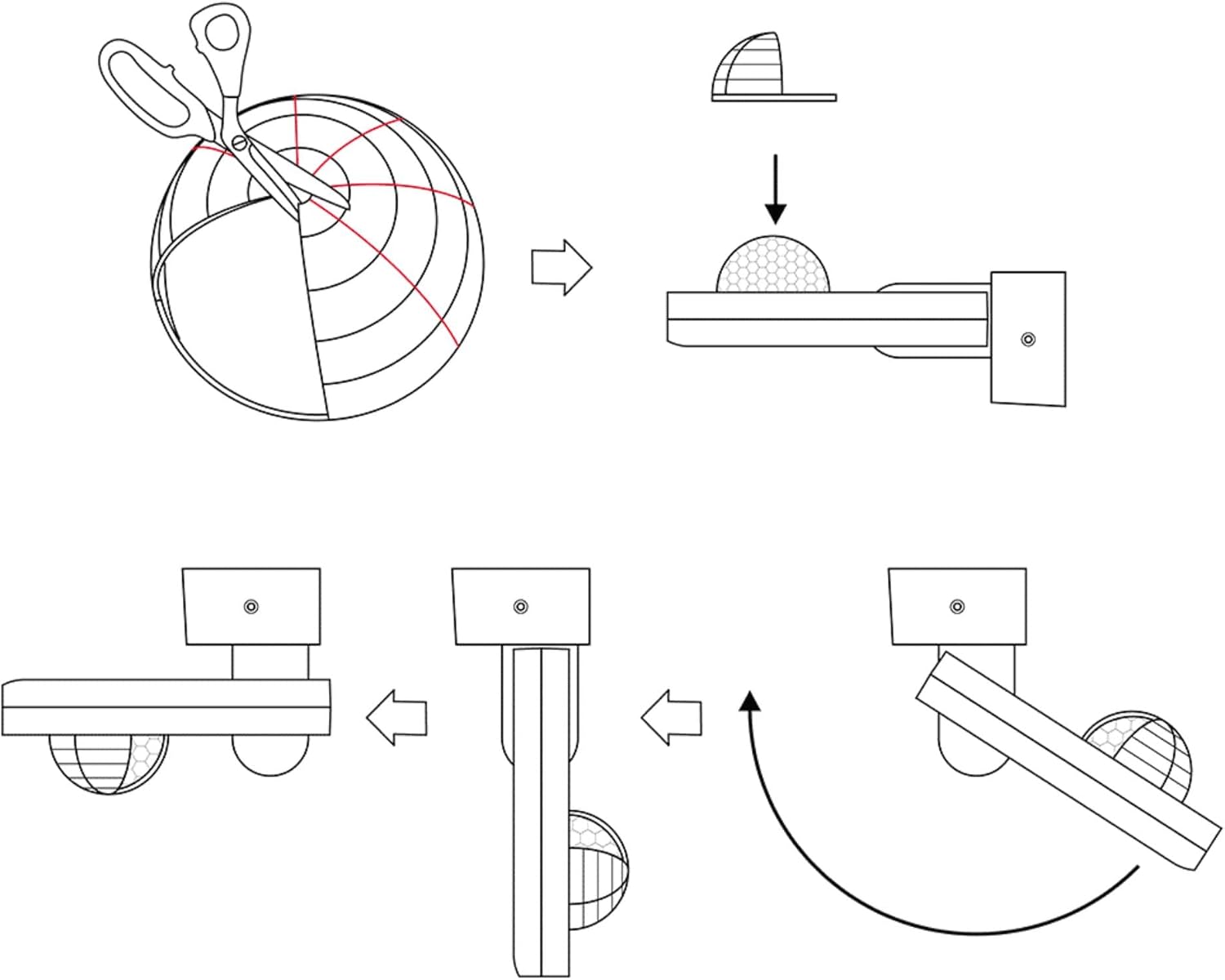
Image 4: Method for adjusting the detection area using a cover.

Image 5: Detection area diagrams for wall and ceiling mounting.
5. Instrukcja obsługi
5.1 Time Setting (TIME)
Use the 'TIME' knob to set the duration the light remains on after motion is detected. Settings range from 10 seconds to 30 minutes. You can also set it to permanent ON or OFF.
5.2 Light Sensitivity Setting (LUX)
Use the 'LUX' knob to adjust the ambient brightness threshold at which the motion detector activates the light. Settings range from 3 LUX (darkness) to 2,000 LUX (daylight). This allows the light to only turn on when it's dark enough.

Rysunek 6: Szczegółowy view of TIME and LUX adjustment controls.
6. Konserwacja
- Regularly clean the sensor lens with a soft, dry cloth to ensure optimal detection performance.
- Nie należy używać środków czyszczących o właściwościach ściernych ani rozpuszczalników, gdyż mogą one uszkodzić urządzenie.
- Okresowo należy sprawdzać wszystkie połączenia elektryczne pod kątem szczelności i oznak zużycia.
- No user-serviceable parts inside. For repairs, contact qualified personnel.
7. Rozwiązywanie Problemów
| Problem | Możliwa przyczyna | Rozwiązanie |
|---|---|---|
| Światło nie włącza się po wykryciu ruchu. | 1. Incorrect LUX setting (too high). 2. Brak zasilania. 3. Wadliwa żarówka. | 1. Adjust LUX setting to a lower value. 2. Check power connections. 3. Wymień żarówkę. |
| Światło pozostaje włączone w sposób ciągły. | 1. TIME setting too long or set to permanent ON. 2. Constant motion in detection area. 3. Czujnik jest zatkany lub brudny. | 1. Adjust TIME setting. 2. Reposition detector or adjust detection area with cover. 3. Clean sensor lens. |
| Światło włącza się bez widocznego ruchu. | 1. Environmental factors (wind, heat, small animals). 2. Sensor too sensitive. | 1. Reposition detector or adjust detection area with cover. 2. Ensure no objects are causing false triggers. |
8. Specyfikacje
- Marka: SEBSON
- Numer modelu: IR_OUT_CA
- Kolor: Antracyt
- Źródło zasilania: AC (prąd przemienny)
- Waga przedmiotu: 222 gram
- Maksymalny zasięg wykrywania: 20 metrów
- Kąt detekcji: 360°
- Typ montażu: Surface mount (wall and ceiling)
- Opis baterii: Bateria nie jest dołączona
- Zakres temperatur: 20 stopni Celsjusza (podczas pracy)
- Zgodne urządzenia: Smart Home Hub, Light
- Zalecane zastosowanie: Residential security, commercial sector, automation, energy management
- Wymiary: 85x55x170mm (approximate, refer to diagram for exact measurements)

Rysunek 7: Wymiary produktu.
9. Gwarancja i wsparcie
SEBSON products are designed for durability and performance. For warranty information or technical support, please refer to the official SEBSON webOdwiedź witrynę lub skontaktuj się ze sprzedawcą. Zachowaj paragon jako dowód zakupu.
Aby uzyskać dalszą pomoc, możesz odwiedzić stronę SEBSON Brand Store.