
DEPSTECH DS650, DS300
Instrukcja obsługi systemów endoskopowych DEPSTECH DS650 i DS300
Kompleksowy przewodnik dotyczący obsługi, konserwacji i rozwiązywania problemów
Wstęp
This manual provides detailed instructions for the safe and effective use of your DEPSTECH DS650 Two-Way Articulating Borescope and DS300 Industrial Endoscope Camera. Please read this manual thoroughly before operating the devices.

Image: The DEPSTECH DS650 articulating borescope (right) and the DS300 industrial endoscope (left), showcasing both devices included in the system.
Środki ostrożności
- Nie należy używać urządzenia w otoczeniu, w którym występują gazy łatwopalne lub wybuchowe.
- Trzymaj urządzenie z dala od silnych pól elektromagnetycznych.
- Ensure the probe is clean before and after each use.
- Nie próbuj demontować ani modyfikować urządzenia.
- Przechowuj urządzenie w suchym, chłodnym miejscu, gdy nie jest używane.
Zawartość opakowania
Sprawdź, czy w przesyłce znajdują się wszystkie elementy:
- DEPSTECH DS650 Przegubowy endoskop
- DEPSTECH DS300 Industrial Endoscope Unit
- Kable do ładowania USB
- Instrukcja obsługi
- Carrying Case (for DS650)
Konfiguracja i pierwsze użycie
Ładowanie urządzenia
Before first use, fully charge both borescope units using the provided USB charging cables. The charging indicator will typically change color or turn off when fully charged.
Włączanie/wyłączanie
Press and hold the power button (usually marked with a power symbol) for a few seconds to turn the device on or off. The display will illuminate upon successful power-on.
Inserting the Probe (DS300)
The DS300 features a semi-rigid cable. Carefully uncoil the cable and ensure the probe head is securely connected to the main unit. The 5.5mm ultra-thin lens is designed for narrow spaces.

Image: Comparison illustrating the 5.5mm ultra-thin lens of the DS300, highlighting its ability to access confined areas compared to larger lenses.
Articulating Probe (DS650)
The DS650 features a 210° two-way articulating probe. This allows for precise control of the camera angle using the joystick or control wheel on the handle. The 6.2mm (0.24in) slim probe is ideal for detailed inspections in challenging areas. Practice articulating the probe before inserting it into an inspection area.

Image: The 210° two-way articulating probe of the DS650, demonstrating its flexibility for seamless detection without blind spots.

Image: The DEPSTECH DS650 articulating borescope being used to inspect an engine component, showcasing its articulating capability.
Instrukcja obsługi
Wyświetlanie i sterowanie
Both models feature an integrated display (4.3" for DS300, 4.5" IPS for DS650) for real-time viewing. Familiarize yourself with the buttons:
- Przycisk zasilania: Włącz/Wyłącz.
- Przycisk menu: Dostęp do ustawień i opcji.
- Przycisk OK/Potwierdź: Select options or confirm actions.
- Przyciski nawigacyjne: Up/Down/Left/Right for menu navigation, digital zoom, or 180° image rotation (DS300).
- Przycisk zdjęcia/wideo: Capture images or start/stop video recording.
- Regulacja jasności diody LED: Control the intensity of the LED lights on the probe tip.

Image: The DEPSTECH DS300 industrial endoscope unit, showing its 4.3-inch screen and control buttons for operation.
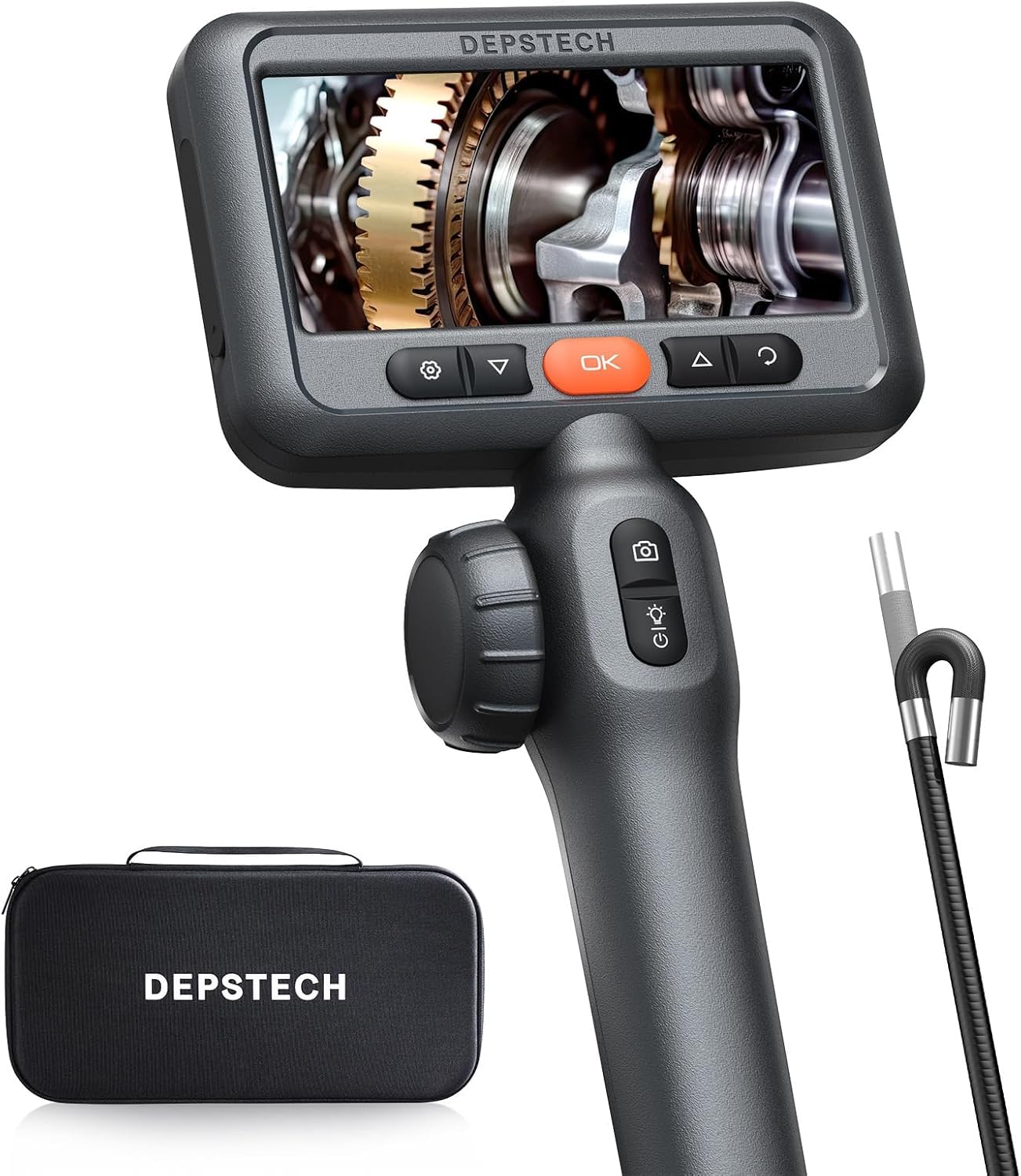
Image: The DEPSTECH DS650 articulating borescope unit, displaying its 4.5-inch IPS screen and ergonomic controls for articulation and image capture.
Regulacja świateł LED
Both models feature adjustable LED lights on the probe tip to illuminate dark inspection areas. Use the dedicated button to cycle through brightness levels. The DS300 has 3 adjustable brightness levels, while the DS650 also has adjustable LED lighting for optimal clarity.

Image: The IP67 waterproof probe of the DS300, demonstrating its resistance to water and the functionality of its 6 adjustable LED lights.
Przechwytywanie obrazu i wideo
Press the photo/video button to capture still images or start/stop video recording. Captured media is saved to the internal memory or an inserted SD card (if applicable). The DS650 utilizes Bluart 3.0 technology for enhanced image clarity and 2.0MP resolution.

Image: Graphic illustrating Bluart 3.0 technology, highlighting improvements in image clarity, processing speed, and low light performance.
Focal Range and Depth of Field
The DS300 camera focal range is 1.96~3.93 inches (5 - 10cm). For optimal image clarity, ensure the object being inspected is within this range.
Konserwacja
- Czyszczenie sondy: After each use, gently wipe the probe and lens with a soft, damp cloth. For the DS300, the probe is IP67 waterproof, allowing for cleaning with water if necessary. Ensure it is dry before storage.
- Pielęgnacja baterii: Aby zachować sprawność baterii, należy regularnie ją ładować, nawet jeśli urządzenie nie jest często używane.
- Składowanie: Store the devices in their original packaging or a protective case in a cool, dry place, away from direct sunlight and extreme temperatures.
Rozwiązywanie problemów
| Problem | Możliwa przyczyna | Rozwiązanie |
|---|---|---|
| Urządzenie nie włącza się. | Niski poziom naładowania baterii; przycisk zasilania nie został przytrzymany wystarczająco długo. | Naładuj urządzenie do pełna; naciśnij i przytrzymaj przycisk zasilania przez 3–5 sekund. |
| Obraz jest rozmazany lub niewyraźny. | Object out of focal range; Lens is dirty; Insufficient lighting. | Adjust distance to object (DS300 focal range: 1.96~3.93 in); Clean the lens; Increase LED brightness. |
| Probe articulation is stiff (DS650). | Debris in articulation mechanism; Cable kinked. | Gently manipulate the articulation to clear minor obstructions; Ensure cable is not severely bent. If problem persists, contact support. |
| Nie można robić zdjęć/nagrywać filmów. | Memory full; SD card not inserted or faulty. | Usuń stare files; Insert a compatible SD card or replace existing one. |
Specyfikacje
| Funkcja | DS650 Articulating Borescope | Endoskop przemysłowy DS300 |
|---|---|---|
| Średnica sondy | 6.2mm (0.24in) | 5.5mm (0.21in) |
| Artykulacja | 210° Dwukierunkowy | N/A (180° image rotation) |
| Rozmiar wyświetlacza | 4.5-calowy IPS | 4.3-calowy wyświetlacz LCD |
| Rozdzielczość kamery | 2.0MP (1080P HD Video) | Wideo 1080P HD |
| Zakres ogniskowej | Not specified (optimized by Bluart 3.0) | 1.96~3.93 in (5 - 10cm) |
| Długość kabla | 5 stopy (ok. 1.5 m) | 16.5 stóp (5 m) |
| Stopień wodoodporności | Not explicitly stated for DS650 probe, but typically high. | IP67 |
| Łączność | Bezpośredni wyświetlacz | Direct display (No Wi-Fi/Bluetooth) |
| Tryby fotografowania | Automatyczna, Manualna | |
| Kontrola ekspozycji | Automatyczny | |
| Typ powiększenia | Zoom cyfrowy | |
Informacje o gwarancji
DEPSTECH products typically come with a standard manufacturer's warranty. Please refer to the warranty card included in your product packaging or visit the official DEPSTECH webSzczegółowe warunki gwarancji znajdziesz na stronie. Zachowaj paragon jako dowód zakupu na wypadek roszczeń gwarancyjnych.
Obsługa klienta
For technical assistance, troubleshooting not covered in this manual, or warranty inquiries, please contact DEPSTECH customer support:
- Webstrona: www.depstech.pl (Sprawdź dane kontaktowe pomocy technicznej)
- E-mail: Zapoznaj się z opakowaniem produktu lub webstrona internetowa zawierająca adres e-mail umożliwiający konkretną pomoc techniczną.
When contacting support, please have your product model (DS650, DS300) and ASIN (B0DMSMBJFR) ready.