
ARPHA AL501-01
ARPHA Smart Door Lock with Video Camera User Manual
Model: AL501-01
1. Wprowadzenie
The ARPHA AL501 Smart Door Lock with Video Camera is an advanced 6-in-1 security solution designed for modern homes. It integrates a 2K HD camera, doorbell, fingerprint reader, keypad, traditional key access, and Wi-Fi app control into a single device. This manual provides comprehensive instructions for installation, operation, and maintenance to ensure optimal performance and security.
2. Co znajduje się w pudełku
Przed rozpoczęciem instalacji sprawdź, czy wszystkie komponenty są obecne:
- ARPHA AL501 Smart Door Lock (Exterior and Interior Assemblies)
- Rechargeable 10,000 mAh Battery Pack
- Doorbell Chime Module
- Szablon instalacji
- Mounting Hardware (Screws, Spindle, etc.)
- Instrukcja obsługi (ten dokument)
- Szybki przewodnik
- Karta SD 32 GB (wbudowana lub dołączona)
- Klucze tradycyjne (2)
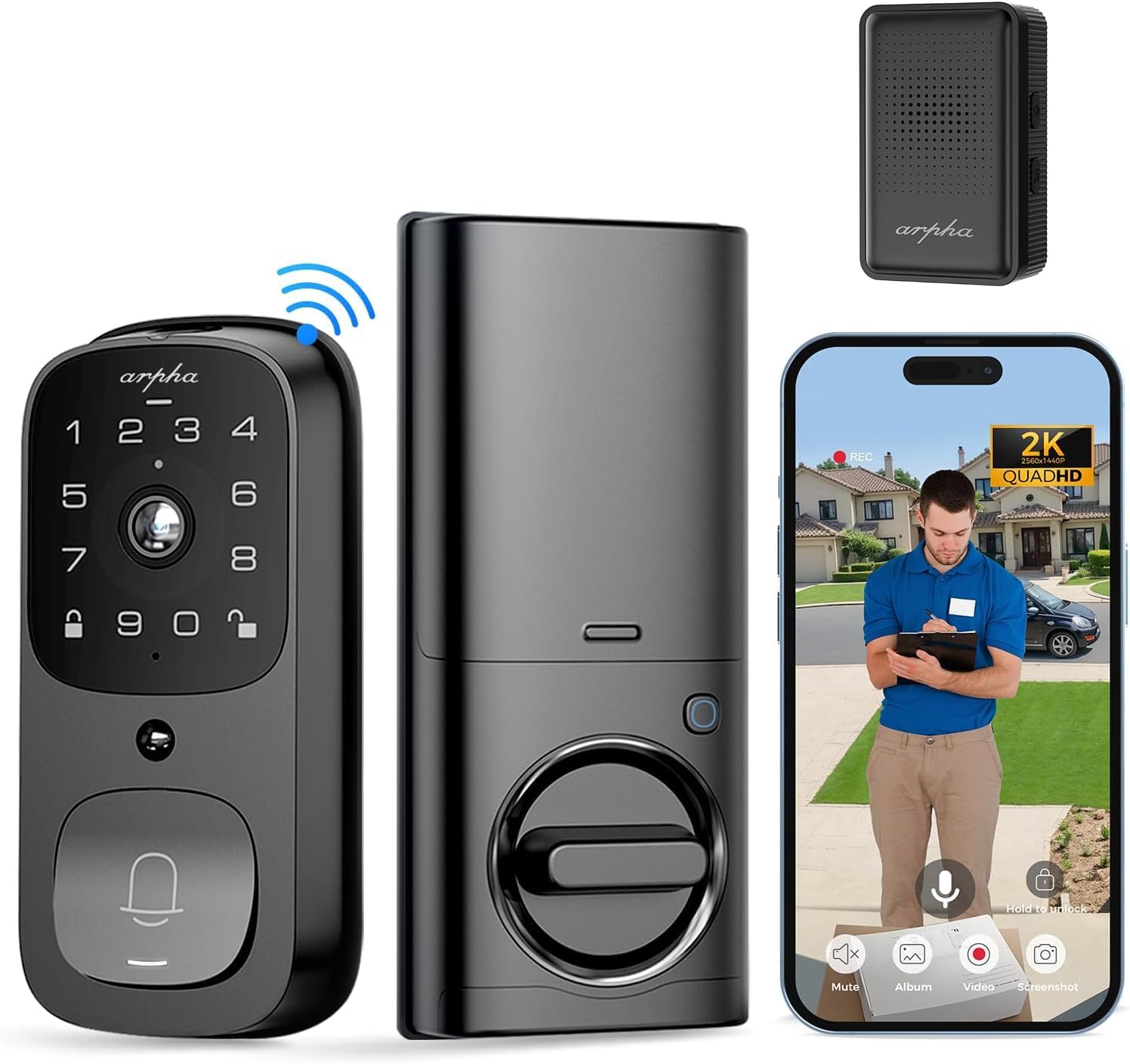
Obraz: Ponadview of the ARPHA AL501 Smart Door Lock and its accessories.
3. Konfiguracja i instalacja
3.1 Lista kontrolna przed instalacją
- Ensure your door thickness is between 1-3/8" to 2-1/8" (35mm - 55mm).
- Verify your door's backset is 2-3/8" (60mm) or 2-3/4" (70mm).
- Confirm the lock is suitable for both left and right-handed door directions.
- A screwdriver is the primary tool required for installation.

Image: Door compatibility and dimensions for installation.
3.2 Kroki instalacji
Aby przeprowadzić prawidłową instalację, należy dokładnie wykonać poniższe czynności:
- Usuń istniejący sprzęt: Unscrew and remove your current deadbolt and any associated hardware from the door.
- Montaż rygla zatrzaskowego: Insert the new latch bolt into the door edge, ensuring the "UP" arrow is pointing upwards. Secure it with screws.
- Zainstaluj zespół zewnętrzny: Place the exterior keypad assembly onto the door, aligning the spindle through the latch bolt. Ensure the cable passes through the door.
- Zainstaluj płytę montażową: Secure the interior mounting plate to the door using the provided screws, ensuring it's flush against the door surface.
- Podłącz kable: Podłącz kabel z zespołu zewnętrznego do zespołu wewnętrznego.
- Zainstaluj zespół wewnętrzny: Attach the interior assembly to the mounting plate, securing it with screws. Ensure the thumb turn operates smoothly.
- Włóż baterię: Fully charge the 10,000 mAh battery pack before first use. Insert the charged battery into the interior assembly.
- Install Doorbell Chime: Plug the Doorbell Chime module into a USB power port. Press and hold the doorbell icon button on the chime for 10 seconds until you hear a sound to pair it with the lock.
- Operacja testowa: Test the lock's functionality using the keypad, fingerprint sensor, and traditional key.
- Konfiguracja aplikacji: Download the "Arpha Plus" app from your device's app store. Follow the in-app instructions to connect your smart lock to your 2.4GHz Wi-Fi network and complete the setup.
4. Instrukcja obsługi
4.1 Arpha App Control
The Arpha Plus App provides remote control and monitoring capabilities:
- Zdalne odblokowanie: Odblokuj drzwi z dowolnego miejsca za pomocą aplikacji.
- Kody tymczasowe: Generate and share one-time or time-limited access codes for visitors and family.
- Powiadomienia w czasie rzeczywistym: Receive alerts for motion detection, doorbell rings, and lock status changes.
- Na żywo View: Access the 2K HD camera live feed to see who is at your door.
- Dwukierunkowy dźwięk: Communicate with visitors directly through the app.

Image: Two-way audio and app control interface.
4.2 Odblokowanie odciskiem palca
The integrated fingerprint sensor offers quick and secure access:
- Szybka identyfikacja: Unlock the door in approximately 0.3 seconds.
- Wysoka dokładność: Features a 99.9% accuracy rate with AI self-learning for improved recognition over time.
- Zapisy: Follow the app instructions to enroll multiple fingerprints for authorized users.

Image: Fingerprint unlock feature.
4.3 Wprowadzanie danych za pomocą klawiatury
Use the touchscreen keypad for code-based entry:
- Ustawianie kodów: Create and manage user codes through the Arpha Plus app.
- Hasło zapobiegające podglądaniu: Enter random digits before or after your actual code to prevent others from guessing your entry code.
- Podświetlana klawiatura: The keypad illuminates for easy use in low-light conditions.
4.4 2K Video & Two-Way Audio
The integrated camera and audio features enhance security and communication:
- Wideo 2K HD: Provides clear, high-resolution video footage.
- Obiektyw szerokokątny 170°: Offers a broad view of your front door area, minimizing blind spots.
- Ulepszone widzenie w nocy: See clearly up to 33 feet in low-light conditions.
- Dwukierunkowy dźwięk: Speak and listen to visitors in real-time via the Arpha Plus app.
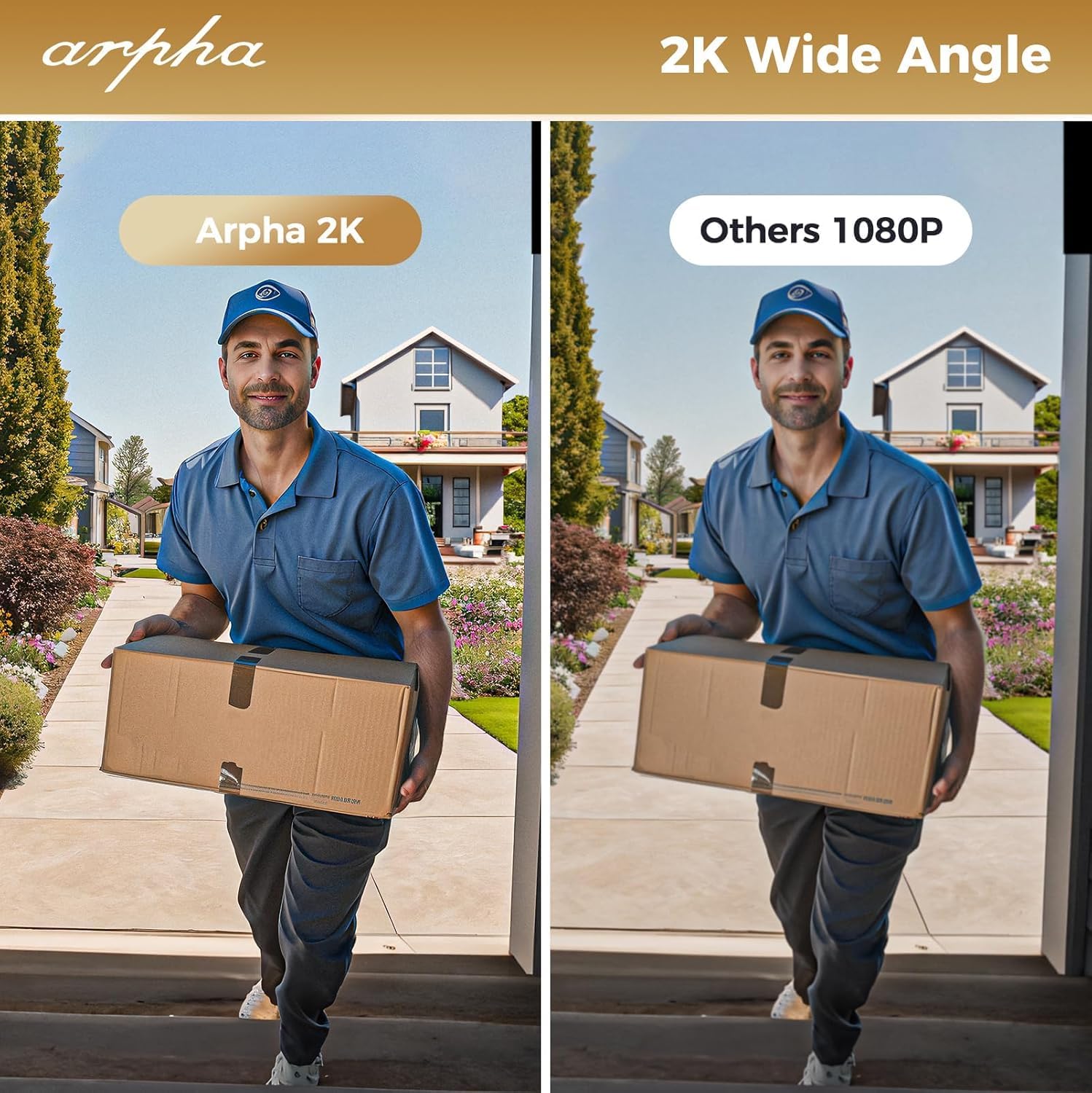
Image: 2K wide-angle camera view porównanie.
4.5 Detekcja ruchu PIR
The Passive Infrared (PIR) sensor detects movement and provides alerts:
- Human/Animal Detection: Identifies motion in the front door area.
- Powiadomienia w czasie rzeczywistym: Sends instant alerts to your Arpha Plus app when motion is detected.
- Customizable Activity Areas: Define specific zones to monitor, reducing unwanted alerts.
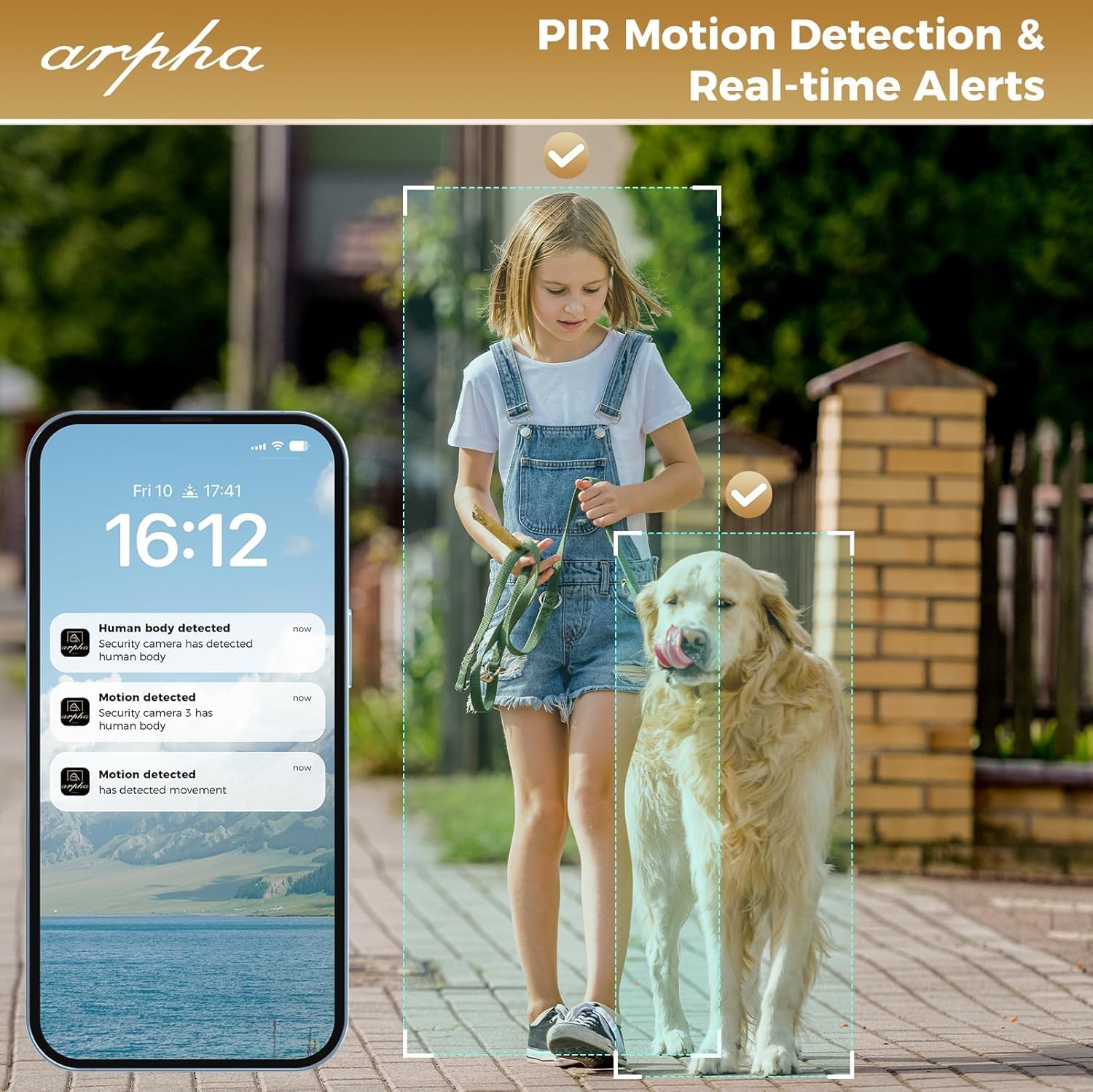
Image: PIR motion detection and real-time alerts.
5. Konserwacja
- Czas pracy baterii: The 10,000 mAh battery pack can last up to 270 days with 10 daily uses on a single full charge.
- Ładowanie: Recharge the battery using the provided USB cable when the low battery warning is issued.
- Pamięć lokalna: The lock supports up to 32GB of local storage for video recordings.
- Czyszczenie: Regularly clean the camera lens with a soft microfiber cloth to ensure clear video quality. Avoid harsh cleaners.
- Odporność na warunki atmosferyczne: The lock is IP65 weatherproof, designed to withstand rain and various weather conditions.

Image: Long battery life feature.
6. Rozwiązywanie Problemów
- Zamek nie odpowiada: Check battery level. If low, recharge the battery. Ensure the battery is properly seated.
- Problemy z rozpoznawaniem odcisków palców: Ensure your finger is clean and dry. Re-enroll your fingerprint if issues persist.
- Problemy z łącznością Wi-Fi: The lock only connects to 2.4GHz Wi-Fi networks. Ensure your router is broadcasting on this frequency. Move the router closer if signal is weak.
- Doorbell Chime Not Working: Ensure the chime module is plugged into a USB power port. Re-pair the chime by pressing and holding its doorbell icon button for 10 seconds until it makes a sound.
- App Issues (Android): As of mid-August, the Android app is undergoing an upgrade. If you experience issues, please contact customer service for assistance.
- Słaba jakość wideo: Clean the camera lens with a soft microfiber cloth. Ensure adequate lighting for optimal night vision performance.
- Alerty o fałszywym ruchu: Adjust the sensitivity settings for PIR motion detection in the Arpha Plus app. Consider customizing activity areas to exclude high-traffic zones.
- Lock Not Fitting Door: Double-check your door's thickness and backset against the specifications in Section 3.1.
7. Specyfikacje
| Funkcja | Szczegół |
|---|---|
| Marka | ARPHA |
| Nazwa modelu | AL501 |
| Numer modelu przedmiotu | AL501-01 |
| Typ zamka | Biometric (Fingerprint), Keypad, Key, App Control |
| Łączność | Wi-Fi (tylko 2.4 GHz) |
| Rozdzielczość kamery | Rozdzielczość 2K |
| Kąt kamery | Szeroki kąt 170° |
| Zakres noktowizora | Do 33 stóp |
| Pojemność baterii | 10,000 mAh litowo-polimerowy |
| Pamięć lokalna | Karta SD 32 GB (w zestawie) |
| Odporność na warunki atmosferyczne | IP65 |
| Zgodność grubości drzwi | 1-3/8" to 2-1/8" (35mm - 55mm) |
| Zgodność z backsetem | 2-3/8" (60mm) and 2-3/4" (70mm) |
| Tworzywo | Metal |
| Pozycja Wymiary (dł. x szer. x wys.) | 2.8 x 5.9 x 1.2 cala |
| Waga przedmiotu | 2.75 funta |
8. Gwarancja i pomoc techniczna
ARPHA is committed to providing high-quality products and excellent customer service. For any questions, concerns, or support needs regarding your ARPHA Smart Door Lock, please contact our support team.
- Usługa online: Pomoc techniczna online jest dostępna 24 godziny na dobę, 7 dni w tygodniu.
- Czas reakcji: Expect a response within 2 hours for inquiries.
- Wsparcie e-mailowe: W celu uzyskania pomocy prosimy o kontakt mailowy wsparcie@arpha.com.

Image: ARPHA Support Team commitment.
Ask a question about this manual
Ask about setup, troubleshooting, compatibility, parts, safety, or missing instructions. Manuals+ will review the question and use this page’s manual context to help answer it.