
Wstęp
This manual provides detailed instructions for the proper use, installation, and maintenance of your TELESIN Ultra-Light Aluminum Camera Cage. Designed for DJI Action 5 Pro, Action 4, and Action 3 cameras, this cage offers enhanced protection and versatile mounting options while maintaining a lightweight profilePrzed użyciem produktu należy dokładnie przeczytać tę instrukcję, aby zapewnić optymalną wydajność i trwałość.

Image: The TELESIN Ultra-Light Aluminum Camera Cage housing a DJI Action camera, showcasing its protective design and integrated cold shoe mount.
Cechy produktu
- Ultralekka konstrukcja: Constructed from upgraded aluminum alloy using CNC injection molding, this cage weighs only 54 grams, ensuring effortless portability and ease of handling.
- Enhanced Lens Compatibility: The cage is designed to accommodate ND (Neutral Density) and CPL (Circular Polarizer) lens filters, providing flexibility for various outdoor shooting conditions and offering additional protection for the camera lens.
- Smart, Signal-Friendly Design: An innovative hollow shell structure is engineered to prevent interference with GPS and Wi-Fi signals. This design also helps dissipate heat, safeguarding the camera from overheating and potential damage during extended use.
- Wszechstronne opcje montażu: Equipped with a cold shoe mount and a standard 1/4-inch screw hole, the cage is compatible with a wide range of accessories such as tripods, monopods, bicycle mounts, helmet mounts, and chest straps. A quick-press lock ensures fast and secure setup.
- Convenient Access and Safety Features: The side-open cutout design allows for easy access to the charging port and SD card slot without removing the camera from the cage. This design also facilitates the mounting of external accessories like flash units, video lights, and microphones.

Image: A visual representation of the camera cage highlighting its ultra-lightweight design, weighing only 54 grams.

Image: A DJI Action camera securely housed within the TELESIN cage, mounted on a tripod, emphasizing its durable construction and design for quick battery access.
Zawartość opakowania
Sprawdź, czy w przesyłce znajdują się wszystkie elementy:
- 1 x TELESIN Ultra-Light Aluminum Camera Cage for DJI Action 5 Pro/4/3
Konfiguracja i instalacja
- Wkładanie kamery:
Open the side latch mechanism on the camera cage. Carefully slide your DJI Action 5 Pro, Action 4, or Action 3 camera into the cage, ensuring it is seated correctly. Close the latch securely until it clicks into place.

Image: An illustration demonstrating the slide rail unlocking mechanism for inserting the camera and facilitating quick battery swaps without removing the cage.
- Accessing Battery and SD Card:
The cage features a side-open cutout design. To access the battery compartment or SD card slot, simply open the designated flap on the cage. This allows for quick changes without needing to remove the camera from the cage.
- Dołączanie akcesoriów:
Utilize the integrated cold shoe mount for attaching accessories such as external microphones or LED video lights. The 1/4-inch threaded hole at the bottom allows for secure mounting on tripods, monopods, or other compatible mounting systems.

Image: A detailed diagram of the camera cage highlighting its multi-functional expansion points, including magnetic interfaces, a 1/4" threaded hole, installation knob, record button, and cold shoe mount.
Instrukcja obsługi
- Ogólne zastosowanie: Once your DJI Action camera is securely installed in the TELESIN cage, it is ready for use. The cage provides a robust protective layer for your camera during various activities.
- Kompatybilność filtrów: The design allows for the attachment of ND and CPL lens filters directly onto your camera while it is housed in the cage. Ensure filters are securely attached before use.
- Integralność sygnału: The hollow design of the cage is optimized to maintain strong GPS and Wi-Fi signals, ensuring uninterrupted connectivity and data transfer.
- Mounting and Stability: Utilize the 1/4-inch screw hole for stable mounting on tripods or other supports. The cold shoe mount expands your camera's capabilities by allowing additional accessories.

Image: A DJI Action camera within the TELESIN cage, perfectly mounted on a car mirror, illustrating its precise dimensions and compatibility for various applications.
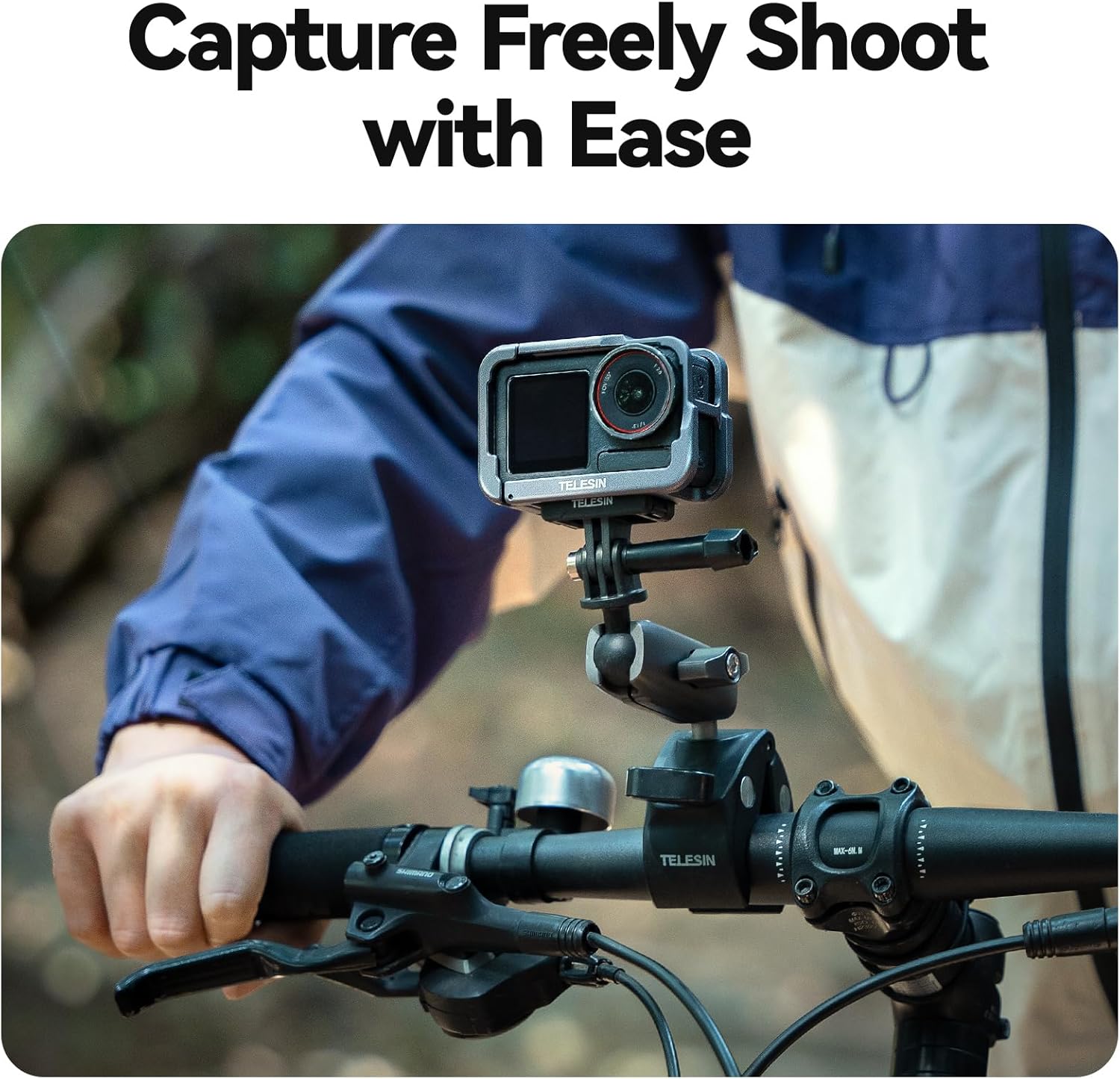
Image: A user capturing footage with a DJI Action camera in the TELESIN cage, mounted on a bicycle handlebar, showcasing ease of use in action.

Image: A collage showing the DJI Action camera in the TELESIN cage used in various mounting configurations: on a helmet, attached to a selfie stick, and secured to a chest strap.
Konserwacja
- Czyszczenie: Wipe the aluminum cage with a soft, dry cloth to remove dust and debris. For stubborn dirt, a slightly damp Można użyć ściereczki, a następnie natychmiast wysuszyć. Unikać środków czyszczących o działaniu ściernym i rozpuszczalników.
- Składowanie: Store the camera cage in a dry, cool place away from direct sunlight when not in use.
- Kontrola: Periodically inspect the cage for any signs of wear, damage, or loose components. Ensure all screws and latches are secure.
Rozwiązywanie problemów
- Shutter Button Responsiveness: If the shutter button on the cage does not consistently activate the camera's shutter, ensure the camera is correctly seated within the cage and that the button mechanism is aligned. Press the button firmly and centrally. If issues persist, verify there is no obstruction.
- Magnetic Mount Engagement: If the magnetic mount requires excessive force to engage, it may be due to the initial compression of the rubber pad. Attaching the magnetic mount and leaving it engaged for a few days can help compress the pad, making future attachments easier.
- Camera Fit Issues: Ensure you are using the correct DJI Action camera model (Action 5 Pro, Action 4, or Action 3) for this specific cage. Improper fit can lead to instability or difficulty in operation.
Specyfikacje
| Model produktu | CXCY-S6-FMS-13-TDJ-EU |
| Materiał produktu | Stop aluminium |
| Waga produktu | 54 g (1.9 uncji) |
| Wymiary produktu | 3.66 x 2.48 x 1.54 cala (ok. 93 x 63 x 39 mm) |
| Kompatybilne modele | DJI Action 5 Pro, DJI Action 4, DJI Action 3 |
| Typ montażu | 1/4" Threaded Hole, Cold Shoe Mount |
| Poziom wodoodporności | Not Water Resistant (Cage itself, camera's water resistance depends on camera model) |
| Kolor | Czarny |
Gwarancja i wsparcie
For warranty information, technical support, or any inquiries regarding your TELESIN product, please refer to the official TELESIN website or contact their customer service directly. You can often find support contact details on the product packaging or through the TELESIN Brand Store on Amazon.
Zachowaj paragon jako dowód zakupu na wypadek ewentualnych roszczeń gwarancyjnych.