
SONICAKE QKP-10
Instrukcja obsługi klawiatury fortepianu cyfrowego Sonicake QKP-10
Model: QKP-10
1. Wprowadzenie
Welcome to the user manual for your new SONICAKE QKP-10 Portable Digital Electronic Piano Keyboard. This manual provides essential information for setting up, operating, and maintaining your instrument. Please read it thoroughly to ensure proper use and to maximize your musical experience.
2. Koniec produktuview
The SONICAKE QKP-10 is a versatile 61-key digital keyboard designed for beginners and aspiring musicians. It offers a wide array of features to enhance learning and creativity.
- Vast Range of Tones and Features: Includes 300 tones, 300 rhythms, and 80 demo songs, providing diverse sound options.
- Doświadczenie stereo: Equipped with two built-in speakers and Bluetooth connectivity.
- Łączność słuchawkowa: Allows for private practice without disturbing others.
- Nagrywanie i odtwarzanie: Built-in function to record and review your performances.
- Funkcje praktyczne: Features vibrato, sustain, transpose, Dual-tone mode, 2 chord modes, and Split function.
- Ruchliwość: Can be powered by six AA batteries (not included) or a 5V 1A USB connection for use anywhere.

Rysunek 2.1: Koniecview of the SONICAKE QKP-10 Digital Electronic Piano Keyboard with music rest.
3. Konfiguracja
3.1 Włączanie klawiatury
The QKP-10 keyboard can be powered in two ways:
- Zasilacz: Connect the included 5V 1A USB power adapter to the USB-C port on the back of the keyboard and plug it into a standard wall outlet.
- Baterie: For portable use, insert six AA batteries (not included) into the battery compartment located on the underside of the keyboard. Ensure correct polarity.

Figure 3.1: Keyboard dimensions and included power adapter and USB cable.
3.2 Podłączanie akcesoriów
- Słuchawki: Connect standard 3.5mm headphones to the "PHONES" jack on the rear panel for private listening.
- Pedał podtrzymania: Connect an optional sustain pedal (not included) to the "SUSTAIN" jack for extended note decay.

Figure 3.2: Rear panel showing Sustain, Phones, and USB-C ports.
4. Instrukcja obsługi
4.1 Podstawowa obsługa
- Włączanie/wyłączanie: Naciśnij MOC przycisk służący do włączania i wyłączania klawiatury.
- Regulacja głośności: Użyj MAIN VOL + / - buttons to adjust the overall volume.

Figure 4.1: User interacting with the keyboard and its control panel.
4.2 Tony i rytmy
The QKP-10 features 300 tones and 300 rhythms.
- Wybieranie dźwięków: Naciśnij TON button, then use the number pad (0-9) to enter the desired tone number.
- Wybór rytmów: Naciśnij RYTM button, then use the number pad (0-9) to enter the desired rhythm number.
- Głośność rytmu: Adjust rhythm volume using RHYTHM VOL + / - pikolak.
- Tempo: Adjust the tempo of rhythms and demo songs using TEMPO + / - pikolak.
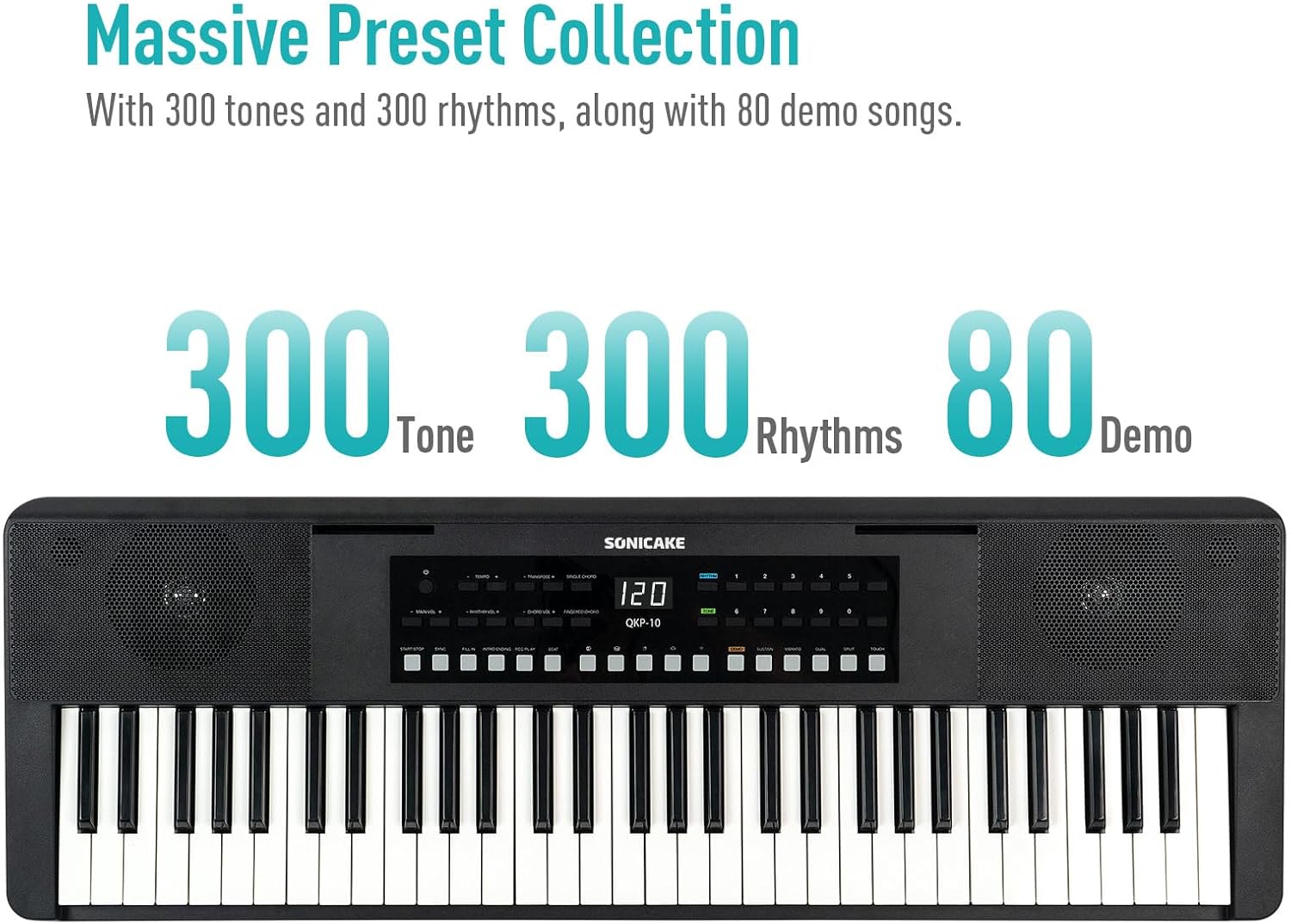
Figure 4.2: Control panel highlighting the 300 Tones, 300 Rhythms, and 80 Demo songs available.
4.3 piosenek demonstracyjnych
The keyboard includes 80 demo songs for listening and learning.
- Odtwarzanie wersji demonstracyjnych: Naciśnij DEMONSTRACJA button to cycle through the demo songs.
4.4 Nagrywanie i odtwarzanie
Record your performances and play them back to review Twoje postępy.
- Nagrywać: Naciśnij REK button to start recording. Play your desired melody.
- Zatrzymaj nagrywanie: Naciskać GRAĆ or ZATRZYMYWAĆ SIĘ aby zakończyć nagrywanie.
- Odtwarzanie nagranego dźwięku: Naciśnij GRAĆ przycisk, aby posłuchać nagranego występu.
4.5 Łączność Bluetooth
Connect your smartphone or tablet via Bluetooth to play along with your favorite songs or accompaniment audio.
- Aktywuj Bluetooth: Sprawdź, czy Bluetooth jest włączony na Twoim urządzeniu zewnętrznym.
- Łączenie w pary: The keyboard will appear as "SONICAKE QKP-10" (or similar) in your device's Bluetooth settings. Select it to pair.
- Odtwarzanie nagranego dźwięku: Once paired, audio from your device will play through the keyboard's speakers.

Figure 4.3: Illustrates Bluetooth playback support, showing a smartphone wirelessly connected to the keyboard.
4.6 zaawansowane funkcje
Explore these functions to expand your musical expression:
- Wibrato: Adds a slight pitch variation to notes. Press WIBRATO.
- Podtrzymywać: Extends the decay of notes. Press PONIEŚĆ.
- Transponować: Shifts the pitch of the entire keyboard up or down. Use TRANSPOSE + / -.
- Dual-tone Mode: Layers two different tones simultaneously. Press PODWÓJNY.
- Funkcja podziału: Divides the keyboard into two sections, each with a different tone. Press ROZDZIELAĆ.
- Chord Modes: Includes Single Chord and Fingered Chord modes.

Rysunek 4.4: Szczegółowy view of the control panel, showing buttons for various functions like Tempo, Transpose, Chord modes, Demo, Sustain, Vibrato, Dual, Split, and Touch.
5. Konserwacja
Proper care will ensure the longevity and performance of your keyboard.
- Czyszczenie: Do czyszczenia powierzchni klawiatury użyj miękkiej, suchej ściereczki. W przypadku uporczywych zabrudzeń delikatnie przetrzyjampNamocz ściereczkę wodą z łagodnym detergentem, a następnie natychmiast wytrzyj do sucha. Unikaj środków czyszczących o działaniu ściernym i rozpuszczalników.
- Składowanie: Przechowuj klawiaturę w chłodnym i suchym miejscu, z dala od bezpośredniego światła słonecznego, ekstremalnych temperatur i wysokiej wilgotności.
- Obsługiwanie: Unikaj upuszczania klawiatury i narażania jej na silne uderzenia. Nie kładź na niej ciężkich przedmiotów.
- Pielęgnacja baterii: If not using the keyboard for an extended period, remove the batteries to prevent leakage.
6. Rozwiązywanie Problemów
If you encounter any issues with your keyboard, please refer to the following common problems and solutions:
| Problem | Możliwa przyczyna | Rozwiązanie |
|---|---|---|
| Brak dźwięku z głośników/słuchawek. | Volume too low; power issue; headphones not fully inserted. | Increase MAIN VOL. Check power connection/batteries. Ensure headphones are fully plugged in. |
| Klawiatura się nie włącza. | No power supply; dead batteries; faulty adapter. | Check power adapter connection. Replace batteries. Try a different USB power source. |
| Problemy z połączeniem Bluetooth. | Klawiatura nie jest w trybie parowania; urządzenie jest za daleko; występują zakłócenia. | Ensure Bluetooth is enabled on both devices. Move devices closer. Restart both devices. |
| Klawisze nie reagują. | Keyboard frozen; internal issue. | Turn the keyboard off and on again. If problem persists, contact customer support. |
7. Specyfikacje
| Funkcja | Szczegół |
|---|---|
| Nazwa modelu | QKP-10 |
| Liczba kluczy | 61 |
| Dźwięki | 300 |
| Rytmy | 300 |
| Utwory demonstracyjne | 80 |
| Łączność | Bluetooth, USB |
| Typ złącza | USB typu A, gniazdo 3.5 mm |
| Gniazdo słuchawkowe | Gniazdo 3.5 mm |
| Źródło zasilania | Battery Powered (6x AA), 5V 1A USB |
| Waga przedmiotu | 10.47 funta (ok. 4.75 kg) |
| Wymiary opakowania | 38.19 x 14.37 x 5.91 cala (ok. 97 x 36.5 x 15 cm) |
| Kolor | Czarny |
| Producent | SONICA |
8. Gwarancja i wsparcie
Aby uzyskać informacje o gwarancji i obsłudze klienta, zapoznaj się z dokumentacją dołączoną do zakupionego produktu lub odwiedź oficjalną stronę internetową SONICAKE webZachowaj dowód zakupu na wypadek roszczeń gwarancyjnych.
If you require further assistance or have questions not covered in this manual, please contact SONICAKE customer service.
Ask a question about this manual
Ask about setup, troubleshooting, compatibility, parts, safety, or missing instructions. Manuals+ will review the question and use this page’s manual context to help answer it.