
Ergear EGESD7W-CA
Instrukcja obsługi biurka elektrycznego ErGear do pracy na stojąco
Model: EGESD7W-CA | Brand: ErGear
Wstęp
Thank you for choosing the ErGear Electric Standing Desk. This manual provides detailed instructions for assembly, operation, maintenance, and troubleshooting to ensure optimal performance and longevity of your desk. Please read this manual thoroughly before installation and use, and retain it for future reference.
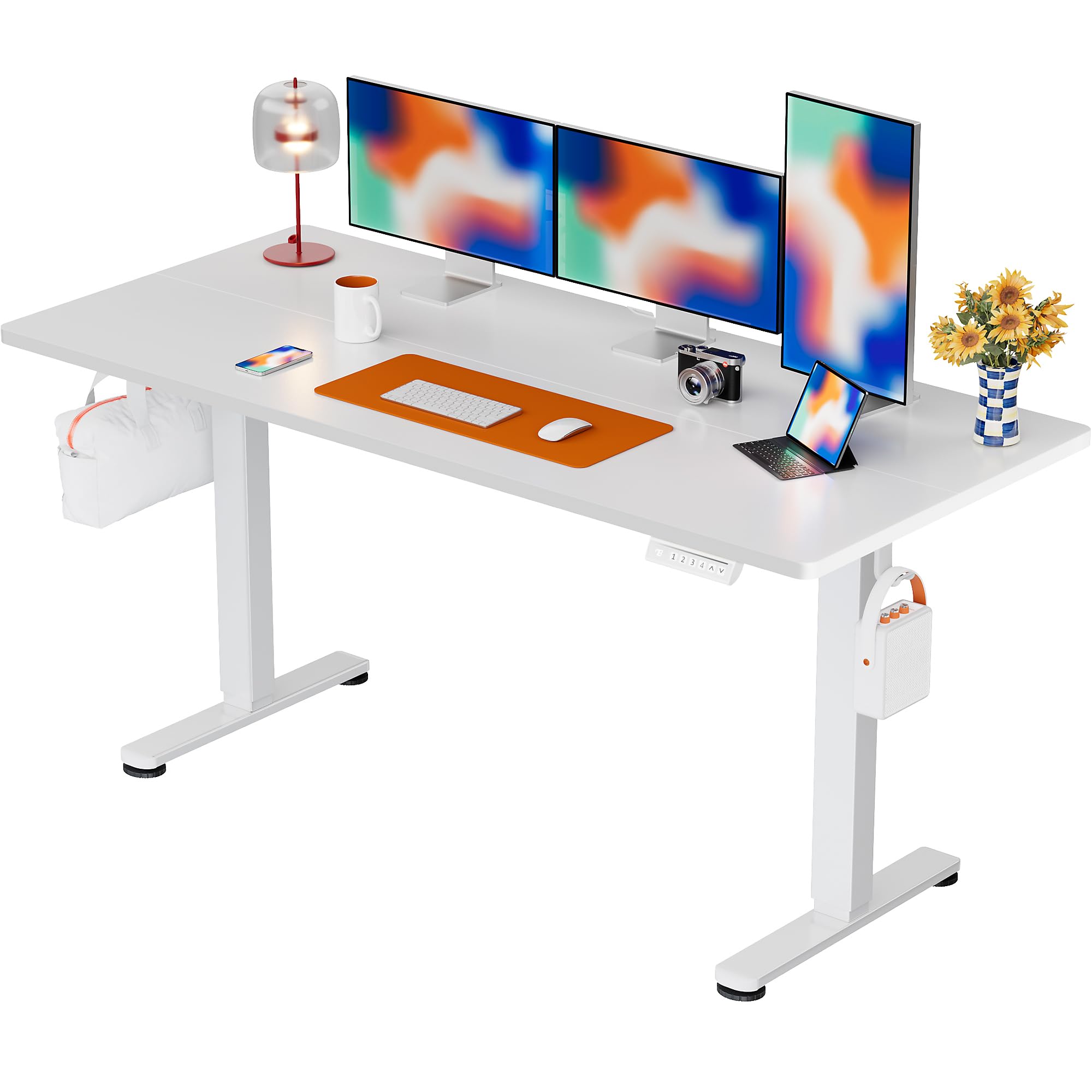
The ErGear Electric Standing Desk, 63x28 inch, in a white finish, featuring a spacious desktop and electric height adjustment capabilities.
Informacje dotyczące bezpieczeństwa
- Przed montażem upewnij się, że wszystkie elementy są kompletne i nieuszkodzone. Nie używaj, jeśli brakuje którejkolwiek części lub jest ona uszkodzona.
- Aby zapobiec obrażeniom, podczas pracy biurka należy trzymać dzieci i zwierzęta z dala od niego.
- Do not overload the desk. The maximum weight recommendation is 176 pounds (80 kg).
- Ensure the power cord is not pinched or damaged. Connect to a grounded outlet.
- Unikaj stawiania płynów bezpośrednio na panelu sterowania lub w pobliżu podzespołów elektrycznych.
- Regularnie sprawdzaj wszystkie śruby i połączenia, aby mieć pewność, że są dobrze dokręcone i bezpieczne.
- Biurko jest przeznaczone wyłącznie do użytku w pomieszczeniach zamkniętych.
Zawartość opakowania
Przed rozpoczęciem montażu należy sprawdzić, czy w opakowaniu znajdują się wszystkie poniższe elementy:
- Desktop Boards ×2
- Leg with Motor ×1
- Noga ×1
- Leg Bases ×2
- Crossbar & Transmission Rod
- Controller & Power Cable
- Wszystkie niezbędne narzędzia i sprzęt montażowy
Instrukcja montażu
Follow these steps carefully to assemble your ErGear Electric Standing Desk. An assembly video is also provided for visual guidance.
Official ErGear Electric Standing Desk Assembly Video. This video demonstrates the step-by-step process for setting up your desk.
Step 1: Assemble the Desk Legs
Attach the leg bases to the desk legs using the provided screws. Ensure they are securely fastened.

The stable T-shaped desk legs provide a sturdy foundation for the electric standing desk.
Step 2: Attach Side Plates and Transmission Rod
Connect the side plates to the desk legs. Insert the transmission rod fully into the left leg and secure it. If the two desk legs are not at the same height, insert the rod into the left leg and turn to adjust.
Step 3: Assemble and Attach the Desktop
Place the two desktop boards together, aligning the dowels. Secure the desktop to the assembled frame using the provided screws and brackets. Ensure all connections are tight.
Krok 4: Podłącz kable
Connect the motor and control panel cables to the main control box. Ensure all connections are firm and correctly oriented.
Step 5: Install Cable Hole Covers
Place the cable hole covers into the designated openings on the desktop to manage wires neatly.

Ergonomic guidelines for using the standing desk, showing optimal monitor and arm positions for both sitting and standing.
Instrukcja obsługi
Panel sterowania nadview
The desk features an intuitive control panel with height adjustment buttons and memory presets.
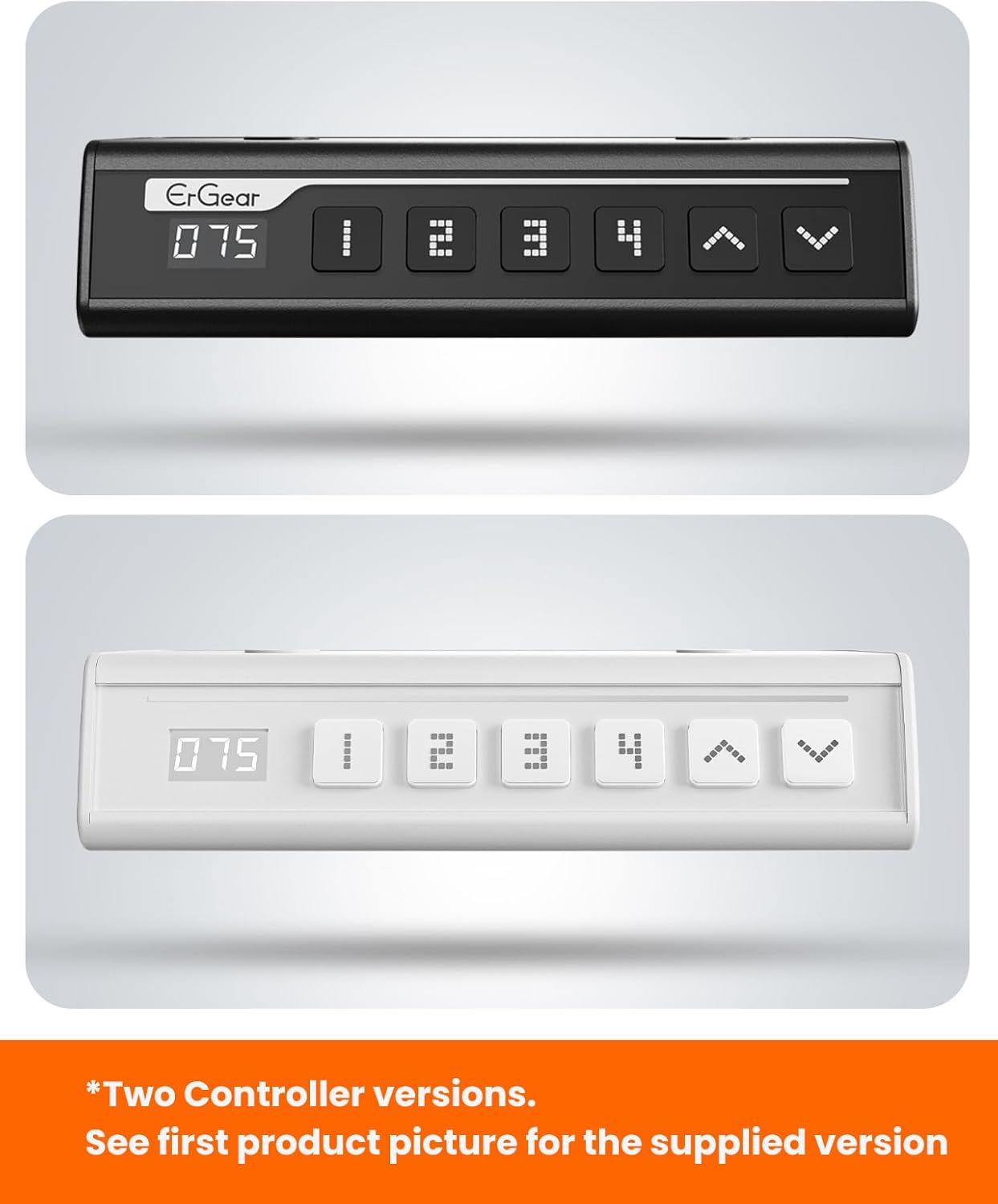
The ErGear control panel, available in two versions, features a digital height display and four programmable memory settings.
Regulacja wysokości
- Użyj W górę (^) I W dół (v) arrows to smoothly adjust the desk height between 28.35 inches and 46.46 inches.
- Zwolnij przycisk na żądanej wysokości.
Ustawienia pamięci
Biurko umożliwia zapisanie do 4 preferowanych ustawień wysokości.
- Dostosuj wysokość biurka do swoich potrzeb, korzystając ze strzałek w górę/w dół.
- Naciśnij M button (or equivalent memory set button). The display will flash.
- Naciśnij jeden z ponumerowanych przycisków ustawień wstępnych (1, 2, 3 lub 4) w ciągu 3 sekund, aby zapisać aktualną wysokość w wybranym ustawieniu.
- Aby przywołać zapisaną wysokość, wystarczy nacisnąć odpowiedni numerowany przycisk. Biurko automatycznie ustawi się w zapisanej pozycji.
This video demonstrates the smooth and quiet operation of the ErGear Electric Standing Desk, showcasing its height adjustment and memory preset features.
Konserwacja
- Czyszczenie: Przetrzyj blat i ramę miękką szmatką.amp szmatką. Unikaj silnych środków chemicznych i ściernych środków czyszczących.
- Kontrola: Periodically check all screws and connections for tightness. Re-tighten if necessary.
- Zarządzanie kablami: Ensure cables are neatly organized and not tangled or pinched to prevent damage.
Rozwiązywanie problemów
If you encounter any issues with your ErGear Electric Standing Desk, please refer to the following common problems and solutions:
| Problem | Możliwa przyczyna | Rozwiązanie |
|---|---|---|
| Biurko się nie rusza | Power cable disconnected, motor error, overloaded desk. | Check power connections. Unplug for 30 seconds and plug back in. Reduce weight on the desk. |
| Nierówna wysokość | Transmission rod not fully inserted or adjusted. | Refer to Step 2 of assembly to ensure the transmission rod is correctly installed and adjusted. |
| Hałas podczas pracy | Normal operation sound, loose screws. | A slight motor sound is normal. Check and tighten any loose screws on the frame. |
| Ustawienia pamięci nie działają | Nieprawidłowa procedura zapisywania. | Follow the memory preset instructions carefully (press M, then the number within 3 seconds). |
Specyfikacje
| Funkcja | Szczegół |
|---|---|
| Marka | Przekładnia |
| Numer modelu | EGESD7W-CA |
| Projekt biurka | Biurko stojące |
| Kształt | Prostokątny |
| Wymiary produktu (Gł. x Szer. x Wys.) | 71.1 cm głębokości x 160 cm szerokości x 118 cm wysokości |
| Rozmiar | 63*28 cala |
| Kolor | Biały |
| Minimalna wysokość | 28.35 cali |
| Maksymalna wysokość | 46.46 cali |
| Grubość blatu | 1.5 centymetrów |
| Materiał bazowy | Stal stopowa |
| Najlepszy rodzaj materiału | Drewno inżynieryjne (wykończenie orzechowe) |
| Cechy specjalne | Adjustable Height, Electric, Ergonomic |
| Maksymalna zalecana waga | 176 funtów (80 kg) |
| Wymagany montaż | Tak (zawiera wszystkie narzędzia montażowe) |
Gwarancja i wsparcie
ErGear is committed to providing high-quality products and customer satisfaction. This product comes with:
- 5-letnia ochrona on the desktop and desk frame.
- 2-letnia ochrona on motors and electrical components.
For any questions, concerns, or warranty claims, please contact ErGear customer support. You can typically find contact information on the product packaging or the official ErGear website. Please have your model number (EGESD7W-CA) and purchase details ready when contacting support.

The ErGear Electric Standing Desk seamlessly integrates into various home office environments.
Powiązane dokumentyEGESD7W-CA


Ask a question about this manual
Ask about setup, troubleshooting, compatibility, parts, safety, or missing instructions. Manuals+ will review the question and use this page’s manual context to help answer it.