
Loocam LC8P8B-6W42S-186D
Loocam 5MP PoE Security Camera System User Manual
Model: LC8P8B-6W42S-186D
Marka: Loocam
1. Wprowadzenie
This manual provides detailed instructions for the installation, operation, and maintenance of your Loocam 5MP PoE Security Camera System. This system is designed for reliable 24/7 surveillance with advanced features such as full-color night vision, AI human and vehicle detection, and two-way audio communication.
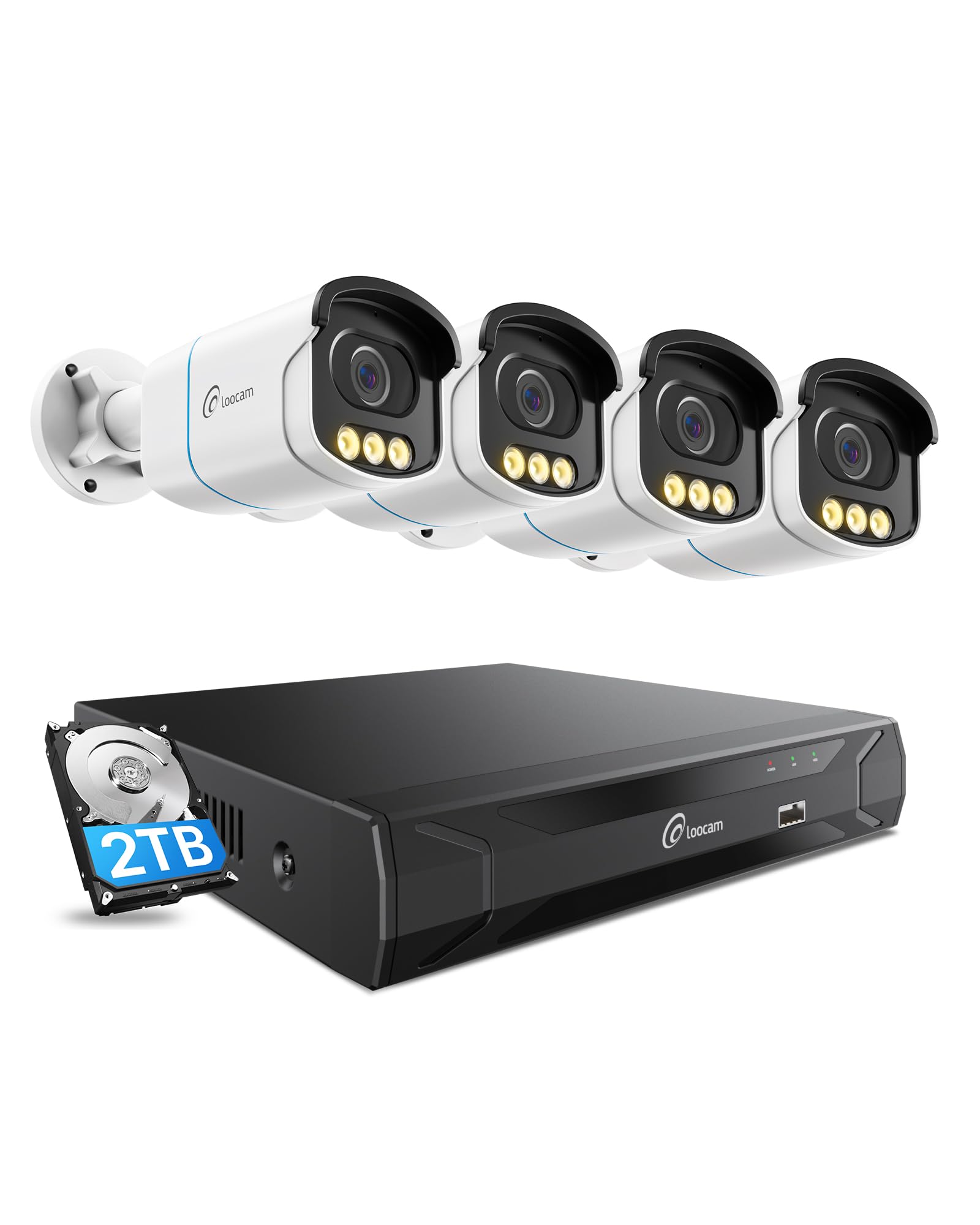
Figure 1: Loocam 5MP PoE Security Camera System components.
2. Zawartość opakowania
Sprawdź, czy w przesyłce znajdują się wszystkie elementy wymienione poniżej:
- 1x 8-Channel 8MP NVR with 2TB Hard Drive Pre-installed
- 4 kamery IP PoE 5 MP
- 4 kable Ethernet o długości 60 stóp
- 1x 1m Ethernet Cable
- 1x NVR Power Supply
- 1x mysz USB
- 1x kabel HDMI
- 4x śruby montażowe
- 4x szablony montażowe
- Przewodnik szybkiego startu 1x
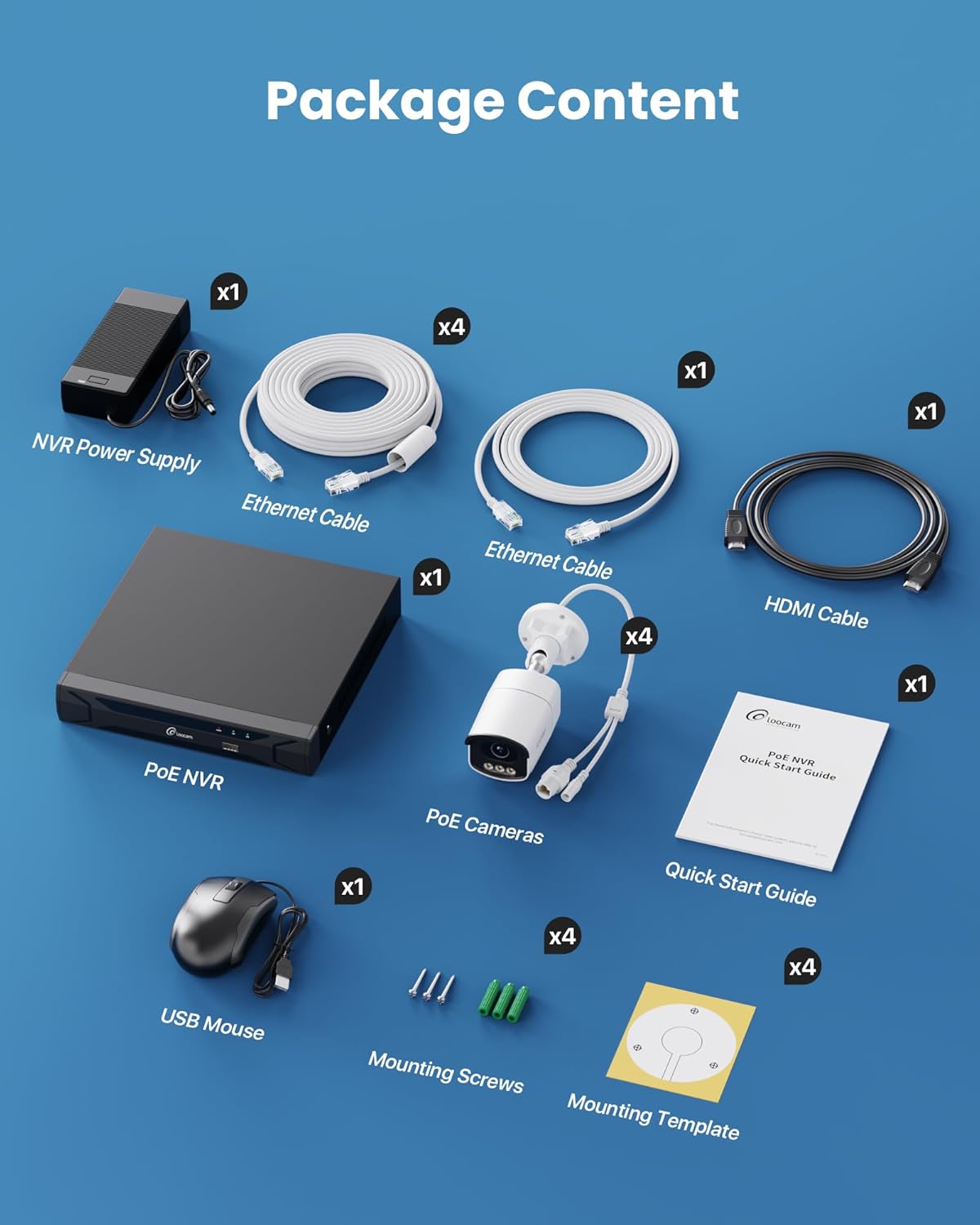
Figure 2: Contents included in the Loocam 5MP PoE Security Camera System package.
3. Konfiguracja systemu
Follow these steps to set up your Loocam PoE Security Camera System:
- Przygotuj sprzęt: Ensure you have a monitor, a router with network connection, and a power strip available.
- Podłącz NVR: Connect the NVR to your monitor using the HDMI cable. Connect the USB mouse to the NVR. Connect the NVR to your router using an Ethernet cable. Finally, connect the NVR power supply and turn on the NVR.
- Podłącz kamery: Connect each 5MP PoE IP camera to an available PoE port on the NVR using the provided Ethernet cables. The NVR will power the cameras and transmit video data.
- Początkowy rozruch: Wait for the NVR to boot up and display video feeds from the connected cameras on your monitor.
Video 1: Unboxing and Installation Guide for Loocam PoE Security Camera System. This video demonstrates the physical setup process.
4. Instrukcja obsługi
4.1 Jakość wideo i widzenie nocne
The system provides sharp 5MP HD video (2880x1620 resolution) for clear monitoring. It features advanced full-color night vision, ensuring vivid and detailed images even in low-light conditions, providing 24/7 surveillance.

Figure 3: Visual comparison illustrating the enhanced detail of 5MP HD resolution over 1080p.

Figure 4: Demonstration of true full-color night vision providing clearer, more vibrant images at night compared to standard night vision.
Video 2: Loocam 5MP PoE Camera System showcasing True Full Color Night Vision capabilities.
4.2 Smart AI Detection and Alerts
The system utilizes AI to accurately identify people and vehicles, reducing false alarms. When an event is detected, you will receive instant app notifications.
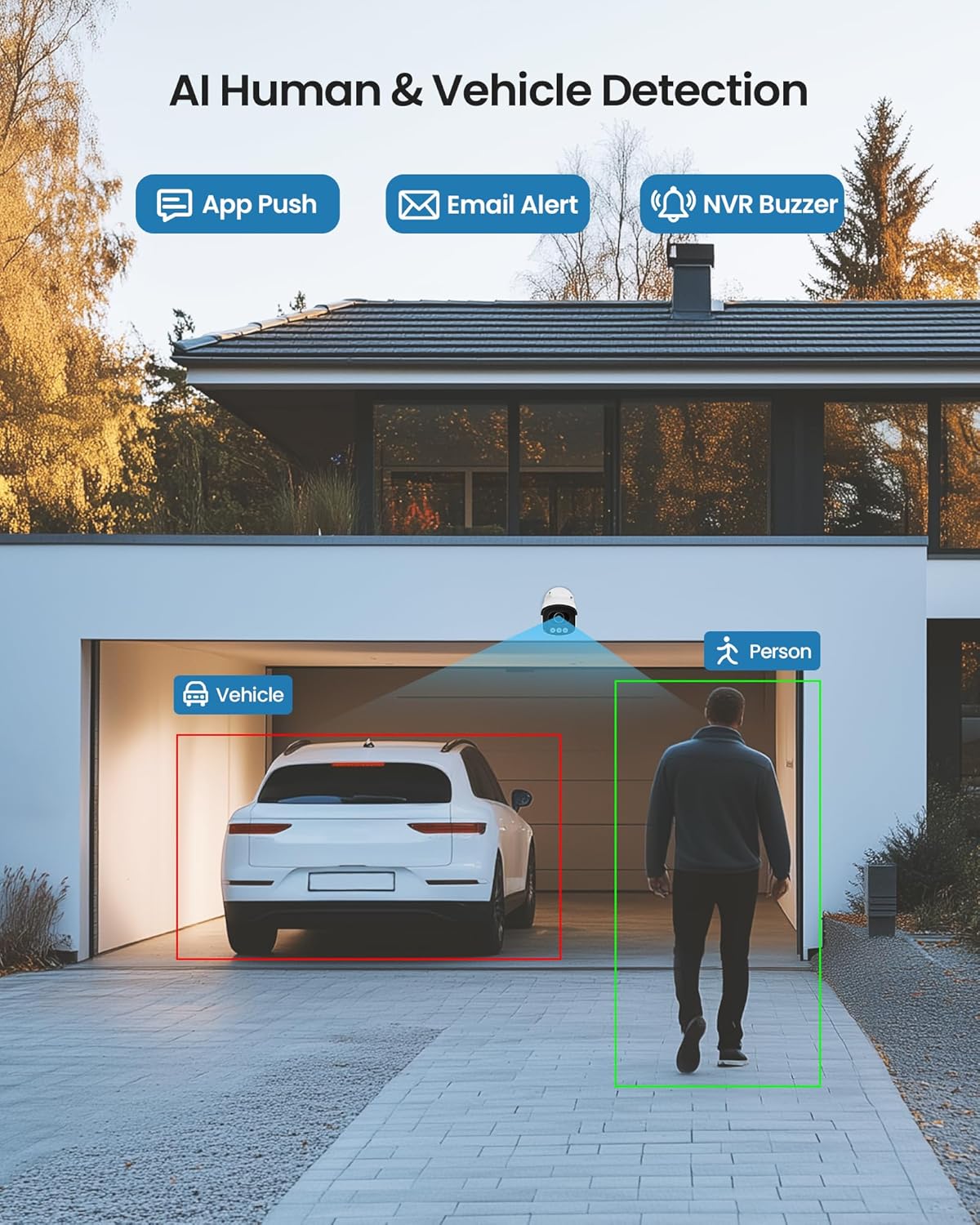
Figure 5: Illustrates the AI system detecting and outlining a person and a vehicle.
4.3 Alarm reflektorowy i syrena
The cameras are equipped with a spotlight and siren alarm feature. These can be activated automatically upon detection or manually to deter intruders.
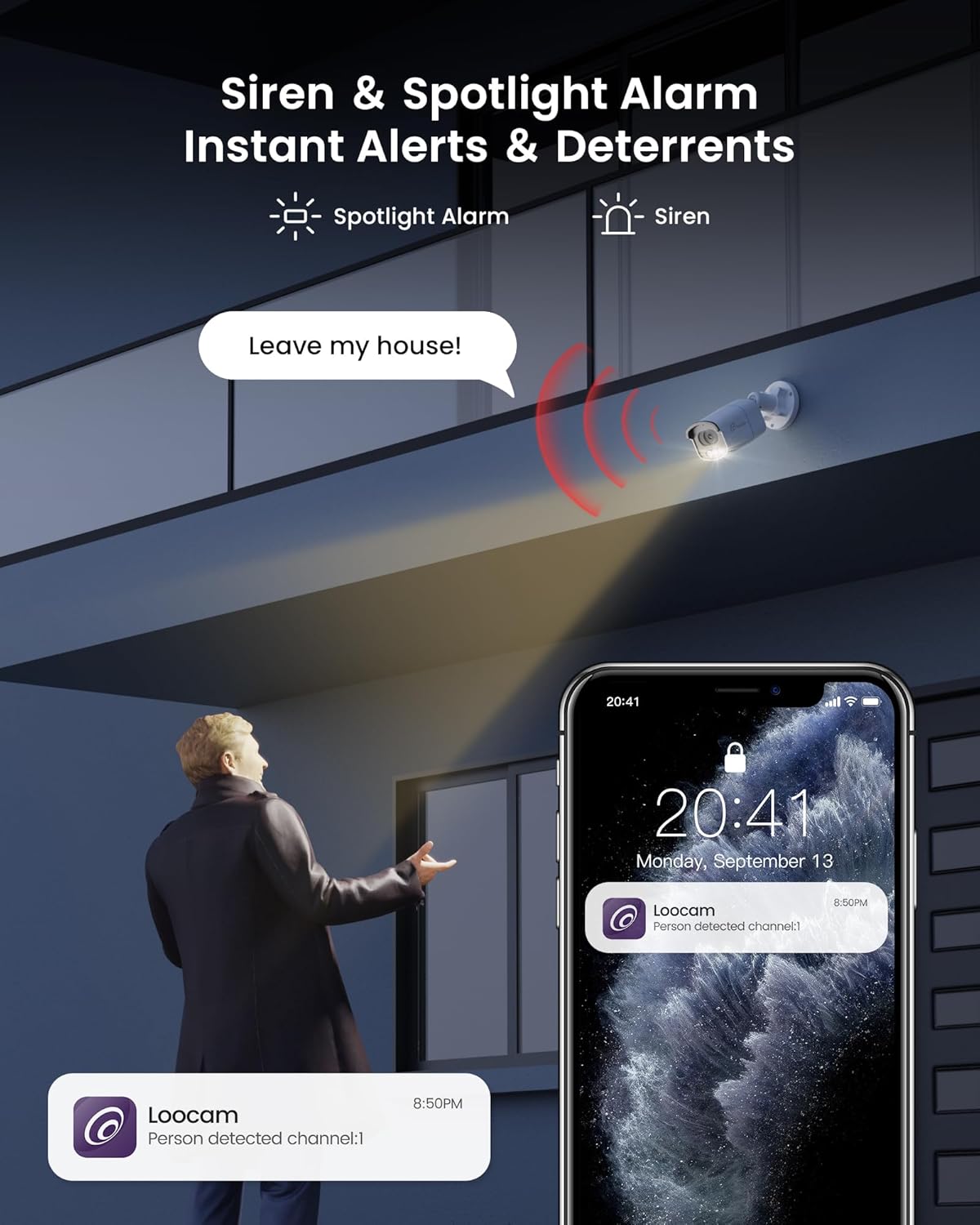
Figure 6: A security camera activating its spotlight and siren, with a corresponding notification on a smartphone.
4.4 Dźwięk dwukierunkowy
Communicate directly through the camera using the built-in two-way audio feature. This allows you to speak to visitors or warn off unwanted individuals from your smartphone.

Figure 7: A user interacting via two-way audio through the Loocam app on a smartphone.
4.5 Zdalne Viewi odtwarzanie
Access live feeds and recorded video anytime, anywhere, using the Loocam app on your smartphone, tablet, or computer. The system supports 24/7 recording to the pre-installed 2TB HDD, which is expandable up to 8TB.

Figure 8: The Loocam app interface displaying continuous recording and smart playback options.
Film 3: Instrukcje dotyczące sposobu view your Loocam PoE Security Camera System via the mobile application.
4.6 Commercial Features: Zone Monitoring & Traffic Analysis
For business applications, the system offers advanced features such as setting up virtual boundaries for zone alerts and utilizing people counting functionality to analyze foot traffic patterns.

Rysunek 9: Example of AI-driven passenger flow statistics, including a graph of statistical data.
5. Konserwacja
- Regularne czyszczenie: Okresowo czyść obiektywy aparatu miękką,amp ściereczką, aby zapewnić wysoką jakość obrazu. Unikaj środków czyszczących o działaniu ściernym.
- Aktualizacje oprogramowania układowego: Check the Loocam official webodwiedź witrynę lub aplikację, aby sprawdzić dostępne aktualizacje oprogramowania sprzętowego i zapewnić optymalną wydajność i bezpieczeństwo.
- Kontrola kabla: Regularly inspect all cables for any signs of wear or damage, especially for outdoor installations.
- Zarządzanie dyskiem twardym: Dysk twardy o pojemności 2TB zapewnia ample storage. The system supports automatic overwrite when the disk is full. Consider backing up important footagi okresowo.
6. Rozwiązywanie Problemów
- Brak wyświetlania obrazu:
- Ensure the NVR is powered on and connected to the monitor.
- Sprawdź połączenia kabli HDMI/VGA.
- Verify cameras are properly connected to PoE ports and NVR is powered.
- Problemy z połączeniem sieciowym:
- Confirm the NVR is connected to the router via Ethernet.
- Check router status and internet connectivity.
- Restart the NVR and router.
- Zdalny Viewing nie działa:
- Upewnij się, że rejestrator NVR ma aktywne połączenie z Internetem.
- Verify the Loocam app is updated to the latest version.
- Check app settings for correct device addition and network configuration.
- Fałszywe alarmy:
- Adjust AI detection sensitivity settings in the NVR or app.
- Zdefiniuj konkretne strefy wykrywania, aby wykluczyć obszary nieistotne.
7. Specyfikacje
| Funkcja | Szczegół |
|---|---|
| Marka | Loocam |
| Numer modelu | LC8P8B-6W42S-186D |
| Technologia łączności | Przewodowy (PoE) |
| Rozdzielczość przechwytywania wideo | 5MP (1944p) |
| Cechy specjalne | App Control, Full-Color Night Vision, Siren Alarm, Two-Way Audio, Weatherproof (IP66), AI Human/Vehicle Detection |
| Liczba kanałów | 8 |
| Pojemność pamięci masowej | 2 TB HDD (Pre-installed), Expandable up to 8 TB |
| Kolor | Biały |
| Źródło zasilania | Elektryczny przewodowy |
| Pozycja Wymiary (dł. x szer. x wys.) | 17.2 x 12 x 7.8 cala |
| Zalecane zastosowania | Outdoor, Indoor, Home, Business, Human Detection, Automatic Overwrite, Audio Recording, IP66 Weatherproof, Smart Playback, Video Recording |
| Kompatybilne urządzenia | Laptopy, komputery osobiste, smartfony, telewizory, tablety |
| Szybkość klatek | 15, 24, 30 klatek na sekundę |
| Tryb nagrywania | Wydarzenie, harmonogram |
| Interfejs sprzętowy | Sieć Ethernetowa |
| Typ soczewki | Naprawił |
| Wejście wideo | BNC, RJ45 |
| Zgodność z inteligentnym domem | Smart Home Compatible |
8. Gwarancja i wsparcie
Loocam products come with a standard manufacturer's warranty. For detailed warranty information, technical support, or service inquiries, please refer to the contact information provided in your Quick Start Guide or visit the official Loocam webstrona. Zachowaj dowód zakupu na potrzeby roszczeń gwarancyjnych.
Ask a question about this manual
Ask about setup, troubleshooting, compatibility, parts, safety, or missing instructions. Manuals+ will review the question and use this page’s manual context to help answer it.