
Wstęp
This manual provides essential instructions for the safe and effective use of your himaly IF1010AR USB Rechargeable Bluetooth Body Fat Scale. This digital scale is designed to measure body weight and analyze various body composition metrics, including body fat percentage, muscle mass, and BMI, through its integrated app.
Przed pierwszym użyciem należy uważnie przeczytać instrukcję i zachować ją do wykorzystania w przyszłości.

Obraz: The himaly IF1010AR digital scale, black-navy blue, displaying a weight reading, alongside a smartphone showing the 'Moving Life' app interface with body composition data.

Obraz: Ponadview graphic of the himaly Smart Bluetooth Body Fat Scale, detailing its key features including 4 high-precision sensors, HD LCD display, 15 measurement indicators, 0.2-180kg capacity, and compatibility with iOS, Android, and Bluetooth.
Zawartość opakowania
- himaly Digital Body Weight Scale
- Kabel ładujący USB
- Instrukcja obsługi
Organizować coś
1. Ładowanie wagi
The himaly IF1010AR scale features a built-in rechargeable battery. Before initial use, ensure the scale is fully charged.
- Znajdź port ładowania USB z boku lub z tyłu wagi.
- Connect the provided USB charging cable to the scale and to a standard USB power adapter (not included) or a computer USB port.
- Wyświetlacz pokaże stan ładowania. Ładuj, aż wskaźnik baterii pokaże pełny poziom.

Obraz: Z bliska view of the himaly scale's USB charging port, highlighting the built-in rechargeable battery feature.
2. Instalacja i parowanie aplikacji
To utilize the full body composition analysis features, download and install the "Moving Life" app on your smartphone or tablet.
- Scan the QR code provided in the manual or search for "Moving Life" in the Apple App Store (for iOS devices) or Google Play Store (for Android devices).
- Install the app and create your user profile.
- Sprawdź, czy Bluetooth jest włączony w Twoim urządzeniu.
- Step onto the scale to activate it. The scale will automatically attempt to pair with the app via Bluetooth 4.0+.
- Follow the on-screen prompts in the "Moving Life" app to complete the pairing process.

Obraz: Diagram illustrating Bluetooth 4.0 connectivity between the himaly scale and the "Moving Life" app, with icons for iOS and Android app stores.
Instrukcja obsługi
1. Wykonywanie pomiaru
Aby uzyskać dokładne odczyty, ustaw wagę na twardej, płaskiej powierzchni. Unikaj dywanów i nierównych podłóg.
- Upewnij się, że Twoje stopy są czyste i suche.
- Step onto the scale barefoot, placing your feet on the metal electrodes. Stand still until your weight is displayed and stabilized.
- If the app is open and connected, your measurements will automatically sync.
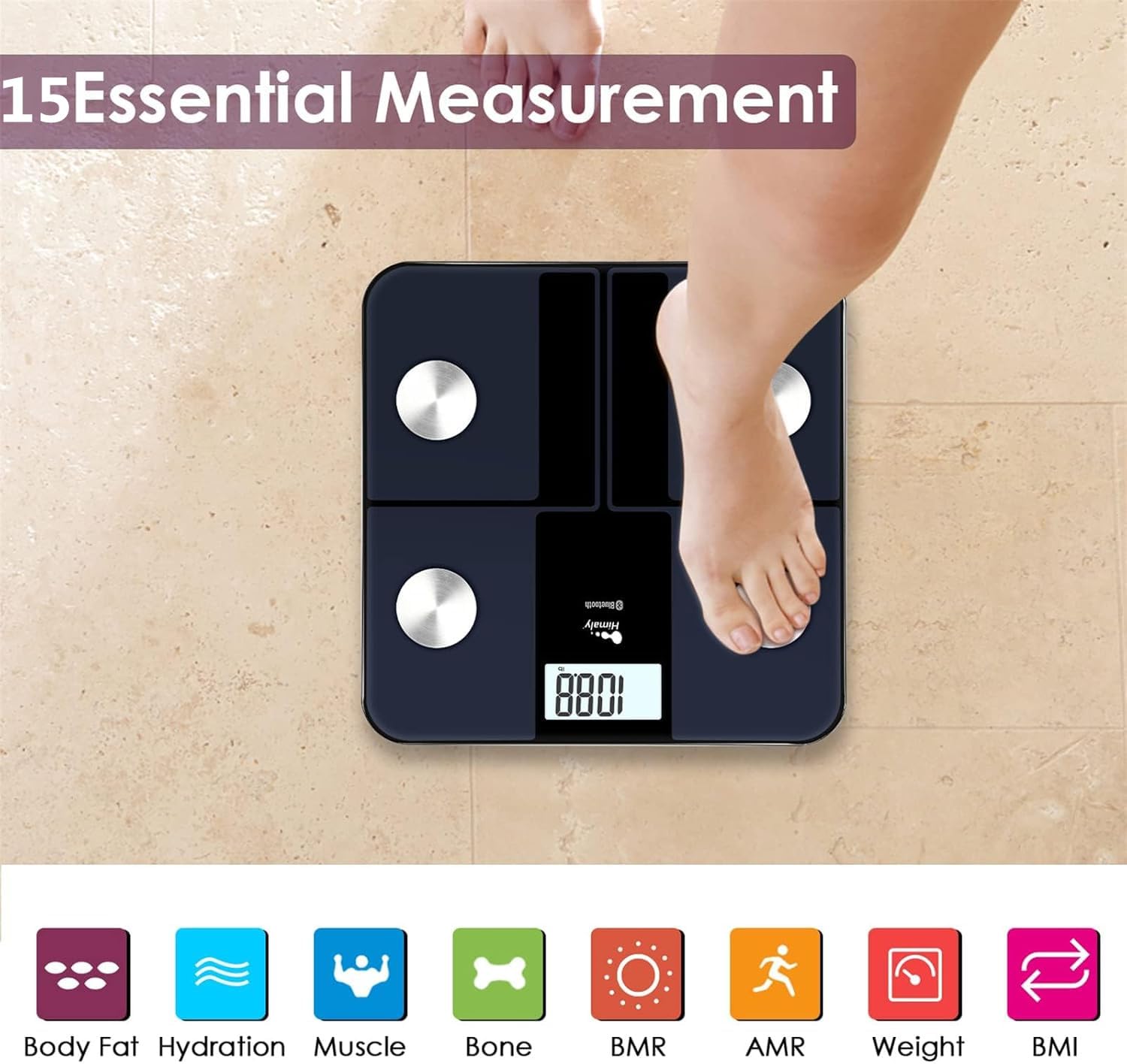
Obraz: A person's bare feet positioned on the himaly scale, illustrating the process of taking a measurement for 15 essential body composition metrics.
2. Zrozumienie wskaźników składu ciała
The himaly scale, in conjunction with the "Moving Life" app, provides 15 essential body composition measurements. These include:
- Masa ciała
- Procent tkanki tłuszczowejtage
- BMI (wskaźnik masy ciała)
- Masa mięśniowa
- Hydration (Water Content)
- Masa kostna
- BMR (podstawowa szybkość metabolizmu)
- AMR (aktywna przemiana materii)
- I więcej.

Obraz: A visual representation of the various body composition metrics measured by the scale, including Body Fat, Hydration, Muscle, Bone, BMR, AMR, Weight, and BMI, depicted with illustrative icons.
The scale's display also uses color-coded indicators to reflect different body fat levels for easy interpretation.

Obraz: A person's feet on the himaly scale, with the digital display showing a weight reading and color-coded indicators representing different body fat levels (Thin, Slim, Normal, Heavy, Overweight).
3. App Features and Data Tracking
The "Moving Life" app allows you to:
- Monitor health trends over time (daily, weekly, monthly, yearly).
- Visualize progress through graphs and charts.
- Sync data with other health apps like Fitbit, Apple Health, and Google Fit.
- Zarządzaj wieloma użytkownikami profiledla członków rodziny.
- Utilize a baby/pet weighing mode.

Obraz: A woman looking at her smartphone, which displays a graph of health data from the 'Moving Life' app, demonstrating the 'Results at a Glance' feature.

Obraz: A woman performing a plank exercise, with the himaly scale in the foreground and a graphic overlay showing a trend chart of weight and body fat percentage w czasie.

Obraz: A graphic illustrating continuous health data tracking and automatic synchronization, with a person performing a yoga pose in the foreground, emphasizing consistent body monitoring.
4. Konwersja jednostek
To switch between measurement units (e.g., pounds to kilograms), locate the "UNIT" button on the underside of the scale and press it to toggle.

Obraz: The underside of the himaly scale, highlighting the 'UNIT' button for measurement conversion and the non-slip mats for stability.
Konserwacja
- Oczyść powierzchnię wagi za pomocą adamp cloth and mild detergent. Avoid abrasive cleaners or submerging the scale in water.
- Przechowuj wagę w suchym miejscu, w temperaturze pokojowej.
- Unikaj upuszczania wagi i narażania jej na silne uderzenia.
- Regularly charge the scale to maintain battery health.
Rozwiązywanie problemów
| Problem | Możliwa przyczyna / rozwiązanie |
|---|---|
| Waga nie włącza się. | Battery is low or depleted. Charge the scale using the provided USB cable. |
| Niedokładne odczyty. |
|
| Błąd połączenia Bluetooth. |
|
| Aplikacja nie synchronizuje danych. |
|
Specyfikacje
| Funkcja | Szczegół |
|---|---|
| Numer modelu | IF1010AR |
| Marka | Himalaje |
| Maksymalna pojemność | 400 funta / 180 kg |
| Przyrosty pomiaru | 0.2 funta / 0.05 kg |
| Czujniki | 4 High-Precision Sensors |
| Łączność | Bluetooth 4.0 + |
| Zgodność aplikacji | "Moving Life" App (iOS & Android), Syncs with Fitbit, Apple Health, Google Fit |
| Źródło zasilania | Akumulator ładowany przez USB |
| Typ wyświetlacza | Cyfrowy LCD |
| Wymiary | 11.81 x 11.81 cala (ok. 30 cm x 30 cm) |
| Kolor | Black-Navy Blue |

Obraz: An image showing the physical dimensions of the himaly IF1010AR scale, indicating its length and width as 11.81 inches and thickness as 0.79 inches.
Gwarancja i wsparcie
For warranty information and customer support, please refer to the contact details provided with your purchase or visit the official himaly webZachowaj paragon jako dowód zakupu na wypadek reklamacji.
Producent: Himalaje